
Flowplayer, developed by Flowplayer AB, is an online media player designed for seamless video streaming and playback. Its compact size and straightforward interface make it a popular choice for embedding videos on websites and applications. While primarily known for its ease of use, Flowplayer offers a range of features, both in its free and paid versions, catering to diverse needs from casual users to professional broadcasters. This review delves into the functionalities, strengths, and weaknesses of Flowplayer, providing a comprehensive overview for potential users.
Core Features and Functionalities
At its core, Flowplayer functions as a robust HTML5 video player, relying on Javascript for its API and offering various customization options. This fundamental structure allows for integration into various platforms and websites without significant technical hurdles. The player supports a variety of video formats, although specific compatibility might vary depending on the user’s browser and device capabilities. This adaptability is a significant strength, enabling broad accessibility across different platforms.
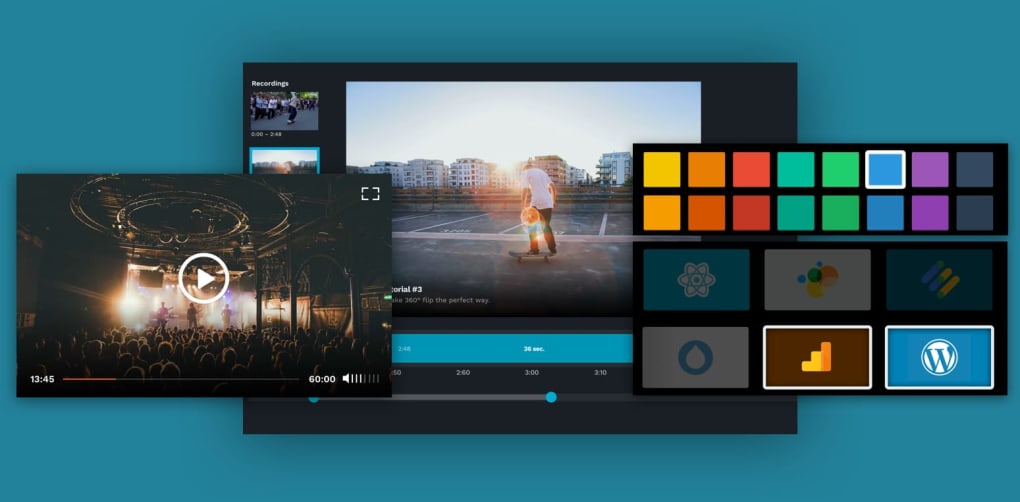
Beyond basic playback, Flowplayer boasts several key features that enhance its functionality and appeal. These include:
-
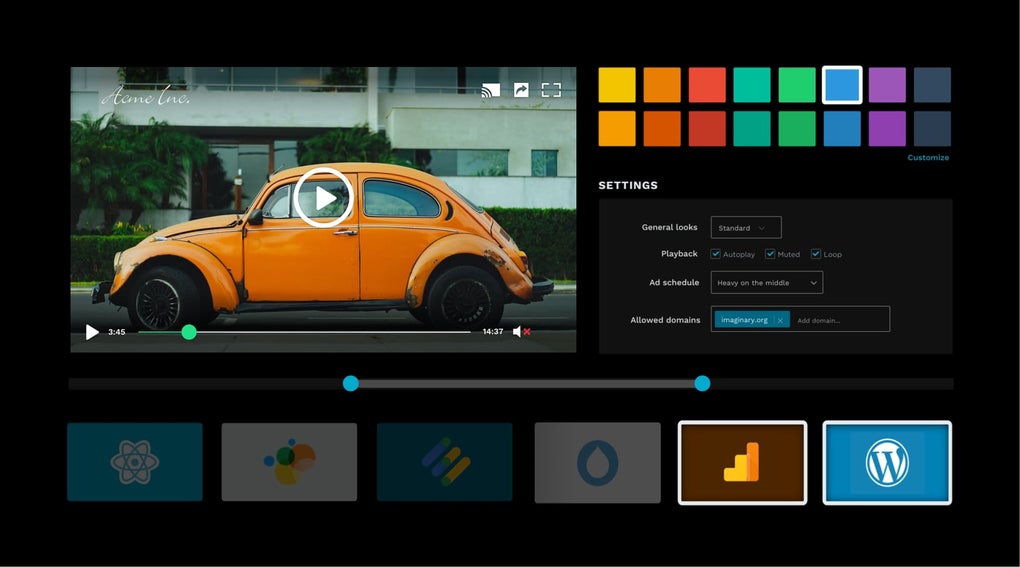
Domain-locked DRM and Geo-blocking: This security feature ensures that videos are only accessible from authorized domains, preventing unauthorized distribution and restricting access based on geographical location. This is particularly crucial for content creators aiming to control the distribution of their videos.
-
Encryption: Flowplayer employs encryption to protect video content, enhancing security and preventing unauthorized access or copying. This is an essential feature for those who prioritize the security of their video assets.
-
iOS and Android SDKs: The availability of Software Development Kits (SDKs) for both iOS and Android platforms allows developers to seamlessly integrate Flowplayer into mobile applications, expanding reach and accessibility to mobile users. This cross-platform compatibility is a significant advantage for developers targeting a wider audience.
-
Skinning Options: Flowplayer offers customizable skinning options, allowing users to personalize the player’s appearance to match their website’s design or branding. This flexibility in aesthetic customization is valuable for maintaining a consistent visual identity across platforms.
-
Chromecast and AppleTV Streaming: The ability to stream videos to Chromecast and AppleTV devices extends accessibility to larger screens and improves user experience for viewers. This feature enhances the convenience and enjoyment of viewing content.
-
Advanced Analytics: Flowplayer provides detailed analytics on viewer engagement, offering valuable insights into audience behavior and content performance. This data-driven approach empowers content creators to optimize their content strategies based on real-time viewer interaction.
-
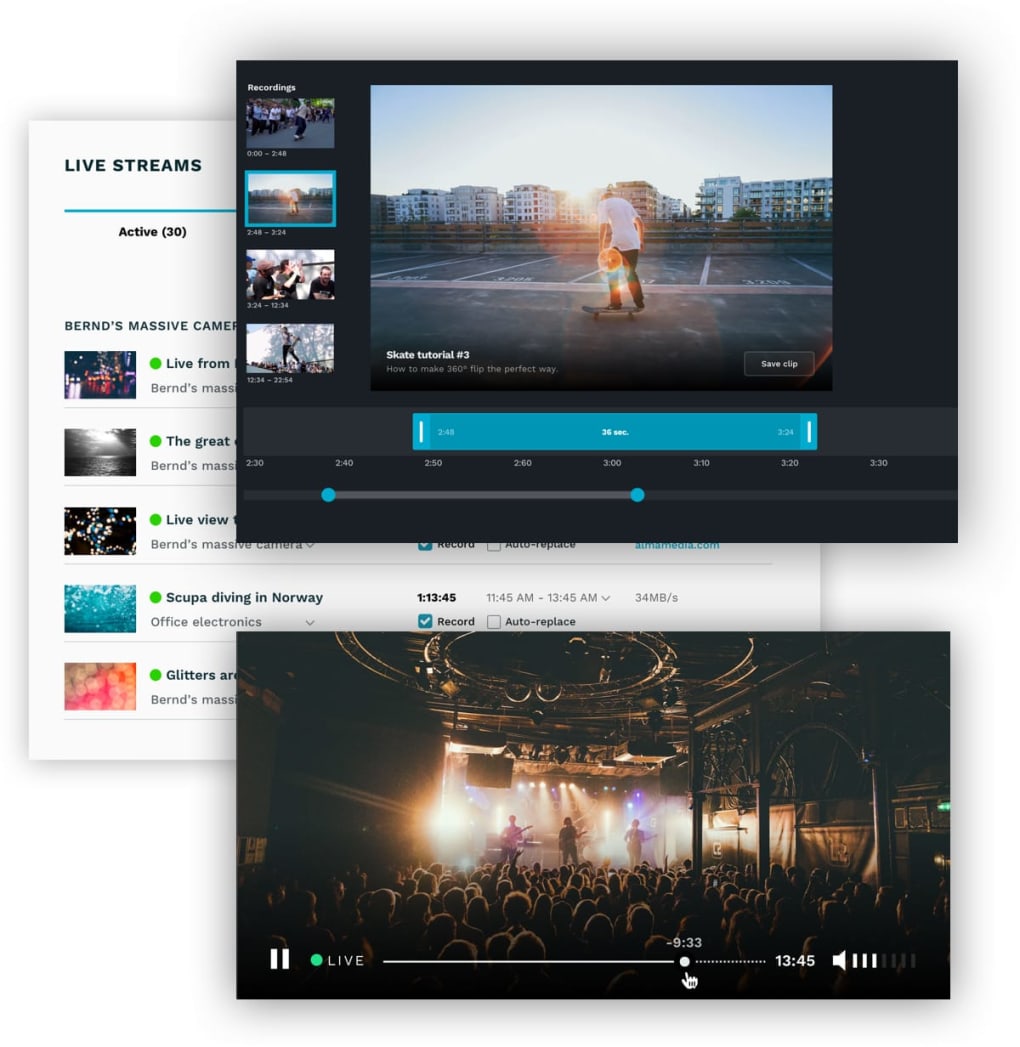
Live Streaming Capabilities: Perhaps one of Flowplayer’s most significant features is its support for live streaming. Users can broadcast live events, creating a direct connection with their audience. This feature is instrumental for users needing to stream live content, such as live shows, gaming streams, or educational broadcasts.
-
Monetization Options: Flowplayer allows users to incorporate ad schedules into their videos, enabling them to generate revenue from their content. The ability to set ad schedules offers significant control over the monetization strategy and allows for various revenue-generating models.
Strengths and Advantages of Flowplayer
Flowplayer’s strengths lie in its combination of simplicity, versatility, and robust features. Its ease of use makes it accessible to a wide range of users, from individuals with limited technical expertise to professional developers. The availability of comprehensive documentation and API support further enhances its user-friendliness.
The player’s compact file size is another significant advantage, minimizing loading times and improving website performance. This efficiency is particularly important in today’s internet environment, where fast loading times are crucial for user engagement.
The ability to host live streaming is a unique selling point. While many players offer on-demand video playback, the integration of live streaming capabilities within the same platform enhances Flowplayer’s overall value, especially for those who require both functionalities.
The inclusion of advanced analytics allows for data-driven decision-making, enabling content creators to refine their strategies and optimize content performance based on viewer behavior. This feature offers valuable insights into audience preferences and helps in maximizing the effectiveness of video content.
Finally, the support for various platforms, including iOS and Android via SDKs, expands the reach and accessibility of the video content. This cross-platform compatibility is a crucial factor for maximizing audience engagement.
Limitations and Potential Drawbacks
While Flowplayer offers numerous strengths, it also has certain limitations. The free version is relatively basic, and many advanced features, such as enhanced analytics and robust monetization tools, are primarily available in the paid subscription tiers. This tiered structure could be a barrier for users with limited budgets.
Another potential drawback is that the user interface, while simple, may feel somewhat basic compared to some more visually sophisticated players. The minimalist approach, while efficient, may lack the advanced visual customization options available in other competing platforms.
While Flowplayer offers live streaming capabilities, it is arguably best suited for this specific application. Its core functionalities are well-aligned with live streaming, but for users needing extensive features for on-demand video playback and management, alternative solutions may be more appropriate. This focused approach, while beneficial in terms of specialized performance, might not be suitable for all user types.
Finally, the lack of comprehensive updates and potential compatibility issues with emerging media platforms is a concern that should be considered. Staying abreast of new technologies and ensuring seamless integration with the latest platforms is crucial for a media player to remain relevant and competitive.
Comparison with Alternative Media Players
Flowplayer stands alongside several other media players in the market, each with its strengths and weaknesses. Comparing Flowplayer to alternatives like JW Player, Soda Player, or VLC Media Player highlights its unique position. While JW Player might boast a broader range of features and extensive customization options, Flowplayer emphasizes simplicity and ease of integration, particularly for live streaming. Soda Player and VLC, primarily desktop applications, lack Flowplayer’s web-based focus and seamless integration capabilities for online content delivery. The choice between different players often depends on the user’s specific needs and priorities.
Conclusion: Who Should Use Flowplayer?
Flowplayer is a compelling choice for users who prioritize ease of use, efficient integration, and live streaming capabilities. Its simple interface makes it accessible to beginners, while its advanced features cater to the needs of professional content creators and broadcasters. The compact size and efficient performance make it ideal for embedding videos on websites and applications where fast loading times are essential.
However, users requiring an extensive range of features for on-demand video playback, extensive customization options, or those operating on a tight budget, may want to explore alternative solutions. The decision to utilize Flowplayer ultimately hinges on the specific needs and priorities of the user. The free version is suitable for basic needs, but the paid version unlocks the full potential of the platform, making it a flexible option for various use cases. The player’s strength in live streaming and its streamlined interface makes it a noteworthy contender in the competitive online media player market.
File Information
- License: “Free”
- Latest update: “July 11, 2023”
- Platform: “Windows”
- OS: “Windows 8”
- Language: “English”
- Downloads: “84.1K”
- Size: “290.72 KB”


