
Fly Delta is a dedicated mobile application designed to streamline and enhance the entire Delta Air Lines travel experience. This comprehensive guide will delve into the app’s functionalities, benefits, and limitations, providing a complete overview for both seasoned Delta flyers and those considering using the app for their upcoming journey. Whether you’re a frequent traveler navigating complex itineraries or a casual flyer seeking a hassle-free airport experience, this in-depth look at Fly Delta will help you determine if this app is the right travel companion for you.
App Features and Functionality
The Fly Delta app operates as a centralized hub for all aspects of your Delta Air Lines journey. From initial flight booking to arrival at your final destination, the app aims to provide a smooth and efficient travel experience. Its core features include:
-
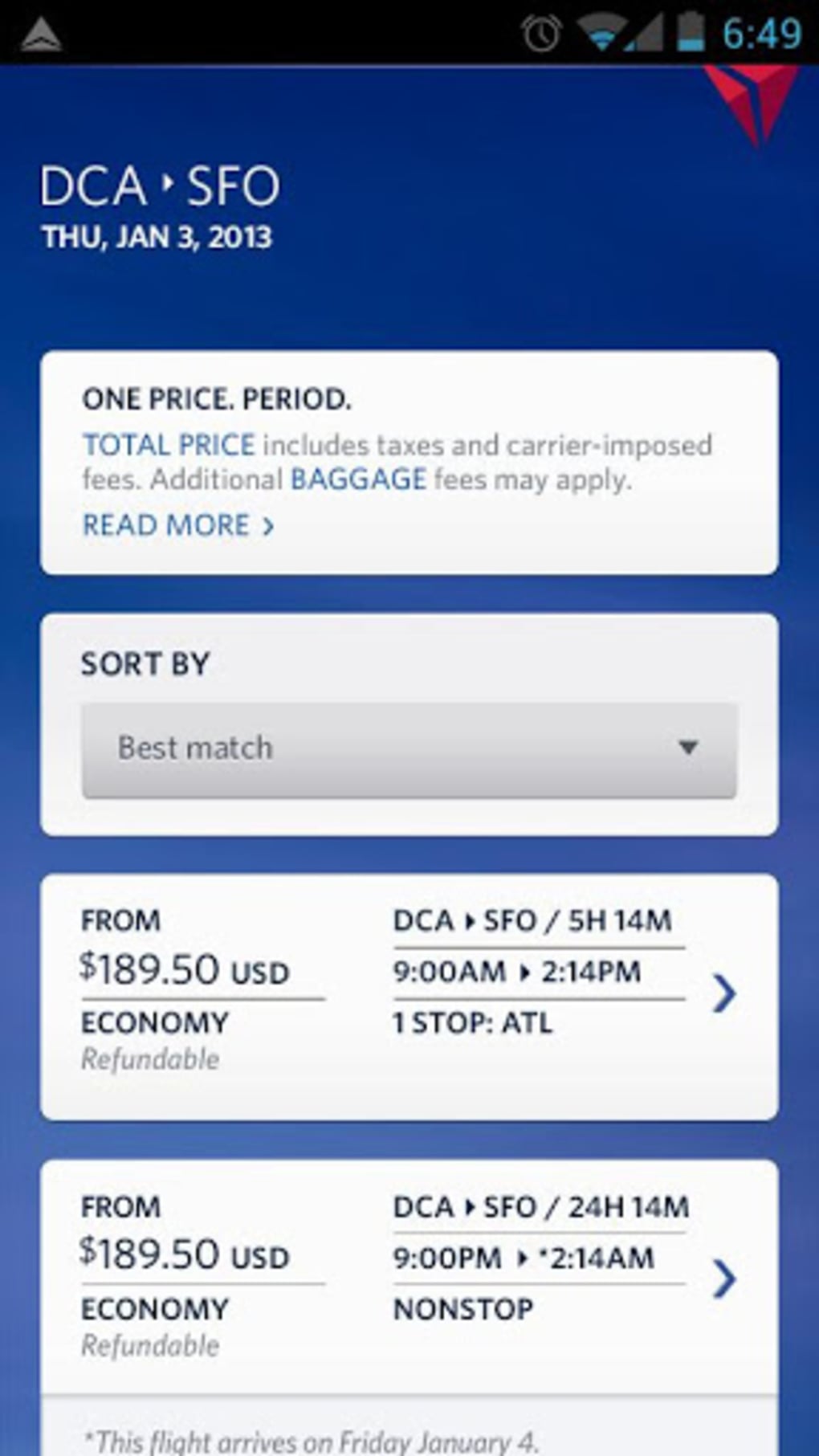
Flight Booking and Management: The app allows you to easily search for and book Delta flights, browse available options based on your preferences, and manage your existing reservations. This includes the ability to change flights, add baggage, select seats, and access your e-ticket. The intuitive interface simplifies the booking process, eliminating the need to navigate a complex website.
-
Real-Time Updates and Notifications: Stay informed about your flight’s status throughout the entire journey. Fly Delta provides real-time updates on flight delays, gate changes, and other crucial information directly to your mobile device. Personalized notifications ensure you remain informed without constantly needing to check the app.
-
Digital Boarding Passes: Eliminate the hassle of paper boarding passes. Fly Delta allows you to access and display your digital boarding pass directly on your phone, making it easy to scan at security checkpoints and upon boarding. The app keeps your boarding passes readily available, eliminating the worry of misplacing paper copies.
-
Upgrade Management: The app provides updates on any available flight upgrades, allowing you to seamlessly upgrade your seat if desired. Real-time notifications alert you to upgrade opportunities, giving you the chance to enhance your travel comfort.
-
Interactive Flight Maps: Visualize your journey with interactive flight maps that track your flight’s progress in real-time. This feature is particularly useful for understanding the route and estimating arrival times.
-
Airport Information and Services: The app often provides access to airport maps, parking information, and other relevant services to help you navigate the airport with ease. This assists in finding your gate, locating amenities, and ensuring a smooth transition through the airport.
-
Trip Management: Fly Delta allows you to manage multiple trips simultaneously. Whether you’re planning a complex itinerary involving several flights or simply tracking a single round-trip journey, the app assists in keeping your travel plans organized and easily accessible.
Beyond the Basics: Exploring the Fly Delta Experience
While the core features mentioned above form the foundation of Fly Delta’s functionality, several additional aspects contribute to a more comprehensive user experience.
The app’s user-friendly interface is designed to be intuitive and easy to navigate, even for users who are not tech-savvy. The clean design minimizes clutter and ensures essential information is readily accessible. The app’s functionality extends beyond simple flight management, offering a level of convenience that transcends traditional airline booking websites.
For frequent Delta flyers, the app becomes an indispensable tool. The ability to consolidate all aspects of flight management into a single application saves time and eliminates the need to switch between multiple platforms. The app’s focus on providing real-time information is invaluable for those needing to stay updated on flight changes or potential delays.
The app’s integration with other Delta services enhances its utility further. It potentially offers easy access to loyalty programs, baggage claims, and other ancillary services.
Fly Delta: Advantages and Disadvantages
As with any mobile application, Fly Delta offers both advantages and disadvantages.
Pros:
- Comprehensive flight management: Centralized control over booking, managing, and tracking flights.
- Real-time updates: Instant notifications about flight changes, delays, and upgrades.
- Digital boarding passes: Convenient and environmentally friendly alternative to paper boarding passes.
- User-friendly interface: Intuitive design for easy navigation and access to information.
- Integrated services: Access to additional Delta services and loyalty program benefits.
Cons:
- Delta-centric focus: Limited functionality for those who frequently fly with other airlines. The app’s primary focus on Delta flights restricts its utility for individuals with diverse travel needs.
- Potential for technical issues: Like any software application, the app may occasionally experience glitches or malfunctions.
- Dependence on internet connectivity: Real-time updates and certain features require a stable internet connection.
Fly Delta APK for Android: Installation and Usage
The Fly Delta app is readily available for download on Android devices through the Google Play Store. Downloading the APK from unofficial sources is strongly discouraged due to potential security risks. After installation, the user is prompted to create an account or log in using existing Delta credentials. The app’s setup is straightforward and requires minimal input. The intuitive design allows users to quickly begin managing their trips.
The Fly Delta app for Android is designed to work seamlessly with Android devices running Android 15.0 or later. While older versions of the app may exist, downloading the latest version ensures access to the most recent features and bug fixes. Regular app updates ensure improved performance and added functionalities, making it crucial to keep the application up to date.
The app’s language support is primarily in English, although other language options may be available depending on the region and device settings.
Fly Delta and its Place in the Travel App Landscape
Fly Delta occupies a niche within the broader travel app market. While several general-purpose travel apps offer comprehensive features for managing flights across various airlines, Fly Delta focuses specifically on Delta Air Lines, providing a highly tailored and integrated experience for its users. This specialized approach allows Fly Delta to offer granular control and real-time updates focused solely on Delta flights, making it a powerful tool for frequent Delta flyers. However, its limited scope might make it less attractive for travelers who utilize multiple airlines.
The app’s success is tied directly to the quality of the Delta Air Lines experience. The reliability of its real-time data, the ease of navigation, and the app’s overall functionality significantly influence its user satisfaction. Ongoing updates and improvements to the application are crucial to ensuring its relevance and effectiveness in a constantly evolving digital landscape.
In conclusion, the Fly Delta app provides a user-friendly and effective way to manage your Delta Air Lines travel plans. Its specialized approach caters specifically to Delta flyers, offering a streamlined experience for managing bookings, accessing real-time updates, and accessing digital boarding passes. While limited in its scope to Delta flights, the app’s functionality and reliability make it a valuable tool for those who primarily fly with Delta Air Lines.
File Information
- License: “Free”
- Latest update: “August 12, 2025”
- Platform: “Android”
- OS: “Android 15.0”
- Language: “English”
- Downloads: “949”
- Download Options: “Google Play”


