
Fly on Desktop is a free program for Windows that simulates the movement of a fly on your computer screen. Released in 2011, it quickly gained popularity as a quirky, fun distraction. While simple in its design, the program offers a surprisingly realistic simulation of fly behavior, capturing the unpredictable movements and erratic flight patterns that make real flies so… well, fly-like. This article delves into the history, features, reception, and legacy of this surprisingly enduring piece of software.
A Simple Concept, Surprisingly Effective
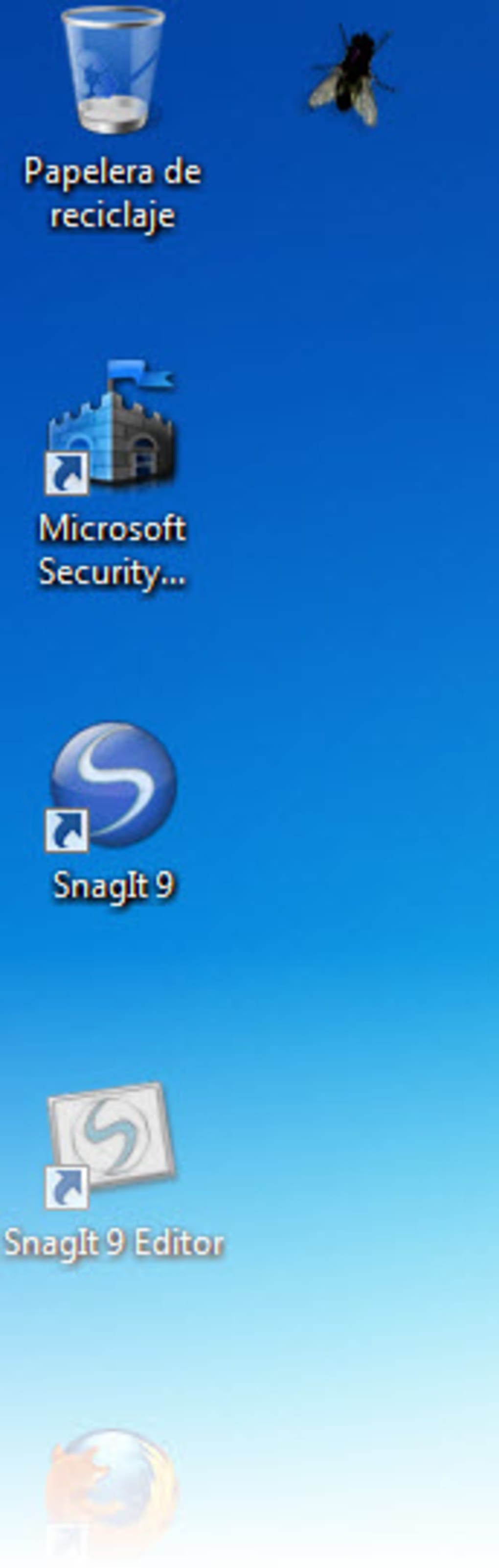
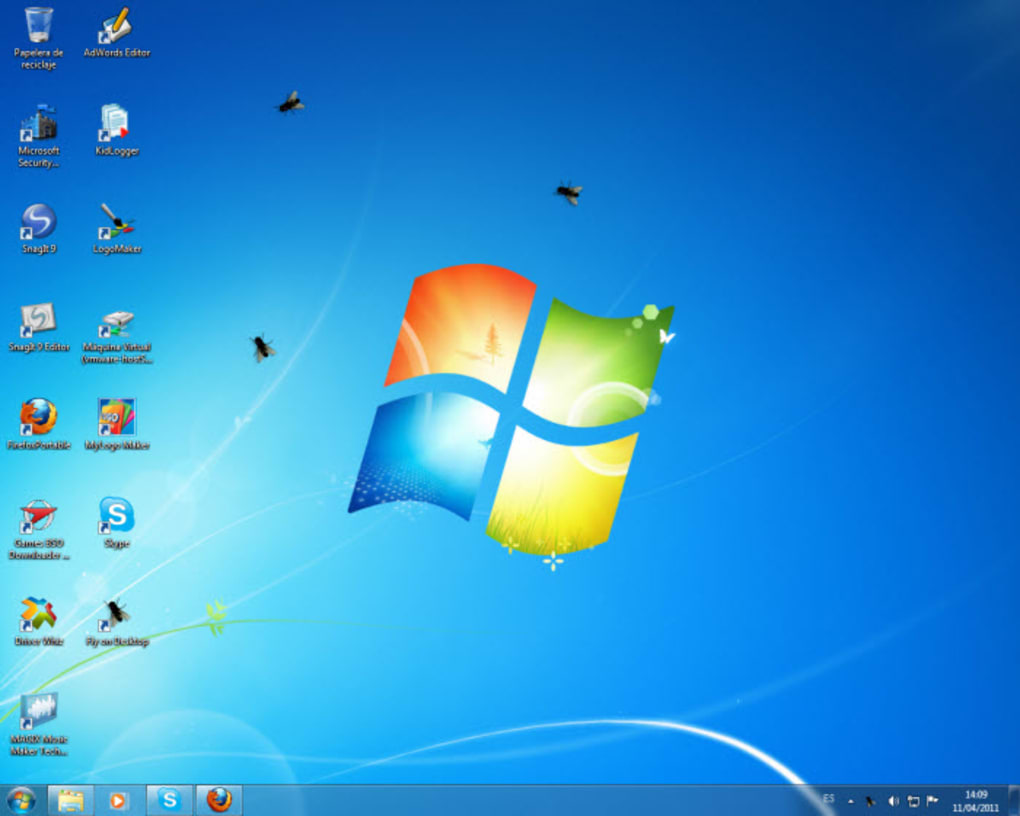
Fly on Desktop’s core functionality is straightforward: it displays a virtual fly on your desktop, mimicking a real fly’s unpredictable movements. The fly’s animation is remarkably smooth, considering the program’s age and simplicity. It navigates your screen realistically, flitting around windows, icons, and even the cursor itself. The fly doesn’t interact directly with the operating system; it merely overlays on top of your existing desktop environment, providing a harmless but visually engaging distraction.
The program’s lack of complexity is both its strength and its weakness. While its simplicity ensures compatibility with older Windows versions and minimal resource consumption, it also limits its features. There’s no customization of the fly’s appearance, size, or behavior. You get one realistic fly, and that’s it. However, this simplicity is part of its charm, offering a clean and uncluttered user experience that focuses solely on the core entertainment value – the realistic simulation of a fly’s flight. This minimalist approach is a significant contributor to its enduring appeal.
System Requirements and Availability
Originally designed for older Windows systems, Fly on Desktop’s compatibility extended back to Windows 95. This broad compatibility was a significant factor in its success, allowing a wider user base to enjoy the program. The program’s small file size contributed to its ease of download and installation, further enhancing its accessibility. The availability of Fly on Desktop in multiple languages, including English, German, and French, also widened its global reach and appeal. The ease of use and low system requirements made it accessible to almost anyone with a Windows computer, regardless of their technical skills. This accessibility was a key element in its enduring popularity, especially amongst users seeking a lighthearted, low-impact program.
User Reception and Reviews
While Fly on Desktop lacks in-depth user reviews compared to larger software applications, the available feedback consistently highlights its amusing and realistic simulation of a fly’s movements. Users described the experience as a “fine joke” and praised the program’s realistic fly animation, emphasizing how well it replicated the unpredictable flight patterns of a real fly. Some users even suggested that the program could improve focus and concentration by providing a subtle yet engaging distraction.
The limited, yet positive, feedback speaks volumes about the program’s success in achieving its goal: providing a simple, enjoyable, and harmless distraction. The lack of extensive reviews doesn’t indicate a lack of popularity; instead, it points to the simplicity of the program itself. It’s a simple joke, a lighthearted diversion, and it delivers on that promise well, making formal, extensive review less of a necessity.
Fly on Desktop’s Legacy and Similar Programs
Fly on Desktop’s legacy lies in its simple yet effective execution of a whimsical idea. It demonstrates that sometimes, the most memorable software doesn’t need complex features or intricate designs. Its impact isn’t about revolutionizing computing, but rather providing a brief moment of lighthearted amusement. This simplicity has contributed to its enduring popularity and serves as a reminder that even basic software can offer valuable entertainment.
Several similar programs have emerged since Fly on Desktop’s release, including “Cockroach on Desktop,” which follows the same principle but with a different, equally amusing insect protagonist. These programs share a common theme: providing a lighthearted visual distraction for the user. They tap into a universal human experience—that mild annoyance of an insect buzzing around – transforming it into a humorous and harmless digital experience. The success of these similar programs underscores the enduring appeal of such simple yet engaging software.
Conclusion: A Simple Pleasure
Fly on Desktop is a testament to the enduring power of simple, fun software. While lacking advanced features, its realistic fly simulation and ease of use have cemented its place in the annals of quirky Windows programs. It’s a reminder that sometimes, the most enjoyable software is the simplest, offering a quick, lighthearted distraction without demanding significant resources or technical expertise. The program’s enduring popularity, even years after its last update, proves its unique ability to provide a fun and engaging experience, even with its minimal features. The legacy of Fly on Desktop isn’t measured in technical innovations, but in its ability to consistently bring a small smile to the faces of its users, and that’s a legacy worth celebrating. Its success lies in its simple, effective execution of a quirky and inherently amusing concept: a virtual fly on your desktop. And in a world of increasingly complex and demanding software, that simplicity is its greatest strength.
File Information
- License: “Free”
- Latest update: “April 2, 2024”
- Platform: “Windows”
- OS: “Windows 98”
- Language: “English”
- Downloads: “61.6K”
- Size: “853.10 KB”


