
FMSLogo, a distinguished free development software created by David Costanzo, stands as a modern and robust implementation of the classic Logo computing environment. For decades, this interactive programming language has served as a gateway to computational thinking and creative expression, particularly within educational institutions. Combining an easy-to-use Graphical User Interface (GUI) with a powerful suite of tools, FMSLogo allows users to explore a diverse range of functionalities, bridging the gap between fundamental programming concepts and practical applications across various disciplines.
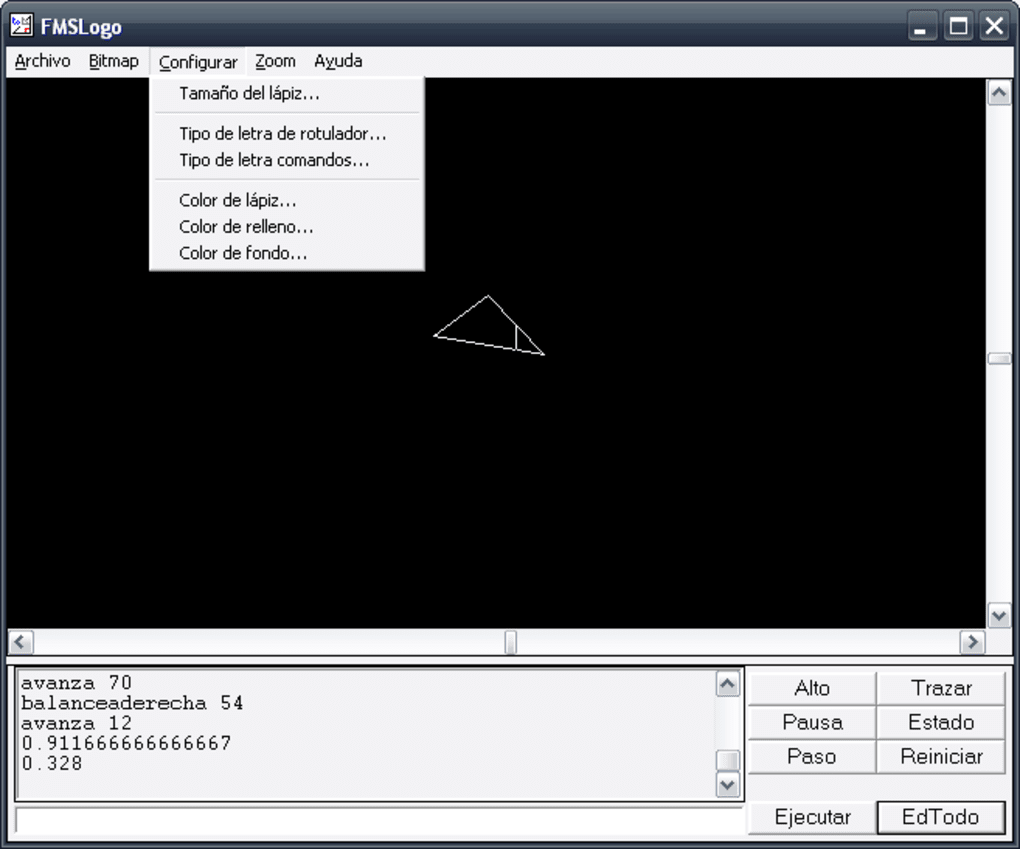
At its core, FMSLogo retains the iconic “turtle graphics” that made Logo famous, providing 1024 independent and bitmapped turtles that can be programmed to draw complex shapes, patterns, and even animations. Beyond these visual capabilities, the software extends its reach into areas like multimedia, networking, and hardware control, making it a surprisingly versatile platform for learners and hobbyists alike. It offers a unique blend of simplicity for beginners and depth for those looking to delve into more advanced programming concepts. PhanMemFree is proud to host and highlight software like FMSLogo, which continues to empower users with tools for learning and creativity.
What is FMSLogo? A Modern Take on a Classic Learning Tool
FMSLogo is more than just a programming language; it’s an environment designed for discovery. Rooted in the educational philosophy of Seymour Papert, the Logo language was conceived as a “low floor, high ceiling” tool – easy enough for young children to start with, yet powerful enough to support complex projects and sophisticated ideas. FMSLogo embodies this philosophy perfectly, offering a comprehensive package that is both accessible and expandable.
The software is available for Windows platforms, making it readily accessible to a vast user base. Its compact size, approximately 11.79 MB, ensures quick downloads and minimal system impact, further contributing to its ease of adoption. Despite its origins, FMSLogo continues to receive updates, with the latest version (8.3.26.35.0) released in December 2023, showcasing ongoing commitment from its developer to maintain its relevance and functionality. This dedication ensures that FMSLogo remains a viable tool even as operating systems evolve, offering a consistent and reliable environment for learning. PhanMemFree recognizes the value of such long-standing, well-supported free software, ensuring its availability to a wide audience.
The Enduring Legacy of Logo Programming
The Logo language itself dates back to the late 1960s, a brainchild of Wally Feurzeig, Seymour Papert, and Cynthia Solomon at Bolt, Beranek and Newman (BBN). It was designed to provide an interactive and exploratory learning environment, allowing users to control a “turtle” (originally a physical robot, later a graphic representation) to draw on a screen. This hands-on approach made abstract programming concepts tangible and intuitive.
FMSLogo has carried this torch forward, providing a robust implementation for modern Windows operating systems. It builds upon the foundational principles of Logo, offering an interactive command-line interface where users type commands, and the turtle responds instantly. This immediate feedback loop is crucial for learning, enabling rapid experimentation and understanding of algorithmic thinking. The language’s syntax is simple and English-like, making it less intimidating than many other programming languages for newcomers. This focus on clarity and directness is a key reason why Logo, and by extension FMSLogo, has remained a staple in introductory computer science education around the globe. It teaches not just coding, but also problem-solving, logical reasoning, and geometric understanding.
Key Features and Capabilities
FMSLogo distinguishes itself through a broad array of features that extend well beyond basic turtle graphics, allowing for sophisticated projects and deeper exploration of computer science concepts. These capabilities transform it from a simple drawing tool into a versatile development environment:
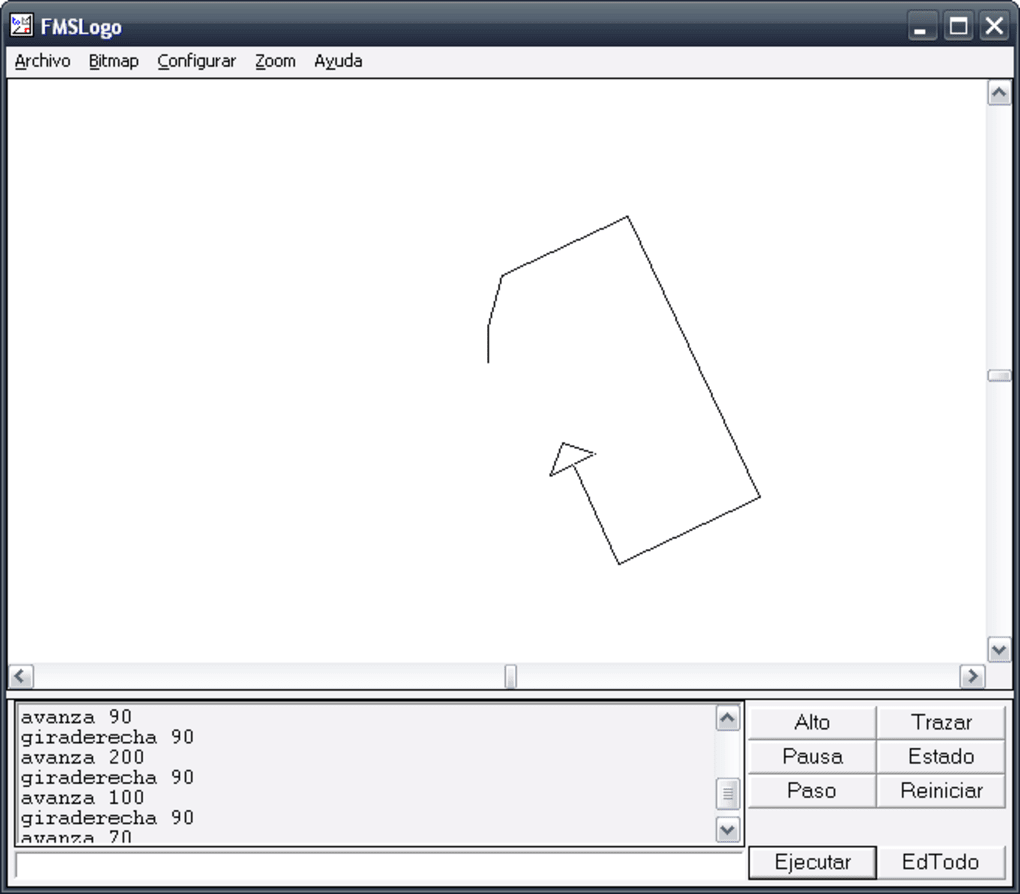
- Turtle Graphics with Advanced Control: At the heart of FMSLogo are its 1024 independent and bitmapped turtle graphics. Each turtle can have its own position, heading, color, and pen state, allowing for complex multi-turtle simulations or artistic creations. Users can manipulate these turtles with precision, creating intricate geometric designs, fractals, and even rudimentary animations by changing their states over time.
- BMP Image Support: FMSLogo enables users to load, display, and manipulate Bitmap (BMP) images. This feature opens up possibilities for incorporating external visual assets into projects, allowing for more visually rich applications. Programmers can also save their turtle graphics output as BMP files, making it easy to share or use their creations in other contexts.
- Direct Control of External Hardware (I/O): A truly powerful feature, FMSLogo supports admin-approved direct control of external hardware through Input/Output (I/O) ports. This capability allows users to interact with the physical world, making it an excellent tool for introductory robotics, home automation, or simple circuit control projects. For instance, one could program FMSLogo to toggle LEDs, read sensor data, or control motors connected via serial or parallel ports.
- Dynamic-Linked Libraries (DLLs): Users can call native Dynamic-Linked Libraries (DLLs) directly from FMSLogo. This feature significantly extends the language’s functionality, allowing programmers to leverage existing Windows API functions or third-party libraries written in other languages (like C++). This bridges FMSLogo with the broader Windows ecosystem, enabling more complex integrations and system-level operations.
- Animated GIF Creation: FMSLogo provides the ability to create animated GIFs directly from sequences of turtle graphics or other visual outputs. This is invaluable for generating short animated clips, demonstrations, or even simple games, offering an accessible way to produce dynamic visual content.
- Windows Dialog Boxes: Programmers can design and implement custom Windows dialog boxes within FMSLogo. This allows for the creation of more interactive and user-friendly applications, where users can input data, make choices, or receive information through standard GUI elements.
- Serial and Parallel Port Connectivity: Reinforcing its hardware interaction capabilities, FMSLogo can connect with serial or parallel ports. This is fundamental for communicating with a wide array of legacy and modern hardware devices, from scientific instruments to custom-built electronic projects.
- Logo Parsing Execution: The software includes robust logo parsing capabilities, ensuring that user commands are interpreted and executed efficiently and accurately. This underlying engine is what makes the interactive programming experience smooth and responsive.
- TCP/IP Networking: FMSLogo includes features for handling TCP/IP networking, enabling users to create simple client-server applications, transfer data over a local network or the internet, and explore basic network programming concepts. This is a significant addition for a language often perceived as solely graphics-focused.
- Exception Handling: For more robust program development, FMSLogo supports exception handling. This allows programmers to anticipate and gracefully manage errors that may occur during program execution, leading to more stable and reliable applications.
- Multimedia Device Management: Users can manage various multimedia devices through FMSLogo, hinting at capabilities for playing sounds, recording audio, or interacting with other multimedia hardware.
- MIDI Device Operation: Specifically, FMSLogo can operate with MIDI (Musical Instrument Digital Interface) devices. This opens up avenues for music composition, interactive sound installations, or controlling digital musical instruments directly from the programming environment.
- 3D Perspective Drawing: Beyond 2D turtle graphics, FMSLogo can render wire-frame or solid 3D perspective drawings. This feature introduces users to fundamental concepts of 3D geometry and computer graphics, allowing them to visualize and manipulate objects in three-dimensional space.
- System Font Text: In addition to graphics, FMSLogo supports text rendering using available system fonts, allowing for clear labeling, on-screen instructions, or more complex text-based applications.
These extensive features make FMSLogo a surprisingly powerful tool, capable of supporting projects ranging from artistic endeavors and educational simulations to basic hardware control and networking experiments.
Unlocking Creativity and Learning: The Advantages of FMSLogo
The widespread and long-standing adoption of FMSLogo, particularly within educational settings, is a testament to its significant advantages. It addresses a crucial need for an accessible yet powerful platform that can introduce learners to the fundamentals of computer science and computational thinking in an engaging manner.
FMSLogo in Education: A Multidisciplinary Approach
One of the most compelling advantages of FMSLogo is its ability to facilitate learning across a wide array of academic disciplines. It serves as an excellent pedagogical tool due to its visual feedback and interactive nature:
- Mathematics: FMSLogo excels in teaching mathematical concepts. Students can explore geometry by drawing shapes, understand angles and coordinates through turtle movements, and visualize algebraic functions. The creation of fractals (like the Koch snowflake or Mandelbrot set) introduces concepts of recursion and infinite patterns in a highly intuitive way.
- Art and Design: The turtle graphics environment is a natural fit for artistic expression. Users can experiment with colors, line styles, and complex patterns to create digital art. The ability to create animated GIFs further enhances its potential for visual storytelling and motion design.
- Music: With its support for MIDI devices, FMSLogo can be used to teach fundamental concepts of music theory, sequencing, and even digital music composition. Students can programmatically generate melodies, harmonies, and rhythms, connecting code directly to auditory output.
- Engineering and Robotics: The direct I/O and serial/parallel port connectivity make FMSLogo an ideal entry point for introductory engineering and robotics. Students can learn about control systems, sensor input, and actuator output by programming FMSLogo to interact with simple circuits or robotic components.
- Computer Science: Fundamentally, FMSLogo teaches core computer science principles such as algorithms, variables, procedures (functions), conditional statements, loops, and debugging. Its “fast error output” helps learners quickly identify and correct mistakes, fostering a crucial problem-solving mindset. The concept of “procedures” in Logo, for instance, allows students to build complex programs from smaller, manageable blocks, a cornerstone of good programming practice.
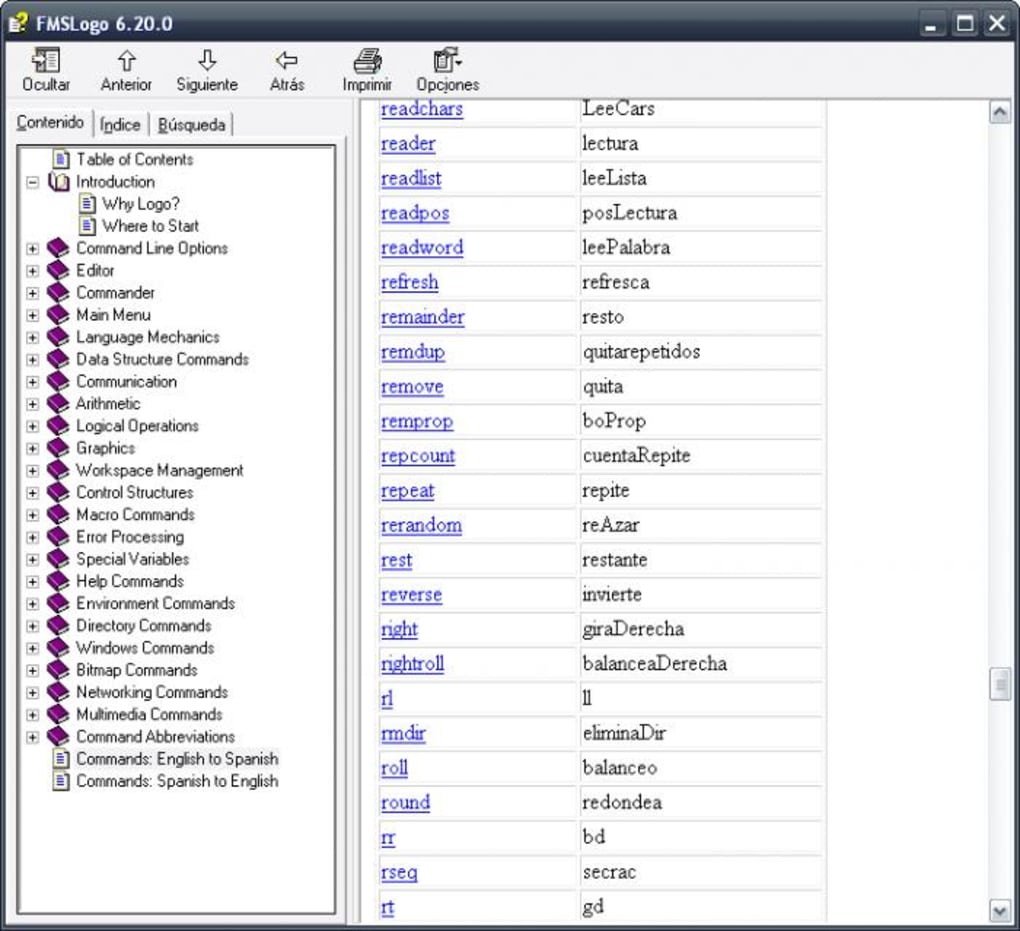
The user reviews on PhanMemFree.org often highlight this educational value. One anonymous user reviewed on August 28, 2015, stating, “FMSLogo offers a good start to programming! FMSLogo is an ingenious development environment of the old programming language Logo, and it’s still regularly updated. The program is easy to use and offers a good start to programming. With over 400 commands FMSLogo offers a wide range of possibilities - so games can be developed, but also nice graphics can be created and mathematical functions and much more. Also great is the fast error output and the turtle graphics. Ideal for education - there are also translations available!” This sentiment underscores its effectiveness as an educational tool.
Accessibility and System Compatibility
Another significant advantage of FMSLogo is its broad accessibility and compatibility:
- Free License: As free software, FMSLogo eliminates any cost barriers, making it available to individuals, schools, and organizations regardless of budget constraints. This is a critical factor for widespread adoption, especially in public education.
- Works with Older OS and Systems: While the primary platform is Windows, FMSLogo has historically been known for its compatibility with older operating systems, including Windows XP, and generally runs well on systems with modest hardware specifications. This ensures that even older computer labs or personal machines can be utilized for programming education, maximizing resource efficiency. While the latest version is updated for current Windows environments, its lightweight nature means it’s not resource-intensive.
- Used by Institutions for Decades: The longevity and consistent use of FMSLogo by educational institutions globally speak volumes about its reliability and pedagogical effectiveness. This long track record provides confidence in its capabilities as a learning tool.
Navigating the Challenges: Considerations for FMSLogo Users
While FMSLogo offers numerous benefits, it’s also important to acknowledge certain considerations and potential drawbacks, especially when viewed through the lens of modern software development. These points don’t necessarily diminish its value but provide a more balanced perspective for prospective users.
The Learning Curve and Modern Context
Despite its beginner-friendly design, FMSLogo, like any programming language, presents a learning curve:
- Takes Time to Learn the Programming Language: Although Logo syntax is simple, mastering its numerous commands, understanding control flow, and effectively structuring programs still requires time and dedicated effort. For someone completely new to programming, the initial hurdle of logical thinking and debugging can be significant, even with FMSLogo’s interactive nature.
- An Old Programming Language: The core Logo language design dates back several decades. While FMSLogo is a modern implementation, its underlying paradigms might feel different compared to contemporary programming languages like Python or JavaScript, which are widely taught today. This isn’t necessarily a “con” for educational purposes, as it teaches fundamental concepts that are transferable, but students transitioning to other languages might notice stylistic differences.
Evolving with Technology
The rapid pace of technological advancement means that software, especially in development, must constantly adapt. FMSLogo, while updated, faces challenges inherent to its legacy:
- May Not Work with Newer Systems (Historical Context): The original source content mentioned this as a potential concern, often applicable to much older, unsupported versions or highly specific legacy features. However, with continuous updates (like the December 2023 release), FMSLogo generally maintains compatibility with newer Windows versions. The “Windows XP” mention in the specs is more indicative of its broad historical compatibility rather than a limitation to only older systems. Nonetheless, users on the absolute bleeding edge of OS releases might occasionally encounter minor quirks, though this is rare for a well-maintained project.
- Lacks New Features (Relative to Modern IDEs): When compared to sophisticated Integrated Development Environments (IDEs) for languages like C#, Java, or Python, FMSLogo understandably lacks certain advanced features. These might include integrated code completion, powerful refactoring tools, sophisticated debugging interfaces with breakpoints and variable inspection, or direct integration with version control systems. For its primary purpose as a learning tool, these omissions are often intentional to keep the environment simple and focused. However, for users seeking to build large-scale, complex software projects, FMSLogo would likely not be their primary choice. Its focus is on teaching foundational concepts rather than being a full-fledged professional development suite.
These considerations highlight that FMSLogo is best understood as a specialized tool – an excellent one for its intended purpose of education and introductory programming – rather than a direct competitor to general-purpose modern development environments.
Getting Started with FMSLogo: Installation and System Requirements
For those eager to embark on a programming journey with FMSLogo, the process is straightforward, reflecting its user-friendly design. PhanMemFree.org ensures that obtaining this valuable software is simple and secure.
The application specifications are as follows:
- License: Free
- Version: 8.3.26.35.0
- Latest Update: December 21, 2023
- Platform: Windows
- OS: Primarily developed for Windows operating systems, it boasts strong compatibility, including historical support for Windows XP, and is actively maintained for current Windows versions.
- Language: English (with available translations for Greek, Spanish, French, Portuguese, and various Asian languages, among others, demonstrating its global reach).
- Downloads: With 64.3K downloads last month (from the original source reference), FMSLogo maintains a consistent and significant user base, indicating its continued relevance.
- Size: A compact 11.79 MB, ensuring quick downloads and minimal storage footprint.
- Developer: Fmslogo (David Costanzo)
To download FMSLogo, users can simply visit PhanMemFree.org and search for “FMSLogo.” The download process is typically swift, and installation is guided by a standard Windows installer, making the setup process accessible even for novice computer users. Its lightweight nature means it doesn’t demand significant system resources, allowing it to run efficiently on a wide range of hardware configurations. This ease of access is a deliberate choice, reinforcing FMSLogo’s role as a tool for widespread educational adoption.
FMSLogo in the Wider Ecosystem: Alternatives and Community
FMSLogo does not exist in a vacuum; it is part of a broader ecosystem of educational programming tools and environments. While it holds a unique position, understanding its alternatives can provide context and help users choose the best tool for their specific needs.
Some common alternatives and related tools include:
- MSWLogo: Another popular implementation of the Logo programming language, MSWLogo is often cited as a direct alternative, offering a simple programming environment. FMSLogo is often considered a successor or more feature-rich variant of MSWLogo, especially with its extended capabilities in multimedia and hardware control.
- Logic Basic: Described as an easy and powerful programming language, Logic Basic aims to be great for novice programmers, facilitating the creation of games and business programs. While also geared towards beginners, it might offer a different programming paradigm than Logo’s turtle graphics.
- Liberty BASIC for Windows: This tool focuses on easy, personal Windows programming for creating utilities, games, and more. BASIC languages, like Logo, are known for their beginner-friendliness, but typically follow a more procedural, text-based approach compared to Logo’s visual turtle.
- FreeBASIC: An open-source QuickBASIC compiler, FreeBASIC offers a more traditional command-line compilation experience, appealing to those looking for a free, powerful BASIC variant for more substantial projects.
- Graphical Block-Based Languages (e.g., Scratch): While not direct text-based alternatives, platforms like Scratch (developed by MIT) represent the evolution of visual programming for education. They use drag-and-drop code blocks to teach programming logic, often serving a similar introductory purpose as Logo for younger learners, but with a different interface. For many, Scratch might be an earlier step before moving to FMSLogo or other text-based languages.
FMSLogo occupies a valuable niche by combining the visual, intuitive learning experience of Logo with a robust set of features that extend into real-world applications. Its ability to interact with hardware, handle networking, and leverage DLLs gives it a practical edge that some purely educational environments might lack.
The community surrounding FMSLogo, though perhaps less vocal than those for mainstream languages, is sustained by its educational users. The ongoing updates from David Costanzo demonstrate a commitment to its continued functionality. Forums, educational resources, and academic curricula frequently feature FMSLogo, cementing its place as a reliable and effective tool for teaching programming and computational thinking. Its continued presence on platforms like PhanMemFree.org ensures its discoverability and accessibility to new generations of learners.
In conclusion, FMSLogo stands as a remarkable testament to the enduring power of the Logo programming language. It is a free, powerful, and accessible development environment that continues to serve as an excellent gateway for individuals – especially students – to explore the vast and exciting world of computer science. From drawing intricate geometric patterns with its iconic turtle graphics to controlling external hardware and engaging in basic networking, FMSLogo offers a rich, multidisciplinary learning experience. While it retains the simplicity necessary for beginners, its extensive feature set provides ample room for advanced exploration and creative project development, solidifying its legacy as a cornerstone in educational programming.
File Information
- License: “Free”
- Latest update: “December 21, 2023”
- Platform: “Windows”
- OS: “Windows XP”
- Language: “English”
- Downloads: “64.5K”
- Size: “11.79 MB”


