
FocusWriter is a free, open-source word processor designed to minimize distractions and maximize writing productivity. Created by Graeme Gott, this minimalist application provides a clean, uncluttered interface, allowing writers to focus solely on their work. Unlike many word processors that present a multitude of menus and formatting options upfront, FocusWriter cleverly hides these features, revealing them only when the user needs them – a subtle yet significant difference that contributes to its effectiveness in fostering a concentrated writing experience. This approach echoes the philosophy of other distraction-free writing tools, prioritizing the flow of creative thought above all else. The result is a writing experience that feels both efficient and remarkably calming.
A Simple Yet Powerful Interface
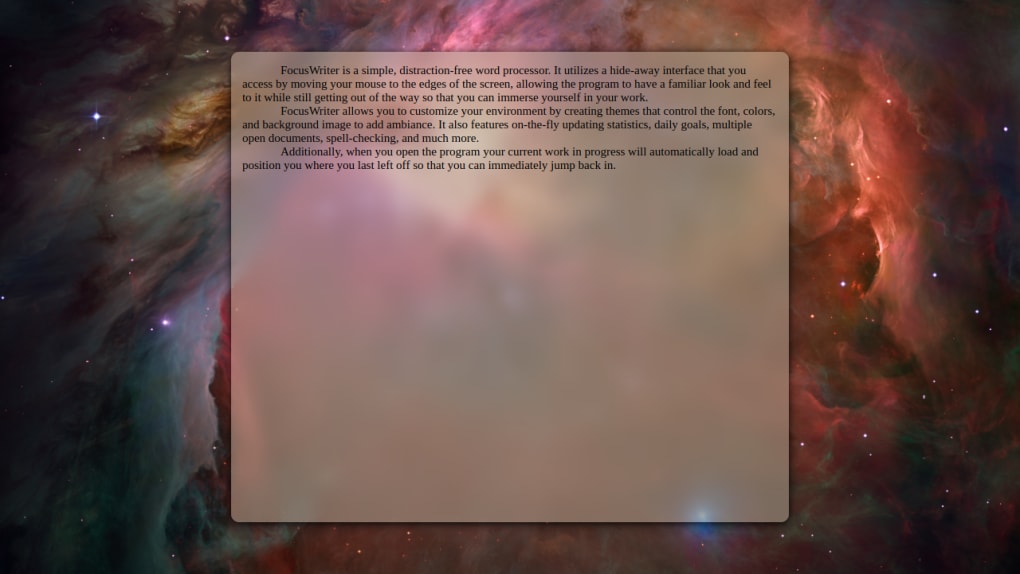
The core strength of FocusWriter lies in its minimalist design. The main screen displays nothing but a blank page, a timer, and a word count. Toolbars, menus, and other potentially distracting elements are completely absent from the immediate view. This clean aesthetic creates an environment conducive to deep focus and uninterrupted writing. The absence of visual clutter allows writers to immerse themselves fully in their work, reducing the likelihood of mental fragmentation or shifting attention. The simple, elegant design avoids visual overload, a crucial factor contributing to enhanced concentration.
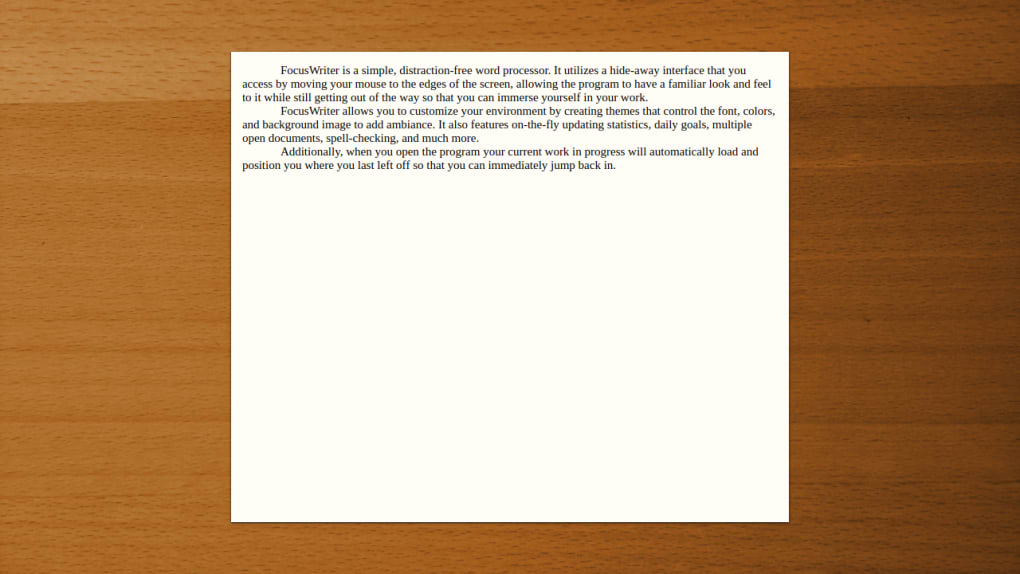
To access the application’s features, the user simply moves their mouse cursor to the edge of the screen. This intuitive action reveals a context-sensitive menu, providing access to all the necessary functions without interrupting the writing process. This subtle interaction design prevents the user from becoming entangled in menus and settings, thereby maintaining their flow of thought. The thoughtful design emphasizes the act of writing, preserving the mental momentum that is often disrupted by constantly navigating complex interfaces. In essence, FocusWriter prioritizes the writer’s experience, ensuring that the software’s design serves, rather than hinders, the creative process.
Comprehensive Features for Enhanced Productivity
Despite its minimalist approach, FocusWriter is surprisingly feature-rich. The application supports a range of common text file formats, including plain text (.txt), Rich Text Format (.rtf), and OpenDocument Text (.odt). This broad compatibility ensures seamless integration with other word processors and writing tools, allowing users to effortlessly import and export their work. The inclusion of multiple file formats caters to a diverse range of users and workflows, thereby enhancing the application’s overall usability and flexibility.
Beyond file format support, FocusWriter offers several tools designed to enhance productivity and goal setting. Users can set timers and alarms, facilitating focused writing sprints or prompting timely breaks to prevent burnout. This feature caters specifically to writers who benefit from structured writing sessions or those who require regular reminders to step away from their work and maintain a healthy balance. The timer functionality acts as a valuable tool for time management, assisting writers in optimizing their output and improving efficiency.
FocusWriter also allows users to establish daily word count or time goals, encouraging consistent progress and accountability. The ability to set these goals, combined with the application’s timer, provides a framework for structured writing sessions, enabling writers to track their progress and maintain momentum towards their writing targets. This feature transforms the writing process into a measurable activity, encouraging discipline and productivity.
Furthermore, the software includes an integrated spell-check function, ensuring that writers can concentrate on the content and flow of their work without the distraction of minor spelling errors. While a spell-check function might seem like a standard feature, its seamless integration into the minimalist design is crucial. It provides essential support without disrupting the streamlined writing experience that FocusWriter aims to create.
FocusWriter also allows users to work on multiple documents simultaneously, enabling effortless switching between projects. This feature is invaluable for writers juggling several writing assignments or creative endeavors. The ability to seamlessly transition between different documents minimizes the time spent on administrative tasks and optimizes the overall writing process. This multi-document support enhances the efficiency of managing diverse writing projects within a single application.
Finally, FocusWriter boasts support for 20 different languages, expanding its accessibility to a global audience of writers. This multilingual support demonstrates a commitment to inclusivity, ensuring that writers from various linguistic backgrounds can benefit from the application’s distraction-free writing environment. The broader accessibility promotes the application’s global use and underlines its user-centric design principles.
Keeping Writers on Track: Goal Setting and Progress
FocusWriter’s design actively supports goal-oriented writing. By integrating timers, daily word count goals, and alarms, the application helps writers maintain focus and track their progress effectively. The combination of these features encourages a more disciplined and productive approach to writing. The application doesn’t simply provide a blank page; it provides a framework for achieving writing goals, transforming the writing process into a more structured and manageable task.
The ability to set time-based or word-count-based goals encourages writers to establish a consistent writing rhythm. This structured approach helps in overcoming procrastination and ensuring a steady flow of writing. The integration of alarms further enhances this productivity system, acting as gentle prompts to take breaks, preventing burnout, and ensuring sustained focus throughout the writing session. The thoughtful incorporation of these features transforms FocusWriter from a simple text editor into a powerful tool for achieving writing goals.
The application’s auto-save feature adds another layer of support, ensuring that writers never lose their work. This seemingly minor feature provides significant peace of mind, allowing writers to focus on their creativity without the anxiety of potential data loss. This underlying assurance contributes to a more relaxed and productive writing experience, eliminating a common source of writer’s stress.
System Requirements and Limitations
While FocusWriter offers a compelling set of features, it’s crucial to acknowledge its limitations. Currently, the application is only compatible with Windows, macOS, and Linux operating systems. Users of other operating systems will unfortunately be unable to utilize this software. This limited platform compatibility restricts the application’s reach, potentially excluding a significant segment of potential users.
Conclusion: A Powerful Tool for Focused Writing
FocusWriter offers a unique and effective approach to the writing process. Its minimalist design, coupled with its comprehensive feature set, creates a powerful tool for writers seeking to minimize distractions and enhance productivity. The application’s intuitive interface, multiple language support, and commitment to goal-oriented writing distinguish it from other word processors. While its limited platform compatibility is a drawback, for those who use a compatible operating system, FocusWriter is undoubtedly a valuable addition to any writer’s toolbox. Whether a professional author or a hobbyist, FocusWriter offers a refreshing and productive approach to writing, allowing the writer to fully immerse themselves in their creative flow. Its emphasis on simplicity and efficient functionality makes it a worthwhile addition to the digital writing ecosystem.
File Information
- License: “Free”
- Latest update: “June 7, 2024”
- Platform: “Windows”
- OS: “Windows 7”
- Language: “English”
- Downloads: “90.6K”
- Size: “48.68 MB”


