
Are you tired of the monotonous yellow folder icon dominating your Windows file explorer? Do you yearn for a more visually appealing and personalized file management experience? Folderico offers a straightforward and effective solution to this common user frustration. This lightweight application allows you to easily customize the icons of any folder on your Windows system, injecting a much-needed dose of visual personality into your digital workspace.
Effortless Icon Customization: A User-Friendly Approach
Folderico’s strength lies in its simplicity. The program boasts an intuitive interface that eliminates the learning curve often associated with similar applications. The core functionality is easily accessible through two convenient methods:
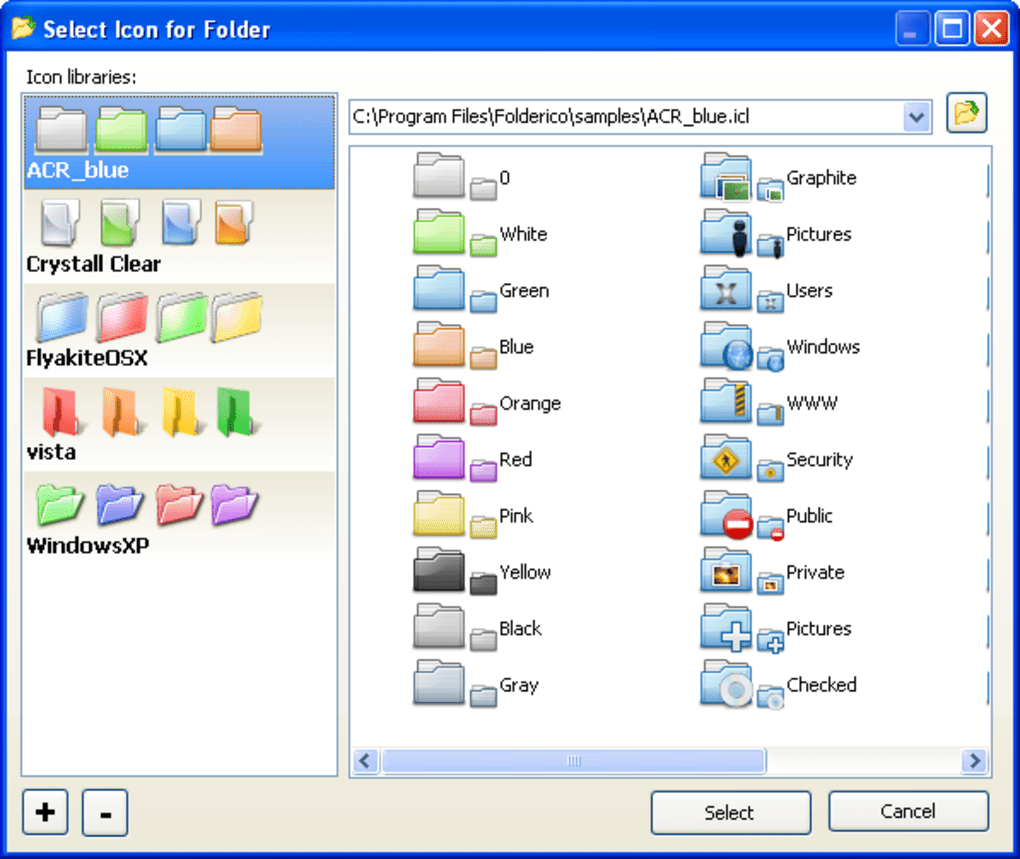
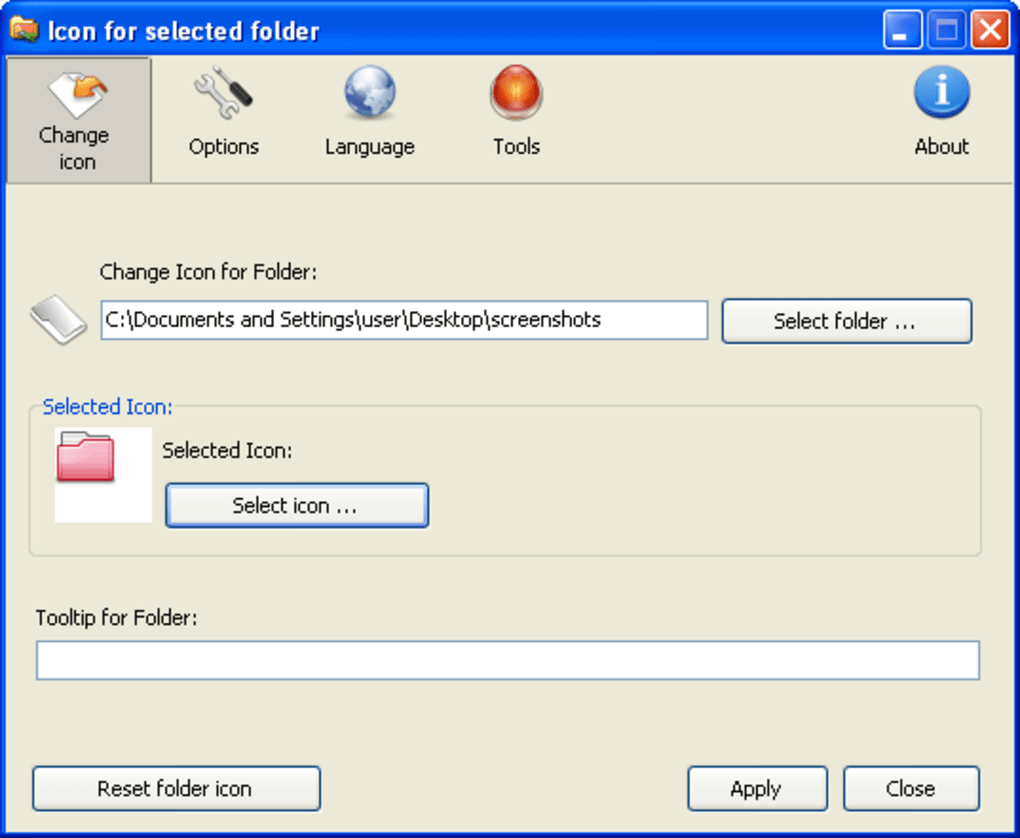
1. Direct Application Interface: Launch Folderico, navigate to the folder you wish to modify, and select your preferred icon from the program’s internal library. This method provides a clear and organized way to browse available icons and apply them to your chosen folders. The process is streamlined and requires minimal technical expertise.
2. Context Menu Integration: For even faster access, Folderico seamlessly integrates into the Windows context menu. This means you can right-click directly on a target folder, select the “Folderico” option, and choose a new icon without ever leaving the file explorer window. This feature dramatically improves workflow efficiency, making icon customization a quick and effortless task.
Icon Library and External Integration: Expanding Your Options
Folderico comes pre-loaded with a diverse collection of icons ready for immediate use. These icons are categorized and organized for easy browsing, offering a variety of styles to suit different preferences. This pre-populated library caters to a wide range of users, providing a quick starting point for customizing folder appearance.
However, Folderico’s functionality extends beyond its internal library. The program supports the import of ICL (Icon Library) files, allowing you to expand your icon options significantly. This feature caters to users who prefer more specific or customized icon sets, providing access to a much wider variety of visual styles. This compatibility with external ICL files unlocks a vast potential for personalization, transforming Folderico from a basic icon changer into a powerful customization tool.
Importantly, it’s worth noting a limitation of Folderico. Unlike some competitor applications, it does not support standalone image formats like ICO or PNG. This restriction limits the flexibility for users wanting to utilize their own custom-created images or icons obtained from other sources. While the support for ICL files provides ample choice, direct import of widely used image formats would enhance the application’s overall versatility.
Revert to Default: Maintaining Flexibility and Control
Folderico understands that personalization is a fluid process. User preferences evolve, and sometimes a return to the familiar is desired. Acknowledging this, the application includes a convenient “reset” option. This feature allows users to effortlessly revert any customized folder icons back to their default Windows settings, restoring the original yellow folder icons with a single click. This capability ensures that users retain complete control over their file explorer’s visual appearance, allowing for seamless transitions between personalized themes and the default system settings.
This functionality is crucial for maintaining a balanced approach to customization. While Folderico empowers users to dramatically alter their file system’s aesthetics, it also safeguards against potential regret or the need for tedious manual restoration of default icons.
Folderico: Pros and Cons Summarized

Pros:
- User-Friendly Interface: The program is exceptionally easy to navigate and use, requiring no prior technical expertise.
- Dual Access Methods: Customization is accessible both through the application’s main interface and the convenient right-click context menu.
- Built-in Icon Library: A diverse selection of ready-to-use icons is provided, offering immediate customization options.
- ICL File Support: The ability to import ICL files significantly expands the available icon choices.
- Easy Icon Reset: Effortlessly revert to default Windows folder icons at any time.
- Lightweight and Efficient: Folderico consumes minimal system resources, ensuring smooth performance without impacting overall system speed.
Cons:
- Limited Image Format Support: The application’s inability to directly import standalone image formats like ICO or PNG restricts flexibility and limits user options for self-created icons.
- No Preview Function: Before applying an icon, there’s no preview feature to visualize the chosen icon on the target folder, potentially leading to unexpected results if a significant number of icons are available.
- Relatively Small Community Support: Compared to more established software, dedicated online forums or communities supporting Folderico and troubleshooting issues may be limited.
Alternatives to Folderico: Exploring the Competitive Landscape
While Folderico provides a robust solution for many users, several alternative applications offer similar functionality, often with additional features or advantages. Some notable alternatives include:
-
Rainbow Folders: This application focuses specifically on changing folder icon colors, allowing users to assign various shades to their folders for visual organization. While not offering the same icon variety as Folderico, its color-centric approach caters to a different set of customization preferences.
-
Folder Colorizer: Similar to Rainbow Folders, this application primarily focuses on color customization for folder icons. It offers simple color selection tools and provides a quick way to visually differentiate folders based on color-coding schemes.
-
iColorFolder: This option provides comparable color-based folder icon customization capabilities as other applications in this category. It allows easy assignment of colors to folders, enabling a visually distinct file management system.
-
Folder Painter: This application distinguishes itself by incorporating organization features alongside icon customization. It helps in managing folders effectively by combining visual enhancements with organizational tools.
-
Folder iChanger: This application offers a broader range of icon customization than some alternatives, providing more options for visual personalization. However, its user interface might be less intuitive than Folderico’s simplified approach.
-
Change Folder Icons: This application focuses on direct icon replacement, similar to Folderico, but may not offer as extensive a library or as seamless an integration with the Windows context menu.
-
IconTweaker: This application provides a more extensive toolkit for icon modification, encompassing various system icons. While more comprehensive, its interface might be less user-friendly than Folderico’s simplified approach.
The choice between Folderico and these alternatives depends heavily on individual needs and preferences. If simplicity and ease of use are paramount, Folderico remains a strong contender. However, if users require more advanced features such as broader image format support, or advanced organizational tools beyond basic icon customization, exploring these alternative applications might yield more suitable results.
Conclusion: A Personalized File Explorer Experience
Folderico offers a simple yet effective method for breathing life into your otherwise mundane Windows file explorer. Its intuitive interface and dual-access methods make icon customization a breeze, while the inclusion of a built-in icon library and ICL file support provides ample flexibility. While limitations in image format support exist, the ease of use and straightforward functionality make Folderico a compelling choice for users seeking a quick and effortless way to personalize their folder icons. The ability to easily reset to default settings adds an additional layer of control, ensuring a fully customizable and personalized file management experience.
File Information
- License: “Free”
- Version: “4.0.0.8”
- Latest update: “January 6, 2022”
- Platform: “Windows”
- OS: “Windows XP”
- Language: “English”
- Downloads: “28.6K”
- Size: “5.16 MB”


