
FPS Creator is a powerful yet accessible game development tool that allows users to create their own first-person shooter (FPS) games without requiring programming or 3D modeling expertise. This comprehensive guide delves into the features, capabilities, and overall user experience of this innovative game engine. Whether you’re a seasoned gamer looking to create your own unique FPS experience or a complete novice exploring the world of game development, FPS Creator offers a compelling entry point into the fascinating realm of game creation.
Intuitive Design and Ease of Use
FPS Creator’s primary strength lies in its intuitive design, prioritizing ease of use over complex technical requirements. Unlike many game engines that demand extensive programming knowledge and 3D modeling skills, FPS Creator employs a visual, drag-and-drop interface that makes level design remarkably straightforward. Users literally “paint” their game world onto the scene, placing and connecting various pre-built 3D elements. This approach allows individuals without prior experience in programming or 3D modeling to quickly grasp the fundamentals of level creation and begin building their own FPS games.
The engine utilizes intelligent building blocks, meaning that various elements, such as corridors and walls, seamlessly snap together, minimizing the need for meticulous manual alignment. This feature streamlines the level design process, enabling users to focus on the creative aspects of game building rather than wrestling with technical intricacies. The visual nature of the interface ensures that users can immediately see the effects of their actions, providing a satisfying and rewarding creative experience.

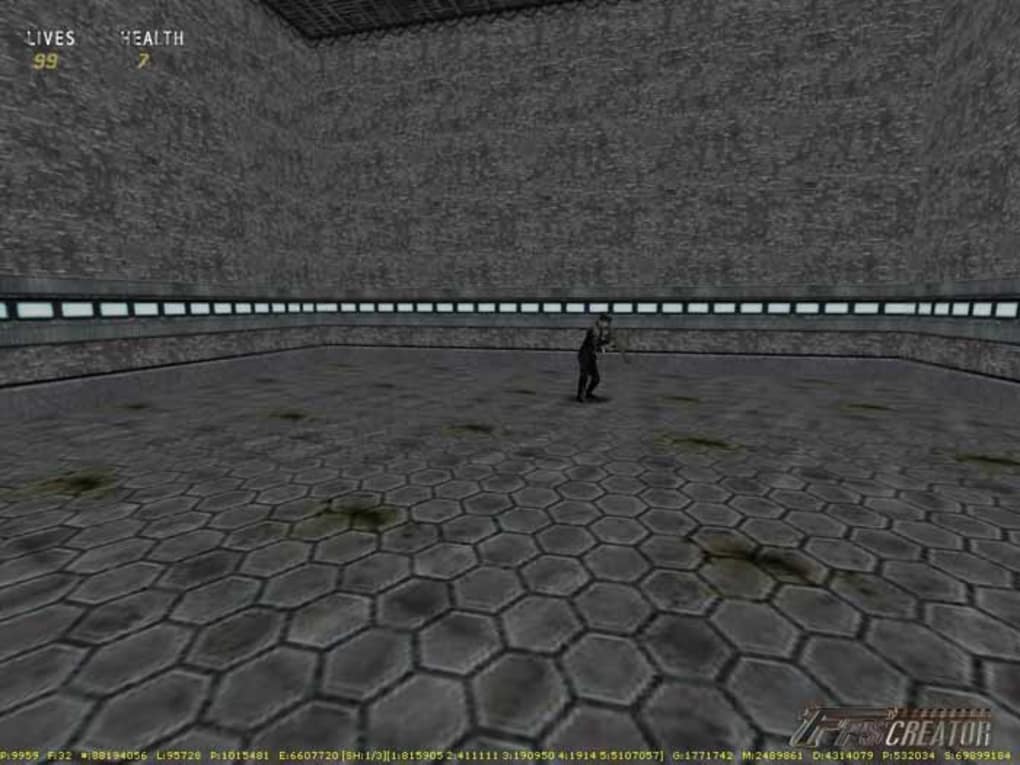
Switching to 3D mode allows for precise placement and fine-tuning of 3D entities. This function enables users to walk through their created levels, ensuring that everything is positioned correctly and that the overall game flow is as intended. The level of detail and the responsiveness of the 3D preview is particularly commendable, granting users a realistic sense of scale and spatial relationships within their game environments. Even simple actions, like placing a light switch, trigger intelligent dynamic lighting adjustments, illustrating the engine’s sophisticated capabilities even within the context of user-friendly functionality.
Extensive Library of 3D Assets and Customization Options
FPS Creator comes equipped with a comprehensive library of ready-to-use 3D assets. These assets include a wide variety of elements necessary for building compelling FPS levels, such as rooms, corridors, doors, windows, decorative items, and much more. This expansive collection allows users to quickly populate their game worlds with engaging environments without needing to create assets from scratch. This significant advantage saves considerable time and effort, allowing users to focus on the design and gameplay mechanics of their game rather than asset creation.
However, the pre-built assets are not the only options. FPS Creator also supports importing custom media, including sounds, 3D models, textures, and shaders. This feature opens up a world of possibilities for creative customization, allowing users to personalize their games with unique assets and visual styles. While the extensive built-in library provides a strong foundation, the ability to import custom assets allows users to push the boundaries of creativity and design truly original game experiences.
Scripting and Game Logic
While FPS Creator’s visual interface significantly reduces the need for programming, it still allows for a level of customization and control through scripting. Virtually every aspect of the game, from enemy AI to weapon behavior, can be finely tuned and adjusted using script files. This approach caters to users who have some programming experience and desire a greater level of control over the intricate details of their games. Although not essential for basic game creation, this feature adds an extra layer of flexibility and power for those seeking to develop more complex and sophisticated game mechanics. The extensive, searchable PDF manual provides comprehensive guidance on scripting, making it accessible to users with varying levels of programming experience.
One-Click Deployment and Platform Support
One of the most convenient features of FPS Creator is its one-click deployment functionality. Once a game is complete, the engine allows users to build a standalone executable file with a single click. This streamlined process eliminates the complexities associated with packaging and distributing games, making it remarkably simple to share creations with others. This user-friendly approach significantly reduces the technical barriers to entry for game developers, allowing even novice users to easily share and showcase their games.
Currently, FPS Creator supports the Windows operating system. While this limits platform compatibility, it ensures a high level of optimization and stability within the supported environment. However, the focus on a single platform allows developers to focus their resources on refining and enhancing the overall engine experience, which benefits the users in terms of performance and usability.
Pros and Cons of FPS Creator
Pros:
- Ease of Use: The intuitive interface and drag-and-drop functionality make it incredibly user-friendly, even for beginners with no programming or 3D modeling experience.
- Extensive Asset Library: The large collection of pre-built 3D assets significantly reduces the time and effort required for level design.
- Custom Asset Import: The ability to import custom media allows for greater personalization and creative control.
- Scripting Capabilities: The option to use script files offers more advanced control over game mechanics for experienced users.
- One-Click Deployment: The streamlined process of building a standalone executable makes sharing and distributing games incredibly simple.
- Dynamic Lighting: The engine intelligently handles dynamic lighting, enhancing the realism and atmosphere of game environments.
Cons:
- Limited Platform Support: Currently, FPS Creator only supports Windows.
- Steep Learning Curve (Initially): While the core design principles are intuitive, some users might find the initial learning curve somewhat steep until familiar with the interface and workflows.
- No In-Program Help: The lack of in-program help requires users to consult the external PDF manual, which may pose some inconvenience for some users.
- Older Engine: Being a slightly older engine, it may lack some of the advanced features found in newer, more modern game development platforms.
Conclusion
FPS Creator provides a valuable and accessible entry point into the world of game development, particularly for aspiring FPS game creators. Its intuitive interface, extensive asset library, and one-click deployment make it an excellent choice for individuals seeking a user-friendly approach to game creation. While it may have some limitations in terms of platform support and advanced features, its ease of use and significant time-saving benefits outweigh these drawbacks, especially for beginners. For those looking to create their own FPS adventures without getting bogged down in complex programming or 3D modeling, FPS Creator remains a powerful and surprisingly effective tool.
File Information
- License: “Trial version”
- Version: “1.0”
- Latest update: “August 14, 2018”
- Platform: “Windows”
- OS: “Windows 2000”
- Language: “English”
- Downloads: “167.3K”
- Size: “142.35 MB”


