
Free Audio Extractor is a free Windows program categorized as video software. This review delves into its features, performance, and overall user experience, comparing it to alternatives and addressing potential concerns. While the software has seen limited updates since 2011, understanding its capabilities and limitations remains relevant for users seeking a simple audio extraction tool.
What is Free Audio Extractor?
Free Audio Extractor is a lightweight Windows application designed for extracting audio tracks from video files. Its simplicity is its defining characteristic, offering a straightforward method to separate audio from video without complex settings or advanced features. The program primarily targets users who need a quick and easy way to obtain the audio component of a video, without the need for extensive video editing software. This makes it particularly useful for tasks such as:
- Creating ringtones: Extract a short audio clip from a video to use as a personalized ringtone.
- Saving audio from online videos: Download a video and then extract the audio to listen offline.
- Backing up audio from home movies: Preserve the audio track of family videos separately from the video file.
- Creating audio samples: Extract sections of audio for use in presentations or other projects.
While not designed for professional audio editing, Free Audio Extractor caters to users with basic needs, offering a convenient solution for straightforward audio extraction tasks. Its small size and minimal system resource consumption make it accessible even to users with older or less powerful computers.
Features and Functionality
Free Audio Extractor’s core function is its simplicity. The interface is clean and uncluttered, presenting a user-friendly experience even for novice users. The program lacks advanced features found in professional audio editing suites, such as audio editing tools, effects processing, or multiple format support. However, its straightforward approach makes it easy to quickly extract audio from video files. Key functionalities include:
- Direct Audio Extraction: The primary function is to directly extract the audio from a selected video file. Users simply browse to select the video file, choose an output format (if available), and initiate the extraction process.
- Output Formats (Limited): The specific supported output formats may be limited depending on the version of the software. Refer to the program’s documentation for the most up-to-date information on supported audio formats. The lack of extensive output format support is a notable limitation, particularly for users who need specific audio codecs.
- Batch Processing (Unconfirmed): Information regarding batch processing capabilities is not clearly stated. It’s possible that the program may not support batch processing, requiring users to process each video file individually. This can be time-consuming for users handling multiple video files.
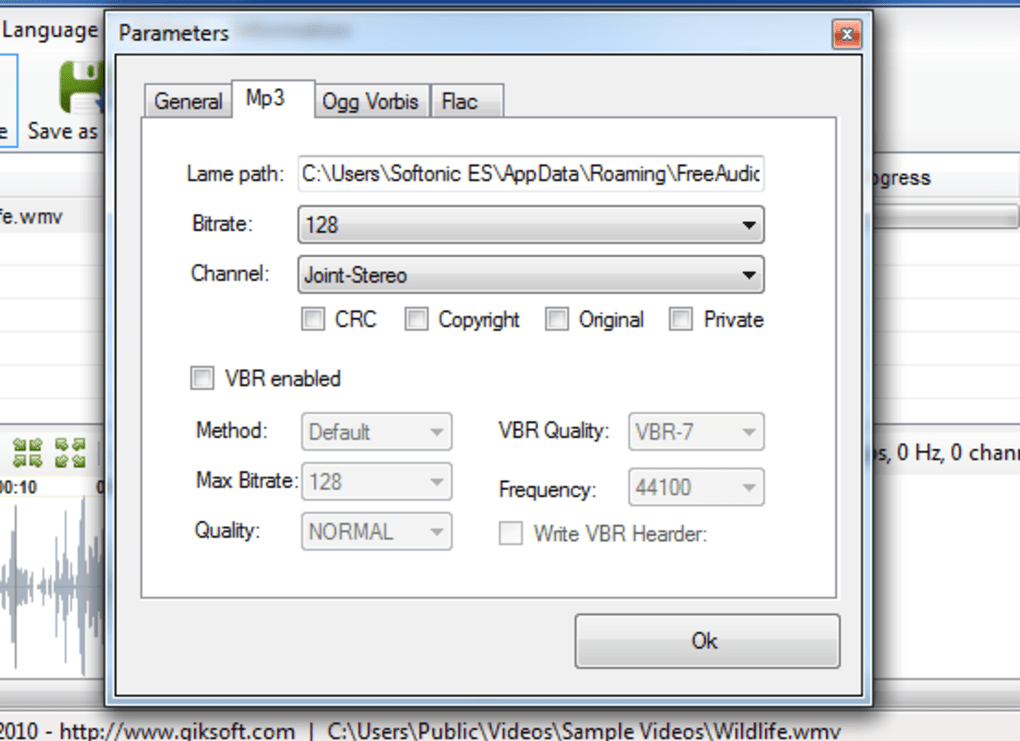
- Basic Settings: Minimal settings are offered, usually related to the output file name and potentially the output folder. Complex configurations or customization options are absent.
The program’s limitations should be considered. Users seeking advanced features like audio editing, noise reduction, or extensive format support should look towards professional audio editing software. Free Audio Extractor’s strengths lie in its ease of use and speed for extracting audio from videos without extensive technical knowledge or configuration.
Performance and System Requirements
Free Audio Extractor’s small file size and minimal system requirements contribute to its quick installation and execution. It is designed to operate smoothly on older Windows operating systems, minimizing resource consumption during the extraction process. However, performance may vary depending on the length and complexity of the video file being processed. Longer videos or those with higher bitrates may take a longer time to extract the audio.
The original software information suggests compatibility with Windows 98 and older versions. While this suggests a low system requirement, it’s crucial to test compatibility on your specific system if you’re using an older operating system. More recent Windows versions may also be compatible, but functionality is not guaranteed due to the lack of recent updates.
Alternatives to Free Audio Extractor
Numerous alternative audio extraction tools exist, offering various features and capabilities. Some alternatives provide more advanced functionality, broader format support, or additional features:
- AoA Audio Extractor: This alternative offers extraction to MP3, WAV, or AC3 formats.
- Pazera Free Audio Extractor: A more comprehensive tool, offering complete video audio extraction functionality.
- Video MP3 Extractor: Focuses on converting video audio to MP3 format.
When choosing an alternative, consider your specific needs. If you require advanced features or a wider range of output formats, exploring these or other alternatives is recommended. Each tool has its own strengths and weaknesses, and the best choice depends on the user’s individual requirements and technical skills.
User Reviews and Community Support
Information on user reviews and community support for Free Audio Extractor is limited. The lack of active user reviews might indicate a less active community or limited ongoing support. Without recent updates or active community forums, users may encounter difficulties resolving technical issues or finding solutions to potential problems.
This lack of user feedback emphasizes the importance of thoroughly testing the software before using it for critical projects. The absence of readily available support necessitates reliance on troubleshooting through personal experimentation or seeking help from broader online communities focused on audio or video editing software.
Security and Safety
While the original information suggests a clean software status based on antivirus scans, caution is always advised when downloading and installing software from unofficial sources. It is recommended to only download the software from trusted and reputable websites to mitigate the risk of malware or unwanted bundled software. Additionally, running a full virus scan after installation is a prudent measure to ensure the security of your system.
The lack of recent updates is a concern, as potential security vulnerabilities may exist in outdated software. If security is a primary concern, utilizing more actively maintained and regularly updated software is strongly recommended.
Conclusion
Free Audio Extractor offers a simple and straightforward solution for extracting audio from video files. Its lightweight nature and ease of use are attractive to users who need a basic audio extraction tool without complex settings. However, the lack of recent updates, limited features, and absence of extensive user reviews raise concerns regarding long-term viability and support. Users should carefully weigh its limitations against its simplicity. For users who need more features, more robust format support, or active community support, exploring the alternative software options mentioned above would be advisable. The decision ultimately hinges on the user’s individual needs and comfort level with potentially less-maintained software.
File Information
- License: “Free”
- Version: “1.3”
- Latest update: “August 9, 2011”
- Platform: “Windows”
- OS: “Windows Vista”
- Language: “English”
- Downloads: “20.9K”
- Size: “2.31 MB”


