
Free Audio Splitter is a user-friendly application designed to simplify the process of dividing audio tracks into smaller segments. Its intuitive interface and straightforward functionality make it suitable for both novice and experienced users, providing a convenient solution for managing large audio files. This guide will delve into the features, benefits, and limitations of Free Audio Splitter, comparing it to alternative solutions and examining its overall effectiveness in the realm of audio file manipulation.
Ease of Use and Interface Design
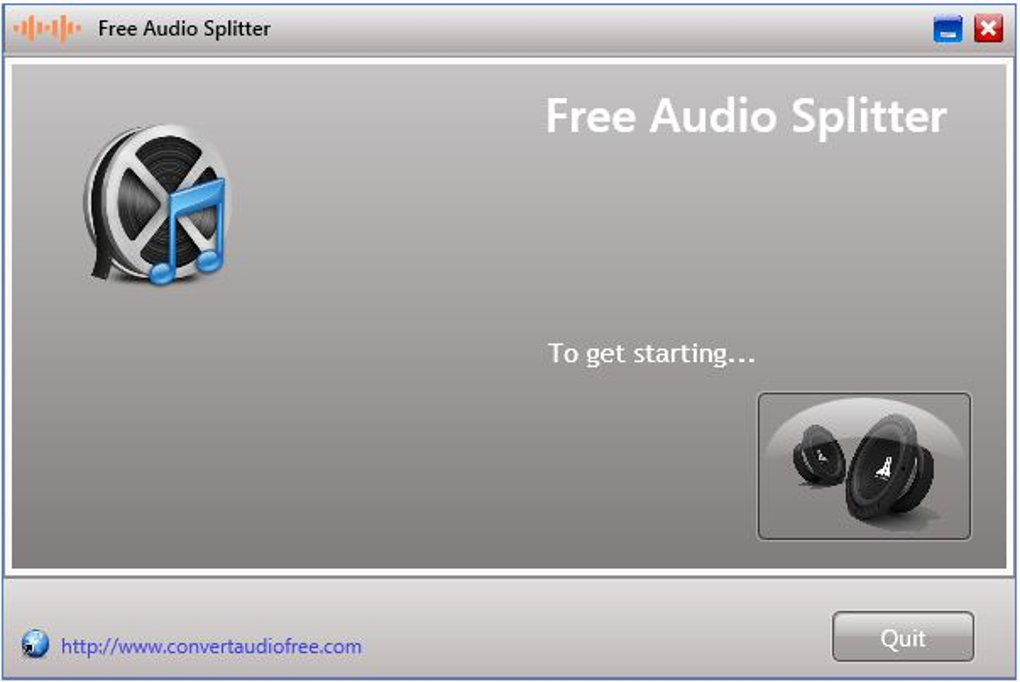
Free Audio Splitter distinguishes itself through its remarkably simple and intuitive interface. The program eschews complex settings and convoluted menus, presenting a streamlined workflow that minimizes the learning curve. Users can quickly grasp the core functionality, focusing on the essential tasks of selecting audio files, specifying split points, and choosing output locations. This ease of use makes it an excellent choice for users who prioritize efficiency and simplicity over advanced features. The clean and uncluttered design ensures a user-friendly experience, reducing the potential for confusion or errors during the splitting process. The inclusion of a help file further enhances accessibility, providing assistance for users who encounter any difficulties. The availability of basic themes allows for a degree of personalization, adapting the visual presentation to individual preferences.
Supported Audio Formats and File Compatibility
Free Audio Splitter demonstrates commendable versatility in its support for various audio file formats. Its compatibility extends to commonly used formats such as WAV, WMA, AAC, and MP3, covering a significant portion of audio files encountered in everyday usage. This broad compatibility reduces the need for format conversion before splitting, streamlining the workflow and minimizing potential quality loss associated with transcoding. However, it’s important to note that the specific codec variations within these formats might influence compatibility. While the software is designed to handle common encodings, users might encounter limitations with less frequently used or specialized codecs. In such instances, format conversion might be necessary prior to utilizing Free Audio Splitter.
Functionality and Feature Set
Free Audio Splitter’s core functionality centers around its ability to accurately and efficiently divide audio tracks. Users define the precise start and end points of the segments they wish to extract, providing granular control over the splitting process. The program’s ability to detect system hardware configuration and select an appropriate split scheme ensures optimal performance across various systems. This adaptability ensures a consistent and efficient experience regardless of the user’s hardware specifications. While its core functionality is robust and effective, Free Audio Splitter’s feature set remains relatively basic. It lacks advanced editing capabilities such as fading, crossfading, or noise reduction that are often found in more sophisticated audio editing software. The absence of extensive customization options might be a drawback for power users who require fine-grained control over the splitting process.
Sound Quality and Performance
A crucial aspect of any audio processing software is maintaining sound quality. Free Audio Splitter demonstrates a commitment to preserving the audio fidelity of the source material during the splitting process. The software employs efficient algorithms to minimize data loss and artifacts, ensuring that the resulting segments retain their original quality. This preservation of sound quality is a significant advantage, especially when dealing with high-resolution audio files. The performance of the software is generally efficient, with relatively fast processing times. However, processing very large audio files might require some patience, depending on system resources. Users with older or less powerful systems might experience slightly longer processing times. The software’s efficiency is largely contingent upon the system’s hardware capabilities and the size of the audio files being processed.
Comparison with Alternative Audio Splitting Software
Free Audio Splitter occupies a specific niche within the landscape of audio splitting software. Compared to more feature-rich alternatives, it stands out for its simplicity and ease of use. However, professional-grade audio editing suites often incorporate more advanced capabilities such as non-destructive editing, waveform visualization, and a wider range of effects. These applications often come with a higher price tag and require a steeper learning curve. Users prioritizing ease of use and straightforward splitting without requiring extensive editing features will likely find Free Audio Splitter to be a compelling option. Free alternatives, such as My MP3 Splitter, CUE Splitter, and Free MP3 Splitter, offer similar basic functionality. The choice among these alternatives frequently boils down to personal preference regarding interface design and specific supported formats. In contrast to commercial applications, these free alternatives may lack some of the advanced features and robust support systems found in paid software.
Installation Process and System Requirements
The installation process for Free Audio Splitter is notably straightforward and user-friendly. The installer guides users through a simple set of steps, avoiding unnecessary complexities or confusing options. The program’s system requirements are relatively modest, making it compatible with a wide range of computer systems. This broad compatibility ensures that the software is accessible to a large audience, minimizing compatibility issues. The low system resource demands minimize the impact on system performance, allowing users to run the software concurrently with other applications without significant slowdowns. However, users should always check the specific system requirements before installation, ensuring compatibility with their hardware configuration to avoid potential issues.
Customer Support and Community Resources
While detailed documentation on specific troubleshooting procedures might be limited, the attentive customer support mentioned in user reviews suggests a willingness to address user concerns. The lack of an extensive online community might prove challenging for users seeking immediate solutions or peer assistance. This limited online presence might necessitate relying primarily on the developer for support, particularly in the absence of readily available community forums or FAQs. However, the ease of use of the application often negates the need for extensive troubleshooting. The intuitive design minimizes the likelihood of encountering major issues, lessening the demand for external support resources.
Conclusion: A Solid Choice for Simple Audio Splitting
Free Audio Splitter effectively addresses the need for a straightforward and user-friendly audio splitting tool. Its simplicity, combined with its ability to maintain sound quality, makes it an excellent choice for users seeking an efficient and hassle-free solution. While it lacks the advanced features of professional audio editors, its ease of use and broad format support are significant strengths. The program’s efficiency and modest system requirements further enhance its appeal. Users who prioritize simplicity and speed over extensive editing capabilities will find Free Audio Splitter to be a highly valuable addition to their audio toolkit. The lack of a substantial online community and detailed troubleshooting resources might be a minor drawback for some users, but the intuitive interface minimizes the likelihood of encountering significant problems. Overall, Free Audio Splitter provides a robust and efficient solution for basic audio splitting tasks, catering to users who value simplicity and ease of use.
File Information
- License: “Free”
- Version: “1.0”
- Latest update: “May 20, 2020”
- Platform: “Windows”
- OS: “Windows 8”
- Language: “English”
- Downloads: “29K”
- Size: “11.24 MB”


