
Finding a reliable and free Blu-ray player for your Windows PC can feel like searching for a needle in a haystack. Many options promise seamless playback but fall short, plagued by watermarks, compatibility issues, or intrusive ads. This review delves into the features, performance, and overall user experience of a popular free Blu-ray player, examining its strengths and weaknesses in detail. We’ll also compare it to other available options to help you make an informed decision.
Functionality and Features: What Does it Offer?
This particular free Blu-ray player boasts a straightforward interface, designed for ease of use. The core functionality centers around playing Blu-ray discs, ISO files, and BDMV folders. This broad compatibility is a significant advantage, as many free players struggle with the diverse range of Blu-ray formats. The software efficiently handles partitioned folders, a task that often causes problems for other video players. A key feature highlighted is its dedicated encoding engine. This engine is crucial for maintaining the high definition quality of Blu-ray videos. Many generic media players compromise visual fidelity during playback, resulting in a noticeably lower quality experience. This player, however, aims to preserve the original MPEG-2 encoding, resulting in a sharper, more detailed picture.
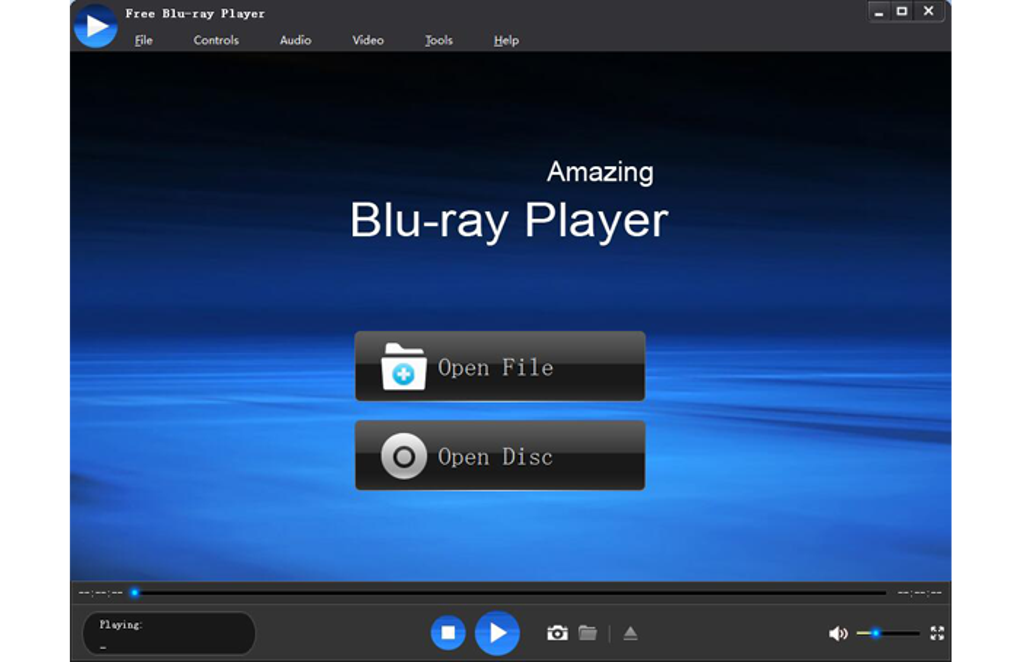
Beyond Blu-ray, the software supports a range of common video and audio formats, acting as a versatile media player in its own right. Supported formats typically include AVI, DivX, XviD, WMV, MPG, MKV, WOV, RM, RMVB, M2TS, AVCHD, and audio files like AAC, AIFF, CUE, FLAC, M4A, MPEG, Monkey’s Audio, Ogg, Raw AC3, Real Audio, SUN AU, WAV, and WMA. This expanded compatibility makes it a potential replacement for multiple media players, simplifying your media management. The ability to play a wide range of file types without requiring additional codecs is a significant convenience.
Performance and User Experience: A Smooth Ride or a Bumpy Road?
While the advertised functionality is appealing, the actual performance can be a deciding factor. User reviews paint a mixed picture. Some users report smooth, uninterrupted playback of Blu-ray content, praising the software’s ability to handle high-definition videos without significant lag or buffering. The streamlined interface receives positive feedback for its user-friendliness, allowing users to quickly access and play their Blu-ray content without navigating complex menus or settings. The speed of loading and accessing different titles on a Blu-ray disc is another performance aspect to consider, with some users reporting instantaneous access while others note noticeable delays.
However, other reviews highlight significant drawbacks. A recurring criticism centers on the free version’s watermark. This watermark, permanently overlaid on the video, can be distracting and significantly diminishes the viewing experience. For casual users, this might be tolerable, but it renders the free version largely unsuitable for serious movie enthusiasts or presentations.
Compatibility and System Requirements: Will It Work on My PC?
The software is primarily designed for Windows operating systems, including the latest versions like Windows 10 and 11. However, the compatibility with older operating systems is not explicitly guaranteed, potentially creating issues for users running older versions of Windows. While a Mac OS version is mentioned, details regarding its functionality and availability are scarce, leaving potential Mac users uncertain about its compatibility and performance. Understanding the minimum system requirements, such as processor speed, RAM, and graphics card capabilities, is crucial to ensure smooth operation and prevent performance issues.
Comparison with Alternative Software: Exploring the Competition
Several competing Blu-ray players exist, both free and paid. The choice depends on your specific needs and priorities. Some alternatives offer more advanced features, such as subtitle customization, audio track selection, and advanced playback controls, but these features often come at a price. Free alternatives often compromise on features or performance, potentially including watermarks or ads, as seen with the software under review. Paid alternatives might offer superior performance, advanced features, and dedicated customer support, but this comes with a financial commitment. VLC Media Player, a ubiquitous free and open-source media player, is a popular alternative, supporting numerous file formats, including some Blu-ray formats. However, its ability to play all Blu-ray formats flawlessly might not be as reliable as dedicated Blu-ray players. Other commercial options provide a more polished experience but require a purchase.
Conclusion: Is it Worth the Download?
The free Blu-ray player presents a mixed bag. On the positive side, its broad format compatibility, including handling of ISO files and BDMV folders, is noteworthy. The dedicated encoding engine aims to preserve the original Blu-ray quality, which is a crucial feature for many users. However, the significant drawback is the watermark on the free version, seriously impacting the viewing experience. For those willing to overlook the watermark, or who are willing to purchase the paid version to remove it, the player might be a viable option.
However, before downloading, users should carefully weigh the pros and cons. The presence of the watermark in the free version is a substantial drawback that needs to be considered, potentially making it inferior to free alternatives such as VLC Media Player, which offers comparable functionality without a watermark, albeit with potential compatibility nuances for some Blu-ray formats. Consider your tolerance for watermarks, the importance of advanced features, and your budget before making a decision. Ultimately, the best Blu-ray player for you depends on your individual priorities and requirements. Thorough research and consideration of alternative options are highly recommended before committing to any specific software.
File Information
- License: “Free”
- Latest update: “May 23, 2023”
- Platform: “Windows”
- OS: “Windows 10”
- Language: “English”
- Downloads: “147.8K”
- Size: “33.15 MB”


