
The Free Fraction Calculator is a lightweight yet powerful tool designed to simplify fraction calculations. This comprehensive guide will explore its features, benefits, and how it compares to other calculators available for Windows users. We’ll also delve into its broader context within the larger landscape of software applications, specifically focusing on its placement within the categories of productivity tools and calculators.
Understanding the Free Fraction Calculator
The Free Fraction Calculator, developed by Realise Systems, is a free application for Windows operating systems (compatible with Windows Vista and later versions). It distinguishes itself through its ease of use and ability to handle a wide range of fraction calculations, including those involving signed integers. Unlike simpler calculators that only provide a single result format, this tool offers output in three distinct forms: fractions, mixed numbers, and decimals. This multi-format output significantly enhances the calculator’s versatility, providing users with options to interpret results in the most convenient and understandable way.
The intuitive interface is a key feature. The calculator’s design prioritizes simplicity and efficiency, making it accessible even to users with limited mathematical backgrounds. The simple, clean layout ensures that users can easily input fractions and perform calculations without navigating complex menus or options. This ease of use is a considerable advantage over more complex, feature-rich calculators that can sometimes be overwhelming for casual users.
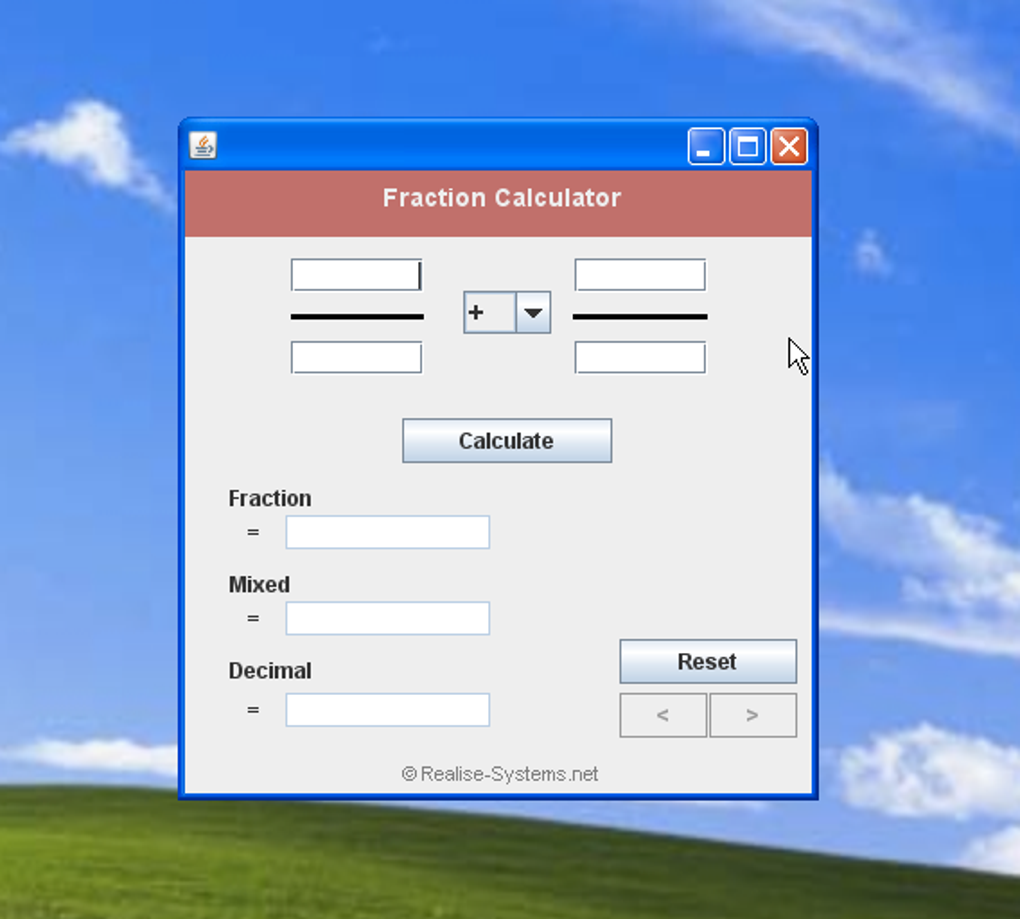
A unique feature that contributes to its usability is the built-in history function. The calculator automatically saves the last 20 operations performed, allowing users to easily review their calculations and revisit previous results. Users can navigate through this history by using simple arrow buttons, enhancing workflow and reducing the potential for errors. This function proves invaluable when working with complex sequences of calculations or when verifying previous results.
The small file size of the application (around 100 KB) contributes to its efficiency. The minimal system requirements ensure that the calculator operates smoothly on a wide range of systems without impacting performance or hogging system resources. This makes it an ideal choice for users with older or lower-powered computers.
The calculator’s capacity to handle signed integers broadens its functionality significantly. This feature allows users to perform calculations with both positive and negative fractions, a critical capability often lacking in simpler calculators. This advanced functionality allows the application to address a wider variety of mathematical problems.
The Free Fraction Calculator in the Context of Productivity Software
The Free Fraction Calculator sits comfortably within the broader category of productivity software. Specifically, it falls under the subcategories of “Calculators & Converters” and, more generally, “Productivity” tools. Its primary function is to enhance user productivity by providing a quick, efficient, and reliable means to perform fraction calculations. Within the vast landscape of software applications, its niche is clearly defined and well-served.
The software’s value lies in its ability to streamline workflows involving fractions. It eliminates the time and effort typically required to perform these calculations manually, thus improving efficiency for students, professionals, and anyone working with fractions regularly. This time-saving aspect contributes significantly to enhanced productivity.
Compared to other calculators and calculation tools, the Free Fraction Calculator offers a unique blend of simplicity and functionality. While some calculators are overly complex or burdened with unnecessary features, this application prioritizes simplicity and direct calculation, making it an ideal choice for users who need a straightforward and reliable fraction calculator without the added complexity of sophisticated features.
Furthermore, its free-of-charge status makes it accessible to a wide audience. This contrasts with many commercial calculation tools, which may require a purchase or subscription. The free access democratizes the tool, allowing anyone who needs it to utilize it without financial barrier.
Comparison to Alternative Fraction Calculators
While several alternative fraction calculators exist, the Free Fraction Calculator holds its own through its unique combination of features. Many competing applications may offer more advanced functionalities, such as support for more complex mathematical operations, or might incorporate graphing capabilities. However, these advanced features often come at the cost of increased complexity and system resource consumption.
The Free Fraction Calculator’s strength lies in its simplicity and focus on core functionality. Its streamlined interface and minimal system footprint make it a more efficient option for users whose primary need is a rapid and reliable fraction calculator. Users prioritizing efficiency and ease of use over advanced features will find the Free Fraction Calculator superior to more feature-rich alternatives.
While other online calculators might offer similar fraction calculation capabilities, the advantage of a downloadable application like the Free Fraction Calculator lies in its offline accessibility. This eliminates the need for an internet connection, ensuring the calculator remains functional in situations where internet access might be unavailable or unreliable.
The Free Fraction Calculator’s Place Within the Software Ecosystem
Within the vast ecosystem of software applications, the Free Fraction Calculator occupies a specific, yet important niche. Its placement within the Productivity category, under Calculators & Converters, accurately reflects its primary function. It is a tool that enhances productivity by assisting with mathematical calculations frequently encountered in various fields, from everyday tasks to scientific or engineering applications.
The software’s design reflects its intended purpose. It is not intended as a comprehensive mathematical suite, but rather as a focused tool designed for efficient fraction calculations. This laser focus on a specific task contributes to its simplicity and usability.
Considering its free availability and minimal system requirements, it is clear that the Free Fraction Calculator aims to provide a readily accessible and user-friendly solution to a common mathematical problem. Its place within the software ecosystem is well-defined: a reliable, free, and efficient tool for individuals needing to calculate fractions.
Conclusion: The Value of Simplicity in a Complex World
In the world of increasingly complex software applications, the Free Fraction Calculator stands as a testament to the value of simplicity. Its straightforward design, ease of use, and focus on core functionality make it an invaluable tool for anyone regularly working with fractions. Its free availability further enhances its accessibility and value, ensuring that this essential tool is within reach of a wide range of users. While more advanced calculators exist, the Free Fraction Calculator’s efficiency and simplicity make it a highly practical and valuable addition to the toolkit of any user who frequently needs to perform fraction calculations. Its seamless integration into the workflow and low system demands further solidify its position as a go-to tool for everyday fraction calculations.
File Information
- License: “Free”
- Version: “1.0”
- Latest update: “April 30, 2015”
- Platform: “Windows”
- OS: “Windows Vista”
- Language: “English”
- Downloads: “7.8K”
- Size: “106.56 KB”


