
Free IP Switcher is a Windows utility designed to simplify the process of managing and switching between different network configurations. It’s marketed as a tool that allows users to quickly change their IP address, subnet mask, gateway, DNS settings, and more, without requiring a computer restart. However, a closer examination reveals a more nuanced picture of its capabilities and limitations. This review will delve into the software’s features, performance, ease of use, and overall value, based on user experiences and available information.
Functionality and Features
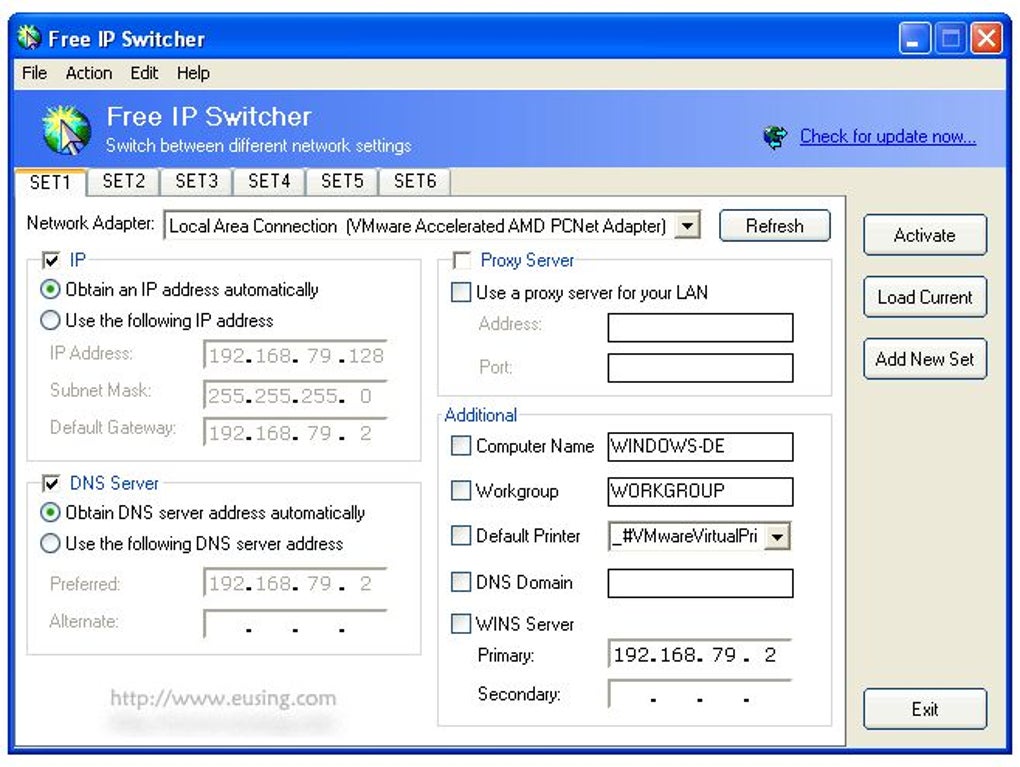
At its core, Free IP Switcher functions as a network profile manager. Users can create and save multiple profiles, each containing a complete set of network configuration settings. These settings include, but are not limited to:
- IP Address: The numerical label assigned to a device on a network. Free IP Switcher allows users to specify static IP addresses for different network environments.
- Subnet Mask: Determines the portion of an IP address that identifies the network and the portion that identifies the host within that network.
- Default Gateway: The router or other network device that acts as a gateway to other networks.
- DNS Server: The server responsible for translating domain names (e.g., phanmemfree.org) into IP addresses. The ability to specify different DNS servers is useful for improving network performance or bypassing regional restrictions.
- Wins Server: (Less commonly used now) A server that helps resolve NetBIOS names to IP addresses on a local network.
- Proxy Settings: Allows users to configure proxy servers for anonymous browsing or accessing restricted content.
- Default Printer: While unusual for a network configuration tool, Free IP Switcher includes the option to associate a default printer with each profile.
The primary advantage offered by Free IP Switcher is the ability to switch between these pre-configured profiles with a single click. This eliminates the need for manual configuration of network settings each time a user connects to a different network. This is particularly beneficial for individuals who frequently connect to various networks, such as those who use both home and work networks or connect to public Wi-Fi hotspots. The “Load Current” feature further streamlines the process, allowing the software to automatically capture the current network settings and create a new profile based on them.
Ease of Use and Interface
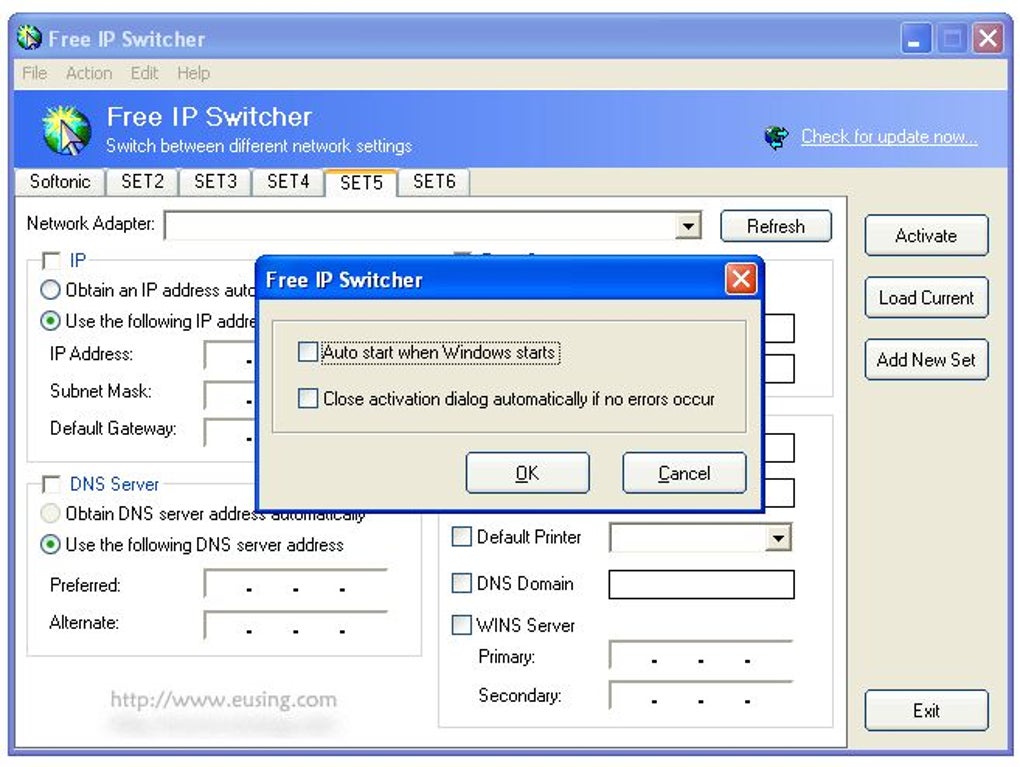
Free IP Switcher boasts an intuitive and straightforward interface, making it relatively easy to use even for novice users. The tabbed interface provides a clear and organized way to manage multiple network profiles. The ability to add new profiles is simple, and the manual entry of network settings is straightforward.
However, user reviews consistently point out a significant drawback: the inability to delete unused tabs or profiles. While you can add numerous profiles, removing unnecessary ones isn’t possible. This lack of a delete function clutters the interface over time, potentially impacting the usability of the application for users with many profiles.
Performance and Reliability
The software is generally reported to function reliably in switching between pre-configured network settings. The process is quick and doesn’t require restarting the computer, a key selling point. However, several reviews suggest that the software may not be effective in truly changing one’s public IP address, as it primarily manages internal network configurations. Users expecting to mask their IP address for increased anonymity may be disappointed. The software only changes the existing network settings, it doesn’t hide or disguise the IP address itself.
Security Considerations
Free IP Switcher does not directly enhance security. While it manages network settings, it doesn’t offer any built-in security features like encryption or VPN functionality. In fact, using the wrong settings could potentially expose a user’s network to vulnerabilities. Therefore, users should exercise caution when creating and managing network profiles, ensuring that all settings are correctly configured and appropriate for the network being used.
Pricing and Licensing Model
While advertised as “free,” the licensing model appears to be a source of controversy. Several user reviews claim that the software requires a registration code or a “donation” after installation, calling into question its genuinely free nature. This inconsistency between the marketing and the actual user experience warrants further investigation and clarification from the developers.
Alternatives and Comparison
Several alternative applications offer similar functionality to Free IP Switcher. These include:
- NetSetMan: This program provides more advanced features and a more robust management system for network configurations.
- IP Changer: Another IP switching tool, potentially with additional features.
- Various VPN Services: Virtual Private Networks (VPNs) offer significantly stronger security and anonymity features compared to a simple IP switcher, but they come with a subscription cost.
Choosing the right alternative depends on the user’s specific needs and technical proficiency. While Free IP Switcher may suffice for basic network profile management, users requiring more advanced features, enhanced security, or true IP address masking should consider exploring the alternatives mentioned above.
User Reviews and Feedback
User reviews present a mixed bag of experiences with Free IP Switcher. Some users praise its ease of use and its effectiveness in switching between pre-configured settings. They find it a convenient solution for managing multiple network configurations. However, other reviews express frustration with the lack of a delete function, and the perceived misleading marketing regarding its “free” status. The inconsistency in these reviews highlights the need for potential users to carefully consider their individual requirements and evaluate the potential drawbacks before relying on this software.
Conclusion
Free IP Switcher offers a straightforward solution for managing and quickly switching between multiple network profiles on a Windows machine. Its intuitive interface and simple functionality make it accessible to users with limited technical expertise. However, the lack of a crucial delete function, combined with user reports suggesting it is not genuinely free, significantly diminishes its overall appeal. The software does not provide enhanced security, and users hoping to hide or disguise their IP address should explore alternative solutions like VPNs. Before installing, potential users should carefully weigh the software’s benefits against its limitations and explore alternative options that may better suit their individual needs and expectations. The questionable “free” nature of the software adds further reason for caution and thorough research before downloading and using it.
File Information
- License: “Free”
- Latest update: “July 12, 2023”
- Platform: “Windows”
- OS: “Windows 10”
- Language: “English”
- Downloads: “187.9K”
- Size: “908.65 KB”


