
Free ISO Creator is a freeware application designed for Windows operating systems, enabling users to create ISO images. While its functionality is relatively straightforward, its long history and continued availability speak to a persistent need for a simple, no-frills ISO creation tool. This review delves into the specifics of Free ISO Creator, examining its features, performance, and place within the broader landscape of ISO creation software.
Understanding ISO Images and Their Creation
Before exploring Free ISO Creator itself, it’s crucial to understand what an ISO image is and why creating them is a valuable task. An ISO image is an archive file containing a complete representation of a disc, typically a CD or DVD. This archive perfectly replicates the disc’s data structure, including file systems, folders, and all contained files. ISO images are valuable for several reasons:
-
Data Backup and Archiving: ISO images provide a complete and reliable backup of disc contents. This is particularly useful for archiving software installations, important data, or entire operating system distributions. A single ISO file can easily be stored and later used to restore the original disc’s contents.
-
Software Distribution: ISO images are frequently used for distributing software. They allow for a consistent and easily manageable way to package and share applications and their associated files, ensuring that all necessary components are included. This method simplifies installation and reduces the risk of missing files.
-
Virtualization: ISO images are essential for virtual machines. Virtual machines (VMs) allow users to run operating systems or applications within a virtual environment on their existing operating system. The ISO image acts as the installation medium for the VM, allowing users to install and use various operating systems without needing physical hardware.
-
Disc Cloning and Replication: Creating an ISO image of a disc allows for easy replication. This is useful for creating backup copies of important discs or for mass-producing identical discs.
Creating ISO images traditionally requires specialized software. Tools like Free ISO Creator bridge the gap between needing this functionality and the potentially complex interfaces of more advanced, feature-rich alternatives.
Free ISO Creator: Features and Functionality
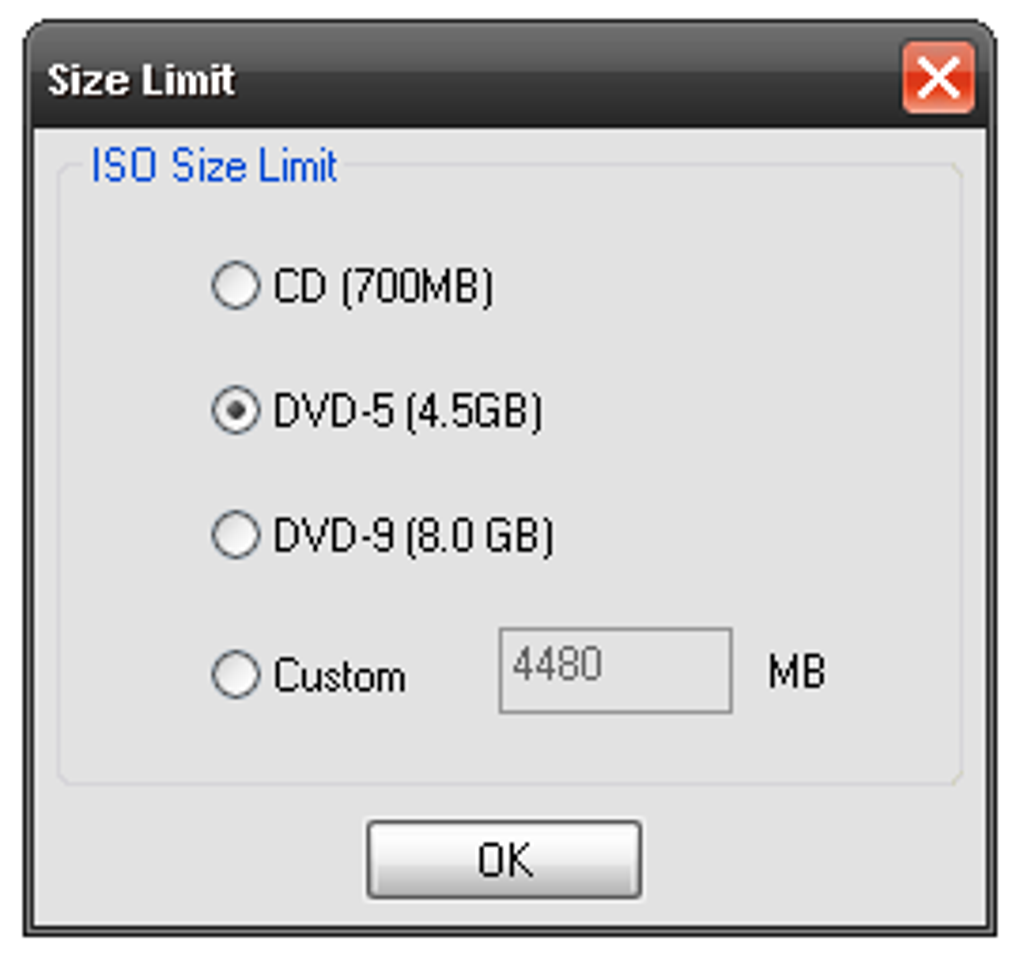
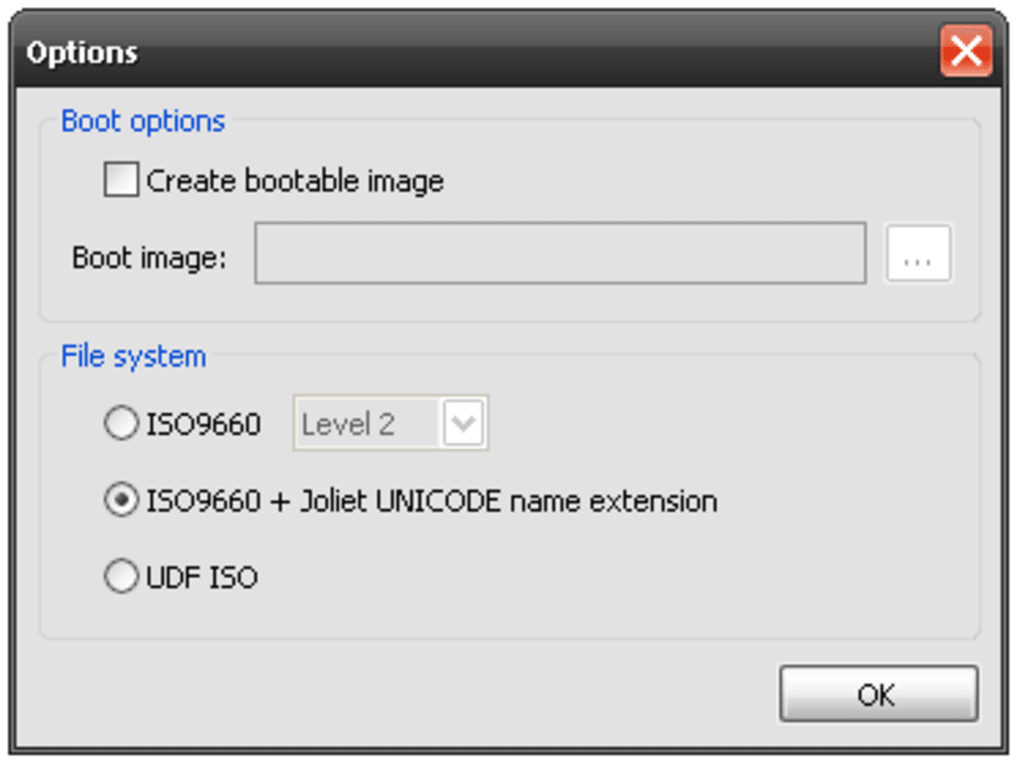
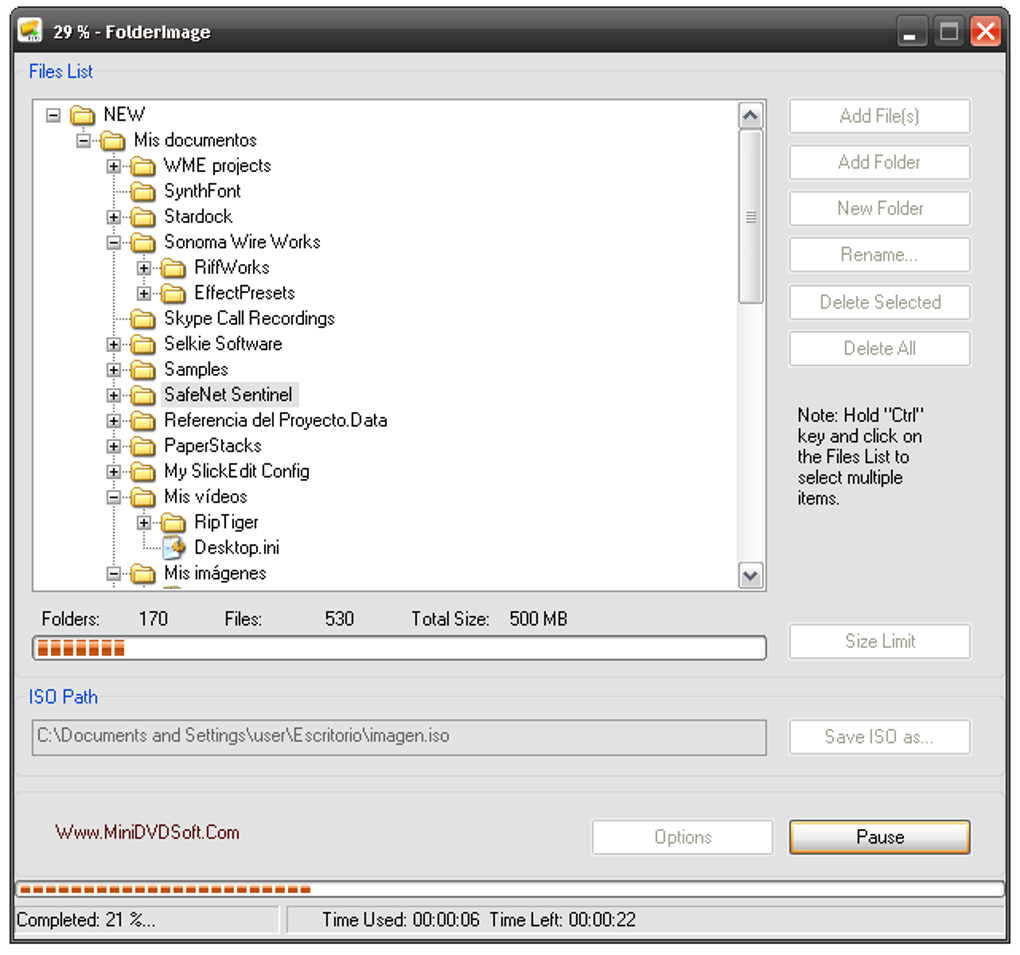
Free ISO Creator focuses on its core function: ISO image creation. It lacks the advanced features found in some commercial software, but its simplicity is a key advantage for users seeking a straightforward solution. The primary function is to take a selection of files and folders and compress them into a single ISO file. Users select the desired files and folders, choose a destination for the ISO image, and the application handles the creation process.
The application’s strengths lie in its ease of use and small system footprint. The program is lightweight and fast, minimizing the resources it consumes. This makes it suitable for older or less powerful systems where heavier software might struggle. The interface is intuitive and generally user-friendly, requiring little to no technical expertise to operate effectively.
However, this simplicity comes at the cost of features found in more comprehensive ISO management tools. Free ISO Creator does not, for example, include features for:
-
ISO editing: Users cannot directly modify or add files to an existing ISO image within the application.
-
ISO burning: While the program creates ISO images, it doesn’t inherently offer the ability to directly burn the created image to a physical disc. Users would need to use a separate burning application.
-
Advanced compression algorithms: While it effectively creates ISO images, Free ISO Creator may not utilize the most advanced compression techniques, potentially resulting in larger ISO file sizes compared to more feature-rich software.
-
Support for various image formats: Free ISO Creator primarily focuses on ISO image creation; it doesn’t typically handle other disc image formats, such as BIN/CUE or IMG.
Performance and System Requirements
Free ISO Creator has a reputation for being efficient and lightweight. Its small file size and modest system requirements make it a suitable option for a wide range of systems. Its speed in creating ISO images is generally considered adequate for most users, although the time taken will naturally increase with the size and number of files being included.
The program is designed for Windows operating systems, specifically supporting Windows 2000 and later versions. Although older versions were supported, continued compatibility might not be guaranteed, and it is generally recommended to use it on more modern versions of Windows for optimal performance and stability.
Alternatives to Free ISO Creator
While Free ISO Creator provides a functional solution for basic ISO creation, several alternative options offer more advanced features and functionality. The choice of which application is best depends heavily on the user’s specific needs and technical expertise:
-
Magic ISO Maker: This application offers a wider range of features, including ISO editing, burning capabilities, and support for multiple disc image formats. However, it’s a commercial product with a trial version available.
-
UltraISO: This is another popular commercial option providing extensive features for ISO image creation, editing, and burning. It’s a powerful tool for users requiring advanced functionalities.
-
Folder2ISO: This freeware option specializes in creating ISO images from folders. It’s similar to Free ISO Creator in its simplicity but can be a good alternative if you solely need to create ISO images from existing folder structures.
-
PowerISO: This commercial application offers a balance between ease of use and advanced features, making it a viable option for users needing more than just basic ISO creation but who also don’t want an overly complex interface.
User Experience and Interface
The user interface of Free ISO Creator is remarkably straightforward. Its simplicity is both a strength and a weakness. While this ease of use makes it accessible to users with minimal technical experience, it also means that the program lacks the advanced options and customization features found in commercial alternatives. The lack of extensive documentation or help files might pose a challenge for some users, though the intuitive interface generally minimizes this issue.
Security and Safety
Like any software, it’s crucial to download Free ISO Creator from reputable sources to minimize the risk of malware. Using the official website or trusted download platforms is recommended. While the program itself is generally considered safe, users should always practice caution when installing and using any software, ensuring that their system’s antivirus and anti-malware protections are up-to-date. Regular security scans are crucial for maintaining a healthy and secure computing environment.
Conclusion
Free ISO Creator effectively caters to users needing a simple and straightforward way to create ISO images. Its lightweight design and ease of use are valuable assets, making it an excellent choice for users with basic needs and limited technical expertise. However, users seeking more advanced features, such as ISO editing, burning capabilities, or support for multiple image formats, should consider the numerous alternative applications available, ranging from other freeware options to commercial software packages that offer more comprehensive functionality. Ultimately, the best choice depends on individual requirements and the desired level of sophistication in ISO image management.
File Information
- License: “Free”
- Version: “2.8”
- Latest update: “May 25, 2011”
- Platform: “Windows”
- OS: “Windows 2003”
- Language: “English”
- Downloads: “12.5K”
- Size: “1.08 MB”


