
Creating a compelling logo is crucial for establishing a strong brand identity, whether you’re launching a business or personal project. However, professional logo design services can be expensive, and mastering complex design software requires time and effort. This is where Free Logo Maker steps in, offering a user-friendly, accessible solution for crafting professional-looking logos without the hefty price tag or steep learning curve. This comprehensive guide explores the features, benefits, and limitations of Free Logo Maker, helping you determine if it’s the right tool for your logo design needs.
Ease of Use and User Interface
Free Logo Maker boasts an intuitive interface designed for users of all skill levels. The drag-and-drop functionality makes it easy to manipulate elements, arrange graphics, and experiment with different design combinations. Even without prior graphic design experience, you can quickly grasp the basics and begin creating logos within minutes. This simplicity makes it an ideal option for beginners who want to avoid the complexities of professional design software like Adobe Illustrator or CorelDRAW. The software’s streamlined workflow eliminates the need for extensive tutorials or prior knowledge, allowing users to focus on creating their logo rather than navigating a complicated interface. The intuitive nature of the software makes the entire logo creation process efficient and enjoyable, even for those unfamiliar with graphic design principles. This accessibility is a significant advantage, empowering individuals and small businesses to create professional-quality branding without needing to hire expensive designers.
Extensive Design Resources and Templates
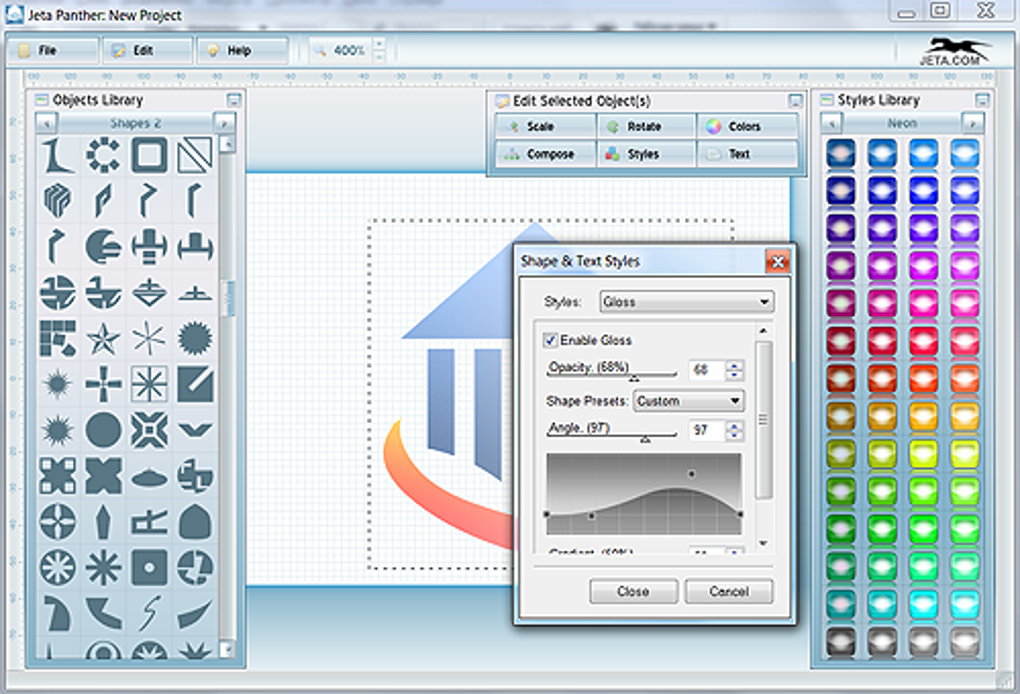
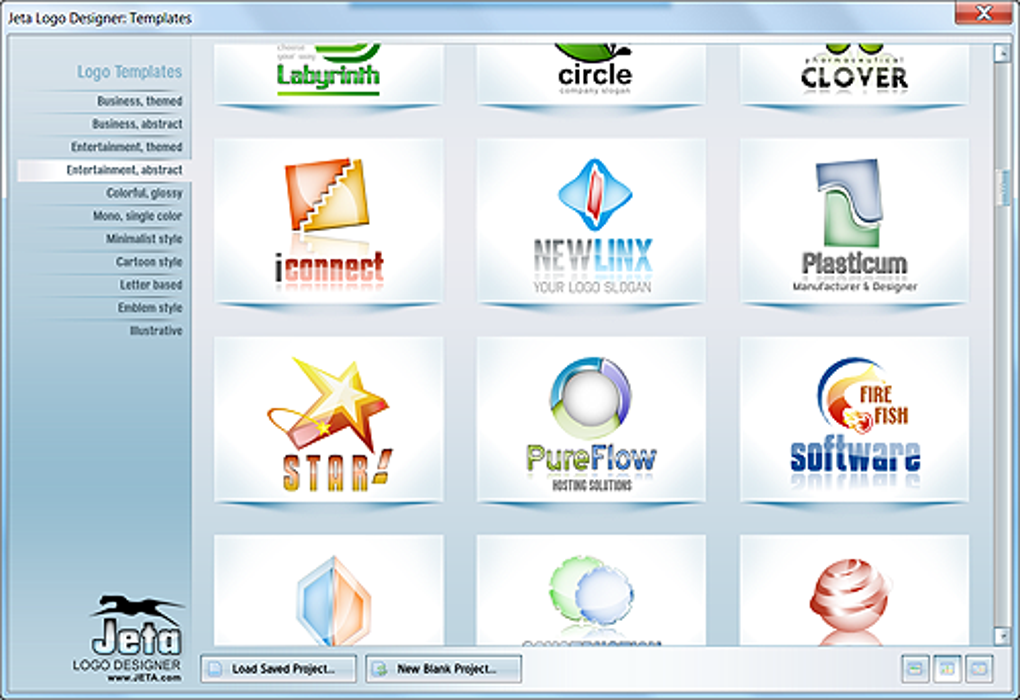
One of Free Logo Maker’s key strengths lies in its vast library of pre-designed templates, graphic elements, and fonts. These resources provide a solid foundation for your logo creation, offering various styles and aesthetics to suit different brand identities. Whether you need a modern, minimalist logo or a more traditional, ornate design, you’ll find a wealth of options to choose from. This extensive collection of assets eliminates the need to create everything from scratch, saving considerable time and effort. The templates serve as starting points, allowing users to customize them extensively to match their specific brand vision. Furthermore, the library of graphic elements, such as icons, shapes, and illustrations, provides additional flexibility in refining the logo’s visual appeal. The inclusion of a diverse range of fonts further enhances the customization possibilities, ensuring that the final logo aligns perfectly with the brand’s personality and target audience.
Customization Options and Advanced Features
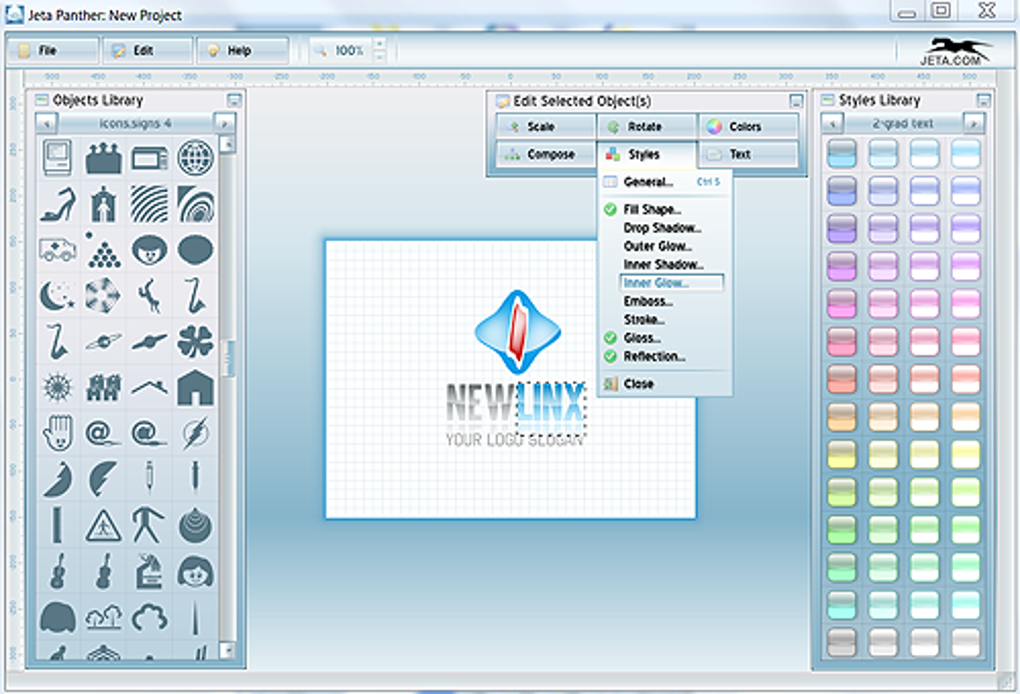
While designed for ease of use, Free Logo Maker doesn’t compromise on customization options. Once you’ve selected a template or started from scratch, you can extensively modify its components. You can adjust colors, fonts, shapes, and add or remove elements to tailor the design to your exact specifications. The software offers a range of advanced features, including gradient tools, shadow effects, and text warping, allowing for more sophisticated and visually compelling designs. While these features may not be as extensive as those found in professional software, they provide sufficient capabilities for creating highly customized logos. The ability to precisely control color palettes, font styles, and visual effects allows users to fine-tune their logo’s aesthetic qualities and ensure it embodies the desired brand image. This balance between ease of use and advanced functionalities caters to a broad range of users, from beginners seeking simple designs to more experienced users who require advanced customization options.
Exporting and File Formats
After completing your logo design, Free Logo Maker provides options for exporting your creation in various file formats commonly used for print and digital media. This ensures compatibility with different applications and platforms. The availability of multiple file formats is crucial for ensuring versatility in logo usage across various marketing materials and online platforms. The ability to export high-resolution images ensures that the logo maintains its visual quality even when printed at large sizes, crucial for applications like banners and signage. The ability to export vector graphics ensures scalability without loss of quality, making the logo suitable for use on websites, social media platforms, and other digital applications where resizing is frequently required. This feature addresses the practical needs of users, making it easy to incorporate the finished logo into various branding materials and ensuring its consistent visual representation across diverse contexts.
Limitations and Alternatives
While Free Logo Maker provides a powerful and accessible solution for logo design, it’s important to acknowledge its limitations. The software relies heavily on its built-in library of assets, which might not always cater to highly specific design requirements. Experienced graphic designers might find the tool’s capabilities too simplistic for complex projects. Furthermore, the absence of advanced features found in professional software could restrict creative freedom for users with extensive design experience. It’s essential to consider these limitations when deciding if Free Logo Maker aligns with your design needs. However, its accessibility and user-friendliness remain significant advantages for users prioritizing ease of use and cost-effectiveness. For those requiring more advanced capabilities, other logo design software and professional services remain viable alternatives. Exploring different options allows users to select the tool that best suits their specific skills and project needs.
Conclusion: Is Free Logo Maker Right for You?
Free Logo Maker emerges as a compelling option for individuals and businesses seeking a user-friendly, cost-effective solution for creating professional-looking logos. Its intuitive interface, extensive design resources, and advanced customization options make it accessible to a wide range of users, regardless of their design experience. While it might not replace professional design software for complex projects, its simplicity and functionality cater to a large user base. Whether you’re launching a startup, designing a personal brand, or simply need a logo for a personal project, Free Logo Maker provides a convenient and effective method to achieve your branding goals without the associated financial burden or technical complexity of professional design services. However, carefully weigh its limitations against your specific design needs to ensure it’s the optimal tool for your project.
File Information
- License: “Free”
- Latest update: “April 19, 2024”
- Platform: “Windows”
- OS: “Windows Vista”
- Language: “English”
- Downloads: “307K”
- Size: “15.64 MB”


