
The pursuit of musical excellence often hinges on precision and timing. For musicians of all levels, maintaining a steady tempo is crucial for practice and performance. While physical metronomes have long served as the standard tool, the advent of digital technology offers convenient alternatives, and among them, the free metronome application stands out as a readily available and versatile option. This article delves into the functionalities, advantages, and limitations of free metronome software, specifically focusing on the user experience and its place in the modern musician’s toolkit.
Features and Functionality: A Deep Dive into Digital Tempo Control
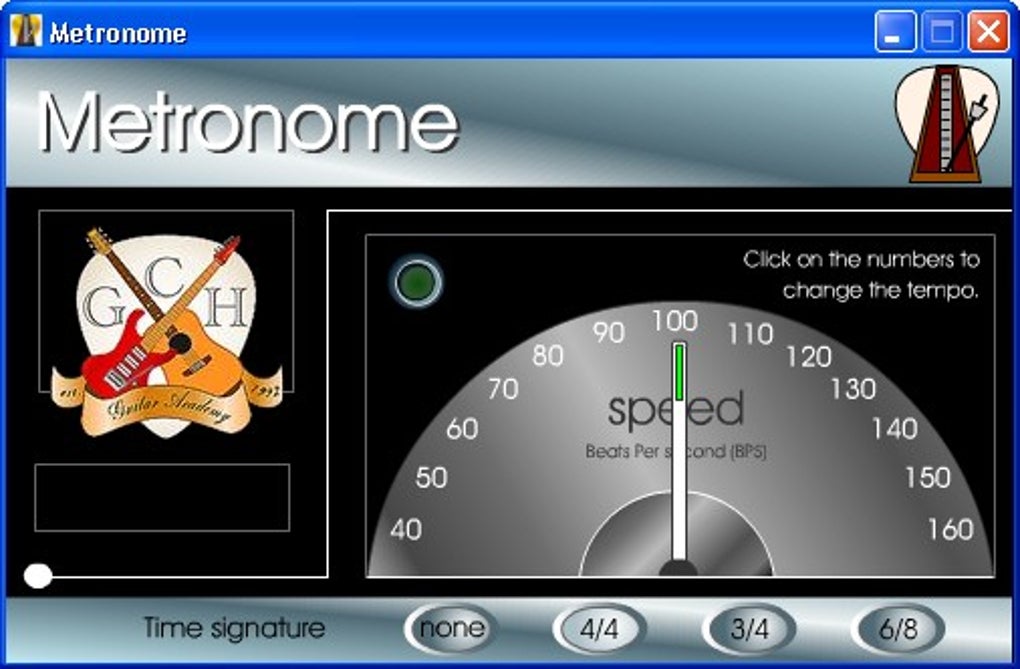
Free metronome software, such as Desktop Metronome, provides a range of customizable features designed to cater to diverse musical needs. These applications essentially replicate the functionality of a physical metronome but offer additional flexibility and convenience. The core functionality involves setting a tempo, usually measured in beats per minute (BPM). This can be achieved in several ways:
-
Numerical Input: The most straightforward method is to enter the desired BPM directly using the application’s interface. This provides precise control over the tempo and allows users to select specific BPMs relevant to their practice material.
-
Keyboard Shortcuts: Many free metronome applications incorporate keyboard shortcuts for quick tempo adjustments. This feature streamlines the workflow, allowing users to change the tempo without interrupting their practice. This is particularly useful during intense practice sessions or live performance scenarios where efficiency is paramount. The ability to quickly adjust tempo on the fly can be invaluable.
-
Tap Tempo Feature: This is arguably one of the most beneficial features of digital metronomes. The tap tempo function enables users to set the tempo by tapping a beat on a key or button. The software then calculates the BPM based on the user’s input. This feature proves incredibly useful when working with unfamiliar pieces of music or when needing to match a pre-existing tempo. It eliminates the need for manual calculation, saving time and ensuring accuracy.
Beyond basic tempo setting, many advanced free metronome programs offer:
-
Time Signature Selection: The ability to adjust the time signature (e.g., 4/4, 3/4, 6/8) is essential for accurate practice across various musical styles. This allows users to practice rhythmic complexities in various meters beyond simple 4/4 time.
-
Sound Customization: Some programs allow users to alter the sound of the metronome’s beat. This can range from simple variations in tone to different sounds entirely. Having the option to choose a sound that’s less intrusive to one’s concentration level is a significant advantage.
-
Visual Cues: The best free metronome programs will usually incorporate visual cues to aid in maintaining tempo and rhythm. These visual cues, often in the form of flashing lights or visual indicators, provide a secondary means of keeping time, particularly beneficial for those who are visually-oriented learners.
-
Multiple Metronome Tracks: Some more sophisticated applications allow users to simultaneously run multiple metronome tracks with different tempos and time signatures. This feature is a boon for musicians working with complex polyrhythms or pieces of music involving multiple independent rhythmic patterns.
The overall user experience, however, can vary significantly across different free metronome applications. While some offer intuitive interfaces and user-friendly designs, others may present a steeper learning curve due to less streamlined designs. User reviews often highlight aspects like the ease of navigation and intuitiveness of the interface as critical factors influencing overall user satisfaction.
Advantages of Using a Free Metronome
The popularity of free metronome software stems from numerous advantages it provides over traditional physical metronomes:
-
Portability and Accessibility: Digital metronomes are readily accessible and easily portable. Unlike physical metronomes, which can be bulky and inconvenient to transport, free software can be accessed on almost any computer or mobile device with an internet connection. This makes them ideal for musicians who are frequently on the go, traveling, or require a readily available tempo-keeping tool during their travels.
-
Cost-Effectiveness: The most obvious advantage is the cost. Free metronomes are, well, free! This makes them an accessible tool for musicians on a budget, especially beginners or students who may not want to invest in a physical metronome at first.
-
Customizability: Digital metronomes boast a significant advantage in terms of customizability. Users can tailor settings (tempo, time signature, sound) to their specific needs, providing a level of flexibility unavailable with traditional metronomes.
-
Integration with Other Software: Some free metronome software integrates seamlessly with Digital Audio Workstations (DAWs) and other music production software. This integration can simplify the workflow for musicians involved in composing, arranging, and recording music.
-
No Battery Requirements: Unlike physical metronomes, which rely on batteries, digital metronomes run on the device’s power. This means users don’t have to worry about battery life during crucial practice sessions.
These advantages contribute to the increasing popularity of free metronome applications among musicians who value both convenience and affordability.
Limitations and Potential Drawbacks
While free metronome software offers numerous benefits, it’s also important to acknowledge certain limitations:
-
Software Dependence: The reliance on software and a functioning device presents a potential limitation. If the software malfunctions or the device fails, users lose access to their tempo-keeping tool. This is in contrast to a physical metronome, which remains functional irrespective of technological glitches.
-
Interface Complexity: Not all free metronome programs are created equal. Some offer intuitive interfaces, while others can be more complex to navigate, particularly for users unfamiliar with digital music tools. A confusing or cluttered interface could hamper the user’s ability to quickly adjust the tempo when necessary.
-
Audio Quality: The audio quality of the metronome’s beat can vary across different software. Some programs may produce a less-than-ideal sound, potentially distracting or unsuitable for sensitive listening environments.
-
Limited Features in Free Versions: Some free metronomes offer limited features compared to their paid counterparts. Users might find that certain functionalities or customization options are unavailable unless they upgrade to a premium version. However, this trade-off between cost and features is typical of free software.
-
Potential for Distractions: While visual cues can be helpful, excessive or poorly designed visual components in the software could become a distraction during practice or performance.
Careful consideration of these limitations is essential when choosing a free metronome application. It’s advisable to explore multiple programs and choose one that best suits individual needs and preferences.
Conclusion: A Valuable Tool in the Modern Musician’s Arsenal
Free metronome software provides a valuable and accessible alternative to traditional physical metronomes. Its portability, cost-effectiveness, and customizable features make it an attractive tool for musicians of all levels. However, potential users must be aware of the limitations, including software dependence, interface complexity, and potential audio quality issues.
By carefully evaluating the available options and considering individual needs and preferences, musicians can harness the power of free metronome software to enhance their practice and achieve greater rhythmic precision. The best free metronome for a musician will ultimately depend on their individual needs and technical proficiency. The ability to access a digital metronome on any device, at any time, represents a significant leap forward in the resources available to modern musicians. While physical metronomes still maintain their place in many musicians’ toolkits, the free digital alternative provides a convenient and cost-effective accompaniment.
File Information
- License: “Free”
- Version: “1.50”
- Latest update: “July 20, 2021”
- Platform: “Windows”
- OS: “Windows XP”
- Language: “English”
- Downloads: “84.7K”
- Size: “10.25 MB”


