
Free MOV Player offers a straightforward and user-friendly solution for playing various media files on Windows systems. Designed as a lightweight alternative to more resource-intensive players like Windows Media Player or QuickTime, it provides a streamlined experience without sacrificing functionality for common video formats. This review delves into its features, benefits, and limitations, examining why it might be a suitable choice for certain users.
Primary Functionality and Supported File Types
Free MOV Player distinguishes itself through its simplicity. Its primary function is the playback of multimedia files, offering a basic yet efficient interface. Unlike many modern media players that incorporate extensive features like advanced editing tools, subtitle support, or streaming capabilities, Free MOV Player focuses on its core competency: playing videos. This minimalist approach leads to a quicker launch time and less system resource consumption.
One of the player’s key advantages is its compatibility with a range of file types, going beyond the MOV format suggested by its name. It’s designed to handle various video formats, including the popular FLV format often used for online videos. This means users can download videos from platforms like YouTube and watch them offline, even without an active internet connection. This feature makes it particularly useful for archiving videos or viewing content in areas with limited or no internet access.
The program’s simplicity makes it ideal for users who primarily need a hassle-free way to play videos, without needing to navigate complex menus or advanced settings. Its ease of use is a major strength, particularly appealing to users who aren’t comfortable with technically sophisticated media players.
Advanced Settings and Customization Options
While its core functionality is straightforward, Free MOV Player does offer some degree of customization through an advanced settings menu. This allows users to fine-tune specific playback parameters, including the ability to extend its compatibility to handle EXE and SWF files. These file types are less common for video playback, but the inclusion in the advanced settings allows for more versatility should the need arise.
The advanced settings provide a level of control beyond basic playback, catering to users who need to adjust specific settings for optimal viewing experience or to play less common video file formats. However, it’s important to note that these advanced settings remain relatively limited in comparison to more powerful media players. They primarily focus on compatibility rather than extensive video or audio adjustments.
User Interface and Ease of Use
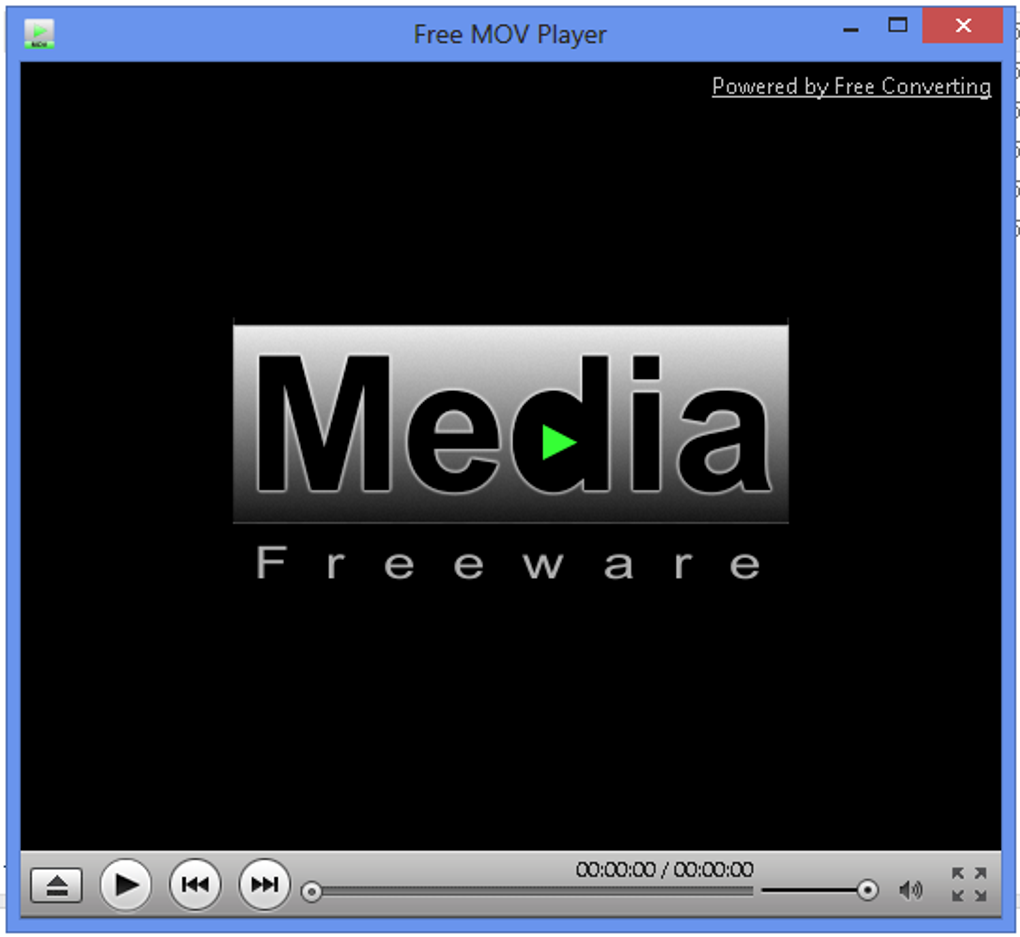
The user interface of Free MOV Player mirrors the simplicity of its functionality. Its design is clean and intuitive, resembling the classic interface of older media players. This familiar layout makes the player immediately accessible, with all the essential controls readily available. The straightforward design minimizes any learning curve, making it suitable for novice and experienced computer users alike.
The absence of a clutter of buttons and menus contributes to the player’s overall efficiency. This focus on simplicity enhances the user experience, particularly for those who prefer a straightforward, no-frills approach to media playback. This design philosophy aligns perfectly with the player’s overall goal of providing a convenient, uncomplicated way to view videos.
Advantages and Disadvantages of Free MOV Player
Free MOV Player offers several compelling advantages, primarily centered around its ease of use and lightweight design:
Pros:
- Free of charge: The software is completely free to download and use, without any subscription fees or hidden costs.
- Ease of use: The intuitive interface and straightforward controls make it exceptionally user-friendly.
- Lightweight: Its small footprint minimizes system resource usage, making it suitable for older or less powerful computers.
- Offline Playback: Allows for local playback of downloaded videos, eliminating the need for an internet connection.
- Multiple Format Support: Plays a variety of video formats beyond its namesake MOV, including FLV files.
Cons:
- Limited Features: Free MOV Player lacks advanced features found in more sophisticated media players, such as video editing, subtitle support, and extensive codec compatibility.
- Codec Compatibility Issues: There’s a potential for incompatibility with certain less common or obscure video codecs. While it supports a range of common formats, it may not be able to handle all file types.
- No Advanced Video Editing: Users who require video editing capabilities will need to seek out more feature-rich software.
Comparison with Alternative Media Players
Free MOV Player sits within a larger ecosystem of media players, each with its strengths and weaknesses. Let’s briefly compare it with some prominent alternatives:
- VLC Media Player: VLC is a highly versatile and popular open-source player known for its extensive codec support and cross-platform compatibility. It’s more feature-rich than Free MOV Player, offering advanced options like subtitle management, streaming capabilities, and network streaming. However, its increased functionality comes at the cost of increased resource consumption and a more complex interface.
-
QuickTime: QuickTime is a long-standing media player that comes pre-installed on many Apple devices. While user-friendly, its codec support is generally considered less comprehensive than VLC, and it lacks many of the advanced features of other players. Compared to Free MOV Player, it offers similar ease of use but with arguably better codec support out of the box.
-
Windows Media Player: Windows Media Player is another pre-installed option for Windows users, providing a basic yet functional media playback experience. It’s simple to use, but its features and codec support are generally less extensive than VLC or even Free MOV Player. It’s a fair comparison in terms of simplicity but lacks the broad format support of Free MOV Player for downloaded videos.
The choice between these players depends heavily on individual needs and priorities. Free MOV Player’s niche is its ease of use and minimal resource impact, making it an attractive option for users who prioritize simplicity and require only basic video playback capabilities.
Conclusion
Free MOV Player is a viable option for users seeking a simple, lightweight, and free media player for Windows. Its straightforward interface and support for common video formats make it easy to use and convenient for basic playback needs. While it lacks the advanced features of other players, its minimalist design is precisely its strength. Users who prioritize ease of use and require a straightforward video player will find Free MOV Player a solid choice, especially when dealing with offline video files and common video formats. However, users requiring advanced features or extensive codec support should consider more feature-rich alternatives.
File Information
- License: “Free”
- Version: “1.0”
- Latest update: “May 9, 2018”
- Platform: “Windows”
- OS: “Windows 7”
- Language: “English”
- Downloads: “80.5K”


