
Free MP3 CD Ripper is a Windows-based application designed to convert audio CDs into various digital formats, primarily MP3. While offering a straightforward approach to CD ripping, its capabilities and limitations warrant a detailed examination to determine its suitability for different users. This review delves into its functionality, ease of use, pros and cons, and compares it to alternative options available in the market.
Functionality and Features
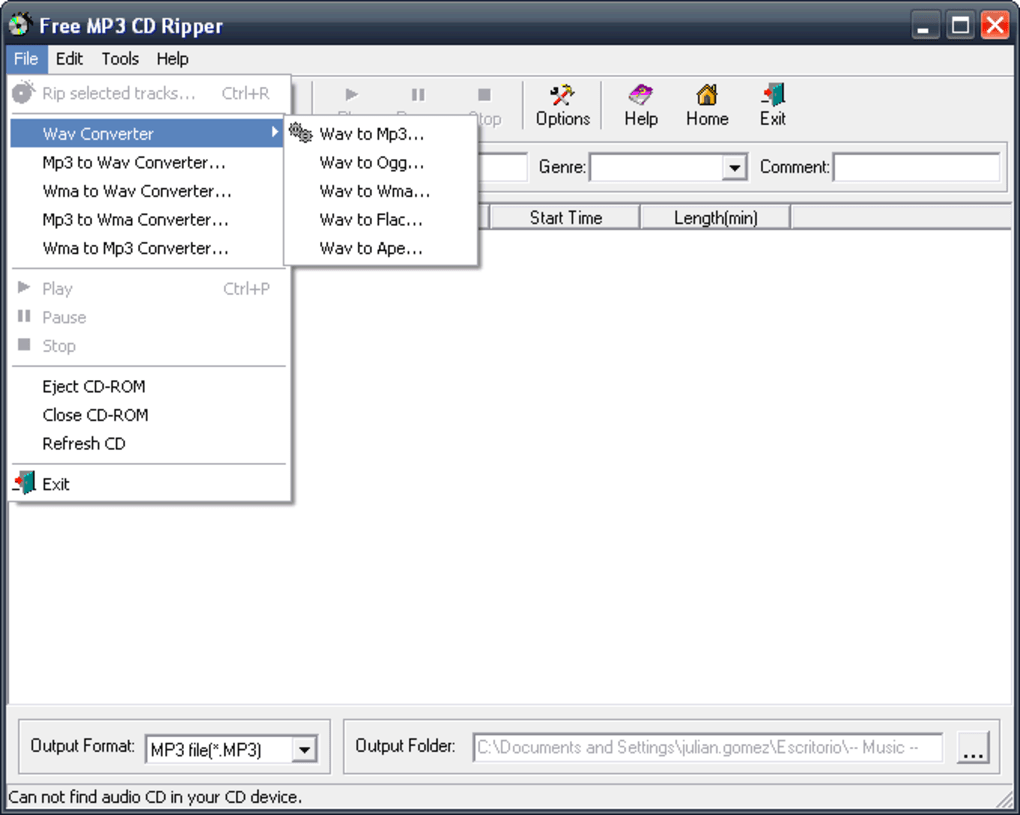
At its core, Free MP3 CD Ripper fulfills its primary function: converting audio CDs into digital files. The software allows users to rip tracks from CDs and save them in MP3 format, a widely compatible audio format suitable for portable devices and online streaming. However, its functionality extends beyond simple MP3 conversion. The software also supports a range of other audio formats, including WAV, WMA, OGG, FLAC, and APE. This versatility caters to users with diverse audio preferences and storage needs. While the conversion speed might vary depending on the chosen output format, the availability of multiple options provides flexibility. Users can choose the format that best balances audio quality and file size.
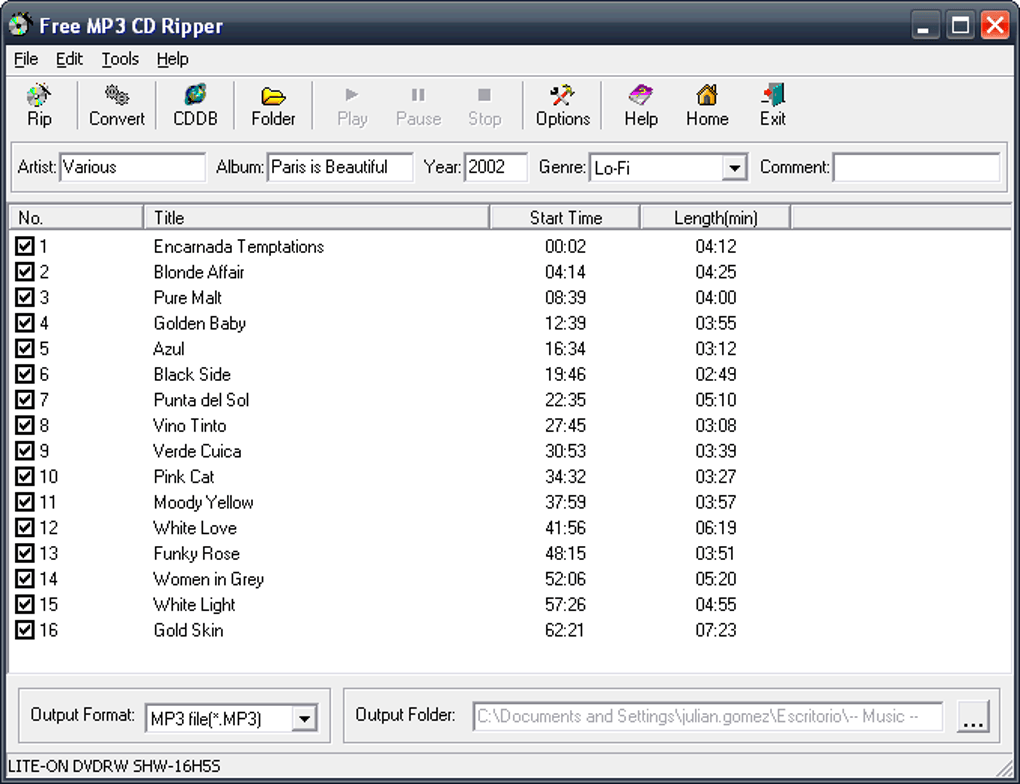
A significant advantage of Free MP3 CD Ripper is its integration with CDDB (Compact Disc Database) databases. This feature automatically retrieves album information, including artist names, track titles, and album art, significantly reducing the manual effort required for organizing a digital music library. The automatic tagging with ID3 tags streamlines the process of creating a well-organized music collection. This automated tagging process saves considerable time and effort compared to manually entering metadata for each track. While the accuracy of the information retrieved from CDDB can be inconsistent, it generally provides a reasonable starting point, saving users considerable time. For those seeking flawless metadata accuracy, manual correction might still be necessary.
The software also incorporates a built-in CD player, allowing users to preview tracks before initiating the ripping process. This feature is particularly useful for verifying the accuracy of track information retrieved from CDDB and ensuring that the selected tracks are the desired ones before committing to the conversion. This functionality provides a convenient way to preview and select tracks for ripping, minimizing errors and enhancing user experience.
Finally, the software offers volume equalization, a feature useful for standardizing the loudness across different tracks on a CD. This ensures a consistent listening experience across various songs, preventing drastic volume changes between tracks. This enhancement improves the overall listening experience by mitigating the annoyance of constantly adjusting the volume.
Ease of Use and User Interface
Free MP3 CD Ripper boasts a user-friendly interface, making it accessible to users with varying levels of technical expertise. The program’s intuitive design minimizes the learning curve, allowing users to quickly grasp the essential functions and begin ripping CDs without extensive prior knowledge. The software’s straightforward design makes it readily usable by users of different skill levels. Once a CD is inserted, the software automatically prompts the user to initiate the ripping process, streamlining the workflow and simplifying the user experience.
The streamlined design ensures that the main focus is on the core functionality: CD ripping. The simplicity of the interface reduces clutter and eliminates unnecessary complexities, facilitating efficient and straightforward use. This approach caters to casual users who seek a quick and simple solution for converting their CDs to digital formats, without the need for navigating complex menus or options.
Pros and Cons
Pros:
- Multiple Format Support: The software supports a variety of audio formats, offering users flexibility in choosing the output format that best suits their needs and preferences.
- CDDB Integration: The automated retrieval of album information from CDDB databases saves considerable time and effort in organizing digital music collections.
- Built-in CD Player: The integrated CD player allows users to preview tracks before ripping, preventing errors and enhancing the overall user experience.
- Volume Equalization: The software’s volume equalization feature ensures a consistent listening experience across different tracks.
- User-Friendly Interface: The intuitive and simple interface makes the software easy to use for users with varying levels of technical expertise.
- Automatic Prompt on CD Insertion: The automatic prompt simplifies the ripping process, making it immediately accessible upon CD insertion.
Cons:
- Conversion Speed: The speed of conversion varies depending on the chosen output format and the computer’s processing power. Some formats may result in longer conversion times.
- CDDB Accuracy: While convenient, the accuracy of information retrieved from CDDB databases is not guaranteed, requiring occasional manual corrections.
- Limited Advanced Features: The software lacks advanced features found in more sophisticated CD ripping applications, such as batch processing or extensive editing capabilities.
- Outdated Version: The last update to the software was in 2008, indicating that it might lack compatibility with newer operating systems or improvements in CD ripping technology.
Comparison with Alternative Applications
While Free MP3 CD Ripper provides a basic solution for CD ripping, several alternative applications offer more advanced features and functionality. These alternatives often incorporate batch processing capabilities, allowing users to rip multiple CDs or select specific tracks without individual manual intervention. Many also provide more precise metadata editing tools, enabling detailed adjustments to album art, artist information, and track details beyond what CDDB offers. Furthermore, some advanced applications support a wider range of audio formats and codecs, providing greater flexibility in terms of compatibility and audio quality settings.
The availability of more recent and frequently updated alternatives often leads to better compatibility with newer operating systems, as well as improved performance and security. These more modern applications usually incorporate error correction and improved algorithms, resulting in faster and more reliable ripping processes.
Ultimately, the choice between Free MP3 CD Ripper and alternative applications depends on individual needs and preferences. Users seeking a simple and straightforward solution for occasional CD ripping might find Free MP3 CD Ripper sufficient. However, those requiring advanced features, higher conversion speeds, and ongoing support should consider exploring more comprehensive and up-to-date alternatives in the market.
Conclusion
Free MP3 CD Ripper serves as a functional, albeit basic, tool for converting audio CDs into digital formats. Its user-friendly interface and support for multiple audio formats make it accessible to a broad range of users. The integration with CDDB databases streamlines the metadata entry process, while the built-in CD player adds convenience to the overall experience. However, its limitations, particularly in terms of conversion speed, CDDB accuracy, and the absence of advanced features, should be considered. Users seeking a more comprehensive and feature-rich solution might find more advanced alternatives better suited to their needs. Despite its age, it still serves as a simple entry-point into digital audio conversion for casual users. For professional or frequent usage, a more modern and robust application is recommended.
File Information
- License: “Trial version”
- Version: “2.0”
- Latest update: “October 24, 2008”
- Platform: “Windows”
- OS: “Windows 2000”
- Language: “English”
- Downloads: “23.8K”
- Size: “1.51 MB”


