
The ubiquitous MP3 format, while incredibly popular, isn’t always the ideal choice for every audio need. Whether driven by compatibility issues, a desire for higher fidelity, or specific software requirements, many users find themselves needing to convert MP3 files to the WAV format. This comprehensive guide explores the world of free MP3 to WAV converters, focusing on their functionality, benefits, and considerations for various applications.
Understanding MP3 and WAV Formats: Why Convert?
Before diving into the specifics of conversion tools, it’s crucial to understand the differences between MP3 and WAV files. This understanding informs the decision to convert and highlights the benefits of choosing one format over the other.
MP3 (MPEG Audio Layer III): This is a lossy compression format, meaning it discards some audio data during the encoding process to reduce file size. This makes MP3 files significantly smaller than WAV files, ideal for storage and sharing, especially over the internet. However, this compression inherently reduces audio quality, resulting in a loss of detail and fidelity compared to the original source. The degree of quality loss depends on the bitrate used during encoding; higher bitrates result in better quality but larger file sizes.
WAV (Waveform Audio File Format): This is a lossless audio format, meaning it preserves all the original audio data. WAV files are uncompressed, resulting in significantly larger file sizes compared to MP3s. However, this lack of compression ensures that the audio quality remains pristine, identical to the original recording. This makes WAV a preferred format for professional audio editing, mastering, and archiving, where preserving the highest possible audio quality is paramount.
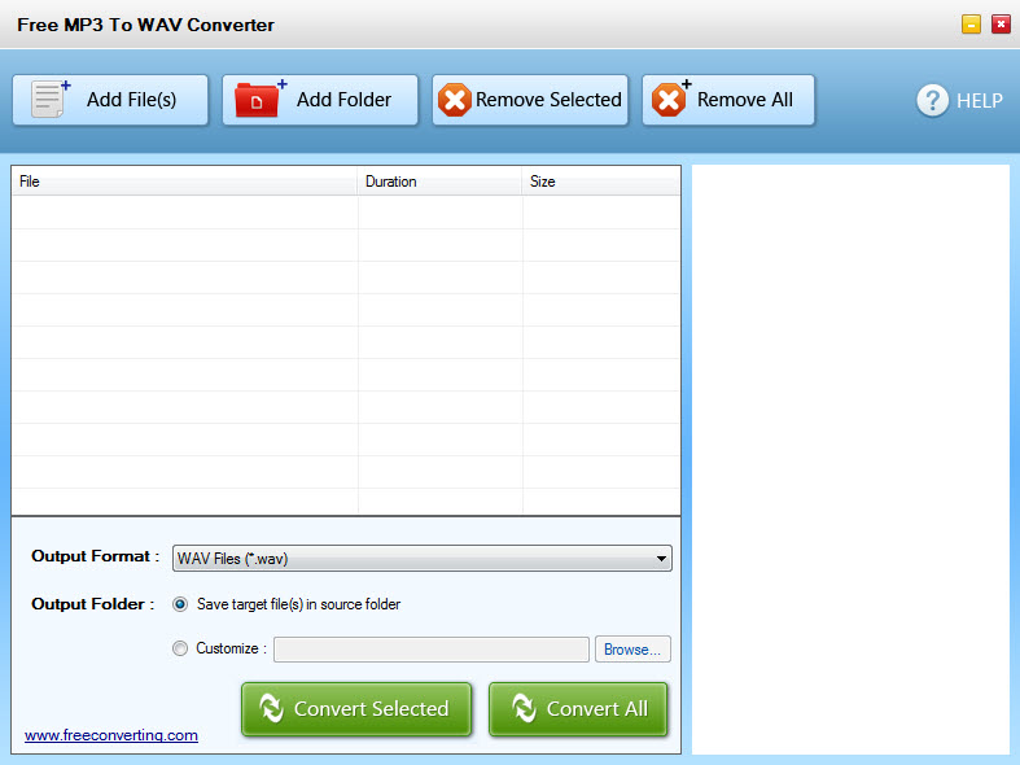
The decision to convert MP3 to WAV hinges on the intended use. If high fidelity is critical, as in professional audio work or archival purposes, converting to WAV is essential. Conversely, if file size is a major concern and a slight reduction in audio quality is acceptable, sticking with the MP3 format might be preferable.
The Advantages of Using a Free MP3 to WAV Converter
Several compelling reasons justify using a free MP3 to WAV converter:
- Cost-Effectiveness: Free converters eliminate the financial barrier to accessing this essential audio conversion functionality. This is particularly beneficial for individuals and small businesses with limited budgets.
- Ease of Use: Many free converters boast user-friendly interfaces, requiring minimal technical expertise to operate. This accessibility democratizes the audio conversion process, making it accessible to a broader range of users.
- Wide Availability: A plethora of free MP3 to WAV converters exist across various platforms, including Windows, macOS, and online-based solutions. This readily available selection allows users to find a converter that best suits their operating system and needs.
- Batch Processing: Many sophisticated free converters support batch processing, enabling the simultaneous conversion of multiple MP3 files. This feature significantly enhances efficiency, saving considerable time when handling large collections of audio files.
- No Watermarks or Limitations: Reputable free converters avoid adding watermarks or imposing limitations on the converted files, ensuring that the converted WAV files are usable in various applications without any restrictions.
Choosing the Right Free MP3 to WAV Converter: Key Considerations
While numerous free MP3 to WAV converters exist, choosing the right one requires careful consideration of several key factors:
- Operating System Compatibility: Ensure the converter is compatible with your operating system (Windows, macOS, Linux, etc.). Some converters are platform-specific, while others offer cross-platform compatibility.
- User Interface: A user-friendly interface is crucial, particularly for users with limited technical expertise. A clean, intuitive interface significantly simplifies the conversion process.
- Batch Processing Capabilities: The ability to convert multiple files simultaneously is invaluable for users dealing with large numbers of MP3 files.
- Conversion Speed: While speed isn’t always the top priority, faster conversion times can be advantageous for users handling extensive audio libraries.
- Supported Audio Formats: Although the primary focus is MP3 to WAV conversion, consider whether the converter supports other audio formats as well. This versatility can prove useful in future projects.
- Security and Reliability: Download converters only from trusted sources to prevent the installation of malware or other harmful software. Read reviews and check the software’s reputation before installing it.
Free MP3 to WAV Converters: A Practical Overview
The market is saturated with free MP3 to WAV converters, each boasting unique features and capabilities. This section provides a glimpse into the diverse landscape of available options, highlighting their strengths and potential limitations. It’s crucial to thoroughly research individual converters before making a decision, paying close attention to user reviews and security considerations. Always download from reputable sources to avoid malware. Furthermore, be aware that features and availability might change over time.
(Note: Due to the dynamic nature of software availability and the potential for unreliable or malicious software, specific product recommendations are omitted. Instead, the guide emphasizes the key factors to consider when selecting a converter. Independent research is crucial before using any software.)
Beyond Conversion: Enhancing Your Audio Workflow
Converting from MP3 to WAV is often just one step in a larger audio workflow. Consider the following tools and techniques to optimize your audio processing:
- Audio Editors: After conversion, audio editors like Audacity (a free and open-source option) can enhance the audio quality further, removing noise, correcting imperfections, and applying effects.
- Normalisation: Normalizing audio ensures consistent volume levels across tracks, enhancing the listening experience. Many audio editors offer normalization tools.
- Metadata Editing: Managing metadata (artist, title, album art, etc.) is vital for organization and seamless integration with music players and libraries. Dedicated metadata editors or features within audio players can assist with this.
- Cloud Storage: Storing large WAV files in cloud storage (like Google Drive, Dropbox, etc.) allows for easy access and backup.
This comprehensive guide offers insights into the world of free MP3 to WAV converters, encompassing the underlying technology, the advantages of using free solutions, and crucial considerations for selection. Remember that thorough research is paramount in choosing a reliable and safe converter that meets your specific needs. By carefully considering the factors discussed above and prioritizing security, you can seamlessly integrate MP3-to-WAV conversion into your audio workflow, unlocking the potential of high-fidelity audio without incurring unnecessary costs.
File Information
- License: “Free”
- Version: “1.0”
- Latest update: “December 6, 2015”
- Platform: “Windows”
- OS: “Windows 8”
- Language: “English”
- Downloads: “21.5K”


