
Free Opener is a freeware application designed for Windows operating systems. While its name suggests a broad functionality, its specific capabilities are more limited, focusing primarily on providing a basic interface for opening various file types without requiring specialized software. Originally released in 2012, the software has undergone several updates, with the most recent occurring on March 9, 2017. Despite its age and relatively simple functionality, Free Opener continues to be available for download and has accumulated a significant number of downloads. This review will delve into the software’s features, usage, advantages, limitations, and alternatives.
Understanding Free Opener’s Functionality
Free Opener positions itself as a solution for users who need a simple way to access files without needing to install dedicated viewers or editors for every file format. Its core function is to act as a universal file opener, offering a single point of access for numerous file types. While the software’s website and documentation don’t explicitly list every supported format, users report success in opening various documents, images, audio, and video files. However, its abilities are primarily limited to opening and viewing; advanced features such as editing, annotation, or conversion aren’t provided. Think of it as a lightweight file viewer, rather than a comprehensive suite of productivity tools. Its simplicity is both a strength and a weakness, catering to users who prioritize ease of access over advanced features.
System Requirements and Compatibility
Free Opener maintains compatibility with older Windows versions, including Windows 95, demonstrating a commitment to backward compatibility. This broad compatibility, while noteworthy, also suggests that the program might not take full advantage of more recent operating system features or optimizations. The software’s small size, approximately 21.37 MB, ensures a minimal impact on system resources. This characteristic is attractive for users with older hardware or limited storage space. However, this smaller size also contributes to its limited feature set and may result in a less polished user interface compared to more resource-intensive applications. The installation process is typically straightforward, though users may encounter compatibility issues with extremely outdated Windows versions.
User Experience and Interface
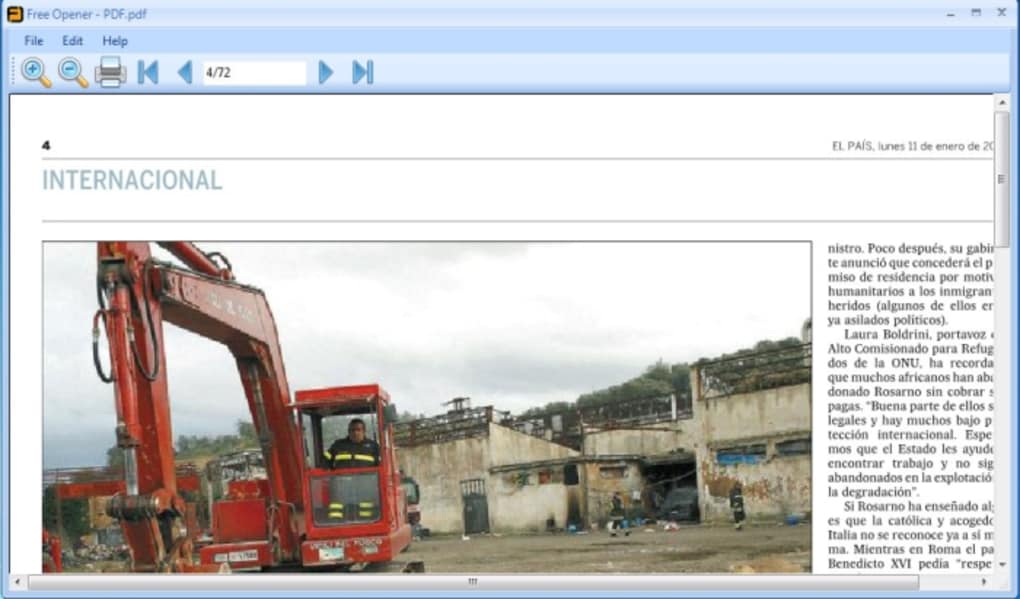
Free Opener’s user interface is designed for simplicity and ease of use. The absence of complex menus and settings makes it accessible even to less tech-savvy users. The primary interaction involves selecting the file to open, after which the program automatically attempts to launch the appropriate application. If a suitable application is not installed, the software might not be able to open the file, highlighting a limitation of its functionality. The user interface is basic and may lack the visual appeal and modern aesthetics found in newer applications. This minimalist approach, while beneficial for speed and simplicity, may not appeal to users who prefer a more visually engaging experience.
Strengths and Weaknesses
Strengths:
- Simplicity: Free Opener is incredibly easy to use, requiring minimal technical knowledge. Its straightforward interface makes it ideal for casual users.
- Compatibility: Its support for older Windows versions demonstrates a commitment to accessibility across various systems.
- Lightweight: The small file size minimizes its impact on system resources, making it suitable for older or less powerful machines.
- Freeware: The software is entirely free to download and use, making it an accessible option for budget-conscious users.
- Universal File Opener (Limited): While not universally successful, it attempts to open a range of file types.
Weaknesses:
- Limited Functionality: Free Opener primarily serves as a viewer; it lacks advanced features such as editing, annotation, or conversion.
- Potential Compatibility Issues: Although designed for backward compatibility, some older or obscure file types might not be supported.
- Basic Interface: The minimalist interface, while simple, might appear dated or unappealing to some users.
- Lack of Updates: The last major update was in 2017, indicating that the software might not be optimized for newer operating systems or security protocols.
- Limited Error Handling: The software may not provide informative error messages when it fails to open a specific file.
Alternatives to Free Opener
Given Free Opener’s limitations, several alternative applications provide more comprehensive functionality. These alternatives can be categorized into several types, depending on user needs:
- Universal File Viewers: Several free and commercial applications offer broader support for various file types and more robust viewing capabilities. These applications often include features like image zooming, text search, and the ability to handle damaged files more gracefully.
- Specific File Editors: If you frequently work with a specific file type, consider installing the dedicated application designed for that format. For example, dedicated PDF readers, image editors, or word processors offer advanced features unavailable in a universal file viewer.
- File Conversion Software: If your needs extend beyond viewing to converting between file formats, dedicated file conversion software might be a better solution. Such tools allow users to change file formats efficiently, streamlining workflows and improving compatibility.
- Office Suites: For users who need a comprehensive suite of productivity tools, the major office suites (Microsoft Office, LibreOffice, Google Workspace) are more effective solutions, offering sophisticated editing and collaboration capabilities.
Conclusion
Free Opener occupies a niche in the software market, providing a very basic solution for opening files on older Windows systems. Its simplicity and freeware nature might appeal to users who need occasional access to various file types without the overhead of installing many applications. However, its limited functionality, lack of recent updates, and basic user interface should be considered before adopting it as your primary file management solution. Users seeking more advanced features, better support for newer file types, and a more contemporary user experience should explore the alternative applications mentioned above. The choice of the most suitable application depends largely on the individual user’s needs and expectations. The software remains available for users who find its simplicity beneficial, but it’s crucial to acknowledge its limitations before using it as a primary file handling tool.
File Information
- License: “Free”
- Version: “1.0”
- Latest update: “March 9, 2017”
- Platform: “Windows”
- OS: “Windows 2000”
- Language: “English”
- Downloads: “12.5K”
- Size: “21.37 MB”


