
In today’s digital age, the Portable Document Format (PDF) has become an indispensable standard for sharing and presenting information across various platforms. From official business reports and academic papers to personal e-books and digital invoices, PDFs are ubiquitous. While many tools exist for handling these files, the search for a lightweight, efficient, and feature-rich solution often leads users to explore alternatives to more resource-intensive options. This is where Free PDF Reader emerges as a compelling choice, offering a streamlined experience for viewing, interacting with, and even converting PDF documents, all without any cost. This comprehensive guide will delve into the capabilities of Free PDF Reader, highlighting its advantages, practical applications, and how it stands as a valuable asset for both individual users and businesses operating on the Windows platform.
The Core Functionality of Free PDF Reader: Effortless Viewing and Navigation
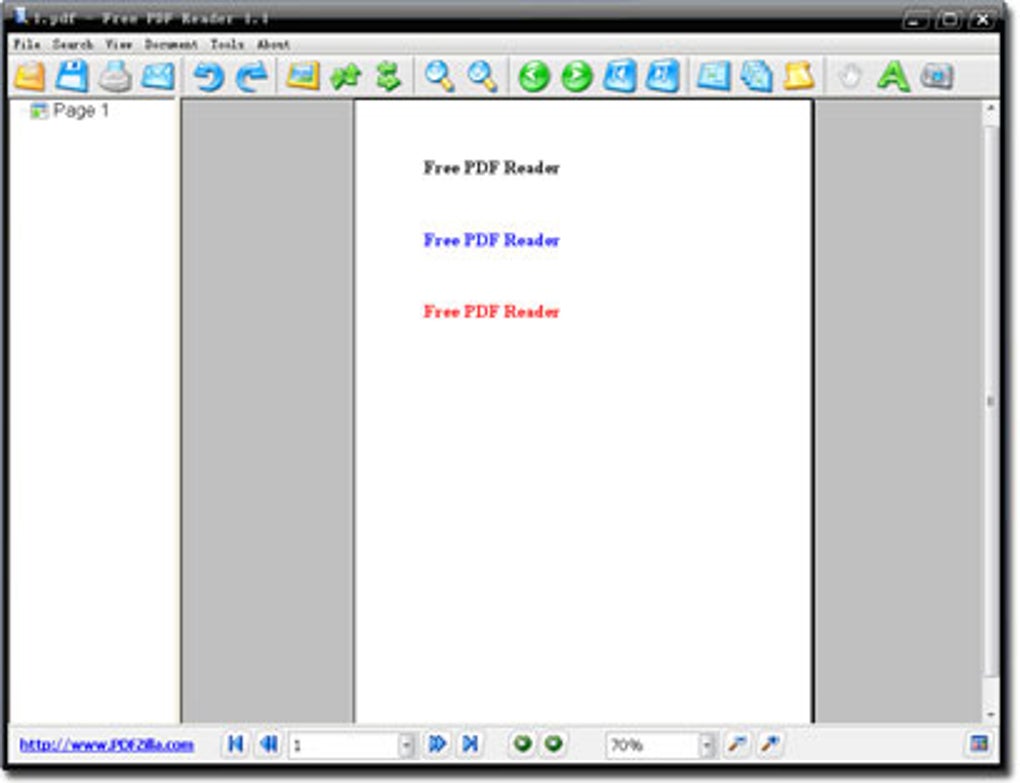
At its heart, Free PDF Reader is designed to be an incredibly straightforward and user-friendly application for opening and viewing PDF files. Its primary goal is to provide a seamless reading experience, stripping away unnecessary complexities often found in larger, more cumbersome PDF software. Upon launching the program, users are greeted with an intuitive interface that makes navigating documents a breeze. Unlike some of its heavier counterparts, Free PDF Reader is engineered to consume minimal system resources, making it an ideal choice for older computers or users who prefer to keep their system running smoothly without bloatware hogging memory and CPU cycles.
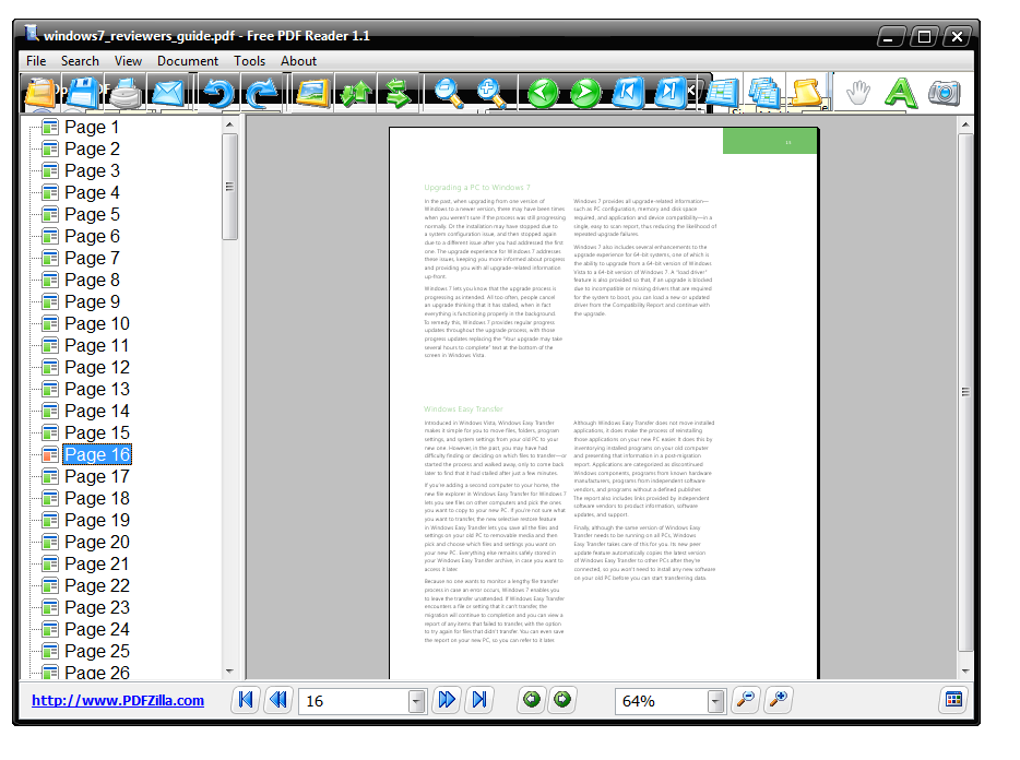
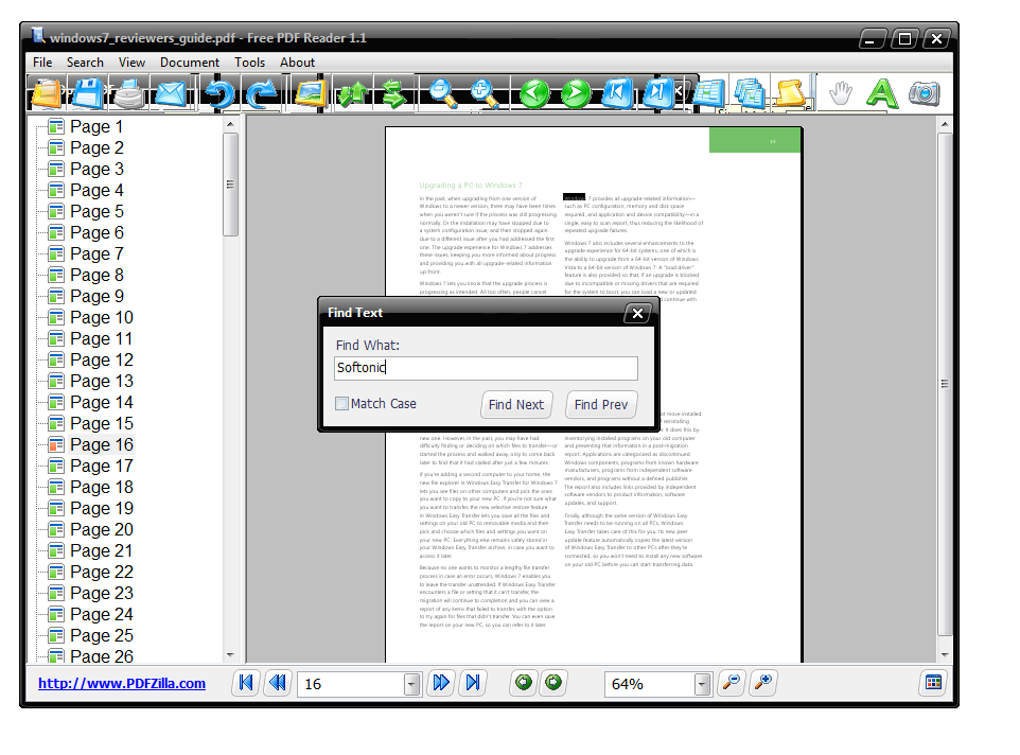
The basic viewing features are robust and precisely what you’d expect from a dedicated PDF reader. Users can effortlessly zoom in on specific areas of a document to examine fine details or zoom out for an overview. Page navigation is fluid, allowing you to move forward or backward through pages with a simple click or scroll. For lengthier documents, quick-access buttons enable instant jumps to the beginning or end of the file, saving valuable time. This direct and responsive navigation ensures that readers can focus on the content without wrestling with the software.
One of the standout viewing features is the integrated multiple-view tool. This functionality extends beyond simply displaying several pages simultaneously; it offers granular control over how these pages are presented. Users can adjust the width and height of the displayed pages, allowing for customized layouts that suit their screen size and reading preferences. Furthermore, the ability to modify the “real size” of pages means you can view documents precisely as they were intended, or scale them to optimize readability. For those instances where a document might be scanned or created with an awkward orientation, Free PDF Reader provides a convenient page rotation feature. This simple yet effective tool ensures comfortable reading by allowing users to rotate pages to the desired landscape or portrait orientation, enhancing the overall user experience significantly. This blend of basic and advanced viewing options ensures that Free PDF Reader can cater to a wide range of user needs, from casual document review to detailed analysis.
Beyond Viewing: Practical Tools for Document Interaction
While primarily a viewer, Free PDF Reader transcends this basic definition by incorporating a valuable set of tools that allow users to interact with their PDF documents in meaningful ways. These functionalities elevate the software from a mere reader to a practical utility for daily document management, aligning perfectly with the category of Productivity and Document Management from our reference content.
A critical feature for anyone working with information is the ability to extract content. Free PDF Reader makes this remarkably simple. Users can easily copy text directly from a PDF file to the clipboard. This copied text can then be pasted into any other application, such as a Word document, a text editor, or an email, facilitating note-taking, content aggregation, or data transfer. The same convenience extends to images embedded within PDF files. By simply selecting an image and using the standard “CTRL+C” command, users can copy graphical content and paste it into other files or applications, which is incredibly useful for presentations, reports, or graphic design tasks. This seamless content extraction capability significantly boosts productivity by eliminating the need for manual re-typing or complex screenshot processes.
Perhaps one of the most powerful and frequently sought-after features of Free PDF Reader is its limited yet highly practical format conversion capabilities. This program empowers users to transform their PDFs into other widely used document types, and vice versa. Specifically, Free PDF Reader allows for the conversion of any PDF file into a Microsoft Word document, supporting both DOC and DOCX formats. This functionality is invaluable for anyone who needs to edit or modify the content of a PDF, as Word documents are fully editable. The program also supports the reverse process, enabling users to convert Word documents into PDF format, ensuring consistent formatting for sharing and archiving. Beyond text-based documents, Free PDF Reader extends its conversion prowess to images. It can convert images in JPG format into PDF files, making it easy to compile collections of photos or scanned documents into a single, portable PDF. Conversely, it can also extract images from a PDF and convert them into JPG files, providing flexibility for graphic designers, researchers, or anyone needing to reuse visual elements. These conversion tools are a significant asset, bridging the gap between static PDF viewing and dynamic content manipulation, thereby enhancing overall Document Management.
Why Choose Free PDF Reader? Advantages and Specific Use Cases
The appeal of Free PDF Reader lies not just in its individual features, but in how these features collectively create a compelling user experience, particularly for Windows users. Its lightweight nature, combined with essential viewing and interaction tools, makes it a robust alternative in a crowded market. Many of its benefits align with various categories mentioned in our reference content, from supporting FOR BUSINESS operations to acting as a vital component in Utilidades y Herramientas (Utilities and Tools) for everyday users.
Optimizing Business Workflows with Free PDF Reader
For businesses, efficiency and resource management are paramount. Free PDF Reader offers distinct advantages that can significantly optimize workflows. In a business context, documents are constantly being exchanged—contracts, invoices, reports, presentations, and technical specifications. The ability to quickly open and review these documents without a noticeable drain on system resources means employees can multitask more effectively. This is particularly beneficial in environments where multiple applications run concurrently, preventing system slowdowns that can hamper productivity.
The format conversion features are also invaluable for business operations. Imagine needing to quickly extract data from a received PDF report to integrate it into an internal spreadsheet, or converting a policy document from PDF to Word for internal revisions. Free PDF Reader facilitates these tasks effortlessly. Furthermore, the ability to convert JPGs to PDFs is useful for compiling visual assets, such as product images or architectural blueprints, into a single, professional PDF for client presentations or archiving. The freeware license model also presents a significant cost-saving for businesses of all sizes, eliminating the need to invest in expensive proprietary software licenses for basic PDF functionalities across numerous workstations. Thus, Free PDF Reader stands as a practical and economical solution for business Productivity, streamlining document handling and contributing to smoother operational processes.
An Indispensable Tool for Everyday Productivity
Beyond the corporate environment, Free PDF Reader serves as an indispensable tool for enhancing the Productivity of individual users in their daily tasks. Whether you’re a student, a freelancer, or just managing your personal documents, the software offers tangible benefits. For students, it’s an excellent choice for reading digital textbooks, research papers, and lecture notes. The ability to copy text for assignments or convert study guides into editable formats can significantly aid the learning process. Its low resource usage means it won’t slow down your laptop during intensive study sessions.
For general users, Free PDF Reader simplifies routine document interactions. Need to review a bank statement, an online receipt, or an instruction manual saved as a PDF? Free PDF Reader opens it instantly. Want to grab a recipe from a PDF and paste it into a shopping list, or pull an image from a digital brochure? Its copy functions make these tasks effortless. The software’s small installation footprint, a little over 3 MB, means it takes up minimal space on your hard drive, which is a blessing for devices with limited storage. Its ease of installation and use ensures that even technophobes can quickly get up and running, managing their documents efficiently without a steep learning curve. In essence, Free PDF Reader embodies the spirit of useful Utilidades y Herramientas, providing essential functions without complexity.
Enhancing Learning and Reference Materials
Another significant area where Free PDF Reader shines is in Education and Reference. The proliferation of e-books, digital journals, and online educational materials has made a reliable PDF reader more crucial than ever for students, educators, and lifelong learners. With Free PDF Reader, accessing and interacting with these resources becomes a smooth experience.
Students can download countless e-books and academic papers, confident that Free PDF Reader will display them clearly and efficiently. The zoom and multi-view features are particularly beneficial for studying complex diagrams, charts, or comparing different sections of a text simultaneously. The ability to copy text directly from these documents is a boon for research, allowing students to gather quotes and data for essays and reports without manual transcription. Moreover, the conversion features—especially PDF to Word—can be invaluable for students who need to annotate or rework sections of a document for study purposes or collaborative projects. For educators, compiling course materials from various sources into a cohesive PDF, or converting student submissions into a unified format, is made easier. Free PDF Reader supports an environment where digital information can be readily consumed, extracted, and repurposed, fostering a more dynamic and interactive learning experience. It effectively supports the broader categories of “Libros electrónicos” and “Manuales y Tutoriales” from the reference content, making digital learning more accessible and manageable.
Getting Started with Free PDF Reader: Installation and Usage Tips
One of the most appealing aspects of Free PDF Reader is its straightforward installation and user-friendly operation. Getting the software up and running on your Windows device is a hassle-free process, ensuring that you can quickly begin managing your PDF documents.
To install Free PDF Reader, the process is as simple as downloading the executable file (EXE) from PhanMemFree.org or a trusted software repository. Once the download is complete, locate the EXE file in your “Downloads” folder or wherever your browser saves downloaded files. Double-click on the executable to initiate the installation wizard. The wizard will guide you through a few simple steps, typically involving accepting the license agreement and choosing an installation directory. Follow the on-screen prompts, and in a matter of moments, the program will be successfully installed. Upon completion, a convenient shortcut icon for Free PDF Reader will appear on your desktop, providing instant access to the application.
Opening a PDF document with Free PDF Reader offers three convenient methods, catering to different user preferences:
-
Right-Click “Open With”: Once Free PDF Reader is installed, navigate to the PDF file you wish to open. Right-click on its icon to reveal a dropdown menu. From this menu, select “Open with” and then choose “Free PDF Reader” from the list of available programs. You can also set Free PDF Reader as the default application for PDFs, so a simple double-click will open future files directly.
-
Via Program Menu: Launch Free PDF Reader directly from its desktop shortcut or the Start Menu. Once the program is open, click on “File” in the top menu bar, and then select “Open.” A standard file explorer window will appear, allowing you to browse your computer for the desired PDF document. Select the file and click “OK,” and it will automatically open within Free PDF Reader.
-
Drag-and-Drop: This is perhaps the quickest method. With Free PDF Reader already open, simply locate the PDF file on your computer, click and hold its icon, and then drag it directly into the Free PDF Reader’s main workspace area. Release the mouse button, and the document will load instantly.
To maximize your experience with Free PDF Reader, consider these usage tips:
- Default Program: For frequent PDF users, setting Free PDF Reader as your default PDF viewer will save time. You can typically do this through Windows’ “Default apps” settings or by checking a box during the “Open with” process.
- Keyboard Shortcuts: Familiarize yourself with common keyboard shortcuts (e.g., Ctrl+C for copy, Ctrl+P for print) to enhance your efficiency.
- Conversion Workflow: When converting documents, save the original PDF and the converted Word/JPG file with distinct names to avoid confusion and ensure you retain all versions.
Comparing Free PDF Reader to Alternatives
In a landscape dominated by powerful, often expensive, PDF software, Free PDF Reader carves out its niche by focusing on simplicity, efficiency, and cost-effectiveness. Its primary competitors are well-known names like Adobe Acrobat Reader DC and Foxit Reader, each with their own strengths and weaknesses. Understanding how Free PDF Reader stacks up can help users make an informed decision.
Adobe Acrobat Reader DC is arguably the most recognized PDF viewer. It offers a comprehensive suite of features, including advanced annotation tools, cloud integration, and a very polished interface. However, its significant footprint and resource demands are often a drawback, leading to slower performance on less powerful machines. Many of its advanced features are locked behind a paid subscription (Adobe Acrobat Pro DC), making the free version somewhat limited for anything beyond basic viewing. Free PDF Reader, by contrast, explicitly boasts about consuming fewer system resources than Adobe Reader DC, making it a faster and lighter alternative for everyday viewing.
Foxit Reader is another popular choice, known for being a lightweight yet feature-rich alternative to Adobe. It offers a good balance of viewing, annotation, and form-filling capabilities. While generally less resource-intensive than Adobe, it still comes with a larger installer size and a broader feature set than Free PDF Reader. Free PDF Reader positions itself as having “the same tools as Foxit Reader and many other similar programs” for core viewing functions, but it differentiates itself through its absolute simplicity and its specific conversion capabilities (PDF to Word/JPG and vice versa) which are often premium features in other free readers or require separate tools.
Free PDF Reader’s Unique Selling Proposition (USP):
- Freeware Status: It is completely free to use and distribute, with no hidden costs or premium tiers for its advertised features. This makes it an incredibly attractive option for budget-conscious users and businesses.
- Minimalist Design & Low Footprint: The application is exceptionally small, occupying “little more than 3 MB of space on the hard drive,” which is a significant advantage for users with limited storage or those who want to avoid software bloat. Its design might be considered “outdated” by some, as noted in the cons, but this simplicity contributes to its low resource usage and ease of navigation.
- Specific Conversion Tools: While it lacks “advanced editing tools” in the traditional sense (like modifying PDF content directly), its ability to convert PDFs to Word (DOC/DOCX) and JPGs to PDFs (and vice versa) is a powerful utility often absent or restricted in other free PDF readers. This functionality is a major draw for users needing to repurpose or compile content across different formats.
- Windows Exclusivity: While a con for users on other operating systems (requiring a virtual machine for GNU/Linux), this focus allows for optimized performance and integration within the Windows ecosystem, ensuring a stable and reliable experience for its target audience.
It’s important to acknowledge the “Cons” identified in the product description: “Outdated design,” “Very scarce updates,” and “Reduced compatibility.” The “no editing tools” con needs clarification; it means it lacks advanced content editing (like changing text within the PDF itself), but it does offer manipulation like rotation and format conversion, which are forms of “working with” documents. Its limited updates might suggest a mature product that doesn’t require constant tweaking, or it could mean slower adoption of new PDF standards. The “reduced compatibility” likely refers to its Windows-only nature rather than file compatibility within Windows.
Despite these limitations, Free PDF Reader remains a compelling choice for users who prioritize:
- Ease of Use: Its intuitive interface requires virtually no learning curve.
- Efficiency: It’s fast, light, and won’t bog down your system.
- Cost-Effectiveness: It’s genuinely free, making it accessible to everyone.
- Core Functionality: It provides excellent viewing, navigation, and essential content extraction and conversion tools without unnecessary extras.
In conclusion, while not a direct competitor to full-fledged PDF editors like Adobe Acrobat Pro, Free PDF Reader excels as a highly capable and accessible tool for viewing and performing crucial interactions with PDF documents on Windows.
Conclusion
In a world brimming with digital documents, a reliable and efficient PDF reader is an essential tool for virtually everyone. Free PDF Reader presents itself as an exceptionally practical and user-friendly solution, perfectly tailored for the Microsoft Windows environment. It excels by providing a smooth, resource-light experience for viewing and navigating PDF files, making it a standout choice for users who prioritize speed and efficiency over complex, often unused, features found in more bloated software.
Beyond its core viewing capabilities, Free PDF Reader distinguishes itself with valuable functionalities that extend its utility far beyond simple document consumption. The ability to effortlessly copy text and images from PDFs facilitates content creation, research, and data transfer. More impressively, its integrated conversion tools allow users to transform PDFs into editable Word documents and versatile JPG images, and vice versa. These features are a significant boon for students, professionals, and everyday users who frequently need to adapt or compile information across different file formats, directly contributing to enhanced Productivity and seamless Document Management.
Whether you’re a business looking to optimize workflows without incurring software licensing costs, a student juggling numerous digital textbooks and research papers, or an individual simply seeking a fast and reliable way to open personal documents, Free PDF Reader delivers. Its minimal system footprint and straightforward installation process ensure that it’s accessible to a broad audience, even those with older hardware or limited technical expertise. While it may not boast the cutting-edge design or extensive editing suite of its premium counterparts, its focus on fundamental, highly useful features, coupled with its freeware status, makes it an undeniable asset.
In essence, Free PDF Reader embodies simplicity and effectiveness. It’s a testament to the idea that powerful utility doesn’t always have to come with a hefty price tag or a steep learning curve. For anyone seeking a dependable, free, and efficient PDF solution for Windows, Free PDF Reader from PhanMemFree.org stands as a highly recommended choice, empowering users to interact with their digital documents with unprecedented ease and flexibility.


