
Losing valuable data from your SIM card can be a frustrating experience. Whether it’s crucial contact information, cherished text messages, or other important files, the sudden disappearance of these digital assets can cause significant inconvenience. Fortunately, data recovery tools are available to help retrieve lost or deleted information from your SIM card. This guide delves into the world of free SIM card data recovery, exploring its possibilities, limitations, and the best practices to follow.
Understanding SIM Card Data Loss
Before diving into the recovery process, it’s essential to understand why data loss from SIM cards occurs. Several factors can contribute to the deletion or corruption of information stored on your SIM:
-
Accidental Deletion: The most common cause is accidental deletion. A simple misclick or unintentional operation can permanently remove contacts, messages, or other data from your SIM card.
-
Faulty SIM Card: Physical damage or internal malfunctions within the SIM card itself can render it inaccessible, leading to data loss. This might occur due to wear and tear, exposure to extreme temperatures, or bending.
-
Human Error: Incorrect handling or manipulation of the SIM card, such as improper insertion or removal, can cause data corruption or loss.
-
Malware and Viruses: Though less common, malware or viruses infecting your mobile device can sometimes corrupt or delete data stored on the SIM card.
-
Network Errors: In rare instances, network issues or errors during SIM card updates can cause data corruption or loss.
-
Software Glitches: Bugs or malfunctions within your mobile phone’s operating system can sometimes interfere with the SIM card’s functionality, leading to data loss.
-
SIM Card Replacement: During a SIM card replacement, there’s always a risk of data loss if not properly backed up beforehand.
Understanding these potential causes can help you take preventative measures, such as regularly backing up your SIM card data and handling the card with care.
The Process of Free SIM Card Data Recovery
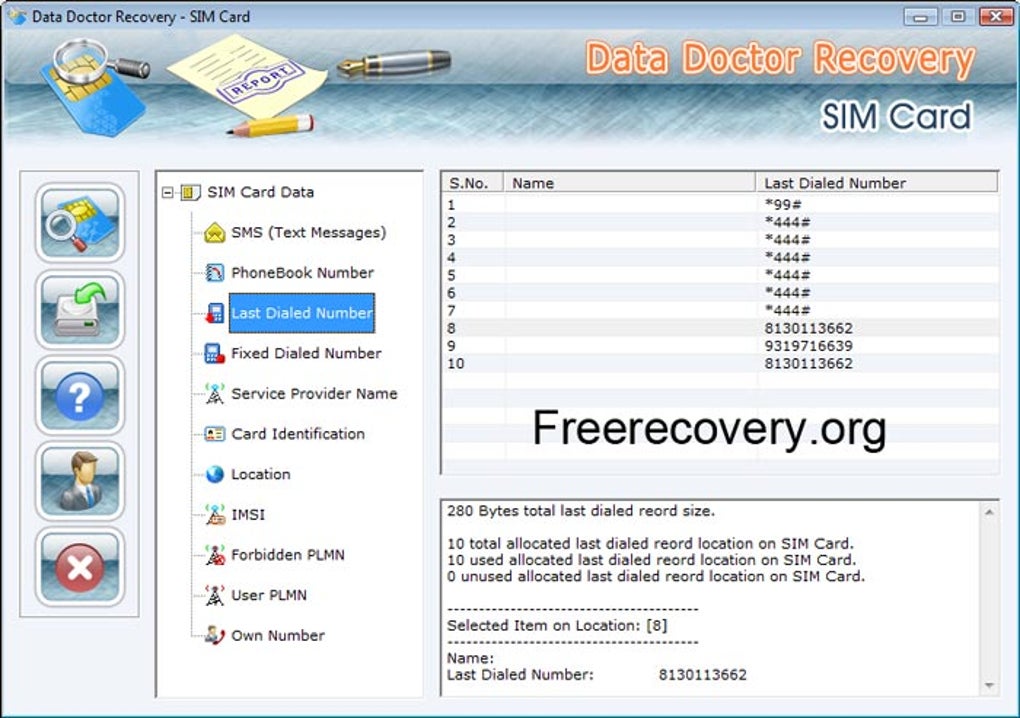
Free SIM card data recovery software aims to retrieve lost or deleted information from your SIM card. The process typically involves connecting the SIM card to a computer using a compatible card reader and then employing the software to scan the SIM card’s memory. The software attempts to locate and recover deleted files based on their residual data traces.
However, it’s crucial to understand that the success rate of free SIM card data recovery software varies greatly depending on several factors:
-
The extent of the data loss: If the data was simply deleted, the chances of recovery are generally higher compared to scenarios involving severe corruption or physical damage to the SIM card.
-
Overwriting of data: If new data has been written to the SIM card after the data loss, the chances of recovering the original data decrease significantly because the new data may overwrite the remnants of the deleted files.
-
The type of SIM card: Different SIM card technologies and manufacturers might have varying degrees of compatibility with data recovery software.
-
The software itself: The effectiveness of the recovery software plays a crucial role. While many free options exist, the quality and features often differ significantly. Some might be better suited for certain types of data loss than others.
-
The card reader: The quality of the card reader can also affect recovery. A malfunctioning or incompatible card reader can prevent the software from accessing the SIM card properly.
Choosing the Right Free SIM Card Data Recovery Software
Selecting the appropriate free SIM card data recovery software requires careful consideration. While many free programs are available online, not all are created equal. Look for software that:
-
Has positive user reviews: Check online reviews and ratings to assess the reliability and effectiveness of the software.
-
Provides a clear and user-friendly interface: A simple and intuitive interface can make the recovery process significantly easier, especially for users without technical expertise.
-
Supports various SIM card types: Ensure the software supports the specific type of SIM card you are using.
-
Offers preview functionality: The ability to preview recovered files before saving them allows you to verify their integrity and avoid unnecessary storage of corrupted or unwanted data.
-
Is from a reputable source: Download the software from a trusted website to minimize the risk of downloading malware or viruses.
Before initiating the recovery process, remember to back up your existing data to prevent accidental overwriting.
Limitations of Free SIM Card Data Recovery Software
While free SIM card data recovery tools can be effective in certain situations, they do have limitations:
-
Limited features: Free versions often lack advanced features found in paid counterparts. This can restrict the types of data recoverable or limit the recovery process’s efficiency.
-
Lower success rates: Free software may have lower success rates compared to paid professional-grade tools, which often employ more advanced algorithms and techniques.
-
Potential for data corruption: Incorrect use or malfunctioning software can potentially cause further damage to your SIM card or the recovered data.
-
Ads and pop-ups: Free software often includes advertisements or pop-ups, which can be distracting or even misleading.
-
Lack of technical support: Free software usually lacks comprehensive technical support, making troubleshooting difficult.
Beyond Free Software: Exploring Paid Options
If you encounter significant data loss or experience difficulties with free software, consider exploring paid professional-grade data recovery tools. These tools often offer superior performance, advanced features, and dedicated technical support. The higher price tag reflects the enhanced capabilities and reliability. Such software typically incorporates more robust algorithms, greater compatibility with various SIM card types, and a user-friendly interface designed for both novice and expert users. They often come with a money-back guarantee, offering an extra layer of assurance.
Preventative Measures: Backing Up Your SIM Card Data
The best way to avoid the stress and potential complications of data recovery is to proactively back up your SIM card data. Regular backups ensure that even if you lose data from your SIM card, you can easily restore it. There are several methods for backing up your SIM card data:
-
Exporting contacts and messages: Most mobile devices allow you to export contacts and messages to cloud services, email, or computer storage.
-
Using specialized backup software: Some apps are specifically designed to backup SIM card data.
-
Manually copying data: This can be more time-consuming but is a viable option if you only have a small amount of data.
By regularly backing up your SIM card data, you can significantly reduce the risk of permanent data loss.
Conclusion: A Balanced Approach to SIM Card Data Recovery
Free SIM card data recovery software can be a valuable tool for retrieving lost data in certain situations, but it’s important to understand its limitations. The success of the recovery process depends on various factors, including the cause and extent of the data loss, the quality of the software, and the condition of the SIM card. Choosing reputable software, understanding its limitations, and taking preventative measures like regular data backups will ultimately improve your chances of retrieving your lost information. While free options can be helpful, remember that professional-grade tools might be necessary for complex data loss scenarios, offering advanced features and higher success rates. Ultimately, a balanced approach—combining proactive data backup strategies with the strategic use of data recovery tools—offers the most effective solution for preserving your valuable SIM card data.
File Information
- License: “Trial version”
- Latest update: “December 21, 2023”
- Platform: “Windows”
- OS: “Windows 2003”
- Language: “English”
- Downloads: “92.3K”
- Size: “1.58 MB”


