
PlanetVPN for Chrome and PlanetVPN for Android offer users access to a wide array of VPN services, enabling safe and secure internet browsing. This review delves into the features, performance, and overall user experience of this free VPN proxy, examining its strengths and weaknesses to provide a comprehensive assessment. We’ll explore its capabilities, ease of use, security features, and limitations, helping you decide if PlanetVPN is the right choice for your needs.
Accessing a Global Network of Servers
PlanetVPN’s core functionality centers on its network of VPN servers located across numerous countries. This allows users to mask their IP address, effectively changing their virtual location. By selecting a server in a different country, users can access geo-restricted websites and content that might be unavailable in their own region. This is particularly useful for accessing streaming services, bypassing censorship, or simply enhancing online privacy. The selection process is generally straightforward; users typically choose a country from a list, and the application connects them to an available server within that region. The number of available servers and their locations can significantly influence the overall performance and speed of the VPN connection, a key aspect we’ll examine later.
The choice of server location influences connection speed and latency. Servers closer to the user’s physical location usually provide faster speeds, while distant servers may result in slower performance. This becomes critical for activities like streaming high-definition video or participating in online gaming, where latency (delay) can significantly impact the experience. PlanetVPN’s success hinges on the availability and performance of its server infrastructure; a widespread, well-maintained network contributes to a positive user experience. Conversely, limited server capacity or poorly performing servers can lead to slowdowns, connection drops, and an overall frustrating experience. A robust server network also ensures users can connect reliably even during peak usage times.
Security and Privacy Features: Shielding Your Online Activities
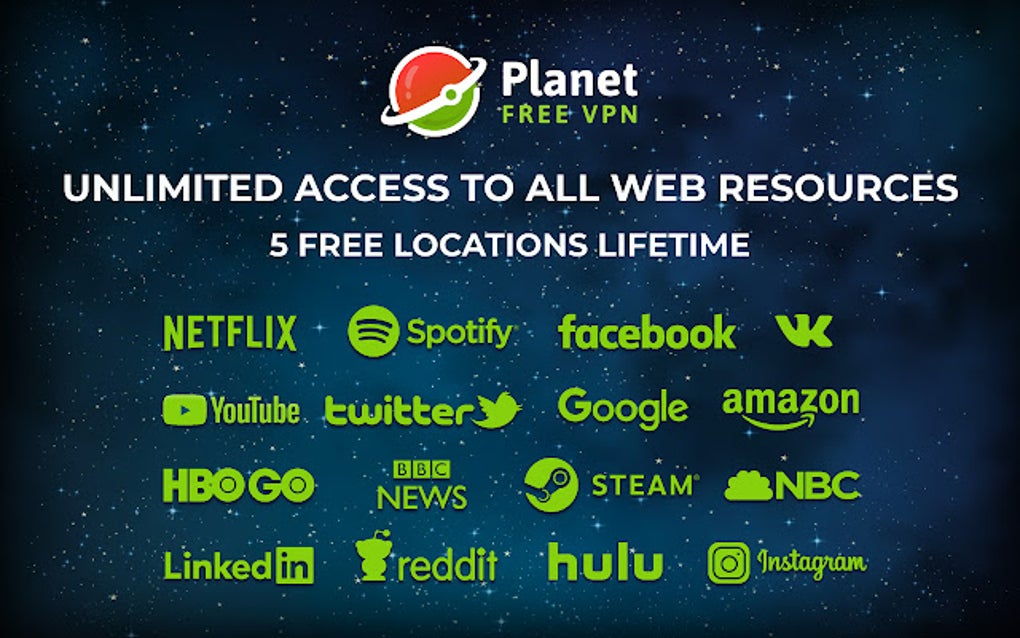
A primary reason users choose VPNs is to enhance their online security and privacy. PlanetVPN aims to achieve this by encrypting users’ internet traffic, making it difficult for third parties to intercept and monitor their online activities. This encryption protects sensitive data, such as passwords, financial information, and personal communications, from prying eyes. The strength of the encryption protocol used is a critical factor in determining the level of security provided. Strong encryption protocols offer robust protection, while weaker protocols leave users more vulnerable. The details of the encryption protocols utilized by PlanetVPN should be transparently disclosed for users to assess the level of protection offered.
Furthermore, a reliable VPN should mask a user’s IP address, preventing websites and other online services from tracking their location and online activity. This anonymity is valuable for users who want to browse the internet privately, avoid targeted advertising, or access content that is geographically restricted. However, the effectiveness of IP masking depends on the VPN’s ability to consistently provide a different IP address and prevent IP leaks. IP leaks can occur if the VPN connection is unstable or if the VPN itself has vulnerabilities that allow the user’s real IP address to be revealed.
Beyond encryption and IP masking, additional privacy features can enhance security. A no-logs policy, for instance, assures users that the VPN provider does not store records of their browsing activity. This is crucial for preserving online privacy, as such logs could be vulnerable to data breaches or government requests. Transparency regarding the VPN’s data retention policy is paramount. Users should be able to readily access and understand the VPN provider’s commitment to user privacy.
User Experience and Ease of Use: A Seamless VPN Experience
The user experience plays a vital role in determining the overall satisfaction with a VPN service. PlanetVPN’s success hinges on a simple and intuitive interface, making it easy for users to connect to servers and manage their VPN settings. A complex or confusing interface can be frustrating, especially for users who are not technically inclined. An effective VPN should require minimal technical expertise to use effectively.
The PlanetVPN app (if applicable) should provide clear instructions and guidance for first-time users. Intuitive controls, such as easily selectable server locations and clear connection indicators, contribute to a positive user experience. An option for automatic connection upon launching the app can further enhance convenience. The app’s overall design and responsiveness also impact user experience; a slow, buggy, or visually unappealing app can detract from the overall perception of the VPN service.

Regular updates to the app are essential to address bugs, enhance performance, and incorporate new features or security improvements. Consistent updates demonstrate the provider’s commitment to improving the user experience and addressing any potential vulnerabilities. A responsive support system is vital for users encountering issues. Easy access to help documentation, FAQs, and customer support channels is crucial for resolving technical problems or addressing any concerns users may have.
Performance and Speed: Maintaining a Fast Connection
VPN services inevitably introduce some degree of overhead, potentially slowing down internet speeds. However, a well-optimized VPN should minimize this impact. PlanetVPN’s performance should be assessed in terms of speed and latency. Speed refers to the overall download and upload speeds experienced while using the VPN, compared to speeds without the VPN. Latency, or ping, refers to the delay in communication between the user’s device and the internet. High latency can cause noticeable delays in online activities, such as gaming or video conferencing. The impact on speed and latency can vary depending on the chosen server location, network congestion, and other factors.
To accurately assess PlanetVPN’s performance, independent speed tests should be conducted using various server locations at different times of day. The results should be compared to internet speeds without the VPN to determine the actual impact on performance. Speed tests from multiple sources provide a more comprehensive picture of performance consistency. Factors such as server load and geographical distance between the user and the server influence the overall speed and latency experienced. Consistent speed and low latency are crucial for a positive user experience, particularly for users engaged in bandwidth-intensive activities.
Conclusion: Weighing the Pros and Cons of PlanetVPN

PlanetVPN, as a free VPN proxy, presents a compelling option for users seeking basic VPN functionality. Its ability to unlock geo-restricted content and enhance online privacy is undoubtedly attractive. However, it’s crucial to weigh its capabilities against potential limitations. While the free service offers accessibility, users should be aware that free VPNs often come with trade-offs. These may include limitations on bandwidth, slower speeds, fewer server locations, and potentially less robust security features compared to paid VPN services.
Before relying on PlanetVPN for sensitive activities or large data transfers, it’s essential to understand its limitations and potential risks. Free VPNs often monetize their services through advertising or data collection practices, potentially compromising user privacy. Therefore, thorough research into PlanetVPN’s privacy policy and security protocols is highly recommended. Users should also consider the implications of using a free VPN for activities requiring strong security, such as online banking or accessing confidential information.
The decision of whether PlanetVPN is the right choice ultimately depends on individual needs and priorities. For users primarily needing basic access to geo-blocked content or seeking minimal privacy enhancements, PlanetVPN might suffice. However, users requiring high levels of security, speed, and unlimited data should consider investing in a reputable paid VPN service. The free version should be seen as a starting point for exploration, not a permanent solution for all online needs. Remember that prioritizing online security and privacy requires careful consideration of the features and limitations of any VPN service, regardless of its cost.
File Information
- License: “Free”
- Version: “2.3.0”
- Latest update: “July 23, 2025”
- Platform: “chrome”
- Language: “English”
- Downloads: “1K”


