
FreeArc is a powerful, open-source file compression utility designed for personal computers. While it may not boast the latest bells and whistles of modern compression software, its core strength lies in its speed and high compression ratios, making it a compelling choice for users prioritizing efficiency and resource conservation. This review delves into FreeArc’s features, strengths, weaknesses, and overall usability, providing a comprehensive assessment of its capabilities in the contemporary landscape of file compression tools.
FreeArc’s Core Functionality and Compression Algorithms
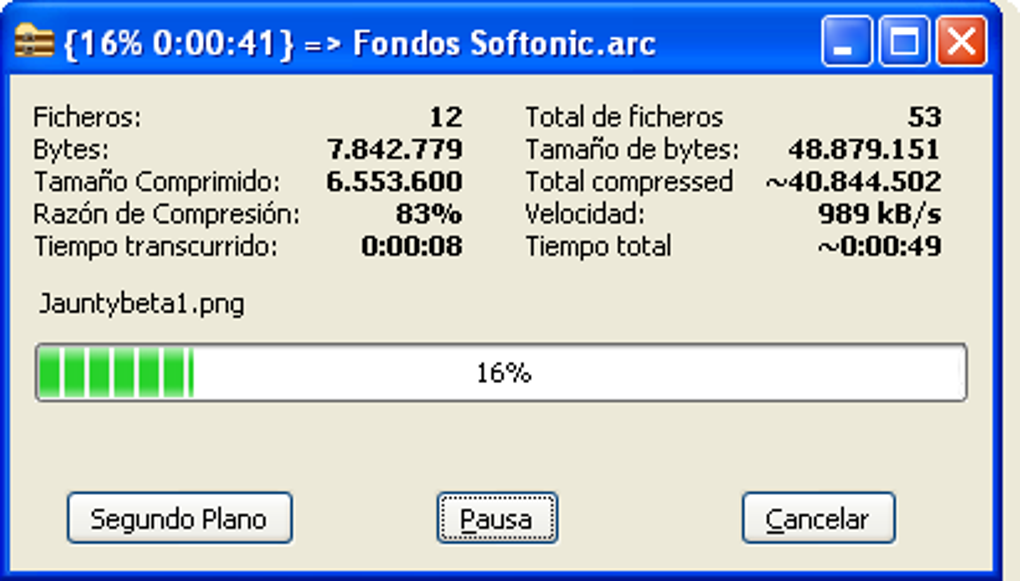
At its heart, FreeArc is a file archiver that excels at compressing files into highly optimized formats. Its primary function is to reduce the size of files, thereby saving storage space and accelerating file transfers. This makes it particularly valuable for users dealing with large files, such as high-definition videos, large image collections, or extensive software installations. The software’s strength lies in its utilization of sophisticated compression algorithms, specifically PPMD, LZMA, and GRzip. These algorithms are carefully selected for their balance of compression efficiency and speed.
Unlike some compression utilities that compromise file quality to achieve smaller file sizes, FreeArc maintains a consistent compression ratio without sacrificing data integrity. This ensures that decompressed files are identical to their original counterparts. This characteristic is crucial for users working with sensitive data or media files where even minor data loss could have significant consequences. The consistent compression ratio ensures that the user doesn’t need to make trade-offs between file size and data fidelity – a significant advantage over some other compression tools that might prioritize one aspect over the other depending on file type.
The selection of algorithms employed by FreeArc speaks to its dedication to balancing performance and compression. PPMD (Prediction by Partial Matching) algorithms are known for their excellent compression ratios, particularly on text files and other data with repetitive patterns. LZMA (Lempel-Ziv-Markov chain algorithm) offers a good balance between speed and compression, making it suitable for a wide range of file types. Finally, GRzip, a variant of the widely used gzip algorithm, provides a fast and reliable compression method, often preferred for its speed when the highest compression ratios aren’t strictly necessary. The combination of these algorithms allows FreeArc to adapt effectively to diverse file types, optimizing compression based on the inherent characteristics of the data.
Compatibility and Integration with Other Software
FreeArc’s design encourages flexibility and interoperability. It seamlessly integrates with several third-party compression software packages, including UDA, PAQ, ECM, and Precomp. This extensibility expands FreeArc’s capabilities and allows users to leverage the strengths of different compression technologies depending on their specific needs. For example, users might choose to integrate with a specialized algorithm for optimal compression of specific file formats. This adaptability enhances the software’s versatility, allowing it to function as a central hub for managing various compression and decompression tasks.
The ability to work alongside other compression tools demonstrates a thoughtful design philosophy that prioritizes user choice and control. Rather than being a closed system, FreeArc acts as a versatile platform that embraces and complements existing compression technologies. This collaborative approach allows users to create a customized compression workflow that optimally addresses their particular requirements and preferences. The openness of the system avoids the need for users to commit to a single, potentially less efficient method.
Furthermore, FreeArc’s relatively low system resource requirements are another significant advantage. Unlike some resource-intensive compression tools, FreeArc operates efficiently without significantly impacting system performance. This ensures that users can compress and decompress files without experiencing slowdowns or crashes, even when working with limited system resources. This efficiency makes it ideal for users with older hardware or systems with limited RAM. The lean design reflects a commitment to minimizing its impact on the user’s computing environment, allowing users to focus on their task without concern for the software unnecessarily burdening their system.
Advantages and Disadvantages of FreeArc
FreeArc presents a compelling suite of advantages, stemming primarily from its design philosophy and implementation choices. However, like any software, it also possesses limitations that users should be aware of before making a decision about whether to employ it.
Advantages:
-
Open-Source and Free: FreeArc is entirely open-source and doesn’t require any payment for download or use. This is a significant advantage for users concerned about cost or seeking transparency in the software they employ. The open-source nature also enables community contributions and potential improvements over time, though the frequency of updates has slowed in recent years.
-
High Compression Speed: FreeArc is recognized for its exceptional speed. It significantly outpaces many other compression utilities, particularly when dealing with large files. This efficiency saves users valuable time, a critical factor in many workflows.
-
High Compression Ratio: While balancing speed and compression, FreeArc achieves high compression ratios, minimizing the storage space occupied by compressed files. This makes it ideal for archiving large datasets or sending files over networks with bandwidth limitations.
- Low System Resource Usage: FreeArc operates efficiently with minimal impact on system resources. This ensures that it doesn’t impede the performance of other applications while running.
Disadvantages:
-
Dated Software: The last significant update to FreeArc was in 2010. While the core functionality remains relevant, the lack of recent updates introduces a degree of uncertainty regarding compatibility with newer file formats and operating system features.
-
Limited Feature Set: Compared to more modern compression tools, FreeArc’s features are relatively basic. It lacks advanced options like self-extracting archives, file spanning, or extensive file management tools.
-
Limited User Interface: The interface is functional but lacks a modern and intuitive design. While this might not be a major issue for experienced users, it could prove less user-friendly for those new to file compression utilities.
-
Potential Compatibility Issues: Due to the age of the software, users may encounter compatibility problems with newer file formats or operating systems. While it’s likely to work with widely used formats, users of highly specialized formats might need to explore alternative solutions.
FreeArc in the Context of Contemporary Alternatives
While FreeArc provides a solid foundation in file compression, the landscape of compression software has significantly evolved since its last major update. Several popular alternatives offer features and capabilities that FreeArc lacks, particularly in terms of user interface, advanced features, and ongoing development. Comparing FreeArc to leading alternatives like 7-Zip, WinRAR, and PeaZip highlights its strengths and weaknesses.
7-Zip, for example, offers a wider range of supported compression algorithms and a more user-friendly interface. WinRAR, while a commercial product, incorporates advanced features such as self-extracting archives and file spanning. PeaZip provides a more modern interface and includes an extensive set of tools for managing archives.
However, FreeArc’s strengths in compression speed and ratio, coupled with its open-source nature, still make it a worthwhile option for users prioritizing these factors. The choice between FreeArc and its alternatives depends on individual priorities. For users seeking a fast and efficient compression tool with minimal system overhead and who are comfortable with a simpler interface, FreeArc remains a viable, and free, choice. For users requiring a more feature-rich and visually appealing experience, the alternatives mentioned above might be more suitable.
Conclusion
FreeArc is a capable and efficient open-source file compression utility that remains a viable option for users prioritizing speed and compression ratio. While its age and limited feature set might not appeal to all users, its strength in core functionality, coupled with its open-source nature and minimal system resource usage, makes it a solid choice for specific user needs. Its advantages shine particularly for users comfortable with a less visually modern interface and prioritizing efficiency over an extensive feature set. Ultimately, whether FreeArc is the right choice for you depends on your individual requirements and preferences in a file compression tool. Consider your priorities – speed, compression ratio, feature set, and user interface – to determine if FreeArc’s strengths align with your needs.
File Information
- License: “Free”
- Version: “0.666”
- Latest update: “July 15, 2022”
- Platform: “Windows”
- OS: “Windows 8”
- Language: “English”
- Downloads: “127.7K”
- Size: “7.94 MB”


