
Freedom is a powerful application designed to help individuals and businesses enhance productivity by effectively managing distractions. This comprehensive guide delves into the features, benefits, and considerations surrounding Freedom, exploring its capabilities for both personal and professional use. From its core functionality of blocking distracting websites and applications to its advanced features and potential limitations, we aim to provide a thorough overview to help you determine if Freedom is the right tool for your needs.
Freedom for Business: A Productivity Powerhouse
In today’s hyper-connected world, maintaining focus and productivity can be a significant challenge. Freedom offers businesses a solution by providing a centralized system for managing employee distractions and promoting a more focused work environment. By blocking access to time-wasting websites and applications, Freedom allows employees to concentrate on their core tasks, ultimately leading to increased efficiency and output. The software’s ability to block access across multiple devices using a VPN ensures consistency and prevents employees from circumventing the restrictions. This is particularly beneficial for businesses with remote workers, ensuring a standardized approach to productivity management regardless of location. The customizable nature of Freedom allows businesses to tailor the blocking features to their specific needs, enabling the creation of customized profiles for different roles or departments. For example, a marketing team might require access to social media platforms for a limited time each day, while a software development team might need to block gaming sites entirely. This granular control fosters a flexible yet disciplined working environment. Furthermore, the ability to schedule recurring blocking sessions ensures consistency and reduces the need for constant manual intervention. This automated approach streamlines workflow and minimizes administrative overhead. The benefit extends beyond individual employee productivity; by fostering a culture of focused work, Freedom contributes to a more efficient and productive business as a whole.
Understanding Freedom’s Core Functionality: Blocking Distractions Effectively
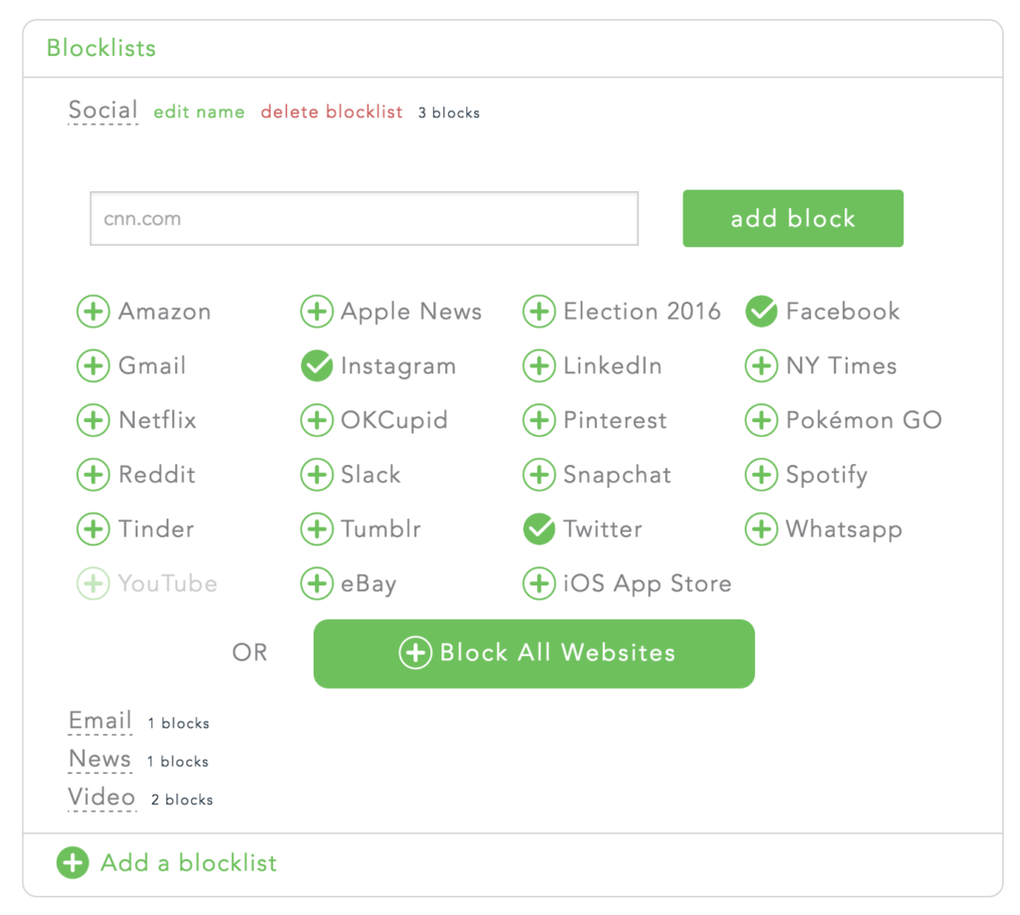
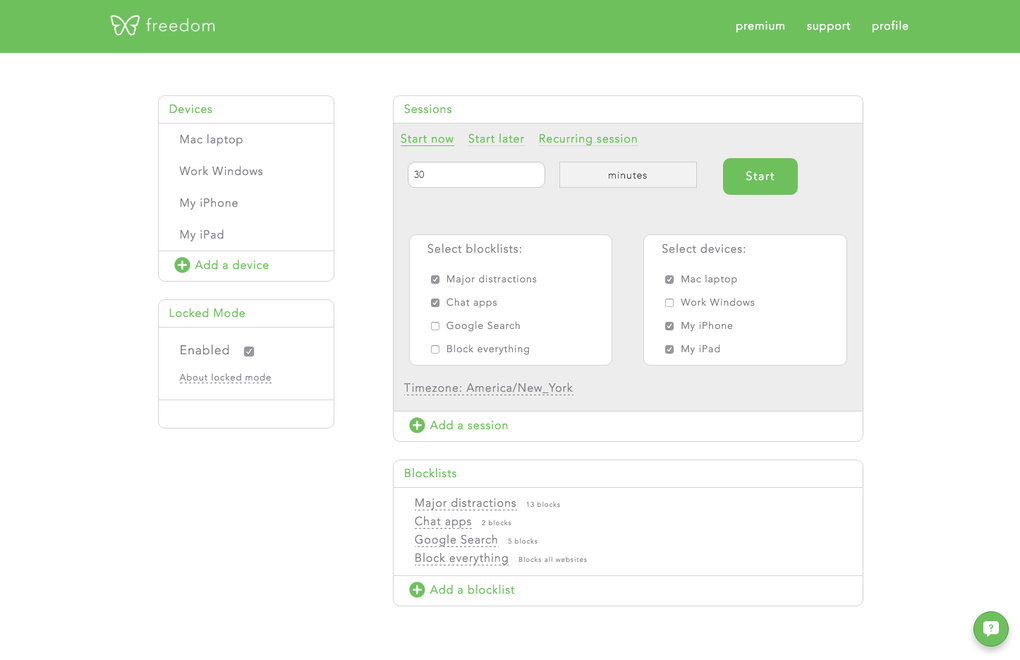
Freedom’s primary function revolves around blocking access to distracting websites and applications. This functionality is achieved through a combination of techniques, including the utilization of a virtual private network (VPN). The VPN ensures that even if an employee attempts to bypass the restrictions through alternative means, access to the blocked content will remain unavailable. The application’s robust filtering system allows for both broad category-based blocking and highly specific website or application blocking. Users can select pre-defined categories such as social media, email, news, shopping, gaming, and adult content, or they can manually add specific URLs to the blocklist. This level of customization provides users with the flexibility to tailor the blocking to their individual needs and preferences. The scheduling functionality is another key component of Freedom’s effectiveness. Users can choose to block access immediately, schedule a block session for a later time, or establish recurring sessions on a daily, weekly, or even monthly basis. This allows for the creation of consistent, predictable work periods that minimize interruptions and promote focused work. The intuitive interface ensures that setting up and managing these schedules is straightforward and user-friendly, even for those unfamiliar with such productivity tools. The clear display of the remaining blocked time allows users to visualize their focused work period, fostering a sense of accountability and promoting adherence to the planned schedule.
Exploring Freedom’s Features: Beyond Basic Blocking
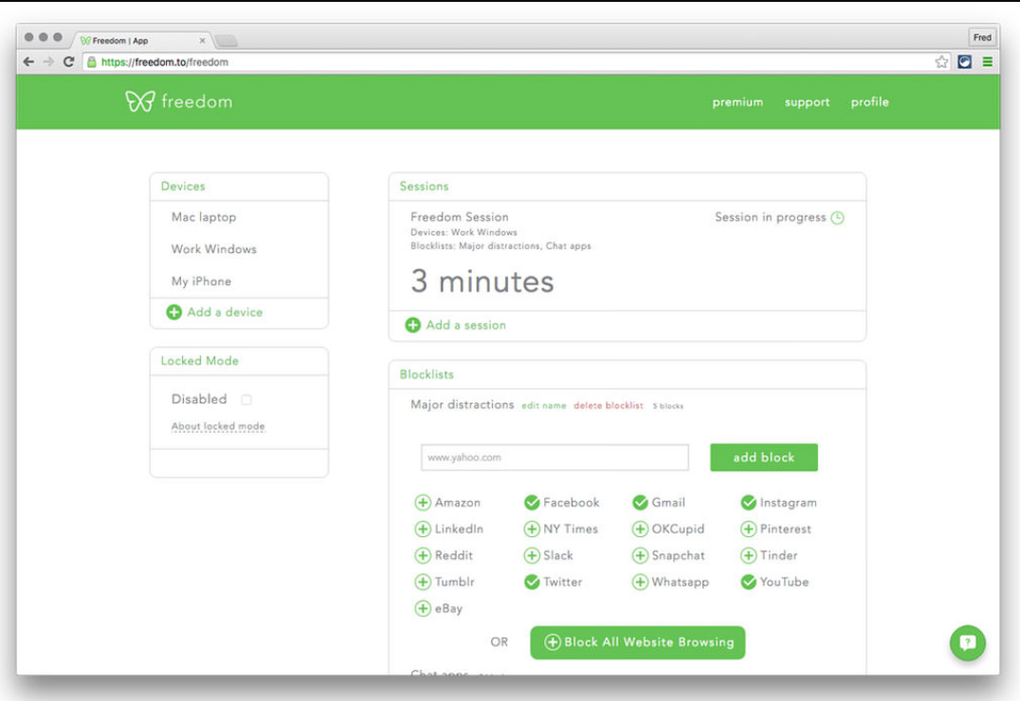
While core blocking functionality forms the foundation of Freedom, the application offers several additional features that enhance its overall utility and effectiveness. The ability to manage multiple profiles provides users with the flexibility to customize settings for different contexts or activities. For example, one profile could be configured for highly focused work, while another might allow for limited access to social media during breaks. This feature is particularly useful for individuals who require different levels of restriction depending on the task at hand. The cross-device compatibility allows users to synchronize their blocklists and schedules across various devices, ensuring consistency and seamless management regardless of whether they are using a desktop computer, laptop, tablet, or smartphone. This unified approach to distraction management promotes a more cohesive and productive workflow. Freedom’s integration with other productivity tools can further enhance its effectiveness. While specific integrations might vary, the potential to synchronize with calendars or task management systems opens the door for greater synergy and workflow optimization. The ability to create custom filters allows for highly targeted blocking, ensuring that only specific websites and applications are blocked while leaving others accessible. This granular control maximizes the benefits of Freedom without unduly restricting the user’s access to necessary online resources.
Freedom: Addressing Potential Limitations and Considerations
While Freedom offers numerous benefits, it’s important to acknowledge some potential limitations and considerations. One key aspect is the VPN functionality. Although the VPN is crucial for ensuring the effectiveness of the blocking, it also introduces some technical considerations. The reliance on a VPN might impact internet speed or introduce compatibility issues with certain network configurations. Furthermore, the specific encryption methods used by Freedom’s VPN are not publicly detailed, which might raise concerns for users with heightened security requirements. Transparency in this area would enhance user confidence and address potential security concerns. Another point to consider is the potential for user frustration. While Freedom is designed to enhance productivity, the complete blocking of certain websites or applications might initially feel restrictive. Users should carefully consider their dependency on specific online services before implementing Freedom, ensuring that the chosen blocklist aligns with their overall needs and work patterns. The potential for accidental blocking of necessary websites or applications is another factor to consider. Carefully reviewing the blocklist and regularly testing the configuration is essential to mitigate this risk. Finally, the cost of Freedom should be weighed against the potential benefits. Although a free trial is available, the paid version requires a subscription, which might not be feasible for all users. Careful evaluation of the features and functionality against the cost is essential to make an informed decision.
Conclusion: Freedom as a Productivity Tool
Freedom offers a powerful and versatile solution for managing distractions and enhancing productivity. Its ability to effectively block distracting websites and applications, coupled with its advanced scheduling and filtering features, makes it a valuable tool for both individuals and businesses seeking to optimize their workflow. While some limitations and considerations exist regarding the VPN functionality and potential user experience issues, the overall benefits of Freedom in terms of increased focus and enhanced productivity often outweigh these concerns. By carefully considering individual needs and preferences, and by employing the application’s features responsibly, users can leverage Freedom to effectively manage distractions and achieve their productivity goals. The ability to customize the blocklist, schedule blocking sessions, and synchronize settings across multiple devices makes Freedom a highly adaptable and versatile tool, suitable for a wide range of users and work styles. Ultimately, the decision of whether or not to utilize Freedom depends on individual circumstances and priorities, but its potential to significantly improve productivity is undeniable.
File Information
- License: “Trial version”
- Version: “2.2.6”
- Latest update: “July 20, 2021”
- Platform: “Windows”
- OS: “Windows 8.1”
- Language: “English”
- Downloads: “221”
- Size: “8.40 MB”


