
FreeFileSync is a powerful, yet user-friendly, open-source application designed for efficient and reliable file synchronization and backup. It offers a straightforward approach to comparing and merging folders, making it ideal for both novice and experienced users. Whether you need to regularly back up important data, transfer files between devices, or maintain consistent versions across multiple locations, FreeFileSync delivers a robust and reliable solution. This guide provides an in-depth look at its features, capabilities, and overall effectiveness as a file synchronization tool.
Intuitive Interface and Functionality
FreeFileSync boasts a remarkably simple and intuitive interface, prioritizing functionality over elaborate aesthetics. The core functionality revolves around comparing and synchronizing folders. Users simply drag and drop the folders they wish to manage into the application’s interface. The program’s clear visual presentation guides users through the process without any unnecessary complexity. Large, clearly labeled buttons initiate the comparison and synchronization processes, minimizing the learning curve for new users.
The comparison function meticulously identifies discrepancies between the selected folders, highlighting added, deleted, and modified files. This granular level of detail ensures that users have a complete understanding of the differences before proceeding with any synchronization operations.
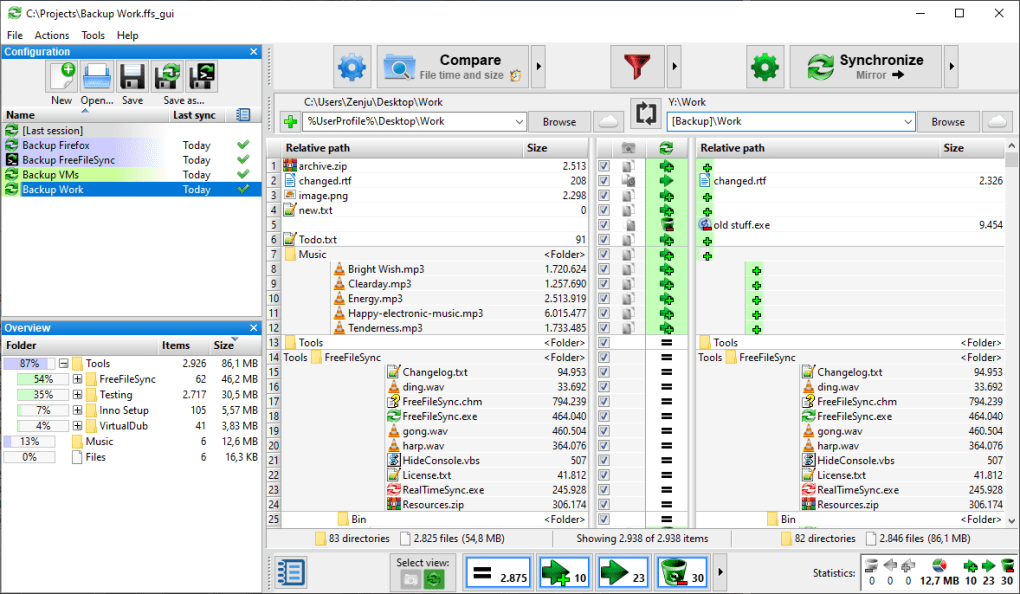
Synchronization options provide a high degree of flexibility. The key modes are:
-
Two-way Synchronization: This mode ensures both folders become identical. It copies or updates files from one folder to the other and vice versa, resolving any conflicts based on user-defined parameters (like timestamps or file size). This is particularly useful for keeping two copies of important data perfectly synchronized.
-
Mirror Synchronization: This option overwrites the contents of the target folder entirely with the contents of the source folder. This is helpful when a complete replacement of the target folder is desired, essentially creating a perfect mirror image.
- Update Synchronization: This mode copies only new or updated files from the source folder to the destination folder, leaving existing files in the target folder untouched. This is useful for selectively updating files without affecting the existing structure of the target folder.
The ability to configure these synchronization options precisely empowers users with a tailored approach to their file management needs. FreeFileSync offers extensive customization options, allowing users to tailor the synchronization process to their specific requirements.
Advanced Features and Customization
Beyond its core functionalities, FreeFileSync offers a range of advanced features that further enhance its efficiency and usefulness:
-
File Content Comparison: The program can compare files not just by name and date, but also by their actual content. This feature guarantees the most accurate synchronization, even when dealing with files that may have the same names but different contents.
-
Configurable Synchronization Options: A wide range of settings permits granular control over the synchronization process. Users can define specific file types to include or exclude, set filter rules based on file attributes (like size, date, or modification time), and specify the handling of conflicts between files.
-
File Filtering: FreeFileSync allows users to specify filters to include or exclude specific files or folders from the synchronization process. This is crucial for managing large datasets or when certain files shouldn’t be included in the synchronization. Regular expressions can be used for complex filtering needs.
-
Pre and Post Synchronization Scripts: For users with advanced needs, FreeFileSync supports executing custom scripts before or after the synchronization process. This can be used to automate additional tasks, such as file compression, encryption, or notifications.
-
Job Management: Users can create and save multiple synchronization jobs, each with its own specific configurations. This simplifies the management of numerous synchronization tasks, such as backing up different sets of files to different locations. This organized approach reduces errors and simplifies the process.
-
Automatic File Deletion: FreeFileSync can be configured to automatically delete files from the target folder that no longer exist in the source folder. This ensures that both folders remain consistent, even when files are removed from one location. The software thoughtfully integrates a recycle bin feature, mitigating any accidental data loss.
The program’s sophisticated configuration options allow users to tailor its behavior to their specific requirements, ensuring that the synchronization process adheres precisely to their desired workflow.
Reliability and Safety
Data safety and integrity are paramount, and FreeFileSync excels in this aspect. Its meticulous comparison and synchronization procedures ensure that only the necessary changes are made, reducing the risk of accidental data loss. The ability to preview changes before committing to the synchronization process adds another layer of security.
Furthermore, the ability to configure the software to use the Recycle Bin for deleted files provides an additional safety net, allowing for recovery of unintentionally deleted files. This carefully considered safety mechanism reduces the risk of permanent data loss.
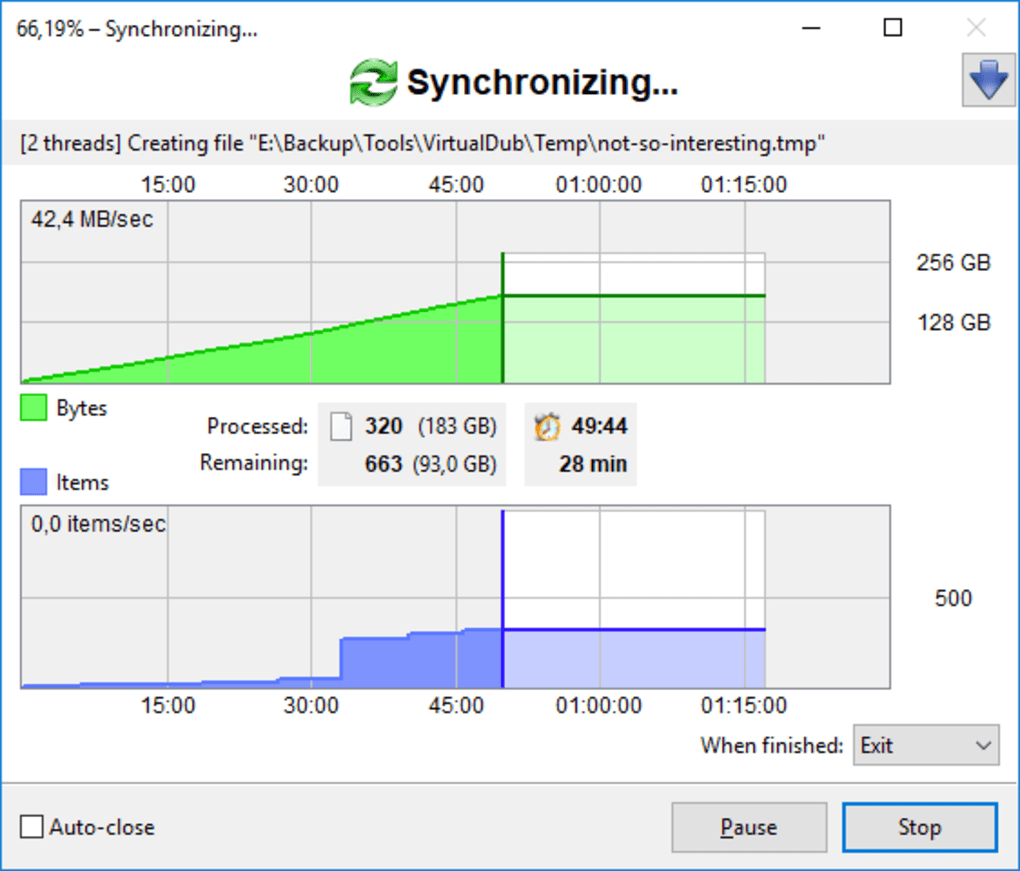
FreeFileSync’s robust error handling and logging capabilities help to identify and resolve issues effectively. Detailed logs track every aspect of the synchronization process, allowing users to troubleshoot problems quickly and efficiently. This transparency ensures that users are fully informed about the status of their synchronization tasks, making it easy to address any potential complications.
Comparing FreeFileSync with Alternatives
While several other file synchronization tools exist, FreeFileSync stands out with its unique combination of simplicity, power, and reliability. Some alternatives might offer more advanced features or a more visually appealing interface, but often at the cost of usability or stability. FreeFileSync maintains a balance between simplicity and functionality, making it accessible to a wider range of users while maintaining robustness and reliability. Other popular options such as SyncToy (discontinued by Microsoft), DirSync Pro, and Synkron offer various features, but FreeFileSync’s blend of ease of use and comprehensive functionality remains a compelling advantage. Ultimately, the choice of synchronization software depends on individual needs and preferences, but FreeFileSync’s blend of simplicity and effectiveness makes it a strong contender.
Conclusion
FreeFileSync provides a reliable, efficient, and user-friendly solution for file synchronization and backup. Its intuitive interface, powerful features, and meticulous attention to data safety make it an excellent choice for users of all levels of expertise. Whether you’re a casual user needing a simple backup solution or a power user requiring advanced customization options, FreeFileSync delivers a compelling blend of functionality and simplicity, making it a highly recommended tool for anyone needing to manage and synchronize files effectively. Its open-source nature adds further value, guaranteeing transparency and community support. FreeFileSync’s commitment to reliability and user-friendliness sets it apart from other file synchronization tools, positioning it as a top choice for reliable file management.
File Information
- License: “Free”
- Latest update: “May 22, 2023”
- Platform: “Windows”
- OS: “Windows 7”
- Language: “English”
- Downloads: “10.6K”
- Size: “19.68 MB”


