
Freeform, available on iOS devices, is a powerful and versatile application that transcends the limitations of traditional note-taking and brainstorming tools. It provides a blank digital canvas, allowing users to unleash their creativity and collaborate seamlessly with others in real-time. This comprehensive review explores Freeform’s features, functionalities, and overall effectiveness as a collaborative workspace.
A Blank Canvas for Unstructured Creativity
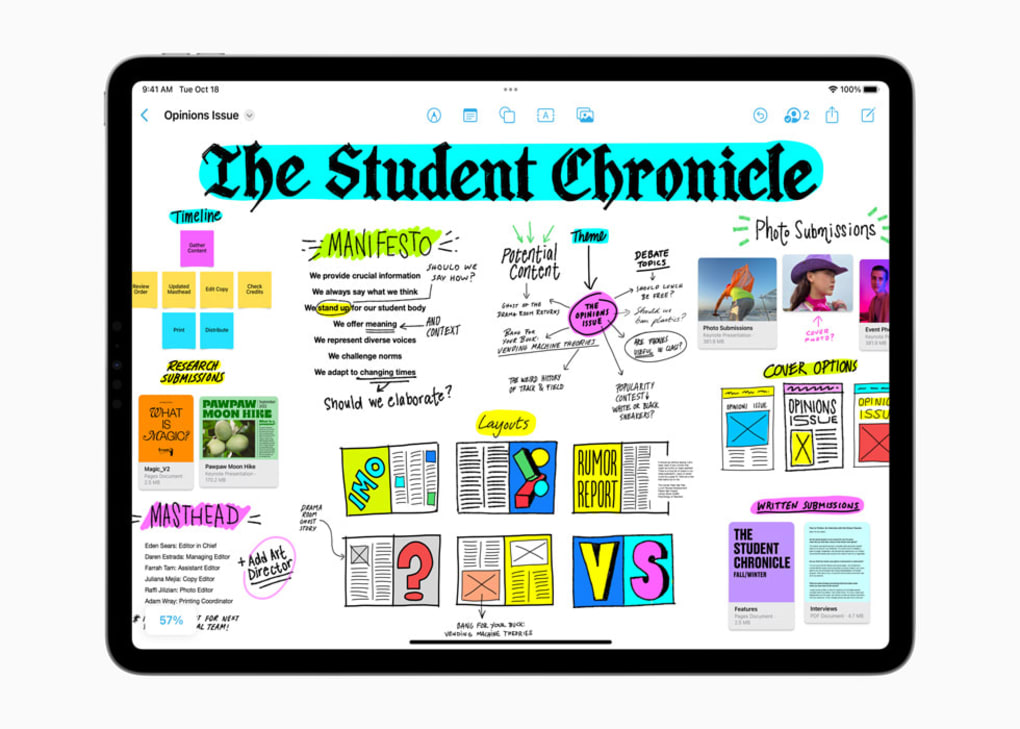
Freeform’s core strength lies in its simplicity and adaptability. Unlike rigidly structured document editors or note-taking apps, Freeform offers a freeform workspace – hence its name – that encourages users to express their ideas without the constraints of predetermined formats. Imagine a digital whiteboard, infinitely expandable, where you can jot down notes, sketch diagrams, embed multimedia content, and organize thoughts organically. This unstructured approach makes it exceptionally useful for brainstorming sessions, project planning, mind mapping, and any creative endeavor that benefits from a visual and flexible approach. This contrasts with more structured apps like Evernote, which excel at organization but may feel restrictive for certain creative processes. The app’s design deliberately avoids imposing a rigid structure, mirroring the free-flowing nature of brainstorming and idea generation.
The app’s intuitive interface allows users to easily add and manipulate various elements. The seamless integration of text, images, videos, audio files, links, and PDF documents fosters a rich multimedia experience. This rich media capability sets Freeform apart from simpler note-taking apps, transforming the digital canvas into a dynamic hub for information gathering and organization. This dynamic environment encourages users to collect and integrate diverse sources of inspiration into their projects. The ability to easily embed links adds another layer of accessibility, allowing for quick access to external resources and fostering deeper research within the workspace itself.
Empowering Collaboration and Real-Time Interaction
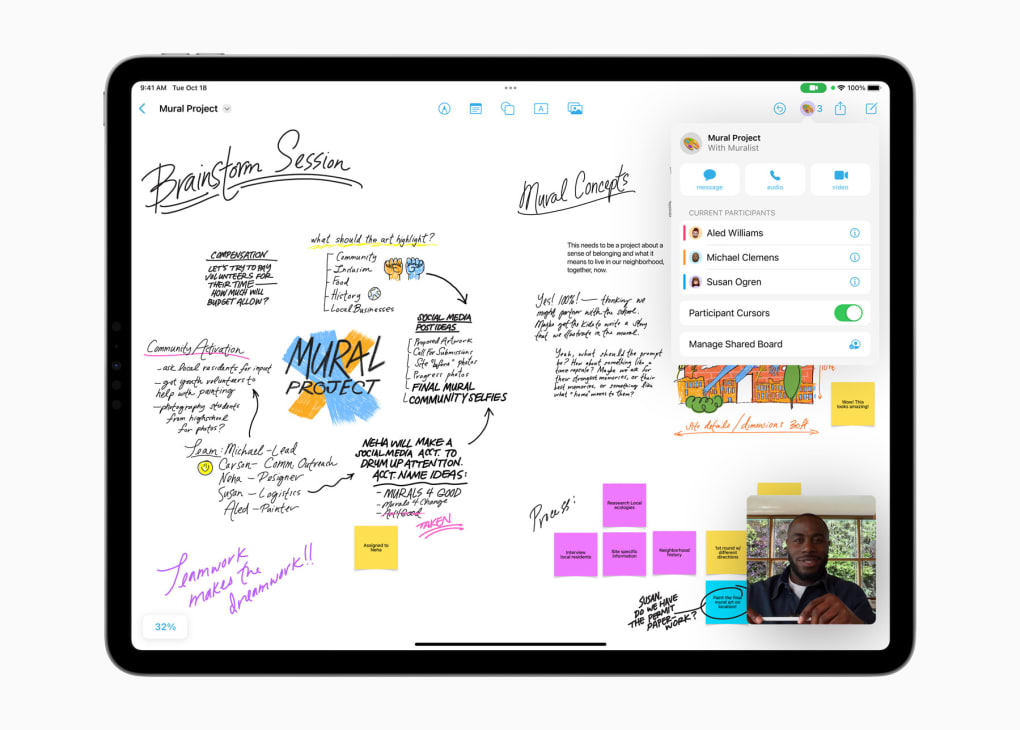
Freeform isn’t just a personal creative tool; it’s designed for effortless collaboration. Users can invite up to 100 collaborators to a shared board, fostering real-time interaction and simultaneous brainstorming. This makes it a highly effective tool for teams working on shared projects, allowing everyone to contribute and see updates instantaneously. This real-time collaboration enhances communication and facilitates smoother workflows, particularly helpful in environments that demand swift idea exchange and dynamic project planning. The ability for multiple users to simultaneously edit the board minimizes delays associated with traditional document sharing and revision processes.
The integration with Apple’s ecosystem further enhances its collaborative capabilities. Freeform seamlessly connects with Messages and FaceTime, allowing users to communicate with collaborators directly within the app. This integrated communication streamlines workflows and eliminates the need for switching between different applications, enhancing efficiency and immersion in the collaborative process. The shared iCloud storage ensures that all participants have access to the most up-to-date version of the board across all their devices. This synchronization feature is critical for maintaining a consistent and unified workspace, eliminating version control issues and ensuring that everyone is on the same page.
A Rich Toolkit for Creative Expression
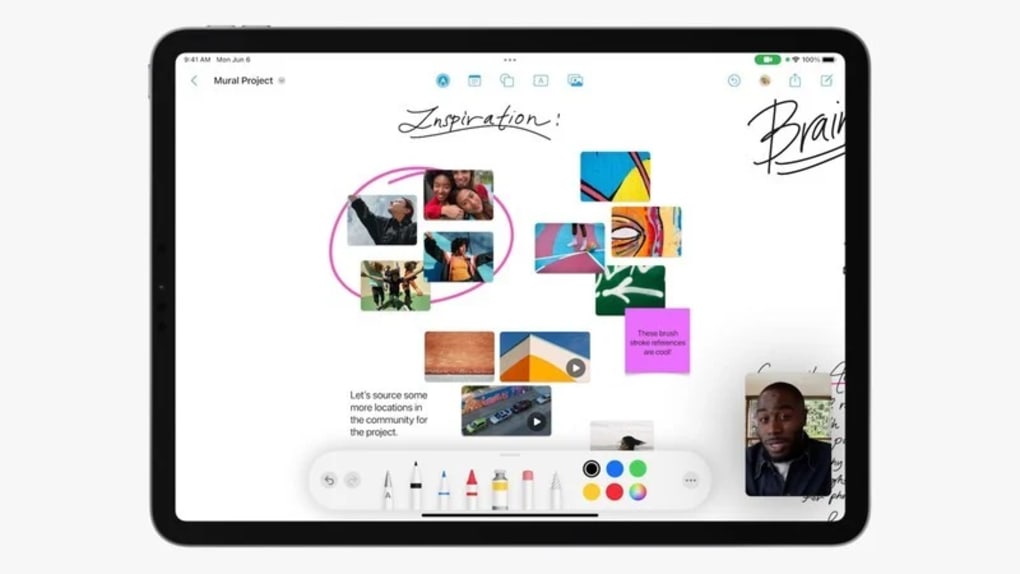
Beyond its core functionality, Freeform provides a robust set of tools to enhance the user experience and creative output. The app offers a vast library of over 700 shapes, which can be customized and arranged to create visually appealing and well-organized layouts. This wide array of shapes cater to diverse project needs, from simple diagrams to complex illustrations, offering users considerable versatility in representing their ideas visually. The inclusion of alignment guides ensures precise formatting, enabling the creation of professional-looking documents and presentations directly within the app.
Freeform also allows for freehand drawing using fingers or styluses, further enriching the creative possibilities. This intuitive drawing functionality allows users to sketch ideas, diagrams, and illustrations directly on the board, expanding the range of expression beyond text and pre-defined shapes. The addition of the document scanning feature adds another layer of convenience, allowing users to easily digitize physical documents and incorporate them into their digital workspace. This feature bridges the gap between the physical and digital realms, simplifying the process of integrating existing materials into the Freeform workflow.
Limitations and Considerations
While Freeform offers a compelling suite of features, it’s essential to acknowledge certain limitations. The most significant drawback is its exclusive compatibility with the iOS ecosystem. Users outside the Apple ecosystem are unable to participate in collaborative projects. This restricts the app’s accessibility and limits its potential use in diverse work environments involving users with various operating systems. The lack of cross-platform support presents a significant barrier to wider adoption. This limitation underscores the importance of considering the technological landscape of potential collaborators before selecting Freeform as a primary collaboration tool.
Another point to consider is the reliance on iCloud storage. While convenient for synchronization, it requires users to maintain an active iCloud account. This reliance on a specific cloud service might present a challenge to users who prefer alternative cloud storage solutions or prioritize data privacy concerns related to specific cloud providers. The dependence on iCloud is an important factor to assess based on individual preferences and organizational policies.
Conclusion: A Powerful Tool with Specific Applications
Freeform emerges as a powerful and versatile application particularly well-suited for collaborative brainstorming, project planning, and visual idea generation within the Apple ecosystem. Its intuitive interface, rich multimedia capabilities, and seamless integration with other Apple services create a fluid and engaging collaborative experience. However, its lack of cross-platform compatibility significantly restricts its broader appeal. For teams entirely operating within the Apple environment, Freeform offers a compelling and highly efficient solution for creative collaboration. However, organizations with a diverse technological landscape or those prioritizing cross-platform accessibility should consider alternative solutions that cater to a broader range of operating systems. Ultimately, Freeform’s value proposition hinges on its seamless integration within the Apple ecosystem and its effectiveness as a collaborative tool for iOS users.
File Information
- License: “Full”
- Version: “1.1”
- Latest update: “July 10, 2023”
- Platform: “iPhone”
- OS: “iOS 12.1.2”
- Language: “English”
- Downloads: “2.9K”


