
Freeview, the popular free-to-download multimedia application, offers viewers a convenient way to access live and on-demand television content directly from their mobile devices. This comprehensive guide explores the features, functionalities, and overall user experience of the Freeview app, analyzing its strengths and weaknesses to determine its suitability for various users.
Seamless Access to Live and On-Demand Content
One of Freeview’s most attractive features is its ability to seamlessly stream both live television and on-demand content. This dual functionality caters to diverse viewing habits, allowing users to catch their favorite shows as they air or watch them at their leisure. The app avoids the limitations of many streaming services that only offer one or the other, providing a complete and flexible viewing experience. This flexibility is particularly appealing to those with busy schedules who may not always be able to watch television at scheduled times. The convenience of having live TV and on-demand options integrated within a single app streamlines the viewing process, eliminating the need to switch between multiple applications.
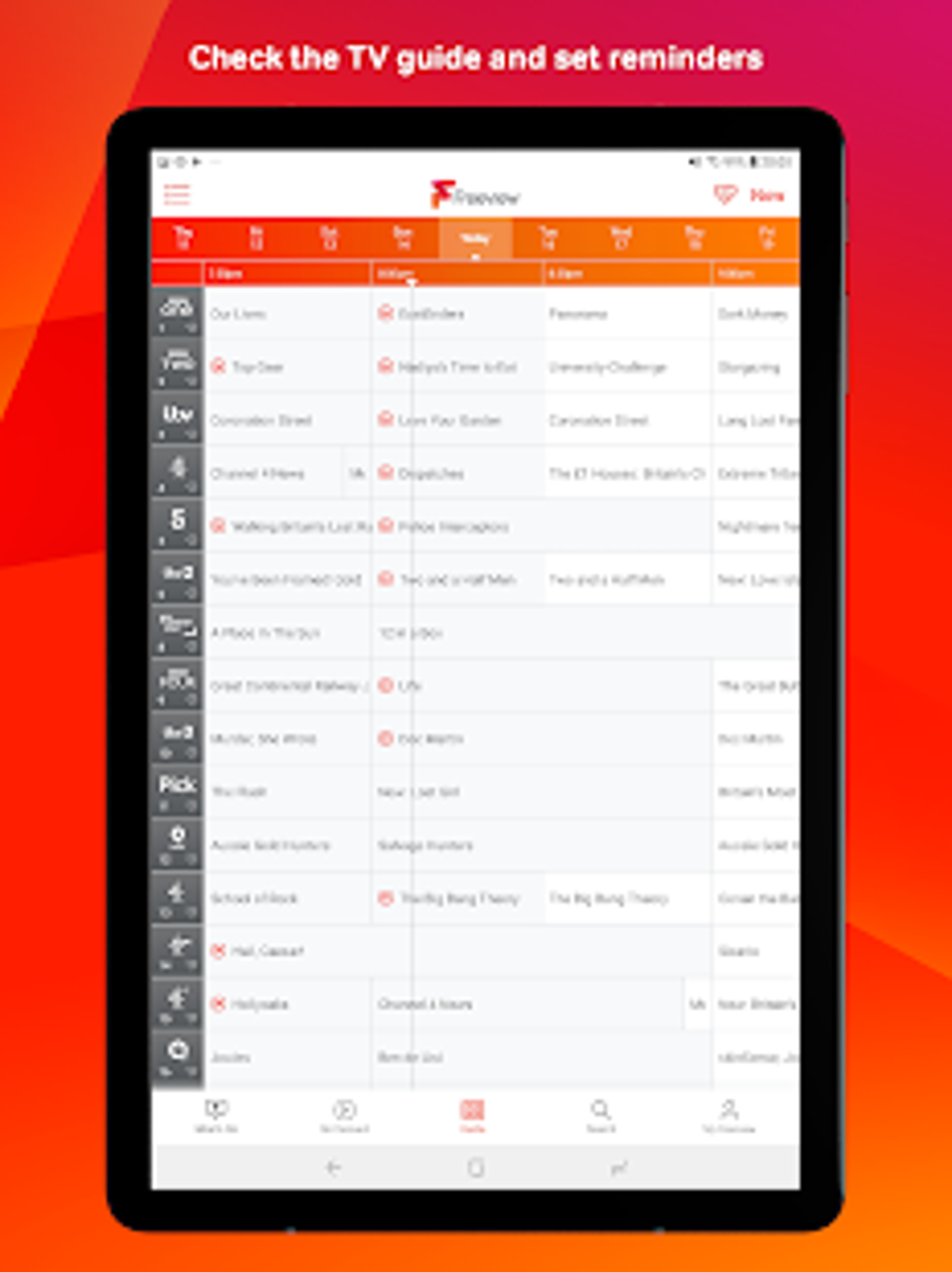
This integration of live and on-demand content is complemented by a robust Electronic Program Guide (EPG). The EPG allows users to easily browse the television schedule, see what’s currently airing across various channels, and, crucially, set reminders for upcoming shows. This feature is particularly beneficial for users who want to ensure they don’t miss their favorite programs or important televised events. The ability to schedule reminders adds a proactive element, helping users stay organized and in control of their viewing habits. This surpasses the passive nature of simply browsing a channel lineup, actively assisting users in managing their television viewing experience.
Integration with Major Streaming Services
A significant advantage of the Freeview app lies in its integration with major UK streaming services such as BBC iPlayer, ITV Hub, All 4, My5, and UKTV Play. This integration significantly expands the app’s content library, giving users access to a vast array of shows and movies beyond the live television offerings. However, it’s important to note that having these individual streaming services installed on the user’s device is a prerequisite for accessing their content through Freeview. This requirement may be seen as a drawback by some users, as it necessitates the installation and management of several additional apps. Despite this, the expanded content library significantly enhances the overall value proposition of the Freeview app.
The successful integration with these services underlines Freeview’s commitment to providing a comprehensive and expansive viewing experience. By acting as a central hub for both live TV and various on-demand platforms, Freeview simplifies access to a wide range of programming, mitigating the inconvenience of navigating multiple applications individually. For users already utilizing these streaming platforms, the aggregation of services within Freeview offers a streamlined experience, improving efficiency and simplifying the process of discovering new content.
User Interface and Performance
Freeview’s user interface is designed with simplicity and ease of navigation in mind. The main screen is well-organized, clearly presenting tabs for live TV, on-demand content, and the TV guide. This intuitive layout ensures that users can easily find the content they’re looking for, regardless of their technical proficiency. The straightforward design makes the app accessible to a broad range of users, including those less familiar with technology. The emphasis on usability enhances the overall user experience, making it enjoyable and stress-free.
In terms of performance, Freeview generally provides a smooth and uninterrupted streaming experience. Provided the user has a stable internet connection, buffering and lag are minimal, allowing for consistent and high-quality viewing. This seamless performance is essential for a positive user experience, especially when watching live television, where interruptions can be particularly frustrating. The app’s ability to maintain a high level of performance contributes significantly to its overall appeal and effectiveness.
Pros and Cons: A Balanced Perspective
The Freeview app offers a compelling blend of features and functionality, but it’s important to consider both its strengths and weaknesses to gain a balanced perspective.
Pros:
- Extensive Content Library: Freeview offers a wide selection of titles through its combination of live television and on-demand integration with major streaming services. This vast content catalog caters to a diverse range of viewing preferences.
- Comprehensive Guide: The integrated EPG provides a user-friendly way to browse the television schedule, set reminders, and stay informed about upcoming programs. This comprehensive guide enhances the user’s ability to manage their viewing experience.
- User-Friendly Interface: The app’s intuitive interface is easy to navigate, making it accessible to users of all technical skill levels. This simple design makes the app straightforward and enjoyable to use.
- High-Quality Streaming: Freeview generally delivers a smooth streaming experience with minimal buffering, provided a stable internet connection is available. This smooth performance is crucial for a pleasant viewing experience.
Cons:
- Dependency on External Apps: The app’s reliance on having separate streaming service applications installed can be a drawback. This adds complexity and requires users to manage multiple applications.
- Geographic Limitations: Freeview’s availability and content may be limited to specific geographic regions. Users outside the target area may not have access to the full range of features and channels.
Conclusion: A Valuable Tool for Television Viewers
Overall, the Freeview app stands as a valuable tool for television viewers seeking a convenient and versatile platform to access both live and on-demand content. Its combination of features, including its comprehensive guide, user-friendly interface, and smooth streaming performance, makes it a strong contender in the crowded field of streaming applications. While the dependence on external apps presents a minor inconvenience, the extensive content library and seamless integration with major streaming platforms outweigh this drawback for many users. The Freeview app provides a powerful and efficient method of accessing a broad range of television programming, enhancing the overall viewing experience for its users. However, potential users should be aware of the geographic limitations and the need for separate streaming apps to access the full breadth of content offered.
File Information
- License: “Free”
- Latest update: “October 12, 2024”
- Platform: “Android”
- OS: “Android 13.0”
- Downloads: “290.3K”
- Size: “10.57 MB”
- Download Options: “APK, Google Play”
- Filename: “uk-co-freeview-android-79-68984708-f34b3cf75e9687bc53dfbdef16ecabee.apk”


