
FreeZ Online TV offers a straightforward approach to accessing a vast library of online television channels directly from your Windows computer. This review delves into the application’s strengths and weaknesses, providing a comprehensive overview for potential users. While it presents a simple interface and a large selection of channels, it lacks advanced features and organization, leaving room for significant improvement.
Accessing a World of Channels: Functionality and Features
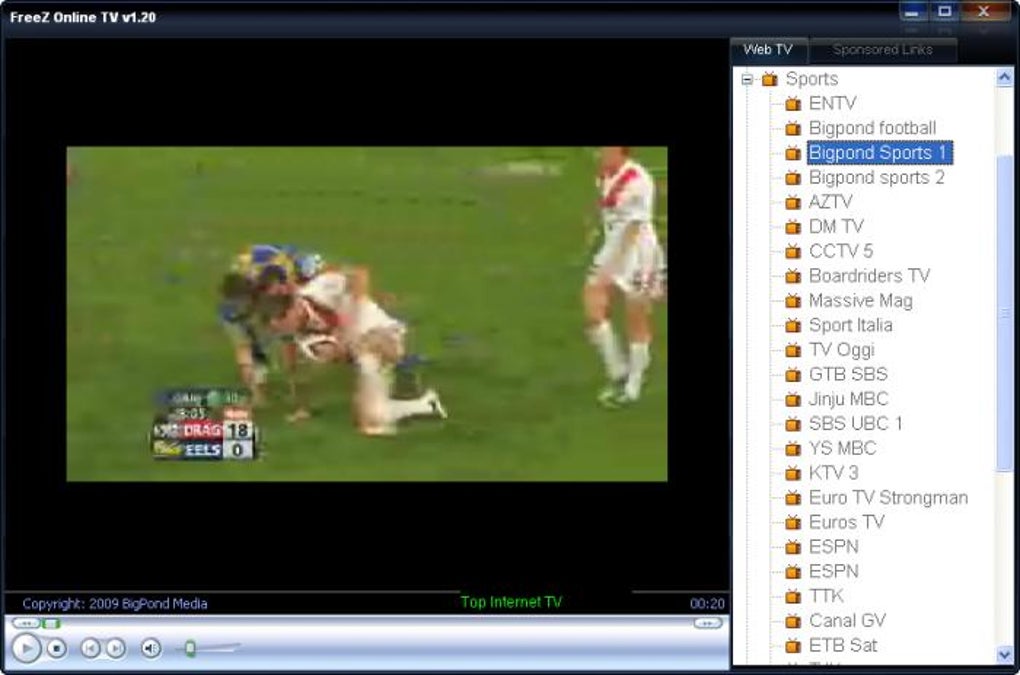
FreeZ Online TV boasts access to over 500 online TV channels, spanning a diverse range of categories. These include sports, news, government broadcasts, children’s programming, movies, weather reports, shopping channels, and business-related content. This wide variety caters to a broad spectrum of interests, providing users with a potentially extensive viewing experience. The sheer number of channels available is a significant advantage, providing a vast selection that goes beyond the typical offerings of traditional television. The application’s simplicity is another key feature; users can easily navigate to channels and begin streaming without navigating complex menus or settings. This ease of use makes it accessible to users of all technical skill levels.
However, a major drawback is the absence of organization by country or language. This lack of categorization presents a significant challenge for users. Browsing through hundreds of channels without any linguistic or geographic filter necessitates considerable time and effort to locate desired content. The only way to determine the language of a channel is to load it, leading to frustration and wasted time. This significant organizational oversight significantly hampers the usability and overall user experience. While the sheer number of channels is impressive, the inability to effectively browse and filter them undermines this advantage.
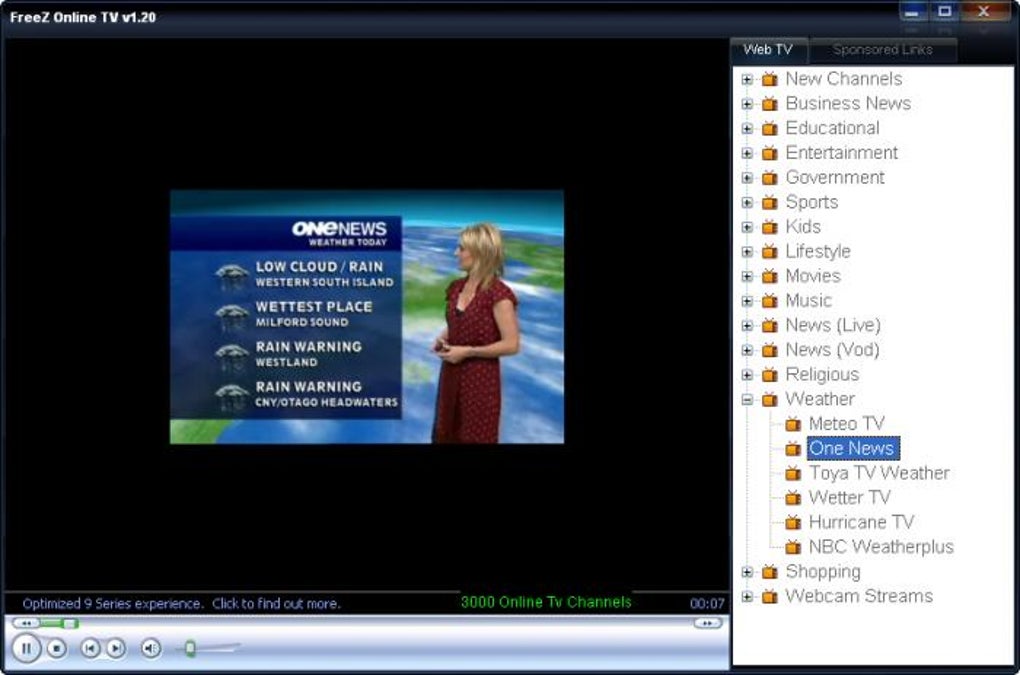
The majority of channels tested during the review period were operational. This indicates a relatively high level of reliability, suggesting that the application’s content is regularly updated and maintained. However, the application’s functionality remains fundamentally limited to the provision of streaming channels. It lacks supplementary features that would enhance the user experience, such as channel favorites, recording capabilities, personalized recommendations, or integration with external services. This basic functionality contrasts sharply with more advanced applications offering additional features such as program guides, search functionalities, and social media integration.
User Interface and Experience: Simplicity vs. Functionality
FreeZ Online TV prioritizes simplicity in its design. The user interface is clean and uncluttered, facilitating easy navigation. This straightforward design is beneficial for users unfamiliar with similar applications or those seeking a hassle-free experience. However, this simplicity comes at a cost. The lack of advanced features and customization options contributes to a rather basic and unengaging user experience. The absence of a search function, for instance, significantly hinders the discovery of specific content. Furthermore, the absence of features such as a favorites list or the ability to create personalized channel lists makes managing a large number of channels a cumbersome task.
The lack of visual cues or descriptions for the channels beyond their names creates uncertainty about their content. This absence of information forces users to repeatedly trial and error their way through the channels, leading to frustration. Modern streaming applications typically leverage advanced data sources and metadata to offer comprehensive program information, synopses, and ratings, thus enhancing user experience. FreeZ Online TV’s lack of such features emphasizes its rudimentary approach to content organization and user interaction.
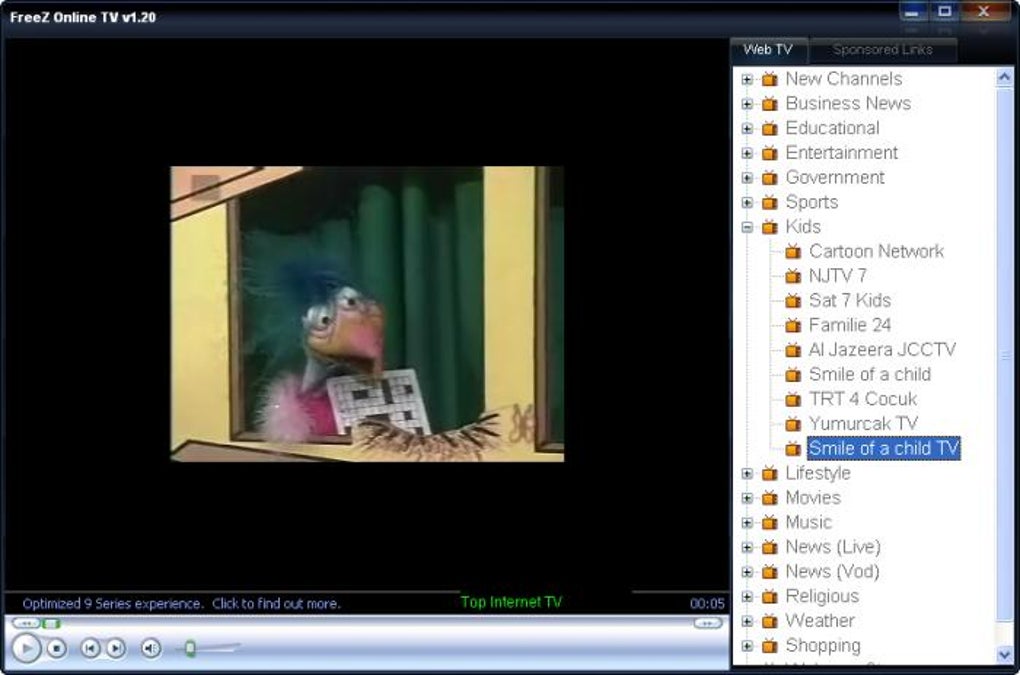
The application’s overall performance during testing was satisfactory, with most channels loading and streaming without significant buffering or lag. This suggests that the application is adequately optimized for streaming video content. However, without performance metrics or specifications, it is difficult to offer a more precise evaluation of its responsiveness and efficiency in various network conditions. Furthermore, the absence of any support documentation or a frequently asked questions (FAQ) section limits user troubleshooting capabilities.
Technical Specifications and System Requirements
FreeZ Online TV is a free application available for Windows operating systems. The application is relatively lightweight, requiring minimal system resources. Its compact size (approximately 839.41 KB) makes it easily downloadable and installable on various systems. The application’s last update was in May 2023, indicating ongoing development and maintenance. However, the lack of detailed system requirements, including minimum processor speed, RAM, and storage capacity, hinders a complete evaluation of its compatibility across a variety of Windows configurations.
While the application is freely available, it lacks premium subscription options or in-app purchases. This lack of a monetization model might impact future development and updates, as there’s no direct financial incentive for continued improvements or enhanced features. The absence of a formal support channel, such as a dedicated website, email address, or community forum, limits avenues for resolving technical issues or requesting assistance. Users encountering difficulties or requiring assistance are largely left to fend for themselves.
Comparison with Alternative Applications
Numerous alternative internet TV applications offer enhanced features and functionality compared to FreeZ Online TV. These alternatives typically provide superior organization, detailed channel descriptions, search capabilities, recording features, and integrated program guides. Many also offer premium subscriptions with access to additional channels and enhanced features. The competitive landscape of internet TV applications emphasizes the need for FreeZ Online TV to enhance its features and functionality to remain relevant and appealing to users. The current offering, while functionally sound, is surpassed in terms of user experience and features by many competitors.
Furthermore, the lack of social features such as sharing capabilities or integration with social media platforms further limits engagement and community building around the application. Modern streaming applications increasingly leverage social media for community interaction, content recommendations, and user feedback, contributing to a more interactive and engaging user experience. The absence of these features in FreeZ Online TV highlights its basic and less engaging approach.
Conclusion: A Basic but Functional Option
FreeZ Online TV provides a basic yet functional means of accessing a large library of online television channels. Its simplicity and ease of use are appealing to users seeking a straightforward application without complex settings. However, the significant limitations in terms of channel organization, feature set, and user experience significantly detract from its overall value. The lack of advanced features, search functionality, and efficient categorization prevents it from competing effectively against more comprehensive and feature-rich alternatives. While it may suffice for users with very specific and basic needs, those seeking a more engaging and feature-rich experience would likely find more satisfaction with other available applications. Future improvements focusing on enhanced organization, improved user interface, and the integration of modern features would significantly enhance the user experience and make FreeZ Online TV a more competitive player in the crowded internet TV landscape.
File Information
- License: “Free”
- Latest update: “May 23, 2023”
- Platform: “Windows”
- OS: “Windows 2003”
- Language: “English”
- Downloads: “63.3K”
- Size: “839.41 KB”


