
Fresh Paint, a Windows 10 application, offers a unique and engaging digital painting experience. Designed with an intuitive interface and realistic rendering, it caters to both novice and experienced users, providing a palette of tools and features that mimic traditional painting techniques. While its charming aesthetic and ease of use make it accessible to children, its depth of options satisfies more advanced artists seeking a digital canvas.
A Realistic Painting Simulation
One of Fresh Paint’s standout features is its remarkably realistic simulation of paint behavior. Unlike many digital painting programs that rely on simplistic brush strokes, Fresh Paint accurately depicts the texture, blending, and mixing of different paints. Users can experiment with various paint types, mimicking the fluidity of watercolors or the thickness of oils, achieving a level of realism rarely found in comparable applications. This attention to detail significantly elevates the user experience, making it feel more like working with physical materials than manipulating pixels. The ability to seamlessly blend colors, creating nuanced shades and gradients, is a key element of this realistic approach, fostering a natural and intuitive creative process.
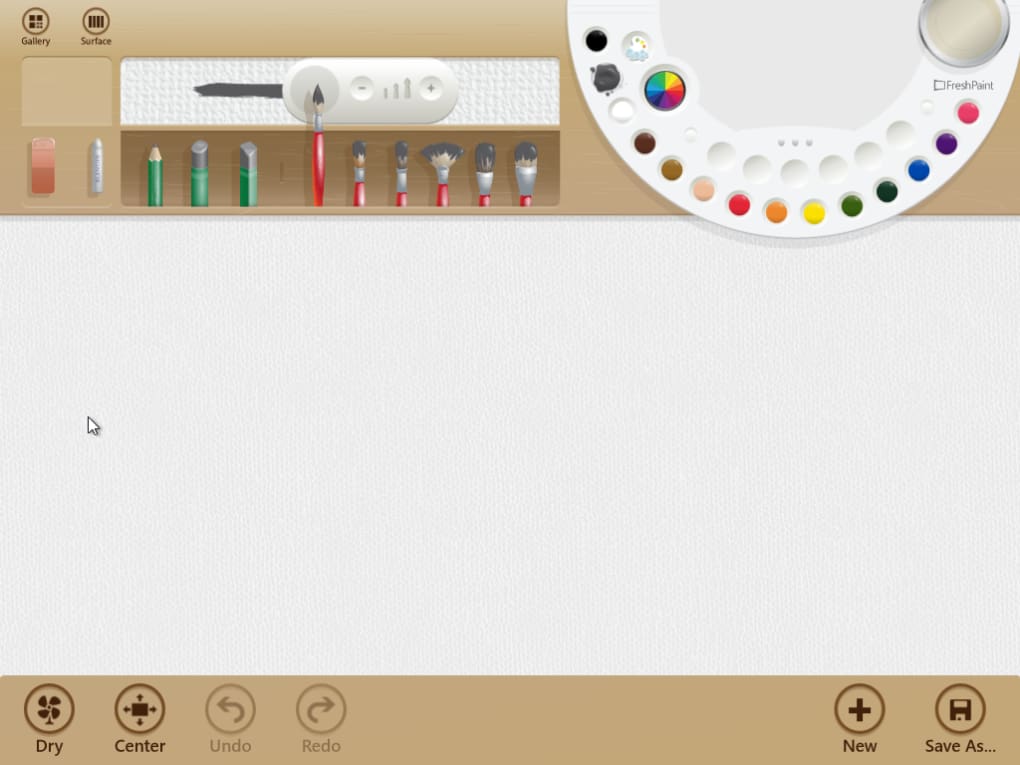
The digital palette itself is thoughtfully designed, providing a clear and organized selection of colors. Users can easily choose pre-defined hues or mix their own, exploring countless combinations to find the perfect shade for their artwork. This intuitive color selection system, coupled with the realistic paint simulation, encourages experimentation and exploration, allowing users to discover new color palettes and techniques with ease.
User-Friendly Interface and Accessibility
The user interface of Fresh Paint is intentionally straightforward and uncluttered. Its clean design minimizes distractions, allowing users to focus on their artwork without being overwhelmed by complex menus or toolbars. This makes it remarkably accessible, even for individuals with limited experience with digital painting software. The intuitive layout of tools and options contributes to its ease of use, allowing beginners to quickly grasp the basics and start creating. This accessibility extends to children, who will find the application straightforward and engaging, encouraging creative exploration through a friendly and intuitive interface.
The app’s overall aesthetic perfectly complements its functionality. The visual design, clearly inspired by traditional painting tools and techniques, creates a welcoming and inspiring environment for creative expression. This careful consideration of visual design contributes significantly to the overall user experience, creating a harmonious blend of form and function.
Features and Limitations
While Fresh Paint excels in its realistic painting simulation and intuitive interface, it also has some limitations. One notable drawback is the reported instability, with users experiencing frequent crashes upon launch. This intermittent malfunction can significantly disrupt the workflow and frustrate users, particularly when working on intricate projects. Such stability issues are a significant concern, requiring immediate attention from the developers to ensure a consistently reliable user experience. The absence of certain basic features, such as a color fill tool, further restricts its functionality, limiting its potential for certain artistic endeavors. The lack of layers also poses a challenge for users who prefer a layered approach to digital painting, limiting the possibility of intricate compositions and non-destructive editing.
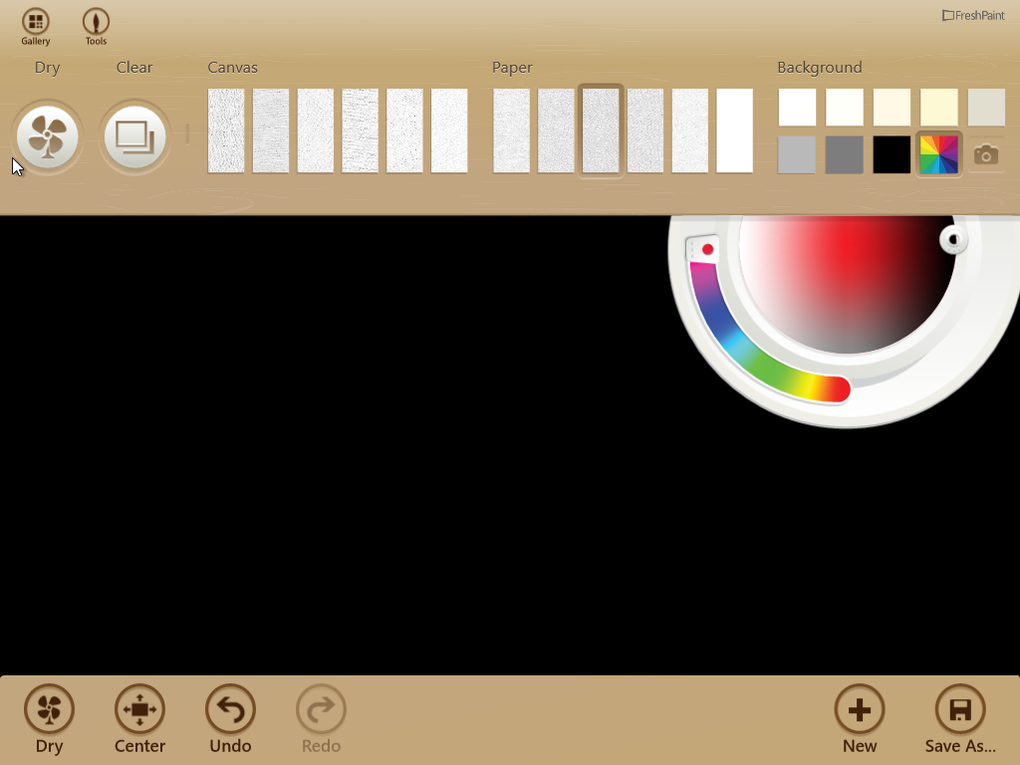
The absence of complete palm rejection can also be problematic for users who prefer a more natural painting style, requiring careful hand placement to avoid accidental brushstrokes. While the app partially addresses this issue, a complete palm rejection feature would significantly enhance the user experience and allow for a more fluid creative process. Finally, the placement of the tool panel, while functional, can sometimes obstruct the canvas, requiring frequent adjustments. While the option to hide the panel exists, it adds an extra step to the workflow, interrupting the creative flow.
Comparison with Alternatives
Compared to other digital painting software, Fresh Paint occupies a unique niche. While it lacks the advanced features and extensive toolsets of professional-grade applications like Adobe Photoshop or Krita, its focus on realistic paint simulation and user-friendly interface sets it apart. Programs such as Microsoft Paint 3D offer 3D modeling capabilities, while EZ Paint and MyPaint provide more straightforward digital painting options. However, none of these alternatives perfectly replicate Fresh Paint’s unique blend of realistic rendering and intuitive design. The choice between Fresh Paint and its alternatives depends heavily on the user’s needs and priorities. Users seeking a simplified, realistic painting experience might find Fresh Paint ideal, while those requiring advanced features or 3D capabilities might prefer other options.
Several alternative applications, such as Pinta, PictBear, PaintStar, and OpenPaint, offer different strengths and weaknesses. Pinta provides a simplified alternative to GIMP, while PictBear focuses on image editing and painting for PCs. PaintStar offers a feature-rich image and photo editor, and OpenPaint is an open-source version of Microsoft Paint. Each of these alternatives presents a distinct approach to digital painting, catering to different user preferences and skill levels. The selection of the most suitable alternative depends on the specific needs and preferences of the individual user.
User Reviews and Feedback
User reviews of Fresh Paint highlight both its strengths and weaknesses. Many users praise its realistic paint simulation and enjoyable user experience. The accuracy of watercolor and oil paint representations is frequently mentioned as a standout feature, setting it apart from other digital painting applications. However, criticisms regarding stability issues and missing features, such as layers and color fill, are recurrent themes in user feedback. The absence of complete palm rejection also receives consistent criticism, indicating a need for improvement in this aspect of the user experience. Despite these drawbacks, the overall sentiment towards Fresh Paint remains largely positive, with many users highlighting its fun and engaging nature, indicating a significant potential for improvement with addressed bug fixes and feature additions.
One user review summarized the experience well: “Fresh Paint is the only app I’ve seen give such accurate representations of how watercolor brushes and oil paint would act and look like. My only problems would really be the lack of layers, once you choose to dry the canvas you cannot undo it or hide it. The app also doesn’t offer complete palm resistance, but it does its job most of the time.” This encapsulates the common user experience: appreciation for the realistic simulation contrasted by frustration with the limitations. This feedback emphasizes the importance of addressing the stability and feature gaps to fully realize the app’s potential.
Conclusion
Fresh Paint offers a unique and appealing digital painting experience, combining realistic paint simulation with an intuitive and user-friendly interface. While its limitations in terms of stability and feature set need addressing, its strengths in realism and accessibility make it a compelling option for both casual users and those seeking a more traditional digital painting experience. With improvements to stability and the addition of key features, Fresh Paint has the potential to become a leading digital painting application for Windows users. The future of the app depends on the developers’ responsiveness to user feedback and their commitment to addressing the identified issues and expanding its functionality. Only then can Fresh Paint fully realize its potential to become a truly comprehensive and reliable digital art tool.
File Information
- License: “Free”
- Latest update: “November 24, 2021”
- Platform: “Windows”
- OS: “Windows 11”
- Language: “English”
- Downloads: “220K”


