
Futuremark SystemInfo is a free utility tool designed for Windows PCs, developed by Futuremark. While primarily intended as a companion tool for their benchmarking suites like 3DMark and PCMark, its robust capabilities make it a valuable standalone application for gathering detailed system information. This software offers users a comprehensive overview of their hardware and software configurations, enabling them to identify potential performance bottlenecks, diagnose hardware malfunctions, and generally understand the inner workings of their computer. Its ability to export data in XML format further enhances its utility for advanced users and system administrators.
Understanding Futuremark SystemInfo’s Functionality
Futuremark SystemInfo’s core purpose is to provide a detailed system scan prior to running benchmark tests within the Futuremark ecosystem. This pre-benchmark scan gathers essential information about the system’s hardware and software environment, ensuring that the benchmark results are accurately contextualized. However, its value extends far beyond this primary function. The wealth of information collected makes it an excellent diagnostic tool for general system troubleshooting and performance analysis.
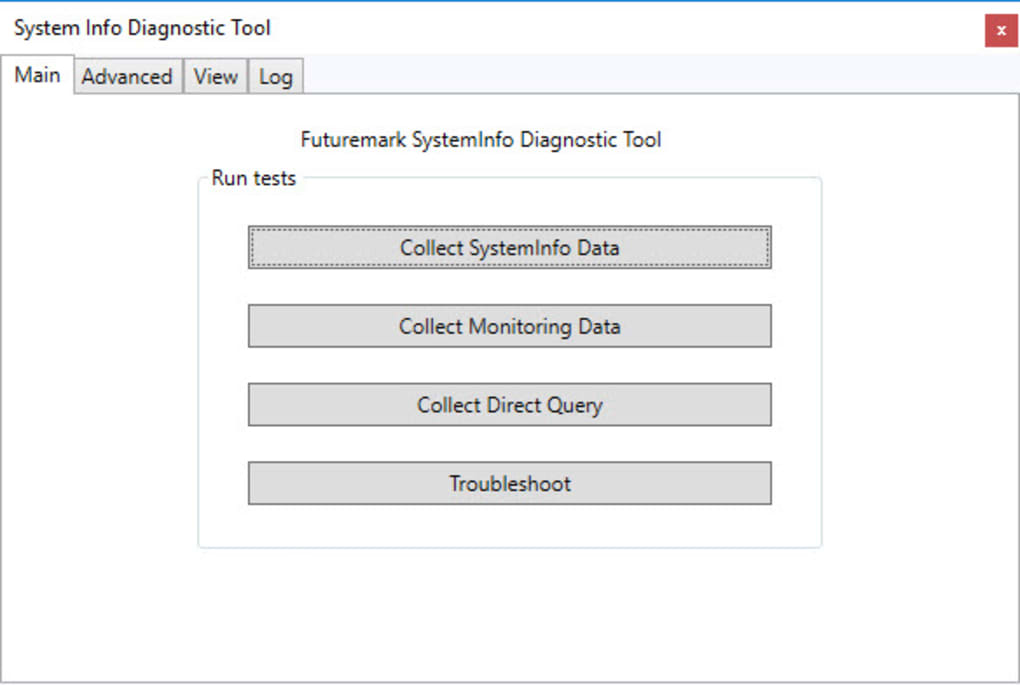
The tool employs three distinct test types:
- SystemInfo Data: This test focuses on collecting comprehensive data about the system’s hardware components. This includes detailed specifications for the CPU, GPU, RAM, storage devices, and other peripherals. This information can be crucial for identifying outdated or malfunctioning hardware.
-
Monitoring Data: Unlike the SystemInfo Data test, this one concentrates on the processes currently running on the system. This allows users to identify resource-intensive processes, potential malware activity, or software conflicts that might be impacting system performance. The data provides insights into CPU and memory usage for each running application, offering a dynamic view of system activity.
-
Direct Query: This test directly queries the CPU and GPU for specific details. This includes information like processor name, vendor, core count, clock speeds, and other crucial performance metrics. This provides precise, low-level data about core hardware components, allowing for accurate performance assessment and comparisons.
These tests collectively paint a detailed picture of the system’s overall health and performance. The results of each test are automatically compiled into an XML file, facilitating easy access and sharing of the collected data. This structured data format is especially useful for users who require a standardized and easily parsable report for analysis or troubleshooting purposes.
Advanced Configuration and Customization
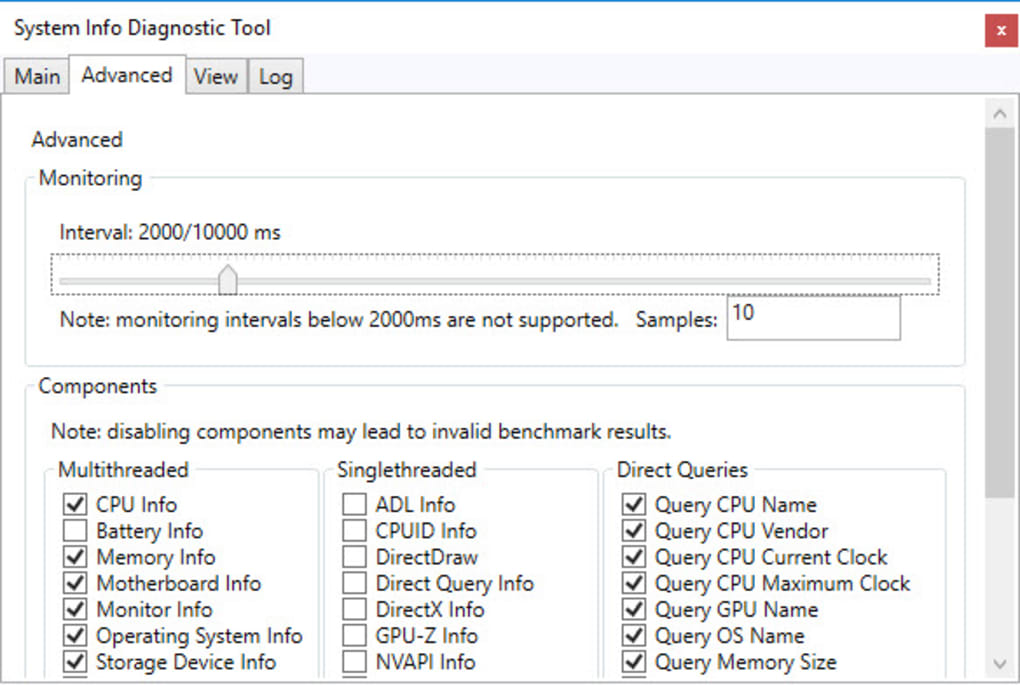
Futuremark SystemInfo’s functionality goes beyond the three core tests. An advanced settings tab allows users to meticulously customize which components and processes are included in the scan. This granular control enables users to tailor the scan to their specific needs. For instance, a user primarily concerned about GPU performance can focus the scan on relevant GPU parameters, while a user investigating a system slowdown might opt for a more comprehensive scan including all running processes and hardware components. This level of customization prevents unnecessary scanning of irrelevant data, leading to quicker test completion and more focused results.
The software also includes a comprehensive log tab, meticulously documenting every event that occurs during the testing process. This detailed logging can be invaluable in diagnosing issues or understanding anomalies in the test results. For example, errors encountered during data collection, specific hardware components that failed to respond to queries, or any unexpected interruptions are all accurately recorded, providing valuable context for understanding the final report.
The variable duration of the tests, dependent on the selected options in the advanced settings, highlights the software’s adaptability. A concise scan focusing on only essential components will complete quickly, while a comprehensive scan encompassing all available parameters will naturally require more time. This trade-off between speed and detail allows users to optimize the scan duration based on their immediate requirements.
Interpreting the Results and Utilizing the Data
The output of Futuremark SystemInfo is presented in a clear and concise XML file. This file contains all the data collected from the various tests, meticulously organized for easy access and analysis. This standardized format makes it highly suitable for automated processing, script integration, or use with other system analysis tools.
The data can be used for various purposes:
-
Performance Benchmarking: The information gathered serves as a crucial baseline for interpreting benchmark results from 3DMark or PCMark. By understanding the system’s configuration before the benchmark, accurate performance comparisons can be made, and potential hardware limitations can be identified.
-
Hardware Diagnostics: The detailed hardware information can help identify malfunctioning components, driver issues, or hardware incompatibilities. This information can be invaluable in troubleshooting performance issues or hardware failures.
-
Software Optimization: By analyzing the running processes, users can identify resource-intensive applications that may be impacting system performance. This allows users to optimize their software usage or identify potential software conflicts.
-
System Documentation: The XML report serves as an excellent record of the system’s configuration. This is especially useful for technical support, system maintenance, or simply for documenting a computer’s specifications.
Comparison with Alternative System Information Tools
Futuremark SystemInfo stands alongside other popular system information utilities such as CPU-Z and HWMonitor. While these alternatives provide valuable hardware information, Futuremark SystemInfo distinguishes itself through its comprehensive approach and integration with the Futuremark benchmark suite. It offers a broader scope of information, including detailed process monitoring, which is less prevalent in some competing tools. Moreover, the automated XML report generation and advanced customization options contribute to its unique strengths.
Conclusion: A Powerful and Versatile Tool
Futuremark SystemInfo, despite its origins as a supporting tool for benchmarking, is a powerful and versatile standalone application. Its comprehensive data collection, customizable settings, and automated report generation make it an invaluable resource for users seeking detailed system information. Whether for performance benchmarking, hardware diagnostics, or general system understanding, Futuremark SystemInfo provides an efficient and reliable method for obtaining critical insights into your computer’s inner workings. Its user-friendly interface, combined with its powerful capabilities, solidifies its position as a highly recommended tool for Windows users of all skill levels. The ability to easily export detailed system information in a structured XML format further enhances its value for technical users and system administrators alike.
File Information
- License: “Free”
- Latest update: “June 24, 2025”
- Platform: “Windows”
- OS: “Windows 8”
- Language: “English”
- Downloads: “408”
- Size: “3.33 MB”


