
In the ever-evolving landscape of digital photography and media management, specialized software plays a crucial role in helping users organize, view, and interact with their precious visual memories. Among the myriad of applications designed for this purpose, Gallery HD for Windows 10 emerges as a noteworthy, albeit historical, entry. While its name suggests a native compatibility with Windows 10, a deeper dive into its origins and specifications reveals a story of an application rooted in an earlier era of the Windows operating system. Developed by Frozen Volcano, Gallery HD positioned itself as a free design and photography program, primarily functioning as a viewer and cataloguer for images.
This article aims to provide an exhaustive review of Gallery HD for Windows 10, exploring its features, historical context, relevance in today’s digital environment, and how it compares to both its contemporaries and modern alternatives. We will dissect its core functionalities, discuss its user base, and analyze why, despite its age, it continues to hold a place in the discourse surrounding Windows photo management tools. This examination will also address the inherent paradox of its title referencing Windows 10, given its stated compatibility with Windows 8 and previous versions, offering clarity for users navigating the complexities of legacy software in a modern operating system.
Unpacking Gallery HD: Features and Historical Context
At its core, Gallery HD for Windows 10 is designed to be a straightforward photo viewing and cataloging application. Released by Frozen Volcano, it entered the digital arena around 2012, a period when Windows 8 was the cutting-edge operating system and digital camera resolutions were rapidly increasing, making “HD” a significant buzzword for visual clarity. The program was classified under “Design & photography software,” specifically within the subcategory of “Viewers & Catalogues,” indicating its primary function was not for editing or advanced manipulation but for organizing and displaying images.
The defining characteristic of Gallery HD is its simplicity and its status as a free offering. In an era where many robust photo management solutions came with a price tag or were bundled with professional suites, a dedicated free viewer offered significant value to casual users. Its lightweight nature meant it didn’t demand extensive system resources, making it accessible even on less powerful machines. This accessibility was a key factor in its early popularity, particularly in regions like India, Malaysia, and South Africa, where access to affordable and functional software was highly valued.
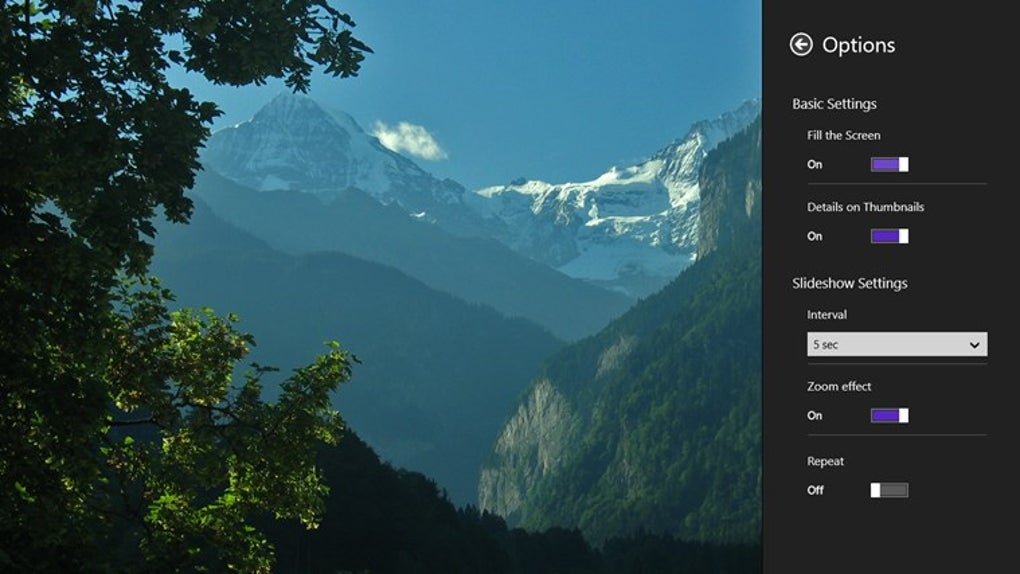
Historically, the need for dedicated photo viewers arose from the limitations of operating system-native viewers, which often lacked certain organizational features, slideshow capabilities, or support for a broader range of file formats. Gallery HD aimed to fill this gap by providing a user-friendly interface for browsing, displaying, and possibly basic management of photo collections. While exact feature lists are not extensively detailed in the public domain for this older application, typical functionalities for such a program would include:
- Image Viewing: Displaying various image formats (JPG, PNG, BMP, etc.) in a clear, full-screen or windowed mode.
- Slideshow Functionality: Automatic progression through a folder of images, often with customizable timings and transitions.
- Basic Organization: Ability to browse folders, perhaps create simple albums or tag images, though advanced metadata management would likely be absent.
- Zoom and Pan: Essential tools for closer inspection of images.
- Rotation: Simple image orientation adjustments.
- Print Functionality: Direct printing of selected images.
The mention of “HD” in its name was particularly relevant for its time. High Definition displays were becoming more common, and users sought applications that could render their high-resolution photographs with clarity and fidelity. Gallery HD aimed to leverage this desire, promising a superior viewing experience compared to lower-resolution alternatives or less optimized built-in viewers.
Despite its initial traction, the application’s last known update was on December 3, 2012. This timestamp is crucial, as it predates the significant shifts in software development cycles and the advent of Windows 10 by several years. This historical context helps explain both its appeal at the time and its potential limitations when considered for modern use. The absence of an explicit version number further underscores its status as an older, perhaps no longer actively maintained, piece of software.
The Paradox of “Windows 10” in the Title
One of the most intriguing aspects of Gallery HD for Windows 10 is its very title. While the product is named with “Windows 10,” the official specifications explicitly state its availability for “users with the operating system Windows 8 and previous versions.” This creates a significant paradox that warrants clarification for potential users.
There are several possible explanations for this discrepancy:
- Marketing and Search Optimization: It’s common for older software that still functions (even partially) on newer operating systems to be rebranded or titled to capture search traffic from users on the latest OS. “Gallery HD for Windows 10” might simply be a way to attract users searching for photo viewers compatible with Windows 10, even if the application’s core development ceased before Windows 10’s release.
- Backward Compatibility Assumption: While not officially updated for Windows 10, many Windows 8-compatible applications retain a degree of functionality on Windows 10 due to Microsoft’s strong emphasis on backward compatibility. Users might have found it functional on Windows 10 through legacy support, leading to the broader naming convention.
- Third-Party Listing: The listing title “Gallery HD for Windows 10” might be a descriptive title assigned by a software download portal like PhanMemFree.org, reflecting the context in which it’s being presented to current users, rather than an official developer-assigned compatibility label. PhanMemFree.org aims to catalog software for various platforms, and even if an app is old, if it’s downloadable for Windows 10 users, it might be titled as such.
For a user running Windows 10, this means that while Gallery HD might install and run, its performance, integration with modern OS features, and stability cannot be guaranteed to the same extent as a natively developed or actively maintained Windows 10 application. It will lack optimizations for newer hardware, modern UI guidelines (e.g., Fluent Design), and might not integrate seamlessly with cloud services or Windows Store functionalities common in contemporary photo apps.
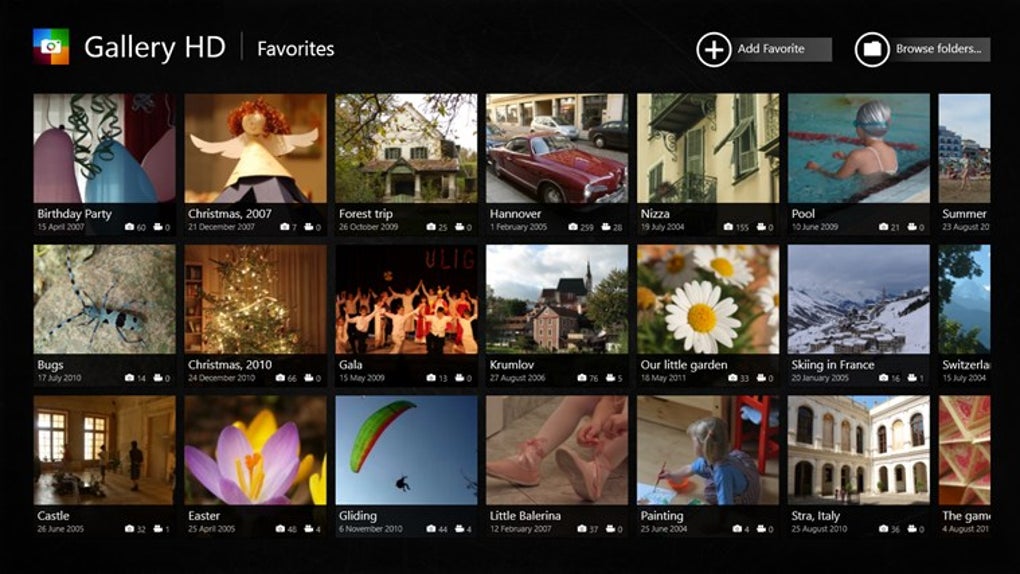
Why Users Chose Gallery HD (Then and Now)
In its heyday, Gallery HD’s primary appeal stemmed from its accessibility and specific functionality. For many users, particularly those who weren’t professional photographers or graphic designers, the bundled photo viewer in Windows versions prior to Windows 8 (like Windows Photo Viewer in Windows 7) was often sufficient but lacked certain niceties. More advanced alternatives, such as Adobe Photoshop Album or other commercial offerings, were costly. This created a niche for free, focused applications like Gallery HD.
The allure of “free” software cannot be overstated. For users seeking a basic, reliable way to view their photos without investing in premium software, Gallery HD was a compelling choice. Its reported popularity in specific geographical regions further underscores this point, indicating a demand for no-cost solutions in markets where software budgets might be tighter.
Even today, for a very specific segment of users, Gallery HD might still hold a sliver of appeal:
- Users of Older Windows Versions: For those still running Windows 8, Windows 7, or even Windows Vista/XP (where compatibility would have been even stronger), Gallery HD remains a viable, stable option that they might be familiar with.
- Minimalists: Individuals who prefer extremely lightweight applications with no bloatware, advanced features, or internet connectivity could find Gallery HD appealing for its singular focus on photo viewing.
- Offline Use: As an offline application, it doesn’t rely on cloud services, making it suitable for environments with limited or no internet access, or for users who prioritize local storage and privacy.
- Nostalgia: Some users might simply prefer software they’ve used for years due to familiarity and habit.
However, it’s crucial to balance this with the modern user’s expectations. With the proliferation of cloud-based photo services (Google Photos, OneDrive, iCloud), sophisticated native photo apps (Windows Photos app), and powerful free editors (GIMP, IrfanView), the niche for a basic, unmaintained viewer has significantly shrunk. Modern users often expect features like intelligent organization, facial recognition, geotagging, advanced editing tools, seamless cloud syncing, and responsive, touch-friendly interfaces – none of which Gallery HD is likely to provide.
Installation, Usage, and Technical Details
Downloading Gallery HD for Windows 10 from a platform like PhanMemFree.org typically involves a straightforward process. Users would navigate to the product page, click the “Free Download” button, and follow the on-screen prompts. Given its age, the installation package would likely be a standard .exe file, installing the program directly onto the system without reliance on the Windows Store.
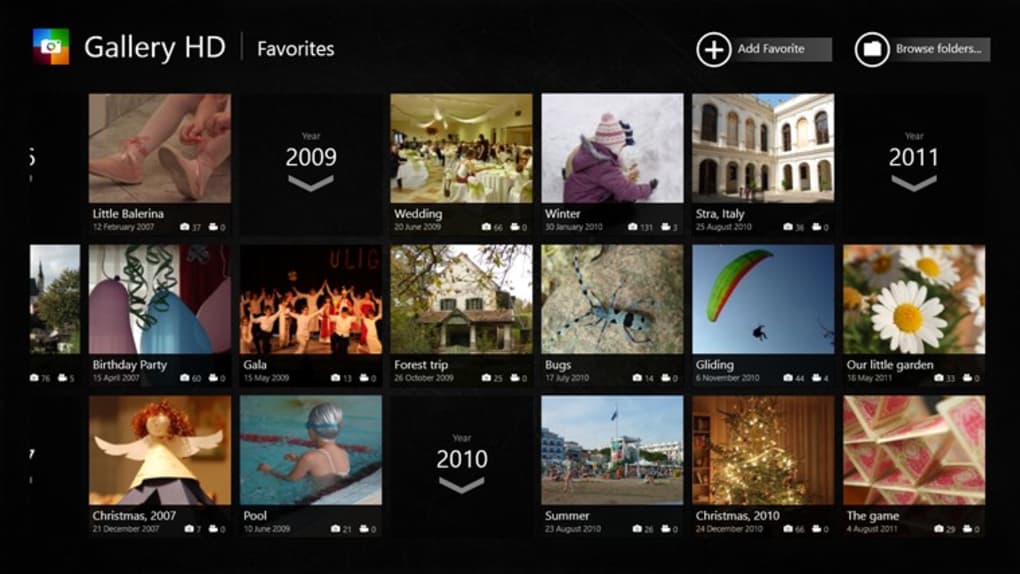
Once installed, using Gallery HD would have been intuitive for anyone familiar with basic Windows applications. The user interface would have featured standard menus for file operations (open, save, print), viewing options (slideshow, zoom), and navigation buttons to move between images in a folder. The simplicity of its design means a minimal learning curve, allowing users to quickly access and display their photographs.
Technical Specifications (based on available information):
- License: Free
- Platform: Windows
- OS Compatibility: Windows 8 and previous versions (officially stated)
- Language: English (also available in other languages via translated listings)
- Developer: Frozen Volcano
- Last Update: December 3, 2012
- Install Size: Not explicitly available, but likely small due to its focused functionality.
- Downloads: The reference notes 2,753 downloads since 2012 and 6 downloads in a recent week, indicating continued, albeit diminished, interest.
The “security status” is noted as “Clean” by PhanMemFree, indicating that the file hosted on their platform has been scanned by multiple antivirus services and no threats were detected. This is an important consideration for any older software, as unmaintained programs can sometimes become vectors for malware if hosted on untrustworthy sites. However, downloading from a reputable source like PhanMemFree.org mitigates this risk.
The Developer: Frozen Volcano
Information about the developer, Frozen Volcano, is scarce, which is common for smaller, independent software houses from that era, especially for free applications. The absence of a strong public profile or an active website associated with the developer suggests that Gallery HD might have been a one-off project or part of a small portfolio of applications that are no longer actively supported. This lack of ongoing developer engagement is a critical factor for any software, impacting bug fixes, security patches, and compatibility updates. For a user on Windows 10, this means that any issues encountered would likely go unresolved.
Alternatives and Modern Equivalents
While Gallery HD for Windows 10 served a purpose in its time, the market for photo viewers and organizers has become incredibly competitive and sophisticated. Modern users have a plethora of choices, ranging from built-in OS features to powerful third-party applications. Comparing Gallery HD to some of its contemporary alternatives and today’s leading solutions highlights its position in the software landscape.
Contemporary Alternatives (from the Reference)
- 123 Photo Viewer (3.5/5 stars, Free): Described as “A simple photo viewer with an easy interface,” 123 Photo Viewer appears to be a direct competitor, offering a similar value proposition of basic, free viewing. Its slightly higher rating in the provided context might suggest a more refined user experience or broader compatibility at the time.
- Photo Gallery Maker (3.6/5 stars, Trial version): This application focused on “Put your photos into very cool Flash Photo Gallery and Slideshow, simple steps.” The emphasis on Flash indicates its age and its distinct feature set (creating web-ready galleries), placing it in a slightly different category than a pure viewer. Its trial version model also differentiates it from Gallery HD’s completely free approach.
- Google Photos Desktop Uploader (4.1/5 stars, Free): This was Google’s tool to “Let Google organize and enhance your photos automatically.” It represents a shift towards cloud integration and smart organization, a concept largely absent from Gallery HD. This application, while not a viewer in itself, points towards the future of photo management where cloud services played a central role.
- Windows Live Photo Gallery 2012 (3.3/5 stars, Free): A direct competitor from Microsoft itself, part of the Windows Live Essentials suite. It offered “Nicely simple photo organization” and often came with basic editing features. This was a strong contender for many Windows users, providing a more integrated experience than third-party free tools.
- Samsung Gallery (4.8/5 stars, Free): While highly rated, this app is likely designed for Samsung devices or ecosystems, offering a tailored experience. Its high rating reflects a polished product for its target audience.
Compared to these, Gallery HD’s primary advantage was perhaps its sheer simplicity and being a standalone, free utility without requiring additional suites or cloud accounts. However, its lack of updates compared to even these older alternatives is a significant drawback.
Modern Equivalents and Superior Options for Windows 10
For a Windows 10 user today, Gallery HD is generally outmatched by native solutions and actively maintained third-party applications:
- Windows Photos App: Microsoft’s default photo viewer and editor in Windows 10 (and 11) is a powerful, integrated solution. It offers robust viewing, basic to advanced editing, intelligent album creation, facial recognition, cloud integration with OneDrive, and a modern, touch-friendly interface. It receives regular updates and is fully optimized for the latest hardware.
- IrfanView: A legendary, free, and incredibly lightweight image viewer and editor that supports a vast array of file formats. While its UI is dated, its speed and functionality are unmatched for many power users. It’s actively maintained and highly versatile.
- XnView MP: Another powerful free cross-platform image viewer, organizer, and converter. It offers more features than IrfanView, with a slightly more modern interface, extensive format support, and batch processing capabilities.
- Google Photos: While the desktop uploader is phased out, the web-based Google Photos is a dominant force in cloud photo management, offering AI-powered organization, unlimited storage (with caveats), and excellent sharing features.
- Adobe Lightroom (Paid) / Photoshop Express (Free): For those needing more advanced editing and professional-grade organization, Adobe’s offerings provide industry-standard tools. Photoshop Express is a free, lighter version that still vastly outpaces Gallery HD in features.
These modern alternatives offer a combination of features, performance, and ongoing support that Gallery HD, as an unmaintained program from 2012, simply cannot provide. The expectation of seamless integration with operating system features, cloud services, and contemporary UI/UX principles has moved far beyond what Gallery HD was designed to offer.
The Verdict: Is Gallery HD for Windows 10 Still Relevant?
Considering all factors, the relevance of Gallery HD for Windows 10 in the current computing landscape is minimal for the vast majority of users. Its primary strengths – simplicity and freeness – are now largely overshadowed by more capable, equally free, and actively maintained alternatives.
Pros:
- Free: No cost involved for basic photo viewing.
- Simple Interface: Easy to learn and use for fundamental tasks.
- Lightweight: Likely consumes minimal system resources.
- Offline Functionality: Does not require an internet connection.
Cons:
- Outdated: Last updated in 2012, meaning no new features, bug fixes, or security patches.
- Limited Compatibility (Officially): While titled for Windows 10, it’s officially compatible with Windows 8 and older, leading to potential instability or lack of optimization on newer OS versions.
- Lack of Modern Features: No cloud integration, advanced editing, AI organization, or support for modern codecs/formats.
- No Developer Support: Frozen Volcano appears to be inactive, leaving users without a support channel.
- Basic Functionality: Only suitable for the most rudimentary viewing and cataloging.
- Security Concerns: While PhanMemFree.org scans the file, using unmaintained software generally carries a higher inherent risk over time, as new vulnerabilities are discovered.
For a user operating on an older Windows system (Windows 8 or earlier) who specifically desires an extremely basic, no-frills, offline photo viewer and is comfortable with its limitations, Gallery HD might still function as a familiar tool. However, for anyone on Windows 10 or a newer OS, and certainly for anyone seeking even a modicum of modern functionality, robust performance, and ongoing support, it is advisable to look towards current alternatives like the built-in Windows Photos app, IrfanView, XnView MP, or cloud-based solutions.
The name “Gallery HD for Windows 10” serves more as a historical marker or a search engine hook than an accurate representation of its contemporary utility. It reminds us of a time when specialized free utilities carved out niches in the software market, and how rapidly the digital landscape evolves, leaving even once-popular applications as relics of a bygone era. While it contributed to the early digital photography experience for many, its time as a recommended solution for modern Windows users has undoubtedly passed.
File Information
- License: “Free”
- Latest update: “May 13, 2022”
- Platform: “Windows”
- OS: “Windows 8”
- Language: “English”
- Downloads: “43.3K”


