
GameMaker Studio 2 is a powerful and versatile 2D game creation system that empowers both novice and experienced developers to design and build their own games. From simple arcade titles to complex role-playing adventures, GameMaker Studio 2 provides a robust suite of tools and features accessible through a user-friendly interface. This comprehensive guide will delve into the capabilities of GameMaker Studio 2, exploring its features, benefits, and the overall game development process it facilitates.
Getting Started with GameMaker Studio 2
GameMaker Studio 2’s appeal lies in its ability to cater to a broad spectrum of users. Whether you’re a coding aficionado or a complete beginner, the platform provides a smooth learning curve and adaptable tools. For those with prior programming experience, GameMaker Language (GML), a scripting language integrated into the platform, offers extensive control over every aspect of game development. GML allows for complex logic, custom functions, and detailed manipulation of game elements. Its syntax resembles C and C++, making it relatively easy to pick up for programmers familiar with these languages.
For those less familiar with coding, GameMaker Studio 2 offers a drag-and-drop interface for many actions and events, significantly reducing the reliance on direct coding. This visual approach allows users to construct game mechanics and logic through simple graphical interactions, making game development accessible even without extensive programming knowledge. This feature is particularly beneficial for educational purposes and for beginners learning the fundamentals of game design. The ability to blend visual scripting with direct GML coding allows developers to gradually increase their programming proficiency while building functional games.
The initial setup of GameMaker Studio 2 is straightforward. After downloading and installing the software, users are greeted with a clean and intuitive workspace. The interface is well-organized, featuring clearly labeled panels for managing projects, assets, code, and the game’s overall structure. This streamlined environment minimizes distractions and promotes efficient workflow. Numerous tutorials and online resources are available to guide new users through the initial steps and familiarize them with the software’s fundamental functionalities.
Core Features and Functionality
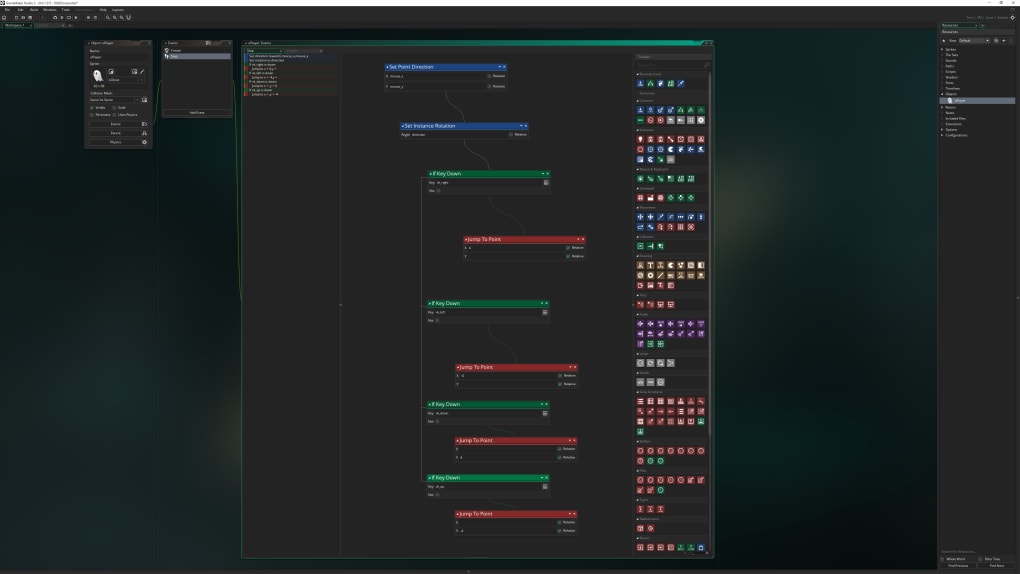
GameMaker Studio 2 boasts a comprehensive set of features designed to streamline the entire game development lifecycle. These tools extend beyond simple code editing and encompass asset management, debugging, and deployment capabilities.
Asset Management: GameMaker Studio 2 includes an integrated asset manager that simplifies the organization and management of game resources. This includes images, sounds, fonts, and other media files. The intuitive interface allows developers to easily import, edit, and organize their assets, ensuring a structured and efficient workflow. This eliminates the need for external asset management tools and keeps all game elements within a centralized hub. The asset manager’s organizational features are particularly helpful for larger projects, preventing confusion and streamlining the collaborative development process if working with a team.
In-built Physics Engine: The software’s integrated physics engine allows for realistic and engaging interactions within the game world. Developers can easily implement gravity, collisions, and other physical phenomena, adding a layer of depth and realism to their creations. This built-in engine spares developers the effort of constructing a physics system from scratch, saving significant development time and effort. The engine is also customizable, allowing developers to fine-tune parameters to suit their specific game design.
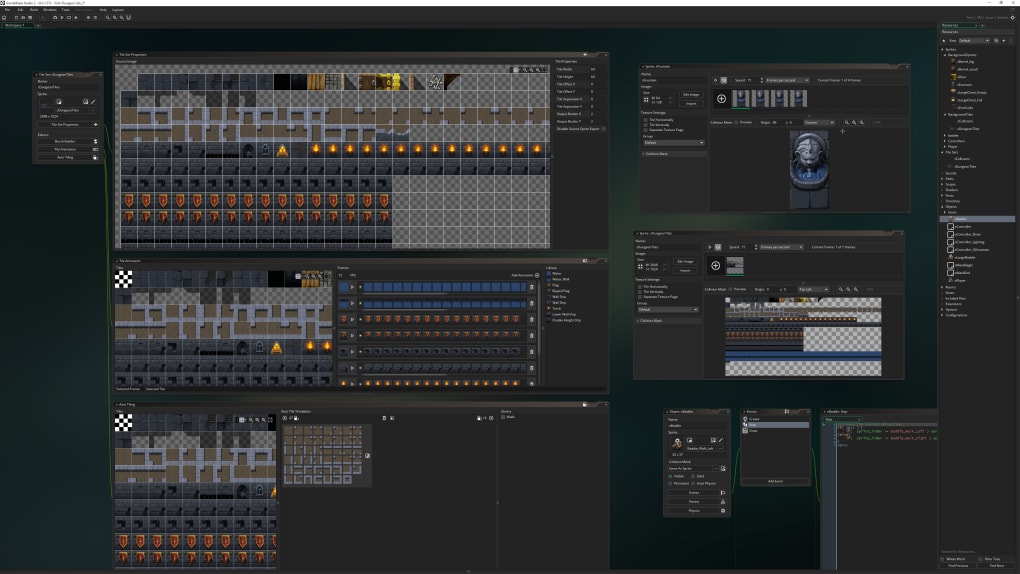
Game Logic and Events: The core of GameMaker Studio 2’s functionality revolves around its event-driven system. This system enables developers to define how their game responds to various triggers, such as player input, collisions, and timers. This system encourages modular game design, where different aspects of the game can be managed independently and seamlessly integrated. Events are visually represented within the software, facilitating easy understanding and management, regardless of coding proficiency. This modularity is especially beneficial when working on large and complex projects. The visual representation of events also enhances collaborative development by improving the clarity of game logic and design.
Debugging Tools: GameMaker Studio 2 offers a robust set of debugging tools to assist developers in identifying and resolving errors within their code. These tools range from simple breakpoints to advanced debugging features that aid in understanding program flow and identifying logic issues. These features streamline the testing and troubleshooting phase, significantly accelerating the development process. The availability of such comprehensive debugging tools is especially beneficial to newer programmers, reducing the time spent on debugging errors and accelerating the learning process.
Deployment and Export: Once a game is completed, GameMaker Studio 2 provides a straightforward process for deploying and exporting the game to various platforms. This includes Windows, macOS, Linux, Android, iOS, and HTML5, making it possible to distribute games across a wide range of devices. This cross-platform compatibility expands the potential reach of the games developed, appealing to a larger audience and increasing the potential for wider market penetration.
Advanced Features for Experienced Developers
For more experienced developers, GameMaker Studio 2 offers a number of advanced features that provide greater control and customization options. These features allow for more complex game mechanics and enhanced visual fidelity.
Custom Shaders: GameMaker Studio 2 allows developers to implement custom shaders, giving them unparalleled control over the visual appearance of their games. This enables the creation of unique visual effects and styles that are not possible with standard rendering techniques. The ability to use shaders significantly increases the creative potential of the platform. Advanced developers can use shaders to implement intricate lighting systems, realistic water effects, and other detailed visual elements.
Extensions and APIs: The platform supports a wide range of extensions and APIs, expanding its functionality and providing access to third-party tools and resources. This enhances the platform’s flexibility and adds powerful functionality to GameMaker Studio 2. Developers can use extensions to integrate external libraries, access cloud services, or add other specialized features not inherently available within the base software. This extensive library of extensions greatly increases the versatility of GameMaker Studio 2.
Multiplayer Capabilities: GameMaker Studio 2 facilitates the creation of multiplayer games through its network capabilities. Developers can leverage these tools to create engaging online experiences, fostering community interaction and boosting the longevity of their games. The inherent support for online multiplayer gaming enhances the game development possibilities offered by GameMaker Studio 2, allowing for the creation of interactive and competitive experiences that appeal to a wider audience.
GameMaker Studio 2 vs. Competitors
GameMaker Studio 2 competes with other game development platforms, such as Unity and Unreal Engine. While these platforms are powerful and widely used, GameMaker Studio 2 distinguishes itself with its accessibility and ease of use, particularly for 2D game development. Unity and Unreal Engine are more geared towards 3D game development, requiring more substantial programming knowledge and often entail a steeper learning curve. GameMaker Studio 2’s focus on 2D development and its intuitive interface allows beginners to start creating games much faster than with its heavier competitors.
Conclusion
GameMaker Studio 2 serves as a valuable tool for game developers of all skill levels. Its intuitive interface, powerful features, and cross-platform compatibility make it an excellent choice for both beginners learning the fundamentals of game development and experienced developers creating complex, feature-rich games. The platform’s continuous updates and expanding community ensure its relevance and continued growth within the game development landscape. Its affordability and accessibility also contribute to its popularity, making it an excellent platform for independent developers and educational institutions alike. The balance between ease of use and advanced functionality makes GameMaker Studio 2 a powerful and versatile option for anyone looking to explore the exciting world of game development.
File Information
- License: “Trial version”
- Latest update: “May 24, 2023”
- Platform: “Windows”
- OS: “Windows 8.1”
- Language: “English”
- Downloads: “35.8K”
- Size: “118.21 MB”


