
The world of PC gaming has undergone a monumental transformation over the past few decades, evolving from simple floppy disk installations to complex digital distribution platforms. Among the many initiatives aimed at standardizing and enhancing the PC gaming experience, Microsoft’s “Games for Windows LIVE” (GFWL) stands out as a particularly contentious chapter. Launched in 2007, GFWL was Microsoft’s attempt to integrate Xbox Live features, such as achievements, multiplayer, and friend lists, into PC games. While conceptually ambitious, its implementation was often criticized for being cumbersome, resource-intensive, and prone to breaking game functionality. For many gamers, GFWL became synonymous with frustration, often hindering the enjoyment of otherwise excellent titles.
This is where a utility like the Games for Windows LIVE Disabler becomes invaluable. Offered by developers like Quarn and available for free download on platforms such as PhanMemFree, this small yet powerful application serves a crucial role in liberating classic PC games from the shackles of a defunct and often problematic service. It provides a straightforward solution for players who wish to enjoy their beloved GFWL-enabled titles without the constant interference or mandatory requirements of a system that is no longer fully supported. For many, it’s not just a convenience; it’s a necessity for preserving the playability of a significant portion of their digital game library.
The primary function of the Games for Windows LIVE Disabler is to effectively remove or circumvent the GFWL integration from compatible games. This allows users to launch and play these games offline, often without needing to log into a Microsoft account, and bypass various compatibility issues that arise from an aging online service. This mod, specifically designed for the Windows family of operating systems, including older versions like Vista and XP, as well as modern iterations like Windows 10, addresses a common pain point. Many users, particularly those who prefer the compatibility of older Windows systems for legacy games, found GFWL to be a barrier rather than an enhancement.
The disabler is particularly helpful for those who lack the technical expertise to manually configure game servers or delve into complex system settings. Its user-friendly interface guides the player through the necessary steps, simplifying what could otherwise be a daunting process. Microsoft, while implementing various safety measures, did not fully eliminate all security threats or compatibility issues associated with GFWL. Therefore, for many, a dedicated software remover created for this purpose is the most reliable method to achieve a seamless gaming experience.
The Evolution of Gaming Platforms and the Need for Disablers
The journey of PC gaming from niche hobby to mainstream entertainment has been marked by continuous innovation, both in hardware and software. Early PC games were often standalone entities, requiring no online authentication beyond a physical disc. However, with the advent of faster internet and the rise of online multiplayer, game publishers began exploring ways to integrate online services, enforce DRM (Digital Rights Management), and build ecosystems around their titles. Valve’s Steam platform set a benchmark, offering a robust digital storefront, community features, and automatic updates. Microsoft, eager to replicate the success of Xbox Live on PC, introduced Games for Windows LIVE.
GFWL was intended to be a comprehensive ecosystem, offering cross-platform multiplayer between Xbox 360 and PC, achievements, friend lists, and a unified marketplace. On paper, it sounded appealing. In practice, however, it suffered from a series of design flaws and technical difficulties. Players often reported mandatory updates that broke existing game saves, convoluted account management, and a general clunkiness that detracted from the gaming experience. Many games required GFWL even for single-player offline play, creating an unnecessary hurdle.
When Microsoft officially announced the discontinuation of GFWL in 2013 (though its actual shutdown was more protracted and piecemeal), many games were left in a state of limbo. Some developers patched their games to remove GFWL entirely, migrating to Steamworks or other solutions. Others, particularly older or smaller titles, were simply left as they were, their online functionality permanently broken and offline play often hampered by the lingering GFWL requirements. This left a significant void for players who owned these games and wished to continue playing them without hassle.
This is precisely where the Games for Windows LIVE Disabler fills a critical gap. It’s a testament to the community-driven efforts to preserve gaming history and ensure that classic titles remain playable, even after official support wanes. In the broader context of gaming utilities, this disabler falls under the category of essential tools for game preservation and enhancement. Just as “File Managers” help organize digital assets and “Data Recovery” tools rescue lost files, the GFWL Disabler ensures that a specific category of games remains accessible. It empowers players by giving them control over their purchased content, freeing it from the constraints of a defunct service. Its creation reflects a common theme in PC gaming: when official solutions fall short, the community often steps in to provide effective workarounds.
Streamlining Your Game Library: A Utility for Classic Titles
For enthusiasts of classic PC games, managing a diverse library can be a challenge. Compatibility issues, DRM restrictions, and the disappearance of online services can turn beloved titles into unplayable digital relics. The Games for Windows LIVE Disabler is a vital tool in overcoming one such significant hurdle, making it a critical “Utility” for any serious PC gamer. It provides a means to streamline access to games that were once tethered to the GFWL platform, ensuring they function smoothly on modern operating systems or even on older, more compatible ones like Windows XP or Vista.
Consider the example of backing up saved games, a perennial concern for gamers. The Games for Windows LIVE Disabler makes this process remarkably simple, especially for GFWL-affected titles. The process typically involves:
- Downloading and Launching: First, users need to download the Games for Windows LIVE Disabler program from a reputable source like PhanMemFree. Once downloaded, launching the application initiates a guided process.
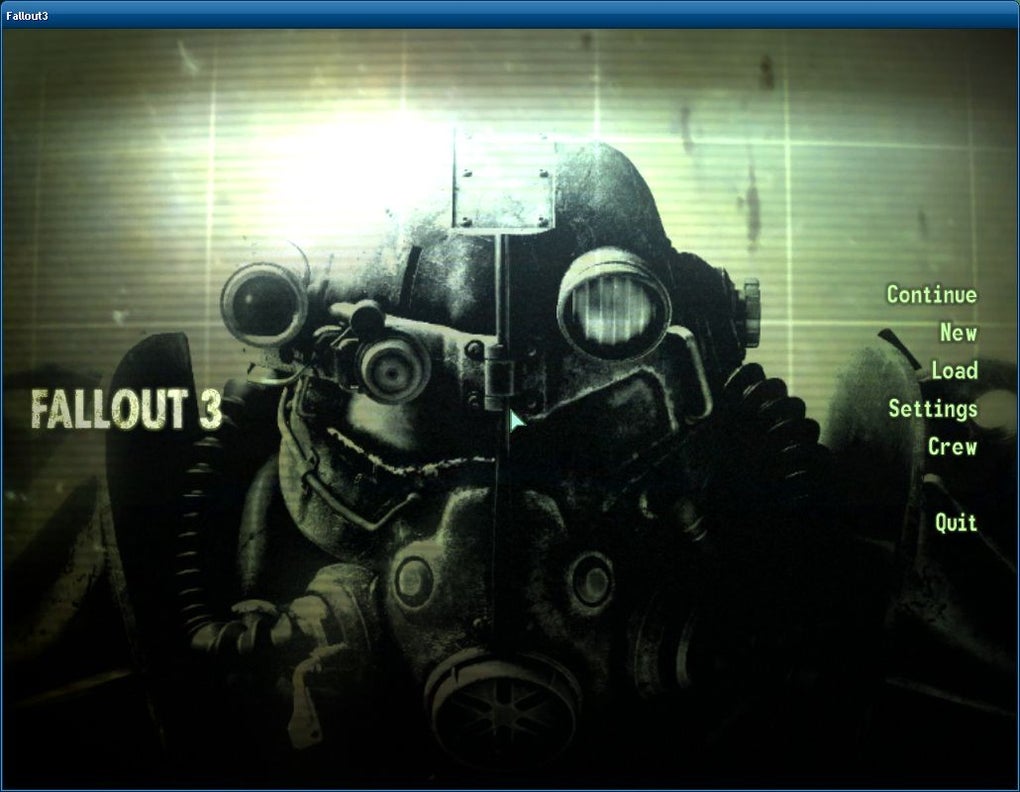
- Game Selection and Backup: The disabler prompts the user to select the game they wish to modify. For instance, if you’re playing Fallout 3 - Game of the Year Edition, the program is designed to specifically handle such titles. It will guide you through the steps to copy and save your game files, making them accessible and usable independently of GFWL. This effectively ensures your game saves are compatible with both older Windows XP setups and newer Windows 10 environments.
- Handling Game Versions: An important tip highlighted by the developer is to ensure that if you’re working with an edition like Fallout 3 - Game of the Year Edition, you have the official, newer version installed. The disabler helps facilitate this by allowing you to remove any older, potentially problematic installations and replace them with the official one. This pre-emptive step is crucial for smooth operation and prevents conflicts.
- Launching the Application and Game: After a successful installation or re-installation of your target game, you launch the Games for Windows LIVE Disabler. It will then prompt you to launch the game itself. Once the game is running, the disabler will again prompt you to back up the game. The interface presents clear options, distinguishing between the game’s files and your computer’s general directory, making selection straightforward.
- Confirmation and Troubleshooting: Upon successful completion, a notification confirms that the program has performed its task. If errors occur, the developer advises re-launching the game or the disabler to ensure optimal functionality. This simple troubleshooting step often resolves minor issues.
This process transforms games that might otherwise be unplayable or prone to crashes into stable, accessible experiences. For anyone looking to organize their “Games” library, particularly those containing “Role Playing” games, “Action” titles, or “Simulation” experiences from the GFWL era, this utility is indispensable. It frees up players to enjoy their games without the constant worry of server shutdowns or outdated authentication methods. It’s a form of digital curation, ensuring that the legacy of these games lives on, unburdened by past technological limitations.
Safeguarding Your Digital Heritage: Backup and Compatibility
In the realm of digital entertainment, the concept of “ownership” can be fleeting. While you might purchase a game, its long-term playability often relies on external services, server availability, and ongoing developer support. This vulnerability is precisely why tools like the Games for Windows LIVE Disabler are so crucial for “Security & Privacy” in the broader sense of digital rights and access. It’s about ensuring that your investment in a game doesn’t become null and void due to circumstances beyond your control, effectively acting as a form of “Access Control” over your own purchased content. Furthermore, its ability to manage game saves aligns it with core “Utilities” such as “Data Recovery” and “Backup & Cloud Storage,” ensuring that your progress and data are preserved.
The disabler ensures that even if Microsoft were to completely pull the plug on every vestige of GFWL, your games would remain functional. This level of autonomy is invaluable for preservation. Many gamers invest countless hours in “Role Playing” games, building intricate characters and narratives. Losing access to these saves or being unable to launch the game due to an defunct online service is a significant blow. The Games for Windows LIVE Disabler acts as a bulwark against such digital attrition, making games independently launchable and their save files manageable.
The utility’s compatibility with a range of Windows operating systems, from Windows XP to Windows 10, is another key aspect of safeguarding digital heritage. Older games often run best on the operating systems they were designed for, or they require specific compatibility layers on newer systems. GFWL added an extra layer of complexity, often causing conflicts on newer OS versions. By removing GFWL, the disabler often improves the overall stability and performance of these legacy titles on both old and new Windows environments. It bridges the gap between different eras of Windows, making it a powerful cross-generational solution.
This focus on compatibility and data preservation extends to the ability to easily back up game saves. As the guide on PhanMemFree highlights, the disabler simplifies the process of copying game data. This isn’t just about making the game playable; it’s about making your progress playable. For “Action” games where progress can be rapid, or “Adventure” games with complex narratives, ensuring saves are secure and transferable is paramount. This functionality elevates the disabler beyond a mere workaround; it makes it a vital tool for game archival and personal digital asset management.
Moreover, the small footprint of the application itself – a mere 292.85 KB – means it consumes minimal system resources. This efficiency is characteristic of well-designed “Utilities” and further underscores its value as a simple, effective solution. Its status as a “Free” application also makes it accessible to everyone, promoting broader game preservation efforts within the gaming community.
Beyond Games for Windows LIVE: Embracing Modern Gaming Environments
The experience with Games for Windows LIVE taught the gaming industry, and players, valuable lessons about the perils of restrictive and poorly implemented digital platforms. While the GFWL Disabler solves a specific problem for a particular era of games, its existence also serves as a reminder of the continuous evolution of “Games” and gaming infrastructure. Today, digital distribution is dominated by platforms like Steam, Epic Games Store, GOG, and various console storefronts. These platforms have largely learned from the mistakes of GFWL, offering more streamlined experiences, robust community features, and greater transparency regarding DRM and game ownership.
Modern “Games” often rely on more sophisticated and less intrusive DRM systems, or they may offer entirely DRM-free experiences, particularly from platforms like GOG. The focus has shifted towards providing a seamless user experience, with features like cloud saves, automatic updates, and integrated social functionalities. This stands in stark contrast to the clunky, often mandatory GFWL integration that plagued older titles.
However, even in modern gaming, issues of game preservation and accessibility persist. Games are increasingly reliant on online services, and if those services shut down, the games can become unplayable. This is particularly true for “MMORPG” or heavily online-dependent “Simulation” games. While the GFWL Disabler won’t solve these new challenges, it sets a precedent for community-driven solutions. It highlights the importance of tools that empower players to maintain access to their purchased content, even when official support ends.
The continued availability and utility of a tool like the Games for Windows LIVE Disabler, years after GFWL’s effective demise, speaks volumes about the longevity of PC games and the dedication of the gaming community. It ensures that titles like Grand Theft Auto IV, Fallout 3, and Dirt 2, among others, can still be enjoyed without the headaches they once imposed. It’s a bridge between gaming’s past and its present, allowing players to revisit cherished memories without technical frustration.
Looking forward, the principles behind the GFWL Disabler — ensuring accessibility, compatibility, and user control — remain relevant. As technology advances and new platforms emerge, there will always be a need for utilities that address legacy issues and ensure that our digital entertainment libraries remain playable and enjoyable for years to come. Whether it’s through community-made patches, open-source initiatives, or simple disablers like this one available on platforms such as PhanMemFree, the spirit of game preservation will undoubtedly continue to thrive, safeguarding the rich history of PC gaming for future generations.
App specifications:
- License: Free
- Version: 1.2.2
- Latest update: September 8, 2021
- Platform: Windows OS
- OS Compatibility: Windows 10 (and earlier versions like XP, Vista)
- Language: English
- Downloads (Last Month): 22 (Total: 1.5K)
- Size: 292.85 KB
- Developer: Quarn
This small, efficient utility developed by Quarn is a testament to the community’s effort to keep older games playable. Its minimal size ensures it won’t clutter your system, and its free availability makes it an accessible solution for anyone facing GFWL-related issues. For those seeking to preserve their classic gaming experiences, the Games for Windows LIVE Disabler remains an essential download from trusted sources like PhanMemFree.
File Information
- License: “Free”
- Version: “1.2.2”
- Latest update: “September 8, 2021”
- Platform: “Windows”
- OS: “Windows 10”
- Language: “English”
- Downloads: “1.5K”
- Size: “292.85 KB”


