
gedit, the default text editor for the GNOME desktop environment on Linux, has gained popularity for its simplicity, ease of use, and surprising versatility. While originally designed for the Linux world, gedit’s availability on Windows allows users across platforms to experience its benefits. This comprehensive guide explores gedit’s features, capabilities, and suitability for various tasks, from simple text editing to more advanced programming needs.
A Simple Yet Powerful Interface
gedit’s strength lies in its uncluttered and intuitive interface. The focus is squarely on the text itself, minimizing distractions and maximizing the user’s concentration. This clean design, coupled with straightforward functionality, makes gedit exceptionally accessible to both novice and experienced users. Opening and saving files is a breeze, with support for a wide array of ASCII files. The editor’s simplicity doesn’t, however, translate to a lack of features. Far from it, gedit packs a powerful punch under its minimalist exterior.
The core functionalities include the expected text editing capabilities like cut, copy, paste, and undo/redo. Beyond these basics, gedit provides robust search and replace functionality, allowing for efficient editing of large documents. The inclusion of a spell-checker is a valuable asset for ensuring accuracy, particularly beneficial when working with documents that require a high degree of grammatical precision. This spell-checking isn’t limited to standard text; it also proves helpful when editing code, preventing spelling errors that could lead to syntax problems. Finally, gedit provides straightforward printing options, making it easy to produce hard copies of documents.
Programming Language Support and Syntax Highlighting
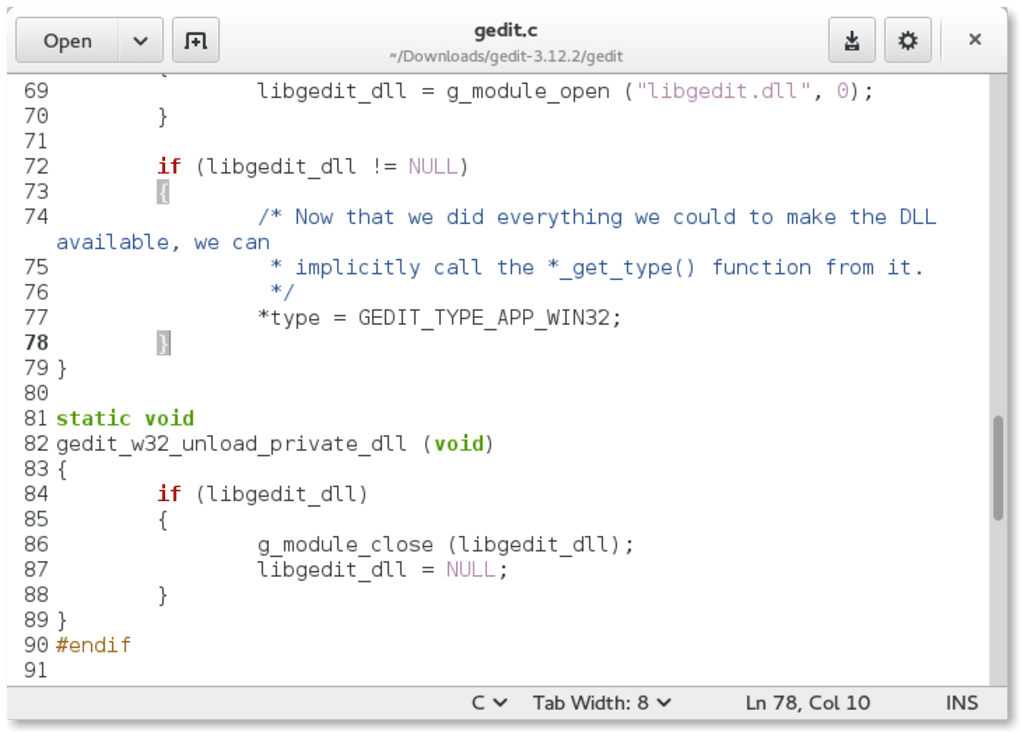
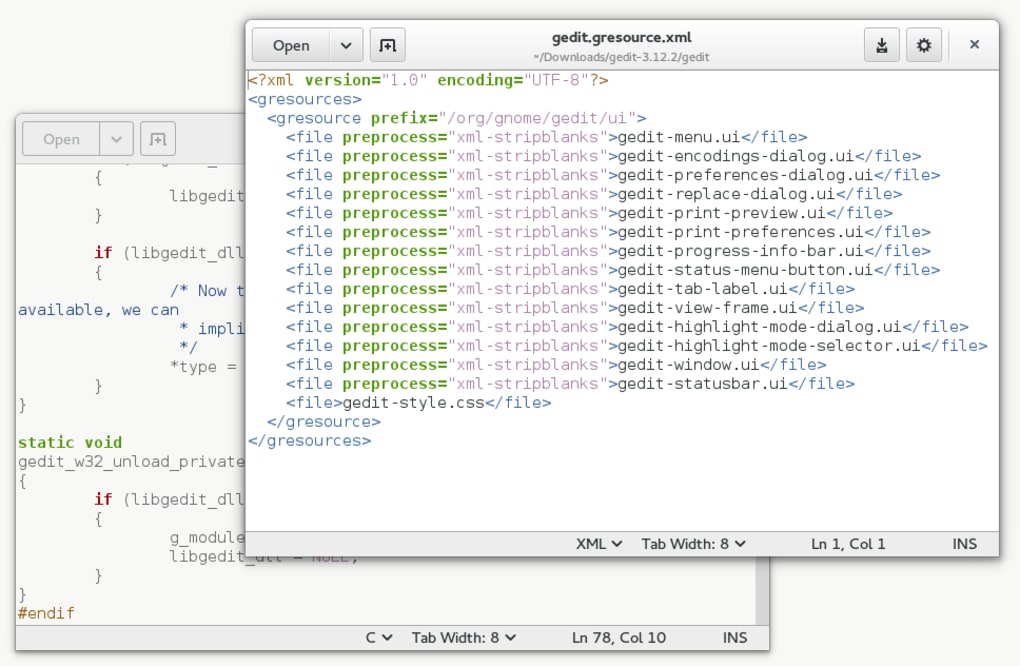
One of gedit’s significant advantages is its support for a wide range of programming languages. This support goes beyond basic text editing; gedit incorporates syntax highlighting, a critical feature for programmers. Syntax highlighting visually distinguishes different elements of code, making it easier to read, understand, and debug. This color-coding of keywords, variables, and other components improves code readability significantly, reducing the likelihood of errors.
gedit’s automated language detection enhances its usefulness for programmers. The editor automatically recognizes the programming language being used (e.g., Python, C, C++, Java, Perl, XML, HTML) and applies the appropriate syntax highlighting scheme. This eliminates the need for manual configuration, streamlining the coding process. Furthermore, users can customize the highlighting colors to personalize their coding environment and improve visual comfort. Beyond basic highlighting, gedit also offers support for formatting options within the highlighted code, allowing the use of bold, italics, underlines, and strikethrough to emphasize specific elements.
Extensibility through Plug-ins
gedit’s functionality is further enhanced by its support for plug-ins. These add-ons provide a mechanism to extend the core features of the editor, tailoring it to specific needs and preferences. The “Preferences” window offers access to a comprehensive list of available plug-ins, ranging from minor enhancements to significant additions.
Upon initial installation, only a subset of plug-ins might be enabled. However, users can easily activate others based on their individual requirements. The versatility offered by plug-ins is a powerful asset, allowing users to customize gedit to a much greater extent than many other text editors of comparable size and simplicity. The ability to expand functionality based on specific needs is a compelling advantage for users involved in diverse projects.
Advanced Features and Autosave Functionality
While simplicity is a cornerstone of gedit’s design, it’s not devoid of advanced features. The inclusion of line numbers is highly beneficial when working with large codebases, making navigation and referencing specific sections much more efficient. This feature, coupled with the “Go to Line” function, allows for rapid access to any line within a document.
The integration of internationalized text support is another key feature, allowing for seamless editing of documents containing characters and alphabets from various languages. The ability to handle Arabic characters and other non-Latin scripts ensures that gedit remains a useful tool across diverse linguistic contexts. A valuable addition is the “Document Statistics” plug-in, which provides information about the number of characters, words, lines, and bytes in the document. This helps users monitor file size and identify potentially excessive content.
Beyond these advanced features, gedit incorporates automatic saving, a vital safeguard against data loss. This autosave function ensures that progress is regularly saved, mitigating the risk of losing unsaved work due to unexpected system crashes or interruptions. The program also creates backup copies of saved files, providing an additional layer of protection against accidental deletions or data corruption. This automated backup feature is particularly useful when working on critical files, such as configuration scripts, where even minor errors can have significant consequences.
gedit: A Strong Contender in the Text Editor Landscape
gedit’s combination of simplicity, power, and extensibility makes it a strong contender in the text editor arena. While it might not boast the expansive feature set of some more heavyweight editors, its ease of use and strong core functionality are significant advantages. The support for various programming languages, along with its built-in syntax highlighting and plug-in architecture, makes it a viable option for programmers of varying skill levels.
Its cross-platform availability (Windows, Linux, Mac) further enhances its appeal. The ease of installation on Windows, combined with its lightweight nature, ensures that it doesn’t impose a burden on system resources. Whether you need a simple text editor for creating documents or a capable tool for coding in multiple languages, gedit proves to be a reliable and efficient choice. The ability to seamlessly transition between platforms without needing to learn a new interface is a considerable benefit for users who work across different operating systems.
Comparison with Alternatives
While gedit excels in its simplicity and ease of use, it is important to consider its limitations when compared to more feature-rich alternatives. Programs like Windows Terminal offer a broader range of customization options and advanced terminal features that gedit lacks. Similarly, other code editors may provide more specialized functionalities for specific programming languages or development environments. However, gedit’s ease of use and lightweight nature make it a preferable option for users who prioritize simplicity and a straightforward user experience over a multitude of complex features.
While gedit does not import multimedia content, this is a deliberate design choice reflecting its core function as a text editor. Users needing multimedia integration should explore dedicated word processing or page layout software. Similarly, the editor’s functionality remains somewhat limited without the addition of plug-ins; however, the abundance of available plug-ins allows for substantial customization, mitigating this limitation for many users.
Ultimately, the best text editor is subjective and depends on individual needs and preferences. gedit provides an excellent balance between simplicity and functionality, making it a strong candidate for a wide array of users, from casual writers to dedicated programmers. Its ability to provide a robust core experience, coupled with the flexibility to extend that experience through plug-ins, makes it a versatile and powerful text editor well worth considering.
File Information
- License: “Free”
- Latest update: “July 11, 2023”
- Platform: “Windows”
- OS: “Windows 2003”
- Language: “English”
- Downloads: “327.2K”
- Size: “619.02 KB”


