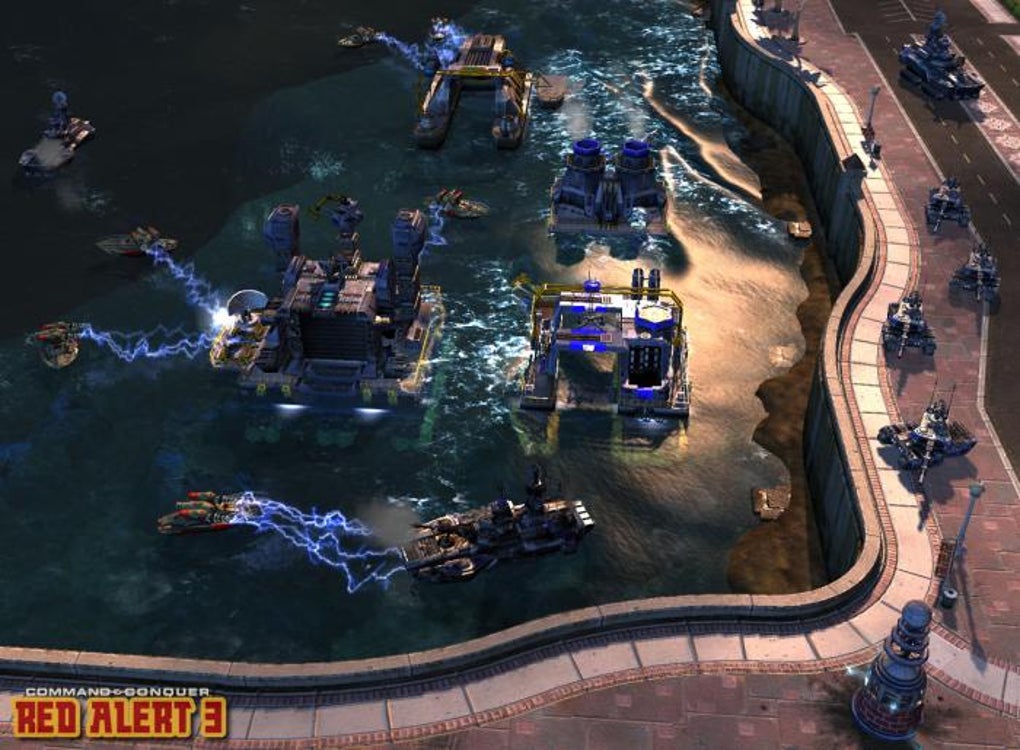
GenLauncher Mod is a free, user-friendly mod management utility designed specifically for Command & Conquer: Generals - Zero Hour. Developed by independent game developer PaL_Ser, this tool provides a streamlined and intuitive graphical user interface (GUI) for installing, managing, and launching multiple mods simultaneously. It simplifies the often-complex process of integrating modifications into the game, ensuring compatibility and maintaining optimal performance even when numerous mods are active. This detailed review will explore the features, functionality, and overall experience of using GenLauncher Mod.
Streamlining Mod Management for Command & Conquer: Generals - Zero Hour
The Command & Conquer series holds a significant place in real-time strategy (RTS) gaming history. Its enduring popularity is fueled by engaging gameplay and strategic depth, further enhanced by a robust modding community. Generals - Zero Hour, a popular expansion, boasts a vast collection of community-created modifications, ranging from minor tweaks to substantial overhauls. Manually managing these mods can be a daunting task, often involving navigating complex file structures and potentially causing conflicts between different modifications. GenLauncher Mod elegantly solves this problem.
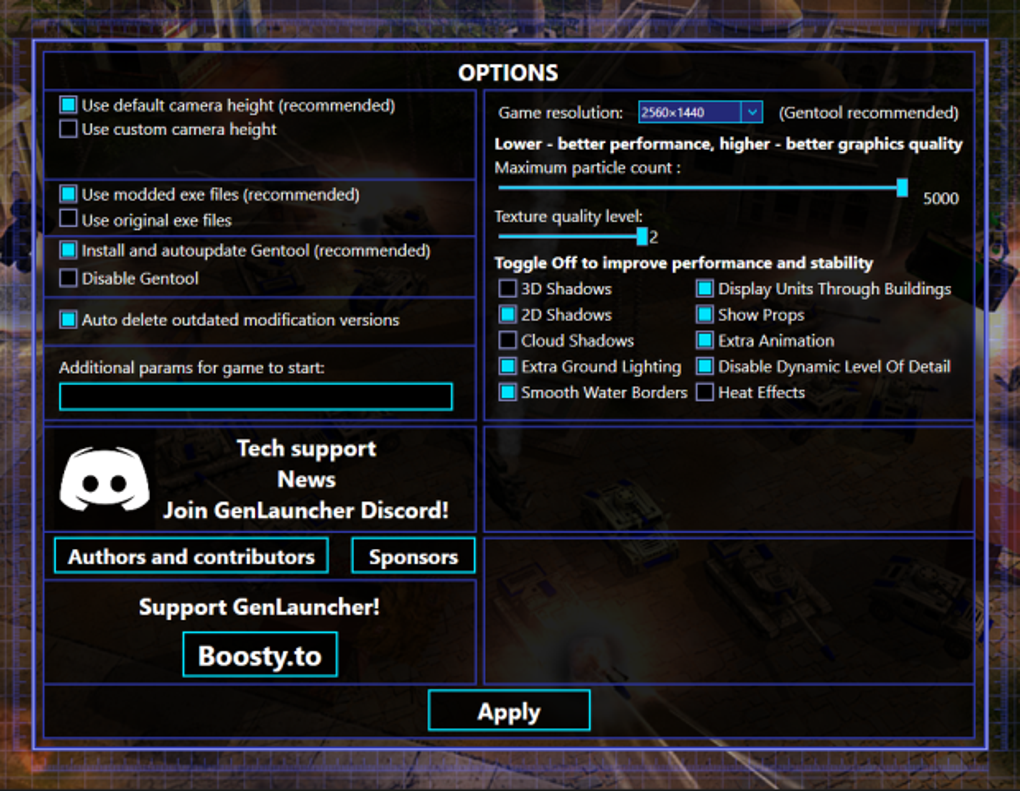
The program’s core function is simplifying the management of these player-created modifications. It eliminates the need for manual file manipulation, presenting a clean and efficient interface for adding, removing, and activating mods. This centralized management system prevents conflicts, ensuring a stable and enjoyable gaming experience. The intuitive design makes it accessible to both seasoned modders and newcomers alike.
Installing and Managing Mods: A User-Friendly Approach
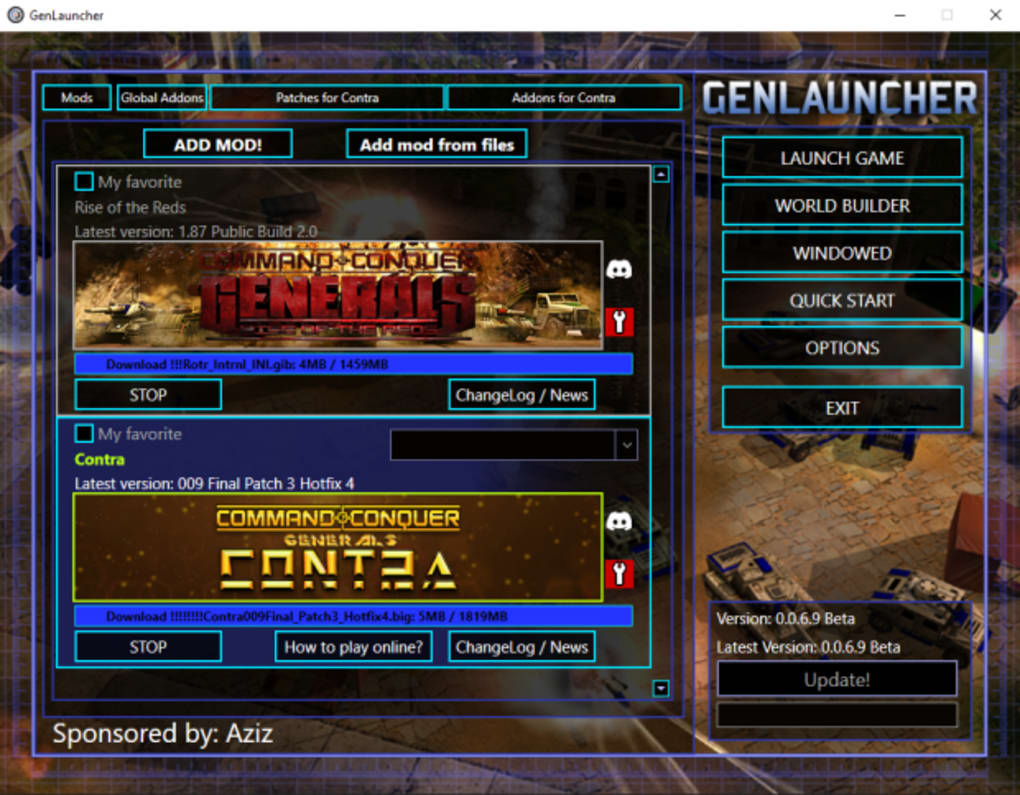
GenLauncher Mod’s ease of use is a standout feature. Upon launching the program, users are immediately presented with clear options for adding mods. Two primary methods are available:
- Add Mod (Online): This feature allows users to directly download mods from online repositories, simplifying the acquisition process. The program likely incorporates a curated list of trusted sources or supports popular mod hosting platforms, mitigating the risks associated with downloading mods from untrusted websites. This direct download feature saves users the time and effort of manually searching for and downloading mods from disparate sources.
- Add Mod from Files (Locally): This option allows users to add mods already downloaded to their computer. This is particularly useful for mods obtained from sources not directly supported by GenLauncher Mod’s online functionality or for mods acquired through other means. This flexibility caters to a wide range of user preferences and modding approaches.
Once mods are added, managing them is straightforward. A simple checkbox system allows users to select which mods they wish to activate for each gameplay session. The program handles the loading and prioritization of these mods, preventing conflicts and ensuring stability. The user interface clearly displays the selected mods, providing a visual confirmation of the currently active modifications.
Beyond basic mod management, GenLauncher Mod extends its functionality to encompass:
-
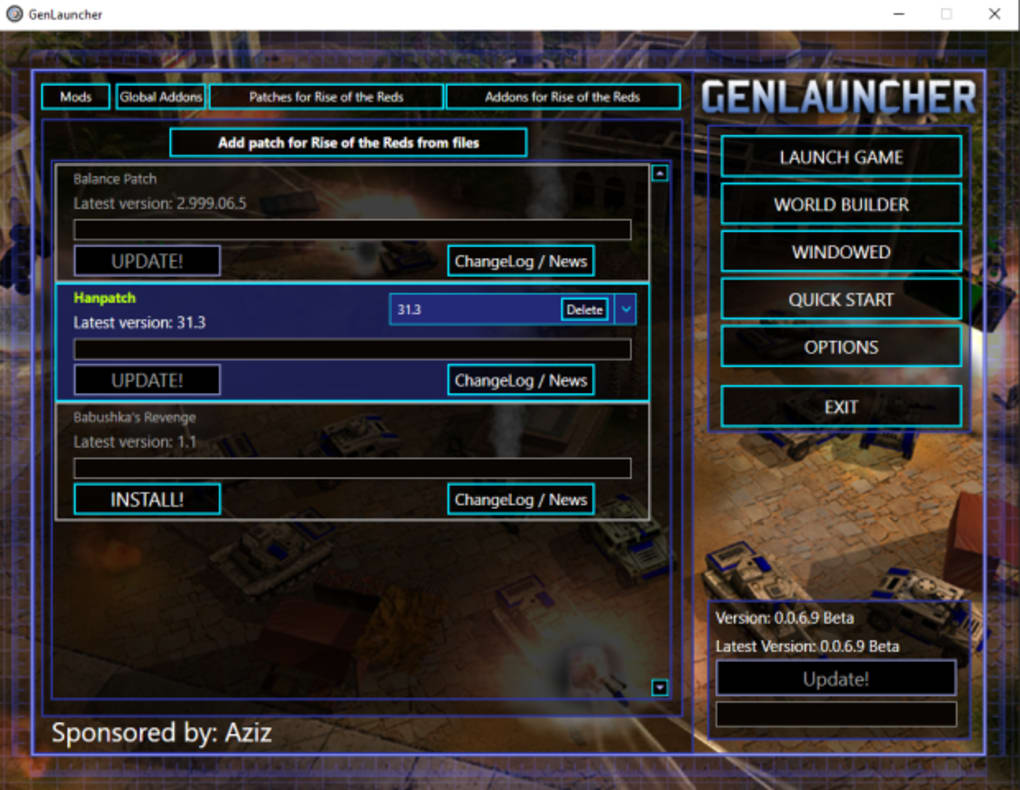
Patch and Addon Support: The program also supports the installation and management of patches and addons specific to individual mods. These enhancements often address bugs, add new features, or improve the overall gameplay experience. This integrated approach streamlines the update process, ensuring users have access to the most current and polished versions of their favorite modifications.
-
Simultaneous Mod Usage: A key advantage of GenLauncher Mod is its ability to handle multiple mods concurrently. Users can seamlessly combine various modifications, tailoring their gameplay experience to their preferences. The program carefully manages the dependencies and potential conflicts between different mods, maximizing compatibility and reducing the risk of game crashes or instability. This feature provides a high degree of customization and allows for unique and personalized gameplay experiences.
Ongoing Development and Community Support
It’s important to note that GenLauncher Mod is still under active development. This means that while the program is generally stable and functional, users might encounter occasional bugs or unexpected behavior. However, PaL_Ser, the developer, demonstrates a commitment to addressing these issues promptly through regular updates. This ongoing development is a testament to the developer’s dedication to improving the program and enhancing user experience.
The active development also suggests a potential for future features and enhancements. The developer might incorporate user feedback to improve the interface, add new features, expand compatibility with additional mods, or implement advanced functionality such as automated mod updates or conflict resolution tools. This ongoing evolution ensures that the program remains relevant and useful to the community.
Advantages and Disadvantages of GenLauncher Mod
Advantages:
- Intuitive Interface: The user-friendly interface makes mod management accessible to players of all technical skill levels.
- Simplified Mod Installation: Streamlines the process of adding mods, eliminating manual file manipulation.
- Multiple Mod Support: Allows for the simultaneous use of multiple mods without conflicts.
- Patch and Addon Support: Provides integrated management of patches and addons for a comprehensive modding experience.
- Active Development: Regular updates ensure the program is consistently improved and maintained.
Disadvantages:
- Active Development: While this is generally a positive, it means the occasional bug might appear.
- Potential for Future Conflicts: As new mods are released, compatibility issues could potentially arise.
Alternatives and Comparisons
While GenLauncher Mod provides a robust solution for managing mods in Command & Conquer: Generals - Zero Hour, it’s important to acknowledge that alternative methods exist. Some players may choose to manually install and manage mods, requiring a more technical understanding of the game’s file structure and potential conflicts. Other generic mod managers might offer broader compatibility but lack the specialized features and intuitive design tailored to the specifics of Generals - Zero Hour. Therefore, the choice of mod manager hinges on individual preferences and technical expertise. GenLauncher Mod distinguishes itself by its dedicated focus on this specific game, streamlining the process in a manner that other more general-purpose tools may not replicate.
Conclusion: A Must-Have for Generals - Zero Hour Players
GenLauncher Mod offers a significant improvement in the experience of modding Command & Conquer: Generals - Zero Hour. Its user-friendly interface, integrated patch support, and ability to handle multiple mods simultaneously make it an invaluable tool for players seeking to enhance their gameplay. While the ongoing development might introduce occasional bugs, the developer’s commitment to updates and the overall usability of the program make GenLauncher Mod a highly recommended tool for anyone looking to explore the vast world of Generals - Zero Hour modifications. Its simplicity and effectiveness elevate the modding experience from a potentially tedious task into a streamlined and enjoyable process, ultimately enriching the gameplay experience for players of all skill levels. The ease of installing, managing, and launching multiple mods simultaneously is a significant advantage, allowing players to customize their gameplay with a level of freedom and flexibility previously unavailable.
File Information
- License: “Free”
- Version: “6.9”
- Latest update: “September 8, 2022”
- Platform: “Windows”
- OS: “Windows 8”
- Language: “English”
- Downloads: “4.7K”
- Size: “5.43 MB”