
Geometrize is a free, open-source multimedia application that offers a unique approach to image editing. Instead of traditional filters and adjustments, Geometrize transforms images into captivating works of art by recreating them using geometric primitives – lines, circles, triangles, and more. This innovative approach allows users to explore the artistic potential of their photographs in a way that’s both visually striking and technically intriguing. This comprehensive review will delve into the features, functionality, and overall user experience of Geometrize, exploring its strengths and weaknesses to determine its value for both novice and experienced users.
The Art of Geometric Recreation
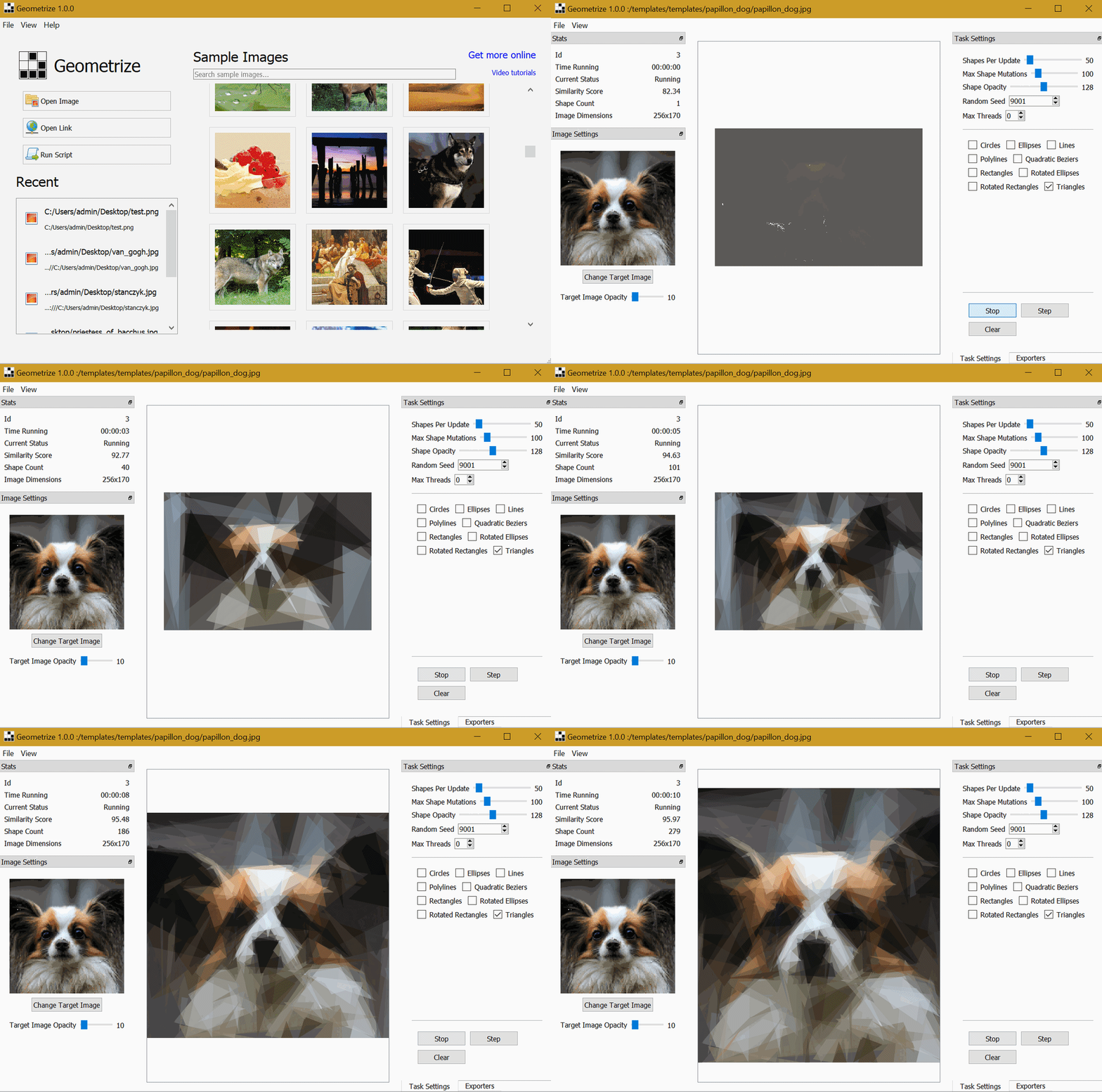
At its core, Geometrize utilizes a sophisticated algorithm to approximate an image using a carefully selected set of geometric shapes. This process, visible in real-time, provides a fascinating insight into the computational artistry involved. As more shapes are added, the recreated image steadily improves in accuracy, mirroring the original picture while retaining the unique aesthetic of its geometric composition. The result is a visually engaging transformation that adds a layer of abstract beauty to familiar images. The application’s capacity to dynamically illustrate this process is a significant element of its appeal, making it more than just an image editor; it’s an interactive demonstration of algorithmic art.
The algorithm’s effectiveness is evident in the gradual refinement of the recreated image. The user can observe how the initial approximations, often crude representations of the original, progressively develop into detailed and surprisingly accurate depictions. This real-time visualization underscores the power of the underlying algorithm and provides an engaging learning experience, even for those unfamiliar with the technical aspects of image processing. The evolving image serves as a visual testament to the capabilities of the software and its clever implementation of geometric principles.
User-Friendly Interface and Intuitive Controls
While Geometrize’s interface might appear somewhat dated in comparison to modern, visually polished applications, its layout is surprisingly intuitive. The uncluttered design ensures ease of navigation, even for users unfamiliar with similar image processing software. The arrangement of tools and panels is logical, minimizing the learning curve that can often accompany sophisticated applications. Users can customize the arrangement of panels, hiding or showing elements as needed to tailor their workspace to their preferences. This flexibility contributes to a comfortable and efficient user experience, enabling users to focus on the creative process rather than wrestling with a complex interface.
The ease of importing images is another noteworthy aspect. The drag-and-drop functionality simplifies the process of adding images from local storage, and the option to provide image links allows for seamless integration with online resources. This versatility streamlines the workflow, allowing users to quickly start their geometric transformations without unnecessary complications. This straightforward approach eliminates barriers to entry, making the application accessible to a broader range of users.
Customization and Control: Tailoring the Transformation
Geometrize offers an impressive level of customization, empowering users to fine-tune the geometric recreation process to their specific creative vision. The application provides hundreds of pre-configured settings, allowing for quick and easy transformations with minimal effort. However, the true power of Geometrize lies in its ability to be tailored to individual preferences.
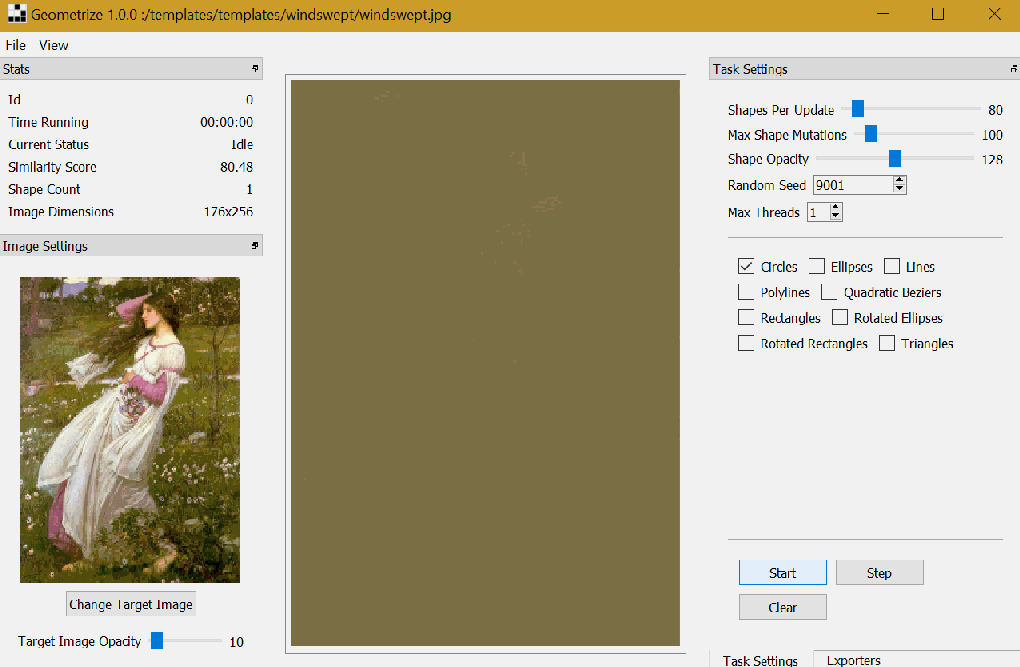
Users have the flexibility to choose the types of shapes used in the recreation, selecting from circles, lines, or triangles, or allowing the algorithm to determine the optimal mix. The number of shapes added per update is also adjustable, allowing for finer or coarser levels of detail. Furthermore, users can control the opacity of the shapes, further influencing the final aesthetic. This granular control allows for a wide range of artistic interpretations, extending far beyond simple recreations.
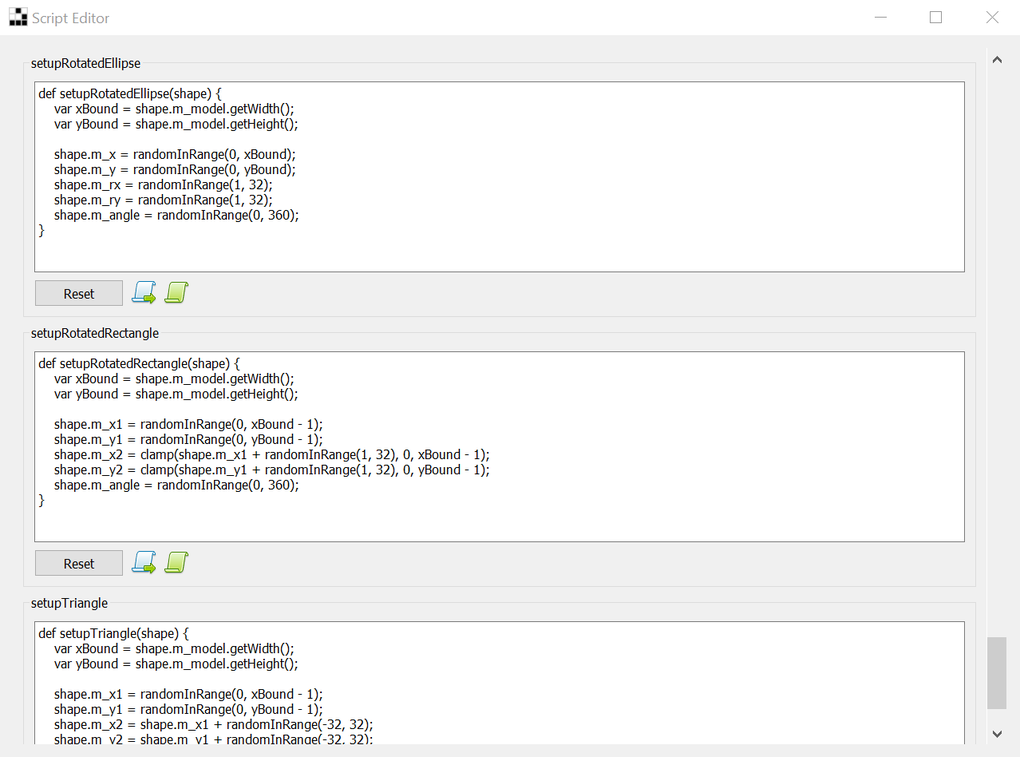
For advanced users, Geometrize integrates the ChaiScript scripting engine, providing unparalleled control over the geometrization algorithm. This feature opens the door for highly customized transformations, allowing users to experiment with complex scripts and develop their own unique geometric styles. This advanced functionality caters to experienced users seeking a high degree of creative freedom and control.
Exporting and Sharing Your Creations
Geometrize supports a wide array of image formats for both importing and exporting, ensuring compatibility with various projects and workflows. The application supports PNG, JPG, SVG, and JSON, providing options for both raster and vector outputs. The ability to export to GIF animation and web page formats significantly expands the application’s utility, allowing users to easily share their creations online or integrate them into other projects. This flexibility is a testament to Geometrize’s well-rounded design and focus on user convenience. The variety of supported formats reflects the developers’ understanding of different user needs and creative applications.
Learning Resources and Support
Recognizing the potential learning curve for beginners, Geometrize proactively provides helpful resources to ease the transition. Upon first launch, the application directs users to a YouTube tutorial series that guides them through the image recreation process and offers valuable tips on parameter settings. Furthermore, the application includes a collection of sample images with suggested parameter settings, offering practical examples and inspiration for users to experiment with. This commitment to user support greatly enhances the accessibility of the application, making it welcoming to users of all skill levels.
The combination of video tutorials and sample images creates a comprehensive learning experience. The video tutorials offer a dynamic demonstration of the application’s functionalities, while the sample images provide tangible examples that users can adapt and modify. This multi-faceted approach maximizes the effectiveness of the learning process, guiding users towards a proficient understanding of Geometrize’s capabilities.
Strengths and Weaknesses
Geometrize presents a compelling blend of innovative functionality and user-friendly design. Its real-time visualization of the geometric recreation process is captivating, and the level of customization available is truly impressive. The inclusion of helpful tutorials and sample images further enhances the user experience, minimizing the learning curve associated with more complex applications. The support for a wide range of image formats ensures seamless integration into various workflows.
However, the application’s user interface, while functional, could benefit from a modern visual update. While the layout is intuitive, a more aesthetically pleasing design would enhance the overall experience. The initial learning curve, while mitigated by the provided tutorials, might still pose a challenge for users with minimal experience in image processing or algorithmic art.
Conclusion: A Worthwhile Exploration
Overall, Geometrize is a unique and worthwhile application for anyone interested in exploring the artistic intersection of image processing and geometric algorithms. Its ability to transform images into captivating geometric representations is captivating, and its level of customization offers endless creative possibilities. While the interface might benefit from a visual update, the intuitive layout and comprehensive learning resources significantly reduce the potential barrier to entry.
If you are seeking a novel approach to image editing, Geometrize is certainly worth a try. Its innovative approach to image transformation, combined with its powerful customization options and helpful support materials, makes it a compelling addition to any digital artist’s toolkit. The ability to witness the artistic process in real-time is a unique selling point, transforming a simple image editing task into an engaging and educational experience. From novice users to experienced digital artists, Geometrize offers something to explore and appreciate.
File Information
- License: “Free”
- Version: “1.0.1”
- Latest update: “January 31, 2023”
- Platform: “Windows”
- OS: “Windows 10”
- Language: “English”
- Downloads: “525”
- Size: “57.09 MB”


