
GetRight is a veteran download manager that has stood the test of time, offering a robust feature set designed to streamline and optimize the download process. While not a free application, its comprehensive capabilities and advanced features cater to users who demand more control and efficiency from their download management. This review delves into GetRight’s functionality, exploring its strengths and weaknesses to determine its suitability for various user needs.
GetRight’s Core Functionality: Download Management Redefined
At its heart, GetRight is a powerful download manager, exceeding the basic functionality found in many free alternatives. Its key strengths lie in its ability to handle large downloads, resume interrupted downloads, and manage multiple simultaneous downloads with ease. The application excels in:
-
Robust Download Management: GetRight allows users to manage numerous downloads concurrently, prioritizing them based on individual needs. This prioritization feature is invaluable when juggling multiple downloads of varying sizes and importance. Users can easily pause, resume, or cancel downloads, maintaining complete control over the process.
-
Resume and Recovery: One of GetRight’s most compelling features is its ability to resume interrupted downloads. Network hiccups, power outages, or accidental closures will not derail downloads. The software automatically detects interruptions and seamlessly resumes from where it left off, saving users valuable time and bandwidth. This functionality extends to handling broken links; GetRight actively searches for alternative download sources (mirrors), ensuring uninterrupted progress even when the original link becomes unavailable. This mirror search capability is a standout feature, particularly beneficial when downloading large files from less reliable sources.
-
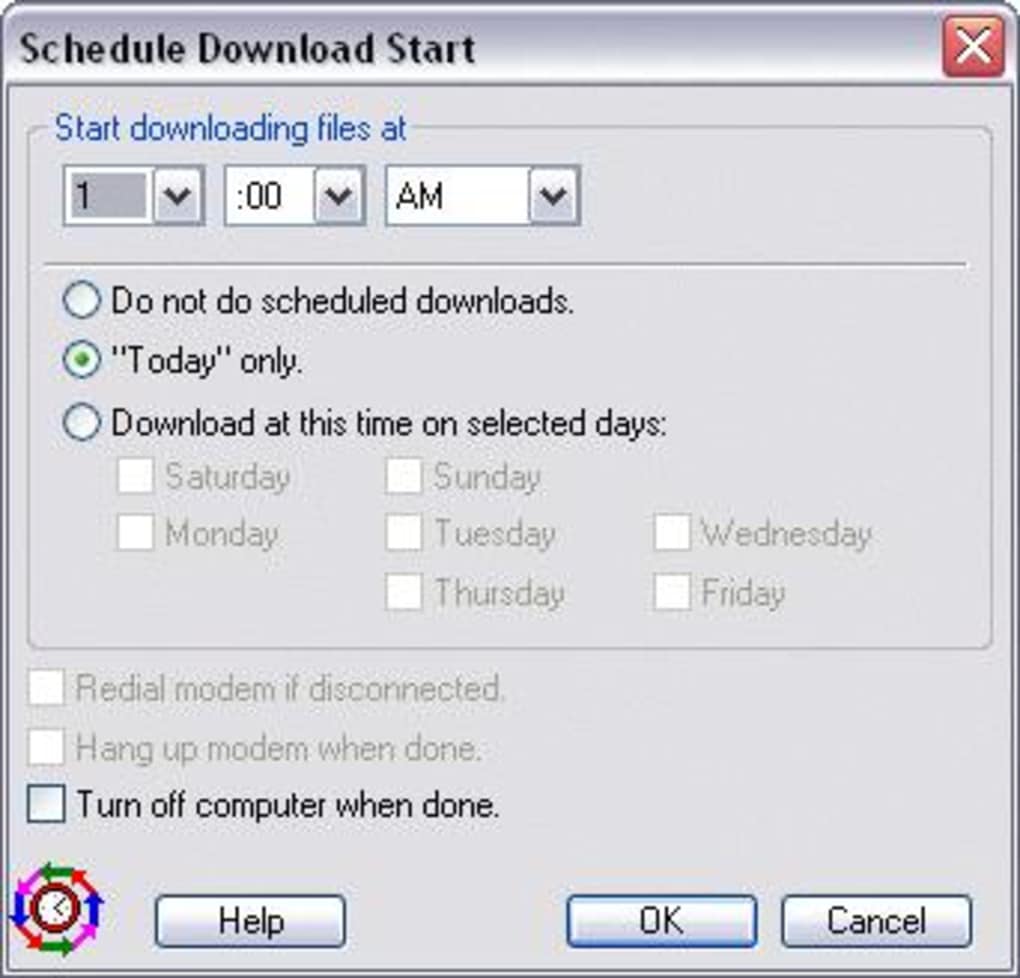
Scheduling and Automation: GetRight provides options to schedule downloads to run at specific times or during off-peak hours. This feature is especially useful for users with metered internet connections or those who want to avoid straining their network during peak usage periods. Furthermore, GetRight offers options for automatic dial-up connection and disconnection, a feature that was particularly valuable in the days of dial-up internet access, though still useful for users with specific connection scenarios.
-
Segmented Downloading: The ability to split downloads into multiple segments significantly speeds up the process, especially for larger files. By downloading multiple segments simultaneously, GetRight maximizes bandwidth utilization and minimizes download time. This feature is crucial when dealing with sizeable files where even minor time reductions can be significant.
Beyond the Basics: Integrated Browser and Advanced Features
GetRight sets itself apart from competitors with its integrated browser. This built-in browser isn’t merely a supplementary tool; it’s a powerful feature that enhances the download management experience. Users can navigate websites directly within GetRight, identifying download links and adding them to the download queue seamlessly. This eliminates the need to switch between different applications, streamlining the entire download workflow.
This integrated browser also simplifies the process of managing download links from multiple sources. Users can select multiple download links from a single webpage, adding them to the queue with ease, and easily organize downloads based on priorities, file types, or any other criteria, making the overall workflow efficient and intuitive.
Furthermore, GetRight offers a comprehensive range of settings that allow for granular control over various aspects of the download process. Users can customize download speeds, set bandwidth limitations, and specify file storage locations, ensuring optimal performance and organization.
User Interface and Experience: Simplicity and Functionality
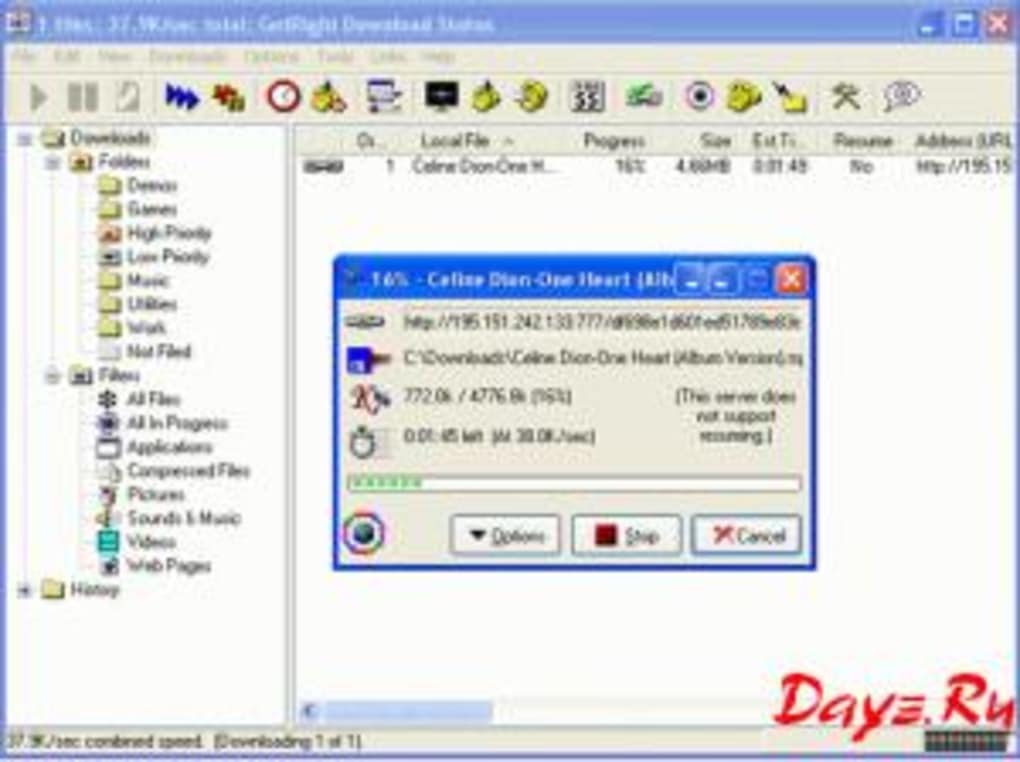
GetRight’s user interface is intuitive and user-friendly, even for users unfamiliar with download management software. The layout is clean and uncluttered, allowing easy access to key features. The main window displays all active downloads with clear progress indicators and options to control individual downloads. The software can also minimize to the system tray, allowing for background operation without cluttering the desktop.
Although the interface is straightforward, GetRight’s advanced features can seem overwhelming to first-time users. A detailed help file or online tutorial would be beneficial for users to fully leverage the software’s potential. However, for experienced users who appreciate granular control, this level of customization is a significant advantage.
GetRight’s Place in the Modern Download Management Landscape
While the market has seen a surge in free and open-source download managers, GetRight retains its relevance due to its powerful feature set and robust functionality. Its ability to handle large downloads, resume interrupted downloads, and provide advanced scheduling options remains a significant advantage for users who prioritize speed, efficiency, and reliability. The inclusion of an integrated browser further solidifies its position as a comprehensive download management solution.
However, GetRight’s non-free status is a significant drawback. Many free alternatives offer comparable functionality, making the price point a barrier for some users. The decision of whether to invest in GetRight ultimately depends on individual needs and priorities. If robust download management, advanced features, and an integrated browser are highly valued, the investment might be justified. However, for casual users requiring only basic download management capabilities, a free alternative might suffice.
Comparison with Alternative Download Managers
GetRight stands out amongst its contemporaries through its unique combination of features. While free download managers like JDownloader and Free Download Manager offer robust functionality, GetRight’s integrated browser and advanced scheduling capabilities remain unmatched in many aspects. Internet Download Manager (IDM) is a strong competitor, offering similar speed and resumption capabilities; however, GetRight provides a superior organizational system and integrated browser experience. The choice between these options depends on the user’s specific needs and preferences. The integrated browser, for instance, is a unique feature unlikely to be found in other download managers.
GetRight’s Future and Potential Improvements
The long-standing success of GetRight suggests a dedicated user base and a commitment to software development. Future updates could focus on improving the user interface, perhaps streamlining the navigation for novice users, and expanding the functionalities of the integrated browser, such as incorporating features like tabbed browsing or a more extensive history management system. Improvements to the help documentation and online resources would also enhance user experience. Furthermore, introducing a free, albeit more limited, version of the software could significantly broaden its appeal to a wider audience.
Conclusion: A Powerful Tool for Demanding Users
GetRight is a powerful and feature-rich download manager that caters to users who require a robust and comprehensive solution. Its ability to manage multiple downloads, resume interrupted downloads, and offer advanced scheduling and automation capabilities, combined with its integrated browser, makes it a compelling option for demanding users. While the price point might be a deterrent for some, its advanced functionality and overall efficiency make it a worthy investment for those who prioritize speed, reliability, and seamless download management. Ultimately, the decision to use GetRight depends on individual needs and budget considerations, but for those seeking a mature and powerful download manager, GetRight remains a strong contender.
File Information
- License: “Trial version”
- Version: “6.5”
- Latest update: “July 9, 2024”
- Platform: “Windows”
- OS: “Windows 95”
- Language: “English”
- Downloads: “10.2K”
- Size: “5.09 MB”


