
Getscreen is a powerful and user-friendly Windows application designed to provide effortless remote access to your personal computer from virtually any device with an internet connection. This comprehensive solution bridges the gap between your desktop and other devices, enabling seamless control and file transfer, all without the complexities often associated with similar software. Getscreen’s intuitive design and robust features make it an ideal choice for both personal and professional use, enhancing productivity and simplifying remote access needs.
Effortless Connection and Cross-Platform Compatibility
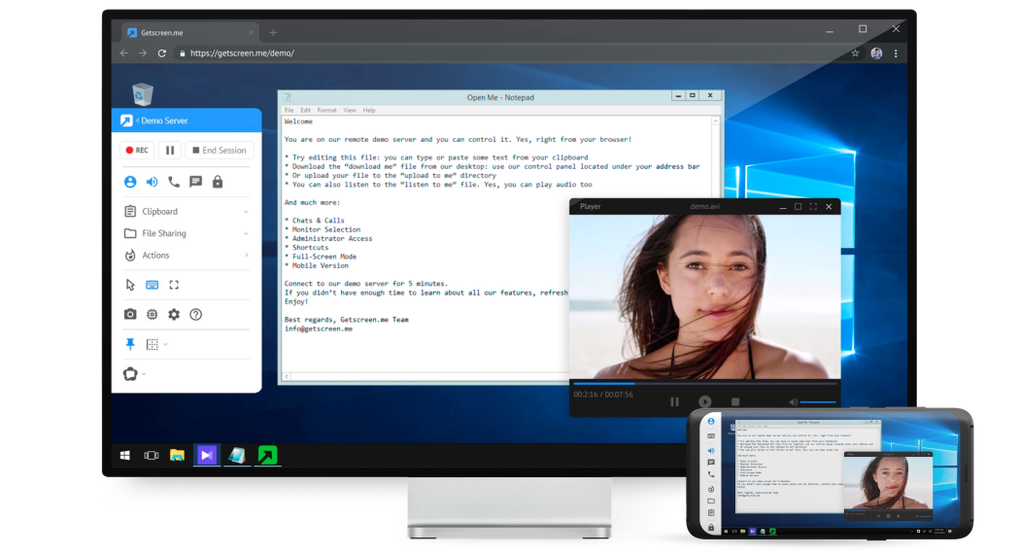
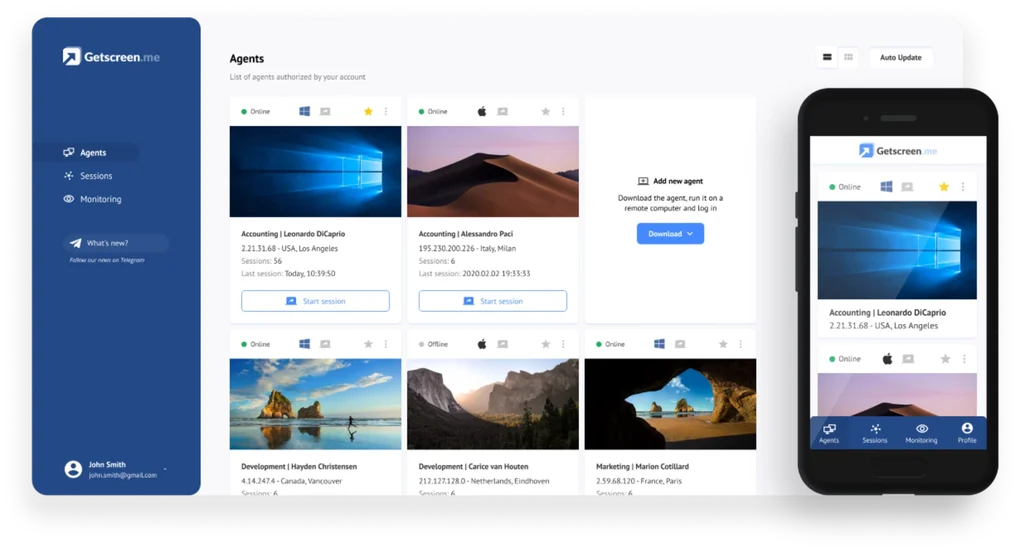
The core functionality of Getscreen revolves around its ability to establish a secure and reliable connection between your Windows PC and any other device, regardless of operating system or platform. This includes smartphones (Android and iOS), tablets, Macs, and other PCs. The setup process is remarkably straightforward. After installing Getscreen on your Windows machine, the application generates a unique link. This link serves as the gateway to your PC, accessible through any web browser on any connected device. This browser-based approach eliminates the need for dedicated apps on each device you wish to connect with, streamlining the setup and simplifying the overall user experience.
No more wrestling with complex configurations or installing numerous applications on multiple devices. With Getscreen, the connection is established quickly and efficiently, allowing you to access your PC remotely in a matter of seconds. The application automatically handles the necessary network protocols, ensuring a stable and secure connection for seamless remote control.
Multi-Monitor Support and Enhanced File Management
One of the standout features of Getscreen is its comprehensive support for multiple monitors. If your PC is configured with more than one monitor, Getscreen accurately reflects this setup in the remote access session. This ensures that you maintain the same workspace arrangement and screen real estate as on your primary machine, making the transition to remote access smooth and intuitive. You won’t experience any loss of functionality or disruption to your workflow due to multiple monitor configurations. Working across screens remotely becomes as fluid and natural as working on your local machine.
Beyond remote access, Getscreen dramatically simplifies file management and data transfer between connected devices. The application facilitates the seamless transfer of files between your PC and any remote device without the need for additional software or cumbersome procedures. This simplifies tasks such as sharing documents, transferring images, or moving large files between your computer and other devices. The process is as easy as using standard copy-paste functions within your familiar operating system.
This integrated file management system isn’t just limited to simple file transfers. It extends to complex data operations as well, enabling efficient sharing of multimedia content, such as videos and high-resolution images, without any compromise in quality or speed. This makes Getscreen particularly useful for individuals frequently sharing large media files between devices or needing quick access to data stored on their PC.
Security and Privacy Considerations
Understanding the importance of data security and user privacy, Getscreen employs robust security measures to safeguard your connection and protect your data. The application utilizes secure protocols to encrypt data transmitted during the remote access session, effectively shielding your information from unauthorized access. This encryption ensures that even if the connection is intercepted, the transmitted data remains unintelligible to unauthorized parties, providing peace of mind for users handling sensitive information. Regular security updates also maintain the effectiveness of the security protocols to combat emerging threats and vulnerabilities.
While Getscreen’s security measures are robust, it’s always prudent to practice responsible digital habits and maintain strong passwords. Consider using a strong, unique password for your Getscreen account and enabling two-factor authentication if available. Regularly update your Windows operating system and other security software to ensure your overall system remains protected.
Broad Applicability and User-Friendly Interface
Getscreen transcends the limitations of traditional remote access solutions by offering exceptional versatility. Its cross-platform compatibility makes it suitable for individuals working across different operating systems, whether it’s Windows, macOS, iOS, or Android. Its browser-based access eliminates the need for installing specific apps on every device, simplifying remote access for both tech-savvy users and those less familiar with technology. This makes it a versatile tool adaptable to a wide range of situations and user needs.
Furthermore, Getscreen’s intuitive user interface contributes significantly to its ease of use. The application is designed with a clean and straightforward layout, making it accessible to users of all technical skill levels. Even first-time users can quickly grasp the fundamental functions and establish a connection to their PC without significant effort. The clear instructions and concise design ensure that the focus remains on seamless remote access, rather than navigating a complex interface.
Beyond the Basics: Advanced Features and Future Development
While Getscreen’s core features provide a robust and comprehensive remote access solution, ongoing development promises even greater functionality and improvements in the future. The developers are actively working on enhancing the existing features and incorporating new ones based on user feedback and evolving technological advancements. This commitment to improvement ensures that Getscreen remains a cutting-edge solution in the realm of remote PC access. Future updates may include enhanced security features, improved performance optimization for various network conditions, and potentially new integrations with other productivity applications.
The development team’s focus on user feedback ensures that Getscreen continues to evolve and adapt to the changing needs of its user base. This commitment to responsiveness and continuous improvement is what sets Getscreen apart, promising a continually enhanced user experience.
In conclusion, Getscreen offers a comprehensive and user-friendly solution for seamless remote PC access. Its robust security features, cross-platform compatibility, and intuitive interface make it an ideal choice for individuals and professionals alike. With its multi-monitor support and streamlined file management capabilities, Getscreen significantly enhances productivity and simplifies remote work and collaboration. The ongoing development efforts ensure that Getscreen remains at the forefront of remote access technology, continuously adapting to meet the evolving needs of its users.
File Information
- License: “Free”
- Latest update: “March 13, 2025”
- Platform: “Windows”
- OS: “Windows 11”
- Language: “English”
- Downloads: “760”


