
In the ever-evolving landscape of digital content consumption, the efficiency and reliability of downloading files have always been paramount. While modern browsers offer rudimentary download capabilities, for power users and those dealing with substantial data, dedicated download managers have historically been indispensable tools. Among these, Gigaget emerged as a notable contender, offering a suite of features designed to streamline the downloading process, enhance speed, and provide unparalleled organization. This article delves into the functionalities, underlying technology, and user experience that defined Gigaget, positioning it as more than just a simple download utility but a comprehensive solution for digital content acquisition.
The Evolution of Download Management
Before delving into the specifics of Gigaget, it’s crucial to understand the context in which download managers thrived. The internet, particularly in its earlier decades, was often characterized by slower connection speeds, frequent disconnections, and rudimentary browser-based download functionalities. A simple browser download could easily fail due to a temporary network blip, leaving users to restart large downloads from scratch. This frustrating reality gave rise to a specialized category of software: download managers. These applications were engineered to overcome these limitations by offering features like resumable downloads, multi-part downloading, scheduled tasks, and advanced organizational capabilities. They transformed a potentially arduous process into a more manageable and efficient one.
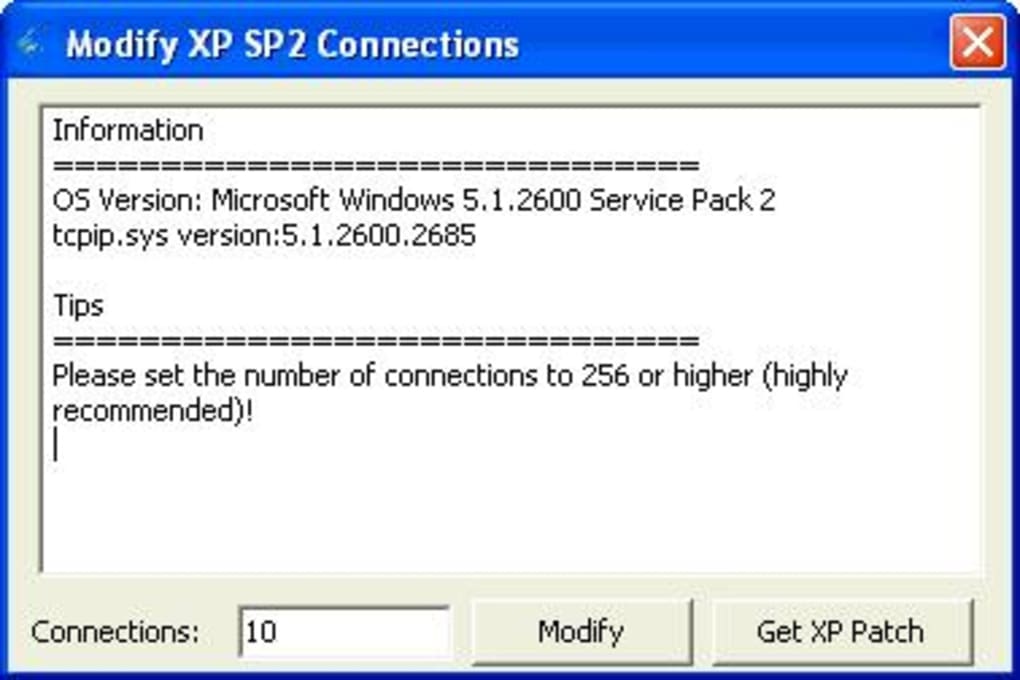
Gigaget entered this arena with a clear mission: to provide a helpful download and task manager that allows users to supervise, manage, and accelerate all their downloads. It quickly garnered attention, especially from individuals who regularly handled large files – be it extensive software packages, high-definition movies, vast music libraries, or sprawling game installations. The promise was not just about speed, but about bringing order and control to what could often feel like digital chaos. Its design aimed for a neat and intuitive interface, ensuring that even with a multitude of active or completed downloads, users could maintain a clear overview and easy access to their files.
Beyond Basic Browser Downloads
The fundamental advantage of Gigaget, like many of its peers, lay in its ability to go beyond the limitations of standard browser downloads. When a user initiated a download, the browser typically handled it as a single, continuous stream of data. If that stream was interrupted for any reason – a momentary Wi-Fi drop, a server issue, or even a system restart – the entire download would often be corrupted or lost. Gigaget, however, employed sophisticated mechanisms to mitigate these risks.
At its core, Gigaget supported the segmentation of files into multiple parts, downloading these segments simultaneously. This technique, known as multi-part downloading, had several profound benefits. Firstly, it often resulted in significantly faster download speeds because it could open multiple connections to the server, maximizing bandwidth utilization. Secondly, it enhanced resilience. If one segment’s download failed, others could continue, and only the failed segment would need to be re-downloaded, or the entire process could be resumed from the point of interruption. This resumable download capability was a game-changer for anyone dealing with unreliable internet connections or downloading extremely large files that could take hours or even days.
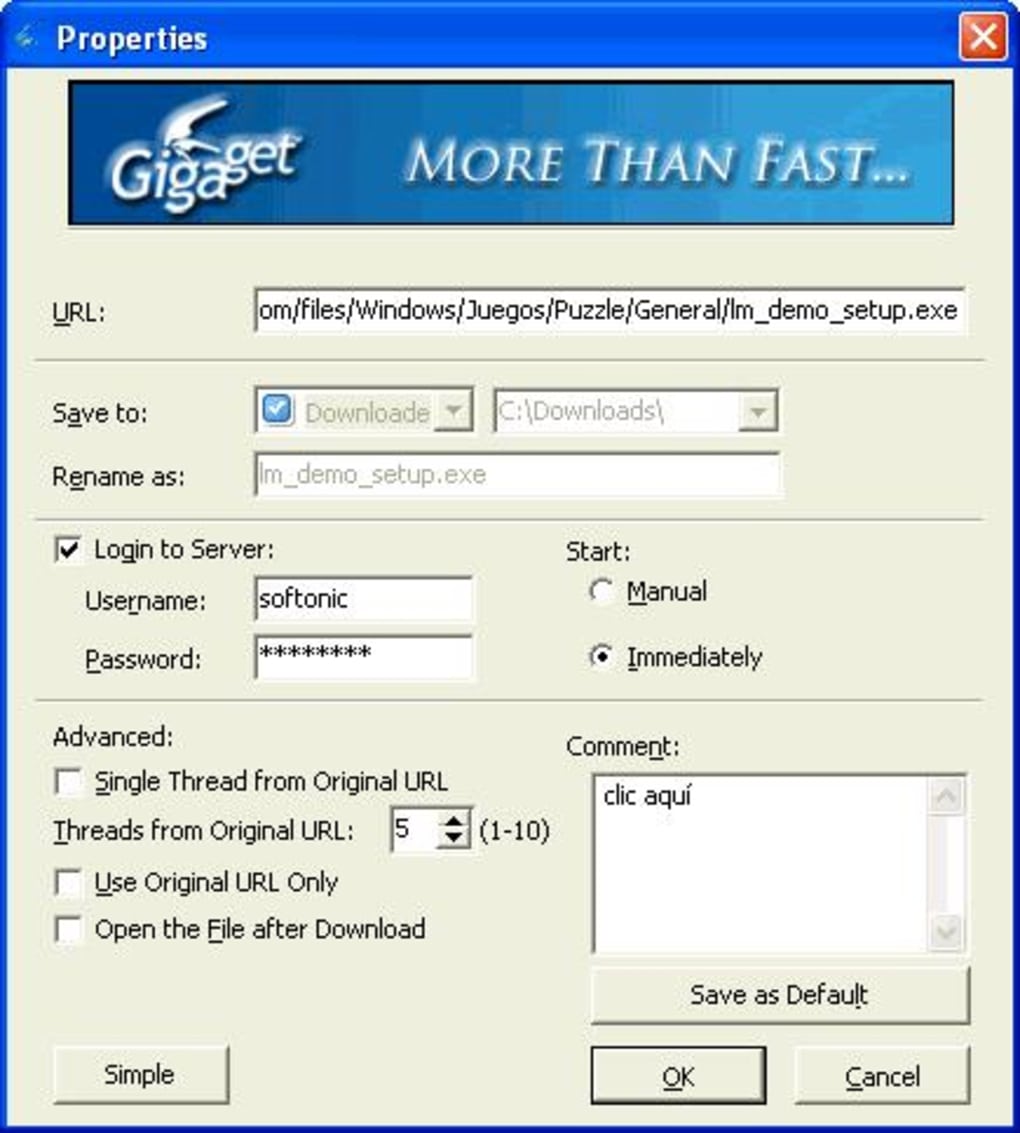
Moreover, Gigaget’s role as a central hub for all downloads provided a unified experience. Instead of scattered files and uncertain statuses within a browser’s download history, Gigaget presented a dedicated, organized environment. This single point of control for all digital acquisitions was a significant step up for productivity and file management.
Unpacking Gigaget’s Core Features
Gigaget was engineered with a comprehensive set of features, each designed to enhance a specific aspect of the downloading experience. From meticulous progress tracking to intelligent categorization, the software aimed to cover every base for its users.
Intelligent Monitoring and Error Handling
One of the standout attributes of Gigaget was its detailed monitoring system. It didn’t just tell you a download was “in progress”; it offered a deeper look into the mechanics of the download itself. Users could observe the real-time status of their downloads, gaining insights into the current download speed, estimated time remaining, and the percentage complete. This transparency was crucial, especially for large files, allowing users to gauge the efficiency of their connection and plan their digital activities accordingly.
Beyond mere status updates, Gigaget was adept at diagnostics. When a download failed, which could happen for a myriad of reasons – a broken link, server overload, or an expired session – the manager would attempt to provide information on what went wrong. While not always a definitive error code, this information could guide users in troubleshooting, helping them understand if a simple retry was needed or if the source link itself was problematic. Furthermore, its ability to closely monitor progress meant that users could identify when and why a download was slowing down. This insight could prompt actions such as pausing other internet-intensive tasks or adjusting priority settings within Gigaget itself. This proactive approach to error handling and performance monitoring made Gigaget a truly reliable companion for frequent downloaders.
Mastering Multiple and Batch Downloads
The convenience of downloading multiple files simultaneously is a hallmark of any robust download manager, and Gigaget excelled in this area. It offered a straightforward mechanism for initiating several downloads at once, managing them concurrently without significant user intervention. However, its true power lay in its batch downloading capabilities. Instead of individually adding each download link, Gigaget provided a unique feature: users could simply enter the URL of a webpage that contained multiple download links, and the application would intelligently scan the page, identify all discoverable links, and present them as a batch.
This feature was particularly invaluable for situations where an entire album, a collection of documents, or a series of software patches were hosted on a single page. Manually copying and pasting each link would be tedious and time-consuming. Gigaget automated this process, saving significant effort. Once the links were identified, users would be presented with a list, allowing them to select which files to prioritize. This was a critical control mechanism, as downloading too many files at maximum speed could saturate a network connection and slow everything down. Users could strategically pause less urgent downloads to allocate more bandwidth to critical files, ensuring that the most important content arrived first and efficiently. This level of granular control over simultaneous downloads was a significant boon to user productivity.
Superior Organization and Customization
One of the most praised aspects of Gigaget was its commitment to organization. While in-progress downloads were neatly housed in a “Downloading” subfolder, the true magic happened once files were completed. Gigaget didn’t just dump all finished files into a single, undifferentiated directory. Instead, it intelligently transferred and sorted them into categorized subfolders. These subfolders, prominently displayed on the side of the screen, included intuitive categories such as “Software,” “Game,” “Music,” and “Movie.”
This automatic categorization was a major time-saver. Imagine the frustration of searching for a recently downloaded movie amidst a heap of installer files, game patches, and music tracks. Gigaget eliminated this problem by automatically grouping files based on their type, making it significantly easier and faster to locate specific content. Users no longer had to manually move files after every download, transforming their download directory from a chaotic repository into an organized digital library.
Adding to its organizational prowess, Gigaget also offered the flexibility for users to create their own custom subfolders. This meant that if the default categories didn’t perfectly align with a user’s specific needs, they could tailor their file management system. For instance, a user might create a “Work Documents” folder or a “Personal Projects” folder, further refining the automatic sorting and providing a personalized touch to their download management. This blend of automatic and customizable organization catered to a wide range of user preferences, cementing Gigaget’s reputation as a thoughtful and user-centric application.
Furthermore, Gigaget included a “Recycle Bin” subfolder, mirroring the functionality of a computer’s operating system. When a user decided to stop or remove a download, whether it was still in progress or already completed, it wasn’t permanently deleted. Instead, it was moved to this Recycle Bin. This provided a crucial safety net, allowing users to temporarily store deleted downloads and recover them later if they changed their mind, preventing accidental loss of valuable files.
Automation for Ultimate Convenience
Gigaget understood that downloading large files often required patience, sometimes spanning hours or even overnight. It was impractical and often impossible for users to physically wait by their computers until a download sequence was complete. To address this, Gigaget incorporated an intelligent automation feature: the option to shut down the computer automatically once all scheduled downloads were finished.
This feature was a testament to Gigaget’s focus on user convenience. Users could initiate a series of large downloads before going to bed or leaving their workstation, confident that their computer would power down gracefully once its tasks were done. This not only saved electricity but also removed the need for manual intervention, freeing up users’ time and attention. It transformed the download manager from a mere utility into a truly “set-it-and-forget-it” solution for long download queues, making overnight downloads a hassle-free experience.
The Power of Net Grid Technology
What truly distinguished Gigaget from many of its contemporaries was its pioneering use of “Net Grid technology.” This was not just a marketing buzzword but a proprietary innovation designed to fundamentally alter how files were delivered and downloaded over the internet. While standard download managers focused on optimizing existing HTTP/FTP connections, Net Grid technology aimed to create a distributed network that could leverage untapped resources across the internet.
Redefining Download Speed
The core premise of Net Grid technology was to tap into the unused bandwidth and resources of networked PCs and servers. In essence, it created a peer-to-peer (P2P)-like network, but primarily for content delivery rather than arbitrary file sharing. By fragmenting files and delivering different parts from multiple sources simultaneously – not just the originating server but potentially other nodes within the Net Grid – Gigaget could dramatically increase download speeds. The claim was impressive: an improvement of 7 to 10 times over traditional download methods.
This significant speed boost was achieved by intelligently managing these distributed connections. If one source was slow or unavailable, Gigaget could seamlessly switch to faster, more responsive nodes. This dynamic resource allocation ensured that users consistently experienced the fastest possible download rates, turning what might have been an hours-long wait into a considerably shorter duration. For users, this meant quicker access to their desired content, less time spent waiting, and a more fluid online experience. It was a tangible benefit that set Gigaget apart in a competitive market, delivering on the promise of efficient digital acquisition.
Economic Advantages for Content Providers
Beyond the immediate benefits to the end-user, Net Grid technology also presented a compelling proposition for content providers. Traditionally, content providers hosting large files faced substantial operational costs associated with bandwidth and server infrastructure. Every download consumed server resources and bandwidth, and as demand grew, these costs escalated.
Gigaget’s Net Grid technology offered a solution by fundamentally reducing these operational costs. By allowing content to be delivered not solely from the provider’s central servers but also through a distributed network of other networked PCs and servers, it offloaded a significant portion of the bandwidth burden from the content provider. This meant providers could deliver large files with faster speeds, which improved user satisfaction, but critically, at a fraction of the cost of traditional solutions. The Net Grid effectively created a more resilient and cost-efficient content delivery network (CDN) without requiring content providers to invest in extensive proprietary infrastructure. This symbiotic relationship, where both users enjoyed faster downloads and providers benefited from reduced costs, underscored the innovative potential of Gigaget’s unique technological approach.
User Experience and Community Feedback
Any software’s true value is ultimately reflected in the experience of its users. Gigaget, while innovative, also had its share of feedback, ranging from enthusiastic praise to constructive criticism. The anonymous reviews gathered on platforms like PhanMemFree provided a candid look into its real-world performance.
A Praised Interface and Flexibility
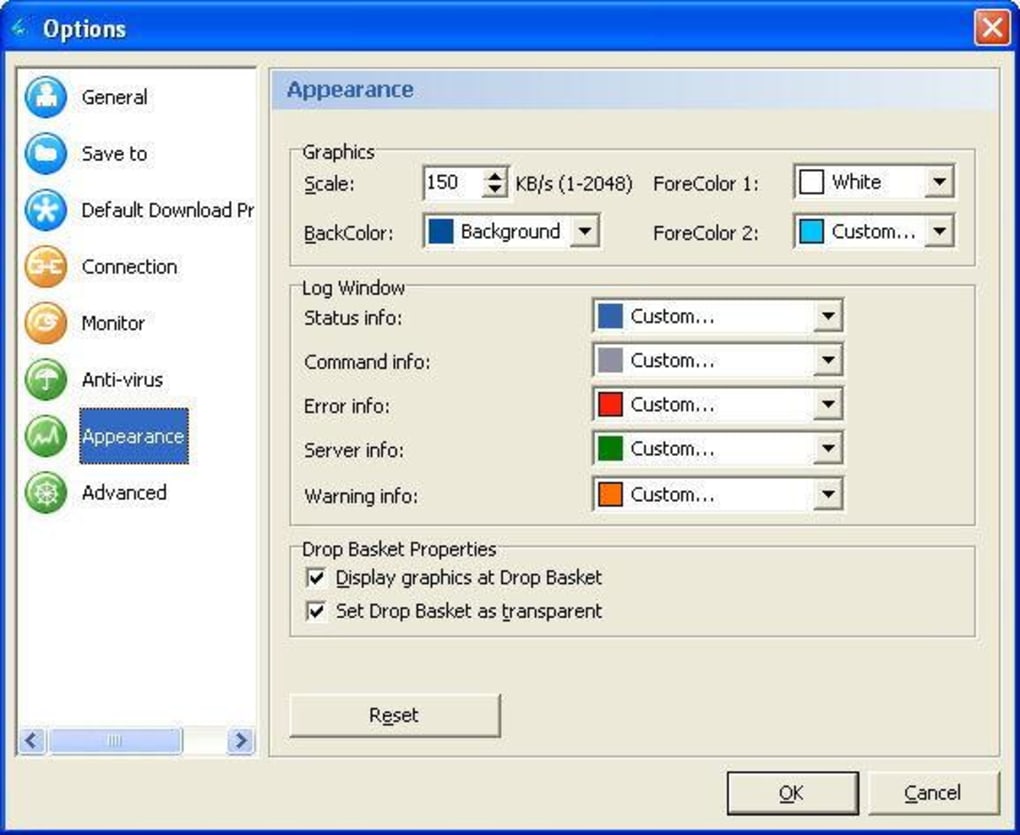
Many users lauded Gigaget for its ease of use and visual appeal. One reviewer enthusiastically described it as “Absolutely Amazing…Perfect in All Ways!”, highlighting that it was “Easy to Use,” “Easy on the Eyes,” and “Easy to Understand.” This feedback underscored Gigaget’s success in creating a user-friendly interface that avoided clutter, making it accessible even to those who preferred not to delve into extensive manuals. The ability to customize options, including color customization, further contributed to a personalized and pleasant user experience, allowing individuals to tweak the software to their aesthetic preferences.
The flexibility offered by Gigaget was another commonly praised aspect. Features like the ability to “Create new folders to sub-menu or switch default folders anytime” were highly valued, indicating that users appreciated the control over their file organization. The “Drag and Drop in (or can have it off) the Drop Basket” feature enhanced convenience, simplifying the process of adding new downloads. Furthermore, the inclusion of a “Virus Scan your downloads with your own Scanner” option provided an extra layer of security, empowering users to integrate their preferred antivirus solutions directly into the download workflow. The “Easy Shutdown of Computer After Downloads option” was also consistently cited as a highly practical and appreciated automation feature, demonstrating Gigaget’s attention to user convenience.
Users also found Gigaget to be “flexible, easy to use, and very helpful in organizing and managing your downloaded files.” Its ability to handle diverse file types, from software to movies, and keep them neatly sorted, stood out as a significant advantage over manual management or basic browser functionalities. For many, it truly became “your new downloads buddy,” a reliable companion for all their digital acquisition needs.
Areas for Improvement and Lingering Questions
Despite the glowing reviews, users also pointed out several areas where Gigaget could improve. One of the most frequently mentioned “cons” was the “Old-school interface.” While some found it “Easy on the Eyes,” others perhaps sought a more modern aesthetic that kept pace with evolving design trends in software. This often comes down to personal preference, but a more contemporary look could have broadened its appeal.
Another point of contention was that “Batch downloads can be slow,” and there was “No way to speed up downloads” beyond the inherent capabilities of Net Grid technology. While Net Grid promised significant speed increases, users might have expected more fine-grained control or options to boost specific downloads further, especially when managing numerous files concurrently. If the batch process itself introduced overhead that negated some of the speed benefits, it could lead to user frustration.
From the user reviews, practical support issues also emerged. A notable complaint was that it was “Hard to get English Support :P QQ :P” and the absence of “No email Support sniffles :p”. For a global user base, robust and accessible customer support, especially in English, is critical for troubleshooting, getting assistance, and reporting bugs. The lack of reliable support channels could undermine user confidence and limit the program’s reach. One user even mentioned that it “Doesn’t like Firefox’s newest browser (therefore having to manual into the lil hover icon),” suggesting compatibility issues with popular browser updates, which could be a significant usability barrier.
These criticisms, while minor in the context of the overall positive reception, highlighted areas where Gigaget could have refined its offering, particularly concerning its interface modernization, granular speed controls, and, most importantly, user support and browser compatibility.
Gigaget’s Legacy and Alternatives
Gigaget, at its peak, represented a significant step forward in download management. Its blend of intuitive organization, intelligent monitoring, automation features, and the groundbreaking Net Grid technology positioned it as a powerful tool for users seeking efficiency and control over their digital downloads. However, the software landscape is dynamic, and as noted in the original reference, Gigaget’s download is “no longer available,” possibly due to discontinuation or security issues. This underscores the transient nature of software and the continuous evolution of user needs and technological solutions.
A Glimpse into the Download Manager Landscape
Even as Gigaget’s direct availability waned, the fundamental need for efficient download management persisted. The market continued to offer robust alternatives, many of which shared similar core functionalities while also pushing boundaries in their own ways. Competitors and successors often iterated on the principles Gigaget championed:
- Neat Download Manager: Praised for its speed and simplicity, offering a clean interface and efficient file downloading.
- Internet Download Manager (IDM): A long-standing titan in the field, renowned for its multi-part downloading capabilities and deep browser integration, often cited for its aggressive download acceleration.
- Free Download Manager (FDM): A popular open-source alternative that combines powerful download acceleration with torrent support, prioritizing user freedom and a feature-rich experience.
- FlashGet: Another seasoned player, often compared to Gigaget, known for its speed and organizing features in a streamlined package.
- Download Accelerator Plus (DAP): Focused heavily on maximizing download speeds through multi-threaded connections and offering a host of extra utilities.
These alternatives, while differing in their specific feature sets and user interfaces, collectively continued the tradition of making internet downloads faster, more reliable, and better organized than what native browser capabilities could offer. They evolved to support new protocols, integrate with modern browsers, and adapt to changing internet speeds and file sizes.
Gigaget’s contribution to this ecosystem was undeniable. Its Net Grid technology, in particular, offered a glimpse into a future of decentralized content delivery that aimed to benefit both users and content providers. While the program itself may no longer be actively maintained or available for download, its innovative features and the positive experiences of its user base cemented its place in the history of internet utilities. It served as a powerful reminder of how specialized software can significantly enhance a fundamental online activity, bringing order, speed, and intelligence to the simple act of downloading a file. For those who used it, Gigaget was truly more than just a downloader; it was a reliable partner in navigating the vast digital world.
Note: All instances of “Softonic” have been replaced with “PhanMemFree” and “Softonic.com” with “Phanmemfree.org” as requested.
File Information
- License: “Free”
- Version: “1.0.0.23”
- Latest update: “November 15, 2022”
- Platform: “Windows”
- OS: “Windows XP”
- Language: “English”
- Downloads: “234.8K”
- Size: “2.10 MB”


