
The world of digital image manipulation is vast and constantly evolving, with powerful software tools at the forefront of this creative landscape. Among these, GIMP (GNU Image Manipulation Program) stands out as a formidable, free, and open-source alternative to proprietary solutions. Renowned for its comprehensive suite of features, GIMP empowers users to perform everything from intricate photo retouching and sophisticated image composition to original graphic design and image authoring. However, even a tool as robust as GIMP can be further enhanced and tailored to specific needs through the strategic integration of extensions. This is precisely where GIMP Extensions, a curated collection designed to amplify GIMP’s inherent capabilities, proves indispensable. This package transforms GIMP from a powerful standalone application into an even more versatile and efficient creative powerhouse, simplifying the process of expanding its functionality.
GIMP Extensions is presented as a singular solution for those looking to inject additional power and flexibility into their GIMP workflow. It offers a convenient method to integrate a selection of crucial plug-ins, scripts, brushes, and other valuable additions, many of which are sourced directly from the reputable GIMP Plugin Registry. The primary benefit of this collection lies in its consolidated approach: instead of hunting down, downloading, and installing individual extensions one by one – a process that can often be time-consuming and prone to compatibility issues – GIMP Extensions provides a unified installation. This streamlined process makes it easier than ever for both new and experienced GIMP users to access advanced tools and effects, significantly broadening the scope of what can be achieved with the software. It’s important to note that, by design, GIMP Extensions is intended to manage and integrate these enhancements efficiently, meaning it will overwrite any previously installed, conflicting extensions to ensure a cohesive and optimized setup. For anyone who uses GIMP regularly, GIMP Extensions is not merely an optional add-on but a transformative enhancement, making it an essential component for serious digital artists and photographers.
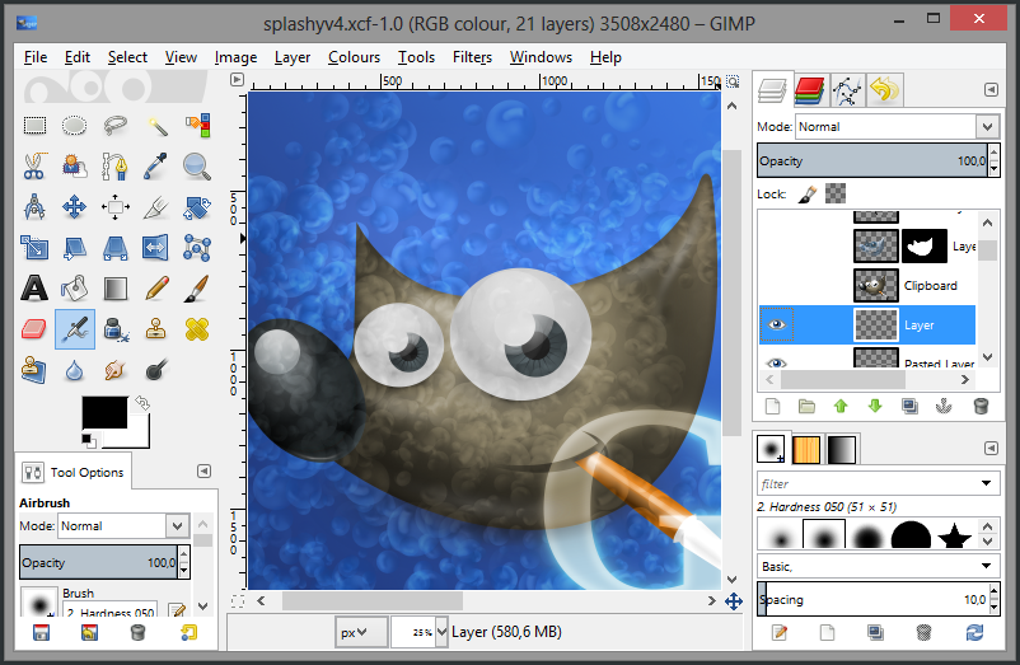
Understanding GIMP: The Foundation of Digital Creativity
Before delving deeper into the specifics of GIMP Extensions, it’s crucial to appreciate the core software it enhances. GIMP is more than just a free image editor; it is a testament to the power of open-source development and a pillar in the digital arts community. Launched in 1996, GIMP has steadily evolved into a mature and highly capable application, offering functionality comparable to, and in some areas surpassing, many commercial counterparts. Its versatility allows it to serve a wide array of purposes, from simple graphic design tasks like creating logos and web graphics, to complex photo manipulation, including restoration, color correction, and creative compositing.
The strength of GIMP lies in its modular architecture, which readily accommodates extensions. Its core toolkit provides all the fundamental drawing, painting, and editing tools one would expect from a professional-grade image editor: layers for non-destructive editing, masks for precise selections, a plethora of brushes and selection tools, powerful color adjustment features, and various filters for applying artistic effects. GIMP supports a vast array of file formats, making it highly interoperable with other software and systems. Furthermore, its active community continually contributes to its development, ensuring that it remains up-to-date with new technologies and user demands. This constant evolution, coupled with its zero-cost accessibility, makes GIMP an invaluable tool for students, hobbyists, and professionals who might otherwise be constrained by budget limitations. GIMP Extensions leverages this robust foundation, building upon it to offer an even richer and more specialized experience. The base GIMP software, with its commitment to user freedom and powerful features, serves as the perfect canvas for the enhancements provided by an extension pack like this.
The Power of Extension Packs: Why GIMP Extensions Matters
In the realm of software, extensions, plugins, and scripts serve as vital conduits for customization and expansion. They allow users to transcend the default functionalities of an application, adding specialized tools, automating repetitive tasks, and introducing entirely new capabilities that might not be practical to include in the core software. For GIMP, this modularity is particularly important, as it caters to an incredibly diverse user base, each with unique requirements. An architecture that supports extensions means that GIMP can remain lean and efficient as a base program, while still allowing users to selectively add the specific features they need for their particular workflows.
GIMP Extensions emerges as a highly significant offering precisely because it aggregates a selection of these critical enhancements into a single, manageable package. Historically, acquiring and installing GIMP plugins and scripts could be a fragmented process. Users would often have to search various forums, developer websites, and repositories like the GIMP Plugin Registry, download individual files, and then manually place them into the correct directories within GIMP’s installation structure. This method, while functional, presented several hurdles:
- Complexity: Locating the right files, understanding directory structures, and ensuring compatibility could be daunting for less tech-savvy users.
- Time Consumption: The cumulative effort of finding, downloading, and installing multiple extensions could significantly eat into creative time.
- Maintenance: Keeping track of installed extensions, checking for updates, and resolving conflicts was a continuous challenge.
- Discovery: Users might not even know what powerful extensions existed that could benefit their work.
GIMP Extensions addresses these challenges head-on by acting as a streamlined distribution channel. It performs the heavy lifting of curation, selection, and packaging, presenting users with a robust collection that is designed to work together harmoniously. By consolidating about 14 new extensions (plugins) and 7 new scripts into one straightforward installation, it dramatically reduces the barrier to entry for accessing advanced GIMP functionalities. This package essentially pre-configures GIMP with a suite of highly-regarded tools, transforming it into what its developers describe as “the most complete free software editing” solution. The value proposition is clear: more power, less hassle. This approach is particularly beneficial for those who are serious about pushing the boundaries of what GIMP can do but prefer to focus on their creative output rather than software management.
A Deep Dive into Essential GIMP Plugins
The true power of GIMP Extensions becomes evident when examining the specific plugins it bundles. These are not merely superficial additions but sophisticated tools designed to address common challenges and unlock advanced capabilities in image editing. This collection primarily draws from the rich repository of the GIMP Plugin Registry, ensuring a level of quality and utility. Let’s explore some of the most impactful plugins included:
Advanced Unsharp Mask (AUMASK)
The Unsharp Mask (USM) is a classic technique used in image editing to enhance edge contrast and make an image appear sharper. While GIMP includes a standard USM filter, AUMASK takes this concept to the next level. Advanced Unsharp Mask provides finer control over the sharpening process, allowing for more natural-looking results without introducing halos or excessive noise. It offers additional parameters such as thresholding based on local contrast, different blending modes, or more sophisticated radius and amount controls, empowering users to achieve precise sharpening effects, especially crucial for high-resolution photography where detail preservation is paramount.
BIMP: Batch Image Manipulation Plugin
For anyone working with a large volume of images, BIMP is an absolute game-changer. Its full name, Batch Image Manipulation Plugin, perfectly describes its function: it allows users to apply a series of GIMP procedures to an entire folder of images automatically. Imagine needing to resize, watermark, rename, or convert hundreds of photos for a website or project. Performing these actions individually would be incredibly time-consuming. BIMP streamlines this process by enabling users to define a sequence of operations (e.g., resize to 800px width, add a text watermark, convert to JPEG, save to a new folder) and then execute them across an entire batch of files with a single click. This plugin dramatically boosts productivity for photographers, web designers, and anyone dealing with repetitive image processing tasks.
Dynamic Range Transformer
Images often capture a narrower range of light and shadow than the human eye can perceive, leading to areas that are either too dark or too bright. The Dynamic Range Transformer plugin is designed to address this by expanding or compressing the tonal range of an image. This can be used to recover detail in blown-out highlights or crushed shadows, creating images with a more balanced exposure and greater visual depth. It’s particularly useful in landscape photography or situations with high contrast, where preserving detail across the entire luminosity spectrum is challenging. This plugin empowers users to fine-tune the interplay between light and shadow, giving their images a professional, polished look.
G’MIC: GREYC’s Magic Image Converter
G’MIC is arguably one of the most powerful and versatile plugins available for GIMP, earning its “Magic Image Converter” moniker. It’s not just a single effect but a comprehensive framework that houses hundreds, if not thousands, of image processing filters and effects. From artistic renditions (painting, drawing, comic book styles) and sophisticated image repair (inpainting, denoising, deconvolution) to advanced color manipulation, geometric transformations, and image analysis tools, G’MIC offers an unparalleled playground for experimentation and precise adjustments. Its sheer breadth of capabilities means that it can replace dozens of individual plugins, making it an indispensable tool for any serious GIMP user. The inclusion of G’MIC alone significantly elevates the utility of the GIMP Extensions package.
Liquid Rescale
Traditional image scaling often distorts content when changing aspect ratios or removing elements, as it treats all pixels equally. Liquid Rescale, also known as seam carving, is a revolutionary content-aware image resizing algorithm. Instead of uniformly scaling an image, it intelligently identifies and removes or duplicates “seams” of pixels that are least important to the image’s overall content. This allows users to non-uniformly scale images, change aspect ratios, or remove undesirable objects without noticeable distortion to important subjects. For example, you can shrink a landscape photo horizontally without making people in it look stretched, or remove an empty sky area without affecting buildings below. It’s a remarkably sophisticated tool for responsive design and creative cropping.
Normalmap
Normal maps are crucial in 3D graphics and game development. They store surface normal information in an image, which can then be used by 3D rendering engines to simulate detailed surface geometry (like bumps, grooves, and textures) without actually increasing the polygon count of the 3D model. The Normalmap plugin allows GIMP users to generate these essential maps from existing grayscale images or heightmaps. This is invaluable for artists creating textures for game assets, architectural visualizations, or any 3D rendering project, bridging the gap between 2D image editing and 3D modeling workflows.
Resynthesizer
The Resynthesizer plugin is a marvel of image repair and content generation, often likened to the “content-aware fill” features found in other high-end image editors. Its primary function is to intelligently remove unwanted objects from an image by “synthesizing” new background content based on surrounding pixels. Beyond object removal, it can also be used for texture generation, creating seamless patterns from a small sample, and even filling in missing parts of an image. This plugin significantly enhances GIMP’s capabilities for photo retouching, enabling users to seamlessly erase distractions, extend backgrounds, or repair damaged areas with surprising realism.
Save for Web
Optimizing images for web use is critical for website performance and user experience. Large, uncompressed images can significantly slow down page load times. The Save for Web plugin provides a dedicated interface for exporting images with web optimization in mind. It offers detailed controls over compression levels, image formats (JPEG, PNG, GIF), quality settings, and metadata stripping, often with a real-time preview of the file size and quality trade-offs. This allows users to achieve the smallest possible file size while maintaining acceptable visual quality, ensuring their images load quickly on any device and connection.
Other Notable Plugins
While the above are some of the standout inclusions, the GIMP Extensions package also features other powerful plugins such like:
- Fix-CA: Likely designed to correct Chromatic Aberration, a common lens artifact that manifests as colored fringes around high-contrast edges.
- GIMP Mask: This typically enhances masking capabilities, providing more advanced ways to create, refine, or manipulate selections and transparency.
- MathMap: A highly technical plugin for generating images and effects based on mathematical expressions. It allows users to define custom transformations and patterns using mathematical functions, opening up possibilities for unique artistic and scientific visualizations.
- Separate+: A plugin focused on color separation, often used in professional printing workflows for preparing images for CMYK output.
- Wavelet Decompose and Wavelet Denoise: These are advanced image processing tools based on wavelet theory. Wavelet Decompose allows for multi-scale image analysis, separating an image into different frequency bands, which is incredibly useful for targeted retouching and noise reduction. Wavelet Denoise then utilizes this decomposition to remove noise more effectively than traditional methods, preserving fine details while smoothing out unwanted grain.
The comprehensive nature of these plugins demonstrates the commitment of the GIMP Extensions package to provide a full spectrum of enhancement, from daily productivity boosters to highly specialized tools for advanced users.
Enhancing Workflow with GIMP Scripts
Beyond plugins, which are typically compiled programs, GIMP also benefits greatly from scripts. Scripts are sequences of commands written in GIMP’s scripting languages (Scheme/Script-Fu or Python), designed to automate repetitive tasks or combine multiple steps into a single action. The GIMP Extensions package thoughtfully includes a selection of scripts that further streamline and enhance common GIMP workflows.
Auto Rotate with a Vector
This script likely provides an automated or semi-automated way to rotate images, potentially aligning them with a user-defined vector or a detected horizon line. This is incredibly useful for correcting skewed horizons in landscape photography or aligning documents for scanning, ensuring images are perfectly level without manual trial-and-error adjustments.
Backup Working
A simple yet profoundly important script. “Backup Working” suggests a function that allows users to quickly save a backup copy of their current working file, perhaps incrementally or to a specified backup directory. This helps prevent data loss due to crashes, accidental overwrites, or unwanted changes, serving as a crucial safety net for any creative project.
Diana-Holga2
These names often refer to photographic film camera emulations. The “diana-holga2” script likely applies effects that mimic the unique characteristics of Diana and Holga cameras – known for their light leaks, vignetting, soft focus, and characteristic color shifts. This allows GIMP users to easily add a vintage, lo-fi, or artistic analog film look to their digital photos, providing a distinct stylistic choice with minimal effort.
Egger Scripts / El Samuko
These likely refer to collections of scripts developed by specific authors or communities (Egger, El Samuko). Such collections typically offer a variety of effects and utilities, ranging from color adjustments and creative filters to image borders and text effects. Their inclusion suggests a broad range of general-purpose enhancements that cater to diverse creative needs, often adding unique artistic styles or convenient batch processing functions.
GIMP FX Foundry
GIMP FX Foundry is a massive collection of scripts that often includes hundreds of effects, filters, and utilities. It’s a comprehensive toolkit for creative photo manipulation, offering everything from subtle enhancements to dramatic artistic transformations. Like G’MIC, FX Foundry is a meta-inclusion; its presence means users gain access to a vast library of pre-defined actions for blurring, sharpening, color toning, creating special effects (e.g., glows, shadows, reflections), text effects, and much more. It greatly expands the artistic possibilities within GIMP without requiring users to manually construct complex sequences of operations.
Shadows & Highlight
Managing shadows and highlights is a fundamental aspect of image correction. This script likely provides an enhanced or simplified interface for adjusting the tonal range specifically within the shadow and highlight areas of an image. It might offer more nuanced control than GIMP’s built-in tools, allowing users to recover detail in underexposed or overexposed regions without affecting the mid-tones, thus creating a more balanced and visually appealing image.
The scripts included in GIMP Extensions are designed to simplify complex tasks, automate routine operations, and provide quick access to creative effects, ultimately making the image editing process more efficient and enjoyable.
Simplifying Installation and Maximizing Productivity
One of the most compelling advantages of GIMP Extensions is its commitment to ease of use, particularly in the installation process. As highlighted earlier, the manual installation of numerous plugins and scripts can be a significant hurdle for many users. This package elegantly sidesteps that complexity by consolidating all these enhancements into a single, user-friendly installer.
The developer, Image Top Team, has effectively created a “modified version” of GIMP in the sense that it comes pre-loaded and pre-configured with a powerful array of additional features. This isn’t a fundamental alteration of GIMP’s core code, but rather a thoughtful integration of its most valuable extensions. For GIMP users who are looking to expand their toolkit, this means:
- One-Click Installation: Instead of downloading 21 separate files (14 plugins and 7 scripts) and manually placing them into specific folders, users can execute one installer and have everything set up automatically.
- Guaranteed Compatibility: The curated nature of the GIMP Extensions package implies that the included add-ons have been tested to work together, minimizing the risk of conflicts or instability that can arise from haphazardly combining individually downloaded extensions.
- Immediate Access to Advanced Features: Upon installation, users immediately gain access to an expanded menu of filters, effects, and tools, allowing them to dive straight into more complex and creative tasks without a learning curve for extension management.
- Reduced Troubleshooting: With a single, coherent package, any potential issues are more easily identified and resolved, as opposed to trying to pinpoint which of a dozen independently installed plugins might be causing a problem.
The target audience for GIMP Extensions is precisely those current users of GIMP who recognize the software’s immense potential but desire to push its boundaries further. Whether they are budding photographers eager to apply professional-grade retouching, graphic designers needing to automate batch processes, or digital artists experimenting with new creative effects, this package provides an accessible gateway to these advanced functionalities. Its version 2.8.20150403 (with an apparent update to the listing on April 18, 2024), available for Windows platforms, demonstrates a commitment to providing a stable and enhanced GIMP experience. Weighing in at a manageable 28.73 MB, it’s a small download for a significant boost in capability.
While the original source notes a “lack of instructions” as a con, the very nature of an integrated package like GIMP Extensions often means that the individual components might rely on their own internal documentation or the user’s familiarity with GIMP’s interface to discover and utilize them. However, given the prevalence of online tutorials and communities surrounding GIMP and its major plugins (like G’MIC and Resynthesizer), users have ample resources to learn how to master these powerful new tools. The overarching benefit of streamlined access far outweighs this minor drawback for most users.
Conclusion
GIMP, as a free and open-source image editor, offers a robust foundation for an incredibly diverse range of digital creative endeavors. However, its true versatility shines brightest when complemented by a rich ecosystem of extensions. The GIMP Extensions package, distributed by PhanMemFree, serves as an exceptional accelerator for GIMP users, transforming a powerful application into an even more formidable creative workstation. By carefully curating and bundling essential plugins and scripts – from advanced sharpening tools like AUMASK and batch processing utilities like BIMP, to the expansive creative possibilities of G’MIC and the intelligent content-aware features of Resynthesizer – this collection empowers users to achieve professional-grade results with unparalleled ease.
The value proposition of GIMP Extensions lies not only in the sheer number and quality of the included add-ons but, crucially, in its simplified installation process. It removes the common hurdles associated with manually managing multiple extensions, allowing users to dedicate their time and energy to creativity rather than software configuration. For Windows users seeking to unlock the full spectrum of GIMP’s capabilities, this package is an invaluable asset. It is a testament to the fact that free software, when enhanced by thoughtful community contributions and intelligent packaging, can stand shoulder-to-shoulder with the best commercial offerings, empowering a global community of artists, designers, and photographers. Downloading GIMP Extensions from Phanmemfree.org is more than just adding features; it’s investing in a significantly more productive and creatively liberating GIMP experience.
File Information
- License: “Free”
- Latest update: “April 18, 2024”
- Platform: “Windows”
- OS: “Windows XP”
- Language: “English”
- Downloads: “224.4K”
- Size: “28.73 MB”


