
Ginger Spell and Grammar Checker is a free spell and grammar checking tool designed to help users improve the accuracy and fluency of their writing. While it’s no longer actively updated (last updated July 2, 2014), its functionality remains relevant for users seeking basic grammar and spelling assistance. This review will delve into its features, pros, cons, and alternatives.
Functionality and Features
Ginger Spell and Grammar Checker operates as a contextual spell and grammar checker, meaning it analyzes text within its context to provide more accurate corrections. Unlike many simple spell checkers that merely flag misspelled words, Ginger attempts to understand the grammatical structure of sentences to offer suggestions for improved clarity and correctness. This contextual approach distinguishes it from simpler tools, offering a more sophisticated level of assistance.
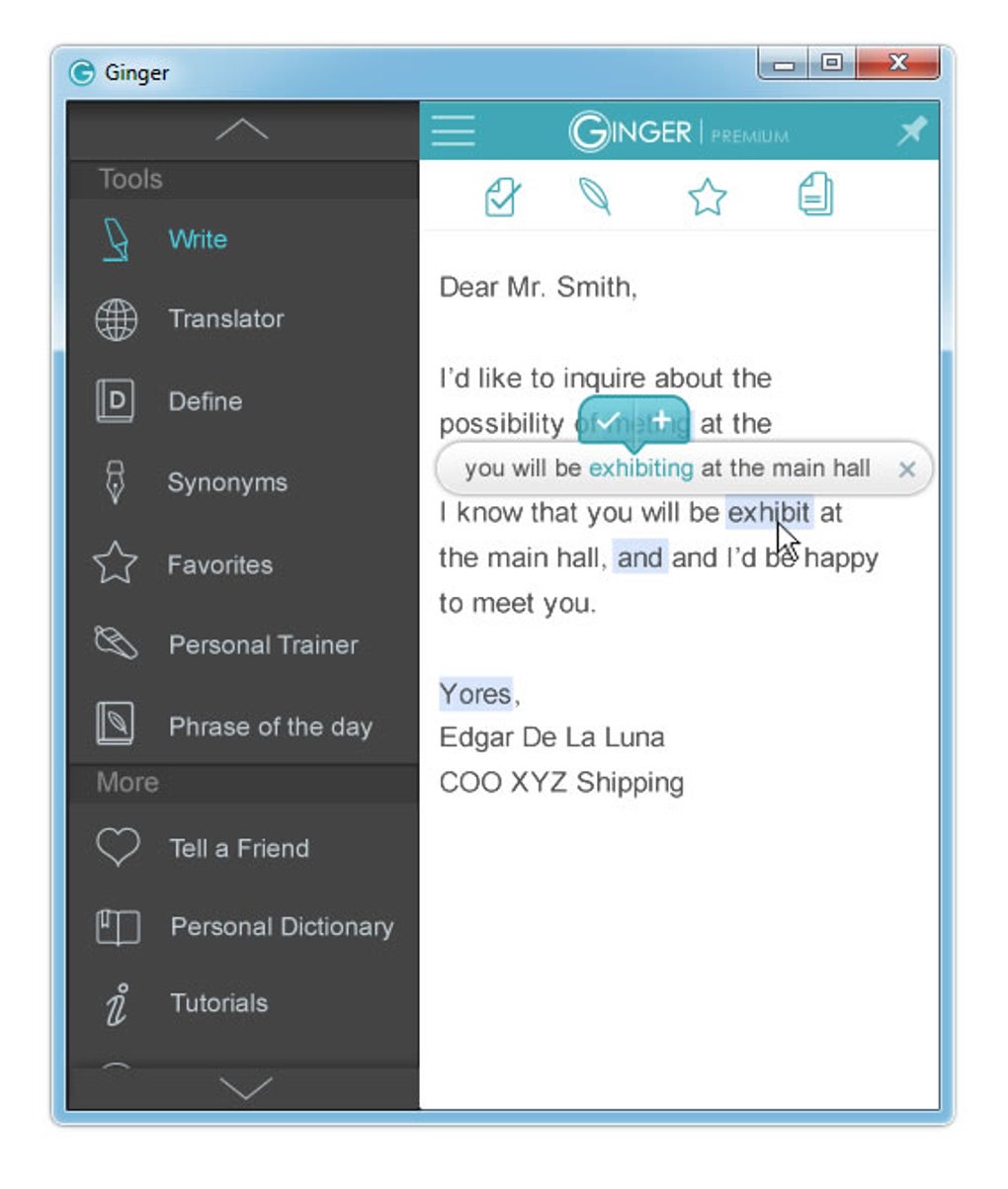
One of its key features is its sentence-level correction capability. Instead of just correcting individual words, Ginger can identify and suggest corrections for entire sentences that are grammatically flawed. This is a significant advantage over tools that only operate on a word-by-word basis, leading to more holistic improvements in writing quality.
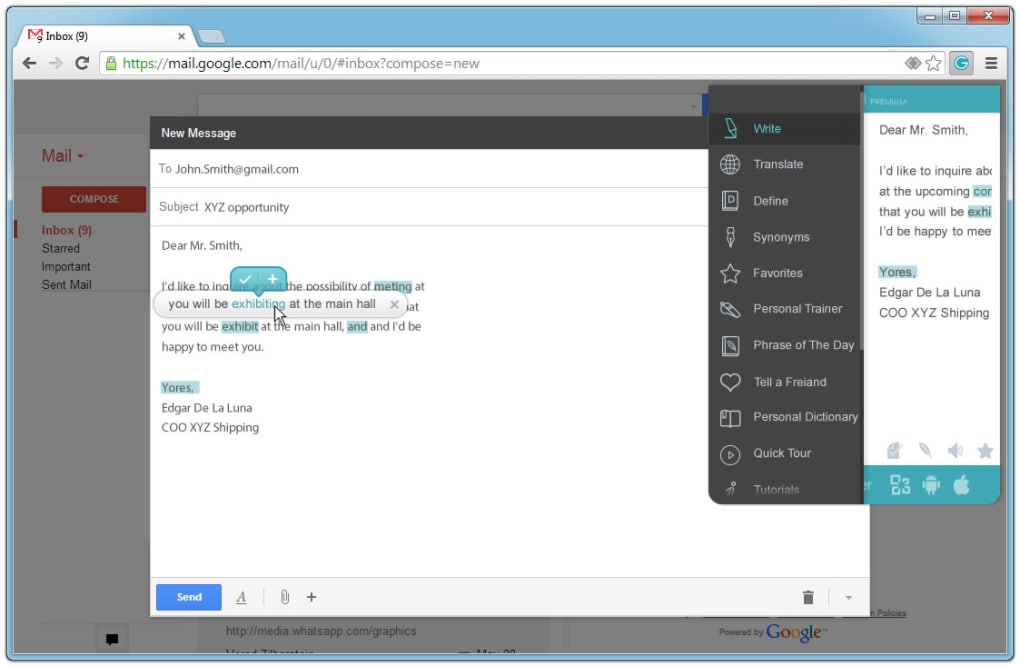
The software is compatible with popular web browsers (Google Chrome, Firefox, and Internet Explorer at the time of its last update) and Microsoft Office applications. This broad compatibility allows users to leverage its capabilities across various writing platforms and contexts. However, a limitation is its lack of compatibility with other text editors, such as LibreOffice or OpenOffice, potentially restricting its use for individuals who prefer these alternative applications.
The software uses a simple F2 shortcut to initiate the spell and grammar check, making it convenient for quick editing and review. The user interface is described as having a “nice design”, suggesting a user-friendly experience, though user opinions on this aspect may vary.
Pros and Cons
Pros:
- Contextual Correction: Ginger’s contextual analysis provides more accurate and reliable corrections compared to simple word-by-word checkers. Understanding the sentence structure allows for more effective identification and correction of grammatical errors.
- Sentence-Level Corrections: The ability to correct entire sentences rather than just individual words significantly improves the efficiency and effectiveness of the editing process. This leads to a more polished and grammatically sound final product.
- Microsoft Office and Browser Compatibility: Its compatibility with widely used applications and browsers ensures accessibility and convenience for many users, allowing seamless integration into their existing workflows.
- Lightweight Application: The software is described as lightweight, indicating it does not consume significant system resources. This is beneficial for users with older or less powerful computers.
- User-Friendly Interface: The software aims for a simple and intuitive design, easing the learning curve for users unfamiliar with grammar checking software.
Cons:
- Limited Dictionary: The software primarily focuses on spelling and grammatical corrections and lacks additional features like style guides or thesaurus capabilities. This limited functionality might not cater to all writing needs.
- Outdated and No Longer Updated: The last update was in July 2014, a significant drawback considering the constant evolution of language and technology. This suggests potential compatibility issues with newer operating systems and applications, and also means it won’t benefit from improvements and bug fixes in newer versions.
- Limited Compatibility: Its incompatibility with various text editors restricts its usability for users who prefer or rely on applications other than Microsoft Office and the specified browsers. This limits its versatility for diverse writing environments.
- Online Requirement: The software requires an internet connection to function, potentially hindering its use in areas with limited or unreliable internet access. Offline usage is impossible.
User Reviews and Feedback
User reviews highlight a range of experiences. Some users praised its effectiveness in improving their writing, emphasizing its ability to identify and correct both spelling and grammatical errors. These positive reviews suggest its contextual analysis provides genuinely helpful feedback for learners and those aiming to polish their writing. Many highlighted the software’s ease of use and integration into existing workflows, particularly in Microsoft Office.
However, negative reviews also exist. Some users reported issues with the software’s accuracy, suggesting that its contextual analysis isn’t always perfect and can lead to inaccurate or inappropriate suggestions. The lack of updates and compatibility with newer software were major concerns. Concerns regarding potential security risks related to outdated software were also raised by some users. The lack of ongoing support, updates, and bug fixes is a significant concern that negates many of the positive aspects, especially given the age of the software.
One specific negative review mentioned potential financial security issues, though it lacks detail, raising concerns about the trustworthiness of the application.
Alternatives to Ginger Spell and Grammar Checker
Given the age and lack of updates for Ginger Spell and Grammar Checker, exploring alternative grammar and spell checking tools is recommended. Many modern applications provide similar or enhanced features with active development and continuous updates. These alternatives often integrate seamlessly with various platforms and offer more advanced capabilities, such as style checking, plagiarism detection, and improved accuracy. Exploring the current market for grammar and spell checkers is essential for finding a suitable replacement that is both effective and secure.
Some popular alternatives include Grammarly, ProWritingAid, and QuillBot, which offer more comprehensive functionalities, active development, and improved user interfaces. These tools also often come with additional features like style guides, readability analysis, and thesaurus functions, providing a more complete writing support system.
Conclusion
Ginger Spell and Grammar Checker offered a contextual spell and grammar checking solution, providing a level of sophistication beyond simple word-by-word checkers. However, its age, lack of updates, and limited compatibility make it less appealing compared to currently available alternatives. While it might suffice for basic needs, users are strongly advised to consider the drawbacks and investigate modern alternatives that provide better functionality, security, and ongoing support. The absence of updates and the potential security risks associated with outdated software should not be overlooked. The positive reviews should be interpreted with caution, considering the age of the tool and the lack of ongoing support. For effective and reliable grammar and spell checking, investing in a more modern and actively maintained tool is highly recommended.
File Information
- License: “Free”
- Version: “2.7.53.0”
- Latest update: “July 2, 2014”
- Platform: “Windows”
- OS: “Windows 8”
- Language: “English”
- Downloads: “405.1K”
- Size: “16.57 MB”


