
GNU Emacs, often simply called Emacs, is a highly extensible and customizable text editor—and much more. While its initial reputation revolves around its use by programmers and developers, its capabilities extend far beyond simple text editing, making it a powerful tool for a wide range of users. This article delves into the features, functionalities, and overall experience of using GNU Emacs.
Understanding GNU Emacs: Beyond a Simple Text Editor
GNU Emacs is not your average text editor. It’s a complete self-contained operating system within an application, providing a vast ecosystem of features and extensibility options through its built-in Lisp interpreter, Emacs Lisp. This allows users to tailor the editor to precisely match their workflow and needs, from simple customizations to the creation of entirely new functionalities. The extensibility isn’t just superficial skin-deep changes; it allows for fundamental alterations to how the editor behaves and what it can do.
This inherent flexibility is both a strength and a weakness. While it offers unparalleled customization, the learning curve can be steep. New users may find themselves overwhelmed by the sheer number of commands, keybindings, and customization options available. Mastering GNU Emacs requires a significant investment of time and effort, but the rewards for experienced users are substantial.
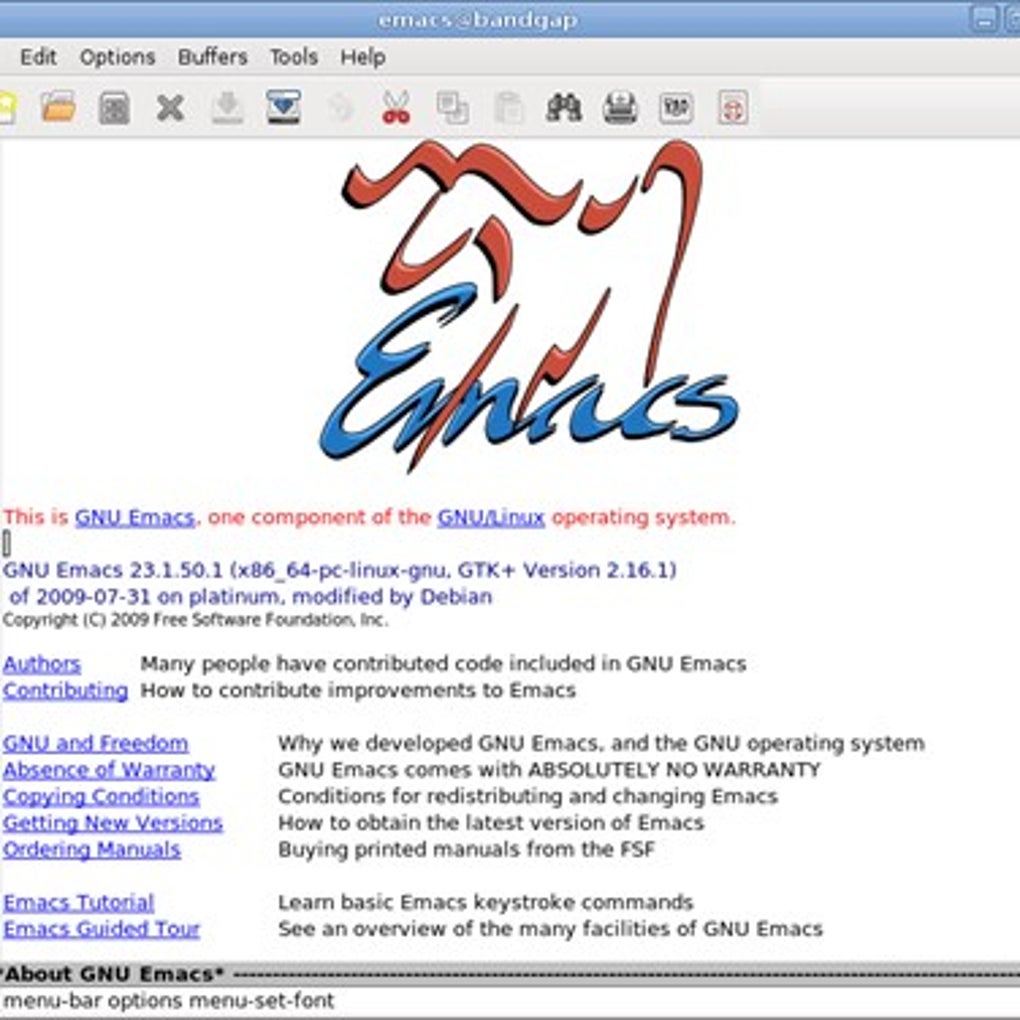
The core functionality of Emacs includes standard text editing features like searching, replacing, cutting, pasting, and undo/redo capabilities. However, Emacs goes far beyond these basics. It features integrated support for various programming languages, providing syntax highlighting, code completion, and debugging tools. This makes it a favored choice among programmers working with diverse languages and projects.
The extensibility through Emacs Lisp is a key differentiator. Users can write their own extensions, called packages or elisp code, to automate tasks, integrate with other applications, and create entirely new functionalities tailored to specific needs. This creates a vibrant community that constantly expands and improves the editor’s capabilities. This community contribution leads to a constantly evolving software with a vast library of extensions available through various package managers.
Emacs for Developers: A Programmer’s Paradise
For programmers and developers, GNU Emacs offers a comprehensive integrated development environment (IDE) experience. Its extensive support for various programming languages, coupled with its powerful customization features, makes it a highly productive development environment.
Key features for developers include:
-
Multiple Language Support: Emacs offers built-in support for a wide range of programming languages, including C, C++, Java, Python, JavaScript, and many more. This support extends to syntax highlighting, code completion, and debugging tools.
-
Integrated Debugging: Emacs provides debugging tools that allow developers to step through code, inspect variables, and identify errors efficiently. These tools are often tightly integrated with the editor, streamlining the debugging process.
-
Version Control Integration: Emacs integrates with popular version control systems like Git, making it easy to manage code changes and collaborate with others.
-
Code Completion and Auto-Completion: Intelligent code completion features suggest code snippets and function names as the user types, improving coding speed and accuracy.
-
Customization: Developers can customize Emacs to match their coding style and preferences, setting up keybindings, themes, and other settings to optimize their workflow.
Beyond Programming: Expanding Emacs’s Capabilities
While predominantly known for its strengths in software development, GNU Emacs’s versatility extends beyond programming. Its extensibility allows for a wide range of applications, including:
- Mail and News Reading: With appropriate extensions, Emacs can function as a full-featured email client and news reader, allowing users to manage their email and news feeds within the editor.
-
Note Taking and Organization: The organizational capabilities of Emacs can be leveraged to create and manage notes, to-do lists, and other organizational systems.
-
Project Management: Extensions exist to help manage projects, tracking tasks, deadlines, and progress.
-
Web Browsing: Although not its primary function, Emacs can be extended to include web browsing capabilities, providing a unique integrated experience.
-
Text Processing and Formatting: Emacs offers advanced text manipulation features that are useful for tasks such as writing documents, editing text files, and creating formatted output.
The ability to integrate these various functionalities within a single application streamlines workflow and reduces context switching, leading to increased productivity.
Mastering the Emacs Learning Curve
The most significant barrier to entry for new users is the steep learning curve. Unlike many modern applications with intuitive graphical user interfaces, Emacs’s command-line interface (CLI) and keybindings can feel overwhelming initially. However, overcoming this initial hurdle unlocks a powerful and customizable tool.
Several resources are available to help new users navigate the learning curve:
-
Online Tutorials and Documentation: Comprehensive documentation and tutorials are available online, guiding users through the basics and more advanced features.
-
Community Support: A large and active community provides support and assistance to new users, answering questions and helping to resolve problems.
-
Practice and Experimentation: The best way to learn Emacs is through hands-on practice. Experimenting with different commands and customizations helps users to understand how the editor works and build their skills.
The investment in time and effort required to master Emacs is substantial, but the result is a highly personalized and productive working environment.
Conclusion: GNU Emacs – A Timeless Tool
GNU Emacs is more than just a text editor; it’s a highly customizable and powerful platform capable of adapting to a wide range of tasks. Its extensive features, robust extensibility through Emacs Lisp, and vibrant community support make it a valuable tool for programmers, writers, researchers, and anyone seeking a highly customizable and efficient working environment. While the learning curve can be steep, the rewards for dedicated users are significant, making Emacs a timeless and enduring tool in the world of computing. The ability to tailor it to individual needs, combined with its powerful features and continuous evolution, cements its place as a sophisticated and enduring text editor and much more. From simple text editing to complex software development, GNU Emacs provides a versatile and powerful solution for a broad spectrum of users. Its enduring popularity speaks to its versatility and power, even in a constantly evolving technological landscape.
File Information
- License: “Free”
- Version: “varies-with-device”
- Latest update: “March 29, 2017”
- Platform: “Windows”
- OS: “Windows 8.1”
- Language: “English”
- Downloads: “2.4K”


