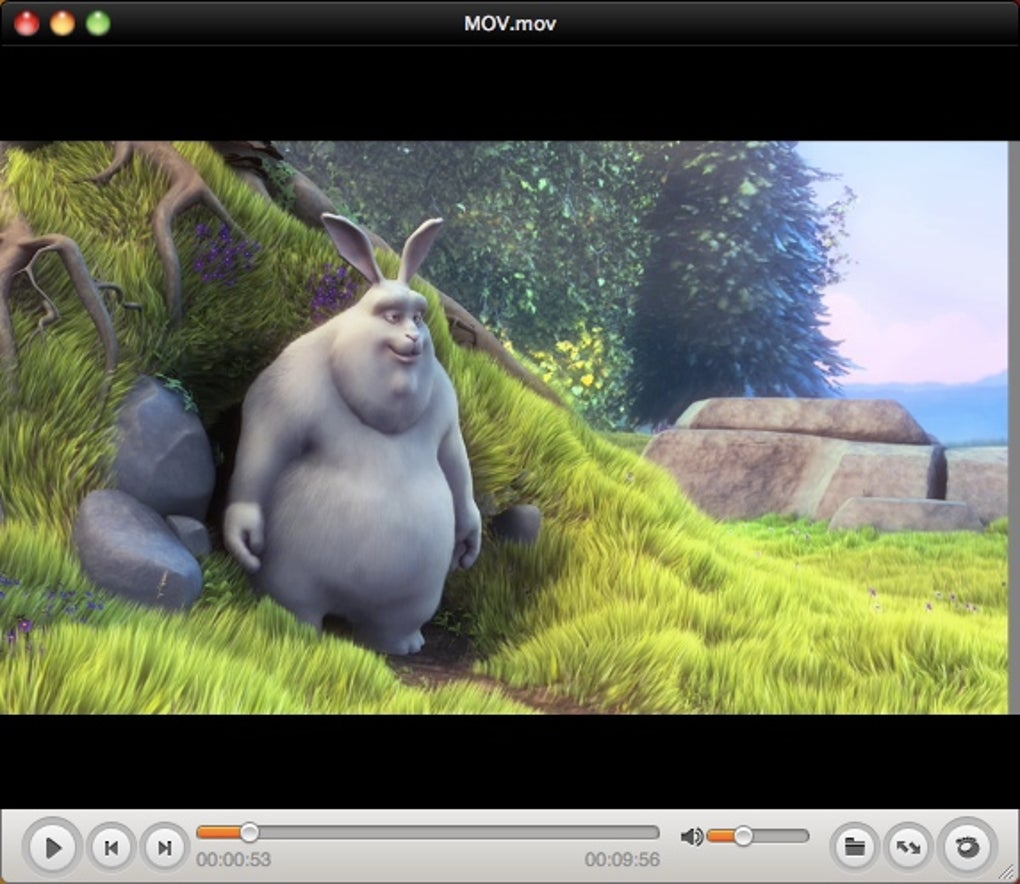
In the vast and ever-expanding universe of digital media, having a reliable and versatile media player is paramount for an optimal viewing experience. Among the plethora of options available, GOM Player emerges as a noteworthy contender, offering a rich set of features, broad format compatibility, and innovative capabilities like 360-degree VR video playback. Developed by GOM Company, this desktop multimedia tool is a free alternative that caters to a global audience, constantly evolving to meet the demands of modern media consumption.
GOM Player has carved out a significant niche for itself, particularly known for its ability to handle a wide array of video and audio file types, its extensive subtitle library, and a surprising commitment to future-forward technologies such as virtual reality. While it might present a slight learning curve for newcomers, and a cautious approach is advised during its installation to avoid unwanted third-party add-ons, its benefits far outweigh these minor considerations for many users seeking a powerful and customizable media solution.
A Comprehensive Multimedia Experience
At its core, GOM Player is designed to be a universal key to your digital media library. It strives to eliminate the frustration often associated with incompatible file formats or missing codecs, providing a seamless and uninterrupted viewing journey for its users. This focus on comprehensive playback is one of its most compelling attributes, making it a go-to choice for those who deal with diverse media files regularly.
The Core Functionality: Versatile Playback

From the moment you launch GOM Player, its intention to offer a robust playback experience is evident. It’s built to be more than just a basic video player; it’s a dynamic platform capable of rendering high-quality video and audio content. The player’s engine is optimized for smooth performance, even with high-definition and graphically intensive files, ensuring that your media plays without stuttering or delay. This foundational strength allows users to dive straight into their entertainment or instructional content without worrying about the underlying technical complexities. The commitment to delivering content exactly as it was intended is what sets a premium player apart, and GOM Player consistently aims for this benchmark.
Supported File Formats: Unlocking Your Media Library
One of GOM Player’s most celebrated features is its expansive support for a myriad of file formats. In a world where media comes in countless containers and encodings, a player’s ability to open nearly anything you throw at it is a huge advantage. GOM Player embraces this challenge head-on, seamlessly playing common video formats such as AVI, MOV, and MP4, which constitute the bulk of everyday media.
However, its capabilities extend far beyond these popular choices. For users who delve into less conventional or more specialized media, GOM Player provides support for types like Matroska (MKV), Ogg, OGM, and many others. This extensive compatibility means that your meticulously curated digital library, regardless of its origin or encoding, is almost always accessible through a single, unified interface. This reduces the need for multiple media players or converters, streamlining your digital workflow and enhancing convenience. This broad spectrum of support underscores GOM Player’s utility as a comprehensive tool, designed to be the only media player most users will ever need for video and audio playback.

Automatic Codec Finder: Seamless Viewing
Perhaps even more impressive than its native format support is GOM Player’s intelligent approach to handling missing codecs. Codecs are essential software components that encode and decode digital media. Without the correct codec, a video or audio file might not play correctly, or at all. GOM Player proactively addresses this common issue with an automated codec finder.
If the player encounters a file type for which it lacks the necessary codec, it doesn’t just give up. Instead, it intelligently searches online for the corresponding codec. Upon locating it, the user is seamlessly directed to a reputable site to download and install the required component. This innovative feature saves users from the often-frustrating and time-consuming task of manually identifying and sourcing obscure codecs, making the viewing experience truly hassle-free. It’s a testament to GOM Player’s user-centric design, ensuring that technical hurdles don’t stand between you and your entertainment. This “set it and forget it” approach to codec management significantly enhances the accessibility of diverse media formats, making GOM Player an incredibly versatile tool for any digital media enthusiast.
Navigating the User Interface and Customization
The user interface (UI) is the primary point of interaction between a user and software. For a media player, the UI should ideally be intuitive, uncluttered, and aesthetically pleasing. GOM Player aims for a clean design, but like many feature-rich applications, it balances simplicity with functionality, which can lead to an initial adjustment period.

First Impressions: A Clean, Yet Demanding Interface
Upon launching GOM Player, users will immediately notice its clean and minimalist design. The default interface is largely devoid of excessive buttons, favoring a streamlined look that places the media content center stage. While this minimalist approach is aesthetically pleasing and reduces visual clutter, it can initially feel less intuitive for new users accustomed to more overtly labeled controls. Basic playback controls like play, pause, stop, fast forward, and rewind are readily available. However, discovering more advanced settings, such as the sound equalizer, video effects, or aspect ratio controls, often requires delving into the player’s menus. This can be a source of minor frustration during the initial learning phase, as these critical tools are not always immediately apparent on the main screen.
Despite this slight learning curve, the simplicity eventually becomes a strength. Once users familiarize themselves with the menu structure and keyboard shortcuts, navigating GOM Player becomes second nature. The uncluttered screen then allows for a more immersive viewing experience, free from distracting elements. The design philosophy seems to prioritize a clean presentation, trusting that users will invest a little time to uncover the full breadth of its capabilities.
Personalizing Your Viewer: Skins and Themes
Recognizing that aesthetics play a significant role in user satisfaction, GOM Player offers extensive customization options through its support for skins and themes. If the default appearance doesn’t quite resonate with your personal style or workflow, you have the freedom to change it. A wide variety of community-contributed and official skins are available, allowing users to alter the visual layout, color scheme, and overall “feel” of the player.
These themes are purely cosmetic, meaning they don’t fundamentally change the core functionality or user experience. However, they provide a powerful way for users to personalize their media environment, making the software feel more unique and tailored to their preferences. Whether you prefer a dark, sleek look, a vibrant and colorful interface, or something in between, the ability to switch skins ensures that GOM Player can visually adapt to your taste. This level of personalization is a welcome touch in a free media player, adding another layer of user engagement and making the experience more enjoyable and distinctly “yours.” The availability of these cosmetic enhancements also builds a sense of community around GOM Player, as users can share and discover new visual styles created by others, further enriching the overall ecosystem.
Beyond Basic Playback: Advanced Features and Accessibility
GOM Player distinguishes itself not just by handling common media but also by integrating advanced features that cater to a global audience and embrace emerging technologies. Its commitment to accessibility and innovative viewing experiences positions it as a robust player for the modern digital age.
Global Reach: Multilingual Design and Robust Subtitle Support
Originally gaining significant traction in South Korea, GOM Player has been meticulously designed with a global audience in mind. This is evident in its robust support for multiple languages, making it accessible to a diverse international user base. More crucially, its sophisticated subtitle support system is a standout feature for anyone consuming foreign language content or those who simply prefer subtitles for clarity.
The software is capable of automatically searching for and synchronizing subtitles for the movie or video currently playing. This eliminates the tedious process of manually finding and timing subtitle files, a common headache for media enthusiasts. Beyond automatic detection, GOM Player offers extensive customization options for subtitles. Users can adjust the font, size, color, position, and even the transparency of the subtitles, ensuring they are optimally visible without obstructing the main video content. This level of control is invaluable, allowing viewers to maximize their comprehension and enjoyment, whether they are learning a new language, have hearing impairments, or are simply watching content in a noisy environment. The seamless integration of subtitle management elevates the viewing experience, making GOM Player a truly accessible tool for a worldwide audience.
Immersive Viewing: The Power of 360-Degree VR
One of the most innovative and forward-looking features that truly sets GOM Player apart from many of its competitors is its native support for 360-degree Virtual Reality (VR) video playback. As VR technology becomes more prevalent, the demand for media players capable of handling immersive content grows. GOM Player answers this call, allowing users to step into the world of VR without needing specialized hardware or additional software.
With GOM Player, you can effortlessly play 360-degree videos, experiencing content from all angles. The player supports various preview modes, including views from the front, back, right, and left, which can be intuitively controlled using your keyboard’s arrow keys. This interactive feature transforms a passive viewing experience into an active exploration, allowing you to look around the virtual environment as if you were truly there. Furthermore, GOM Player integrates search and playback functionalities specifically tailored for finding VR content on platforms like YouTube. This means users can easily discover and enjoy a growing library of immersive videos directly through the player, making it an excellent choice for early adopters and enthusiasts of virtual reality media. This commitment to emerging technologies showcases GOM Player’s dedication to staying at the forefront of digital media consumption, offering a unique and engaging experience that few other free players can match.
Smart Viewing: Multitasking and Screen Transparency
GOM Player adopts an intelligent approach to multitasking, recognizing that modern computer users often juggle multiple activities simultaneously. Its innovative features are designed to enhance productivity and convenience, particularly for those who frequently use instructional videos or need to cross-reference information while viewing.
One notable feature is the easy-to-use screenshot function. If you’re watching a video and want to capture a still image of a specific moment, the screenshot tool is readily accessible, allowing for quick image extraction without interrupting playback. More uniquely, GOM Player offers an adjustable screen transparency feature. This allows you to watch multimedia content on your desktop while simultaneously working on other tasks. By adjusting the transparency of the video window, you can overlay the video onto your workspace, enabling you to see both the video and your computer screen simultaneously. This is particularly useful for following along with tutorials, coding guides, or any instructional content where you need to mimic steps shown in the video. Instead of constantly switching between split windows or having to resize screens, you can watch in full-screen (or near full-screen) clarity while keeping your work visible underneath. This functionality greatly streamlines the learning process and boosts efficiency, making GOM Player a surprisingly effective tool for both entertainment and educational purposes.
Mobile Integration: Remote Control at Your Fingertips
In an increasingly interconnected digital world, the convenience of controlling desktop applications from mobile devices is a highly sought-after feature. GOM Player embraces this trend by offering mobile companion apps for both Android and iPhone devices. This allows users to remotely control their GOM Player for PC directly from their smartphone or tablet, transforming their handheld device into a sophisticated remote control.
This mobile integration provides a new level of convenience, especially for users who prefer to relax on their couch while watching content on a larger monitor or television connected to their PC. Imagine being able to play, pause, adjust volume, navigate through your media library, and even select new videos without needing to get up or use a keyboard and mouse. The mobile app offers a user-friendly interface that mirrors the essential controls of the desktop player, ensuring a smooth and intuitive remote experience. This seamless connectivity between desktop and mobile platforms underscores GOM Player’s commitment to modern user expectations, offering flexibility and comfort in how you interact with your media. Whether you’re hosting a movie night or simply enjoying a video from across the room, the mobile remote control feature adds a significant layer of user-friendliness to the GOM Player ecosystem.
Optimizing Your Digital Lifestyle with GOM Player
Beyond its core media playback capabilities, GOM Player’s design philosophy subtly extends into areas that enhance overall digital utility and productivity. It’s not just about watching videos; it’s about integrating media consumption intelligently into one’s daily routine, providing tools that simplify tasks and enrich user interactions across various digital domains.
Integrating with Your Digital Toolkit: A Utility Perspective
From a utilities and tools standpoint, GOM Player serves as more than just a media player; it acts as a central hub for media management on your PC. Its ability to support a vast range of file types means it reduces the need for specialized format-specific players, effectively decluttering your applications folder. This consolidation is a significant utility, as it simplifies file association – users can confidently set GOM Player as their default application for almost all video and audio files, knowing they will be handled correctly.
The automatic codec search feature, while primarily for playback, also functions as a powerful utility. It saves users the hassle of troubleshooting playback issues, acting as an intelligent troubleshooter that autonomously identifies and resolves common technical barriers. This proactive approach minimizes downtime and frustration, allowing for a smoother, more efficient digital experience. Furthermore, features like screenshot capture aren’t just for entertainment; they are practical tools for content creators, students, or anyone needing to quickly grab visual information from a video. This blending of entertainment with practical utilities makes GOM Player a valuable addition to any digital toolkit, enhancing how users interact with their media library and beyond.
Productivity Enhancements: Leveraging Media for Learning and Work
While primarily an entertainment application, GOM Player’s design incorporates elements that can genuinely boost productivity, especially for educational and work-related tasks. Its screen transparency feature, for instance, is a prime example of a design choice that crosses over into the realm of productivity. For students taking online courses, developers following coding tutorials, or professionals learning new software skills, the ability to watch an instructional video transparently overlaid on their workspace is invaluable. This eliminates the constant alt-tabbing or tedious window resizing, creating a more continuous and less disruptive workflow. Users can follow steps, type code, or interact with an application while simultaneously viewing the instructor’s demonstrations.
Moreover, the robust subtitle support, including automatic search and customization, extends its utility to language learners and individuals who process information better through text. This makes complex or foreign-language educational content more accessible and easier to digest. The general stability and low resource consumption, often highlighted in user reviews, also contribute to productivity by ensuring that the player doesn’t bog down the system, allowing other applications to run smoothly in parallel. Thus, GOM Player isn’t just about passive consumption; it’s a tool that can be actively leveraged to enhance learning, facilitate tasks, and generally make one’s digital life more efficient.
Installation Considerations and the Competitive Landscape
Understanding the full scope of GOM Player requires not only appreciating its features but also being aware of its installation process and how it stacks up against other popular media players in a competitive market.
Navigating the Installation Process: A Word of Caution
While GOM Player is free and feature-rich, users should exercise caution during its installation. Like many freeware applications, the installer for GOM Player might attempt to bundle or suggest the installation of third-party programs, toolbars, or browser extensions that might be unwanted. These can sometimes be perceived as bloatware or even potentially intrusive.
It is crucial for users to pay close attention to the installation prompts and read through each step carefully. Whenever possible, it is highly recommended to opt for a “Custom Installation” rather than the default “Express” or “Recommended” options. Custom installation usually provides checkboxes or options to deselect any additional software or changes that are not part of the core GOM Player application. By taking a moment to review and uncheck these ancillary offerings, users can ensure a clean installation of only GOM Player, avoiding any annoying extras that could alter browser settings or introduce unnecessary software to their system. This diligent approach will safeguard your system integrity and ensure you only get the software you intended to download. PhanMemFree.org and other reputable software download sites typically highlight these potential issues, guiding users toward safer installation practices.
GOM Player’s Position in the Market: Alternatives and Differentiation
The media player market is highly competitive, with established giants and nimble newcomers vying for user attention. GOM Player exists within this vibrant ecosystem, offering a distinct set of advantages while facing strong alternatives. The most prominent alternative often cited is VLC media player, which is renowned for its unparalleled format support, cross-platform compatibility, and an open-source development model that ensures transparency and continuous improvement. VLC offers nearly all the features one might need in a media player, making it a default choice for many.
Where GOM Player truly differentiates itself is in its integrated 360-degree VR video playback. While some alternative players might require plugins or additional software for VR content, GOM Player offers this functionality natively and out-of-the-box. This makes it a compelling choice for users who specifically seek an accessible way to experience immersive media without additional complexity. Furthermore, its advanced subtitle features and customizable skins often appeal to a segment of users who prioritize aesthetics and detailed control over their viewing experience. While VLC might be the workhorse for general-purpose media, GOM Player’s specialized VR support and refined user experience for certain features carve out its unique position, making it a valuable addition to the media player landscape, particularly for those with specific needs in mind.
Community Insights and Continuous Evolution
The true measure of a software’s value often comes from its user base. GOM Player has garnered significant feedback over the years, contributing to its ongoing development and shaping its evolution.
What Users Are Saying: A Glimpse into Real-World Experiences
User reviews provide invaluable insights into the practical strengths and weaknesses of GOM Player. Across various platforms, including PhanMemFree.org, common themes emerge. Many users consistently praise GOM Player for its exceptional ability to play a wide variety of formats, often citing instances where it successfully played videos that other conventional players failed to open. This broad compatibility, combined with its reputation for consuming relatively low system resources, makes it a favored choice for many, especially those with older machines or who value efficiency.
Early reviews often highlighted its aesthetically pleasing interface as a significant advantage over competitors like Windows Media Player, which was perceived as slower. The ease of use, once the initial learning curve is overcome, is another frequently mentioned positive. Users appreciate the player’s stability and speed, often calling it “a gem” or “spectacular.”
However, user feedback also points to areas for improvement. Some older reviews noted that while the player itself was available in English, web-based features like codec and subtitle searches would sometimes connect to Japanese-language sites, causing a “chagrin” for non-Japanese speakers. While GOM Player has made strides in globalizing its services, these historical points underscore the importance of comprehensive language support across all functionalities. The desire for more skins, beyond the default offerings, also periodically surfaced, suggesting a community eager for more personalization options. These insights are crucial for developers, providing a roadmap for refining the player to better serve its growing international user base.
The Journey of Improvement: Recent Updates and Future Prospects
GOM Player is not a static product; it is under continuous development, with its creators actively responding to feedback and technological advancements. The version 2.3.108, for example, introduced several key improvements, reflecting this commitment to evolution. These updates often target both user experience and technical performance.
One notable enhancement was the addition of the “New Preferences Mode (beta),” indicating a willingness to experiment with and refine the user interface for settings management, potentially addressing earlier concerns about the discoverability of advanced tools. Furthermore, critical bug fixes, such as addressing an error with HEVC content playback and correcting incorrect DVD chapter marks, ensure that the player remains robust and reliable for the most common and challenging media types. Another update focused on improving how the player handles margins for messages, a small but significant detail that contributes to overall user comfort and interface fluidity.
Looking ahead, the focus on 360-degree VR technology suggests GOM Company is keen on exploring immersive media experiences, positioning GOM Player as a cutting-edge tool in a rapidly evolving digital landscape. The ongoing commitment to broad format support, performance optimization, and user-centric features ensures that GOM Player will continue to adapt to new codecs, new media forms, and the ever-changing demands of its global audience. This continuous journey of improvement reinforces GOM Player’s status as a dynamic and responsive media solution, promising an even better experience for users in the future.
In conclusion, GOM Player offers a compelling package for users seeking a free, versatile, and feature-rich media player. Its broad file format support, customizable skins, intelligent subtitle management, and unique 360-degree VR playback capabilities make it stand out. While it requires a bit of attention during installation and has a slight initial learning curve, its benefits—especially for those interested in immersive content or needing a robust, all-in-one media solution—are significant. For many, GOM Player represents an excellent alternative to standard media players, providing a comprehensive and customizable gateway to their digital media world.
Technical Specifications
- License: Free
- Version: 2.3.108
- Update Date: July 4, 2025
- Platform: Windows (also available for iPhone, Android)
- OS Support: Windows 8 and later
- Available Languages: German, English, Spanish, French, Italian, Japanese, Korean, Portuguese, Russian, Turkish, Chinese, and more.
- Total Downloads: 4.7M (641K last month on PhanMemFree.org)
- Size: 31.26 MB
- Developer: GOM Company