
GoodNotes is a premium note-taking application available on various platforms, including Windows, offering a comprehensive suite of features designed to enhance the note-taking experience. While praised for its intuitive interface and extensive template library, its desktop version presents some limitations compared to its mobile counterparts. This review delves into the strengths and weaknesses of GoodNotes for Windows, providing a balanced perspective for potential users.
Feature-Rich Note-Taking for Enhanced Productivity
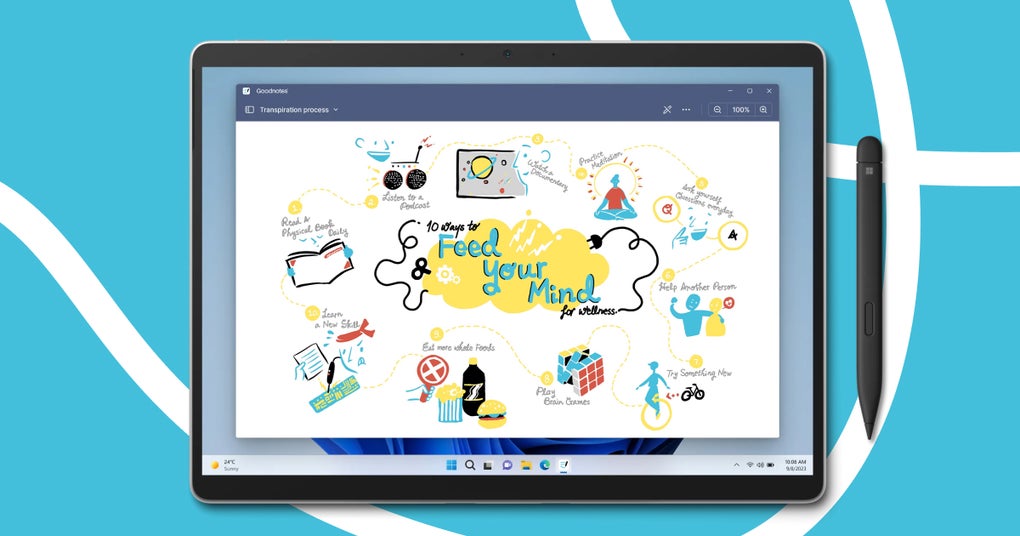
GoodNotes distinguishes itself from simpler note-taking applications like OneNote or Simplenote through its robust feature set and native support for stylus input. This makes it particularly appealing to users who prefer handwritten notes or sketches alongside typed text. The application’s extensive template library, boasting over 50 options, provides users with a diverse range of paper styles and layouts, catering to various note-taking preferences and organizational needs. Whether you prefer lined paper, grid paper, dot grid paper, or blank canvases, GoodNotes offers a template to suit your style. These templates aren’t merely visual; they are functional, providing a framework for organizing thoughts and ideas.
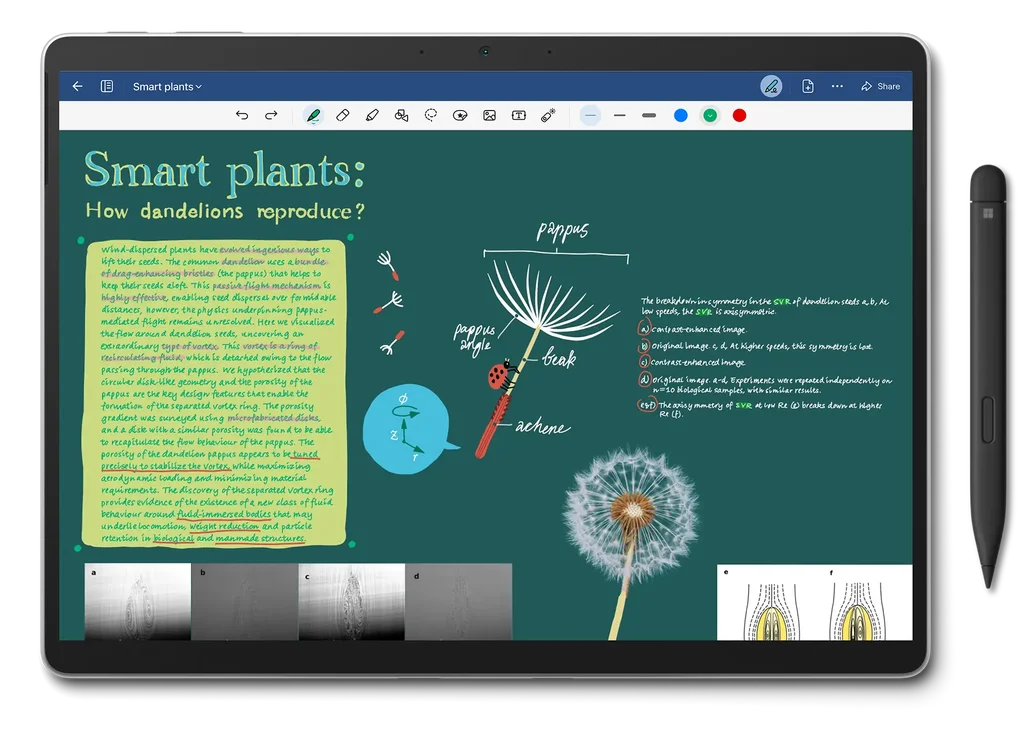
Beyond the templates, GoodNotes shines with its superior handwriting recognition. The integration of stylus and light pen support allows for natural and fluid handwriting, a feature often lacking in competing applications or implemented clumsily. Users can customize their handwriting experience by adjusting pen thickness, selecting from a variety of colors, and experimenting with different pen types to find the perfect match for their writing style. This level of customization ensures that the note-taking process feels personal and efficient.
Furthermore, GoodNotes offers essential organizational features, such as the ability to create folders and subfolders for categorizing notes based on subjects, projects, or any other organizational scheme. This hierarchical system allows for a streamlined approach to managing large numbers of notes without sacrificing ease of access. The ability to search within notes is also crucial, allowing for quick retrieval of information even within extensive documents. These search functions go beyond simple keyword searches, often incorporating handwriting recognition to find handwritten notes based on the content.
GoodNotes’ exporting capabilities are also noteworthy, allowing users to easily share their notes in PDF format. This ensures compatibility across different platforms and applications, making collaboration and sharing straightforward. The ability to embed hyperlinks within notes provides an extra layer of functionality, enabling users to link to related documents, websites, or other resources, transforming notes into dynamic and interconnected knowledge repositories. This is especially useful for researchers, students, or anyone who works with a multitude of sources.
Offline Functionality and Cross-Platform Compatibility
One significant advantage of GoodNotes is its robust offline functionality. Users can create, edit, and access their notes even without an internet connection, ensuring uninterrupted workflow regardless of network availability. This is particularly beneficial for users who frequently work in areas with unreliable internet access or prefer to avoid distractions from the online world during focused work sessions. This feature is a significant boon for productivity, allowing users to maintain their workflow seamlessly.
While GoodNotes boasts cross-platform compatibility, meaning it’s available on mobile devices and desktop computers, there’s a notable disparity in feature availability between these platforms. The mobile versions often include features that are not yet implemented in the desktop version, leading to a less comprehensive experience for desktop users. This difference in functionality is a significant drawback, as it limits the potential of GoodNotes on the desktop, making it less attractive to users who value a consistent and unified experience across their devices. This is a point of concern for many users, as it limits the versatility of the desktop application.
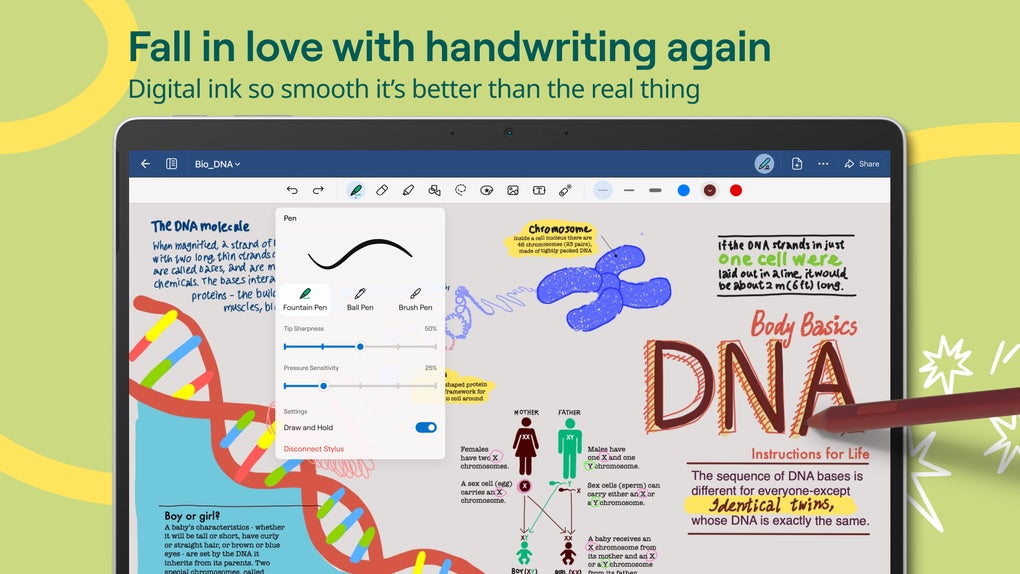
Strengths and Weaknesses of the Windows Version
GoodNotes for Windows, while offering many of the features found in its mobile counterparts, falls short in some key areas. The intuitive interface and extensive template selection remain significant strengths, making the initial experience highly engaging and productive. The stylus and light pen support are also major advantages, allowing for a more natural note-taking experience than keyboard-only applications. However, the reduced feature set compared to the mobile versions is a significant limitation. The lack of features might deter power users accustomed to the more complete functionality of the mobile application.
The desktop version may present a steeper learning curve for some users. While the basic functions are intuitive, mastering some of the more advanced features might require more time and effort. The lack of comprehensive tutorials and assistance within the application itself might hinder the learning process for newer users.
GoodNotes Compared to Competitors: A Balanced Perspective
GoodNotes occupies a unique space in the note-taking app market. While it shares some overlap with other applications like OneNote, Evernote, and Notability, GoodNotes’ focus on handwriting recognition and a user-friendly interface sets it apart. OneNote, known for its extensive features and integration with the Microsoft ecosystem, may appeal to users seeking a wider range of functionalities, particularly for organization and collaboration within a Microsoft-centric workflow. Evernote, on the other hand, prioritizes note organization and archiving, making it a suitable choice for those who require powerful search capabilities and a robust system for managing large quantities of notes across multiple devices. Notability, similar to GoodNotes, emphasizes handwriting, audio recording, and PDF annotation, yet it may offer a slightly different user experience.
GoodNotes’ strength lies in its streamlined focus on handwriting and note-taking, without the complexities of a feature-heavy application like OneNote. However, the disparity in feature availability between its desktop and mobile versions significantly impacts its overall appeal and functionality. This could lead some users to prefer more feature-rich and consistently implemented cross-platform alternatives.
Conclusion: Is GoodNotes Right for You?
GoodNotes for Windows offers a smooth and intuitive note-taking experience, particularly for users who value handwriting. Its extensive template library and excellent handwriting recognition make it a strong contender in the note-taking application market. However, the limitations compared to its mobile counterparts represent a significant drawback. The absence of certain features found in the mobile app diminishes its overall appeal, particularly for power users who expect consistent functionality across different platforms.
If your primary need revolves around simple note-taking, lists, and basic annotations, with a preference for stylus input, GoodNotes is a worthwhile option. But if you require a more comprehensive feature set, seamless cross-platform compatibility, and consistent functionality across devices, you might want to explore alternative applications that offer a more balanced and feature-rich experience across all platforms. Ultimately, the decision of whether or not GoodNotes is the right choice depends on your individual needs and priorities. Careful consideration of the app’s strengths and limitations, relative to your workflow and expectations, is essential before making a purchase.
File Information
- License: “Free”
- Version: “1.0.5.0”
- Latest update: “December 10, 2024”
- Platform: “Windows”
- OS: “Windows 11”
- Language: “English”
- Downloads: “4.9K”


