
Google Account Manager is a crucial utility application developed by Google that simplifies the management of your Google accounts on Android devices. While pre-installed on most Android phones, understanding its functionality and capabilities is vital for maximizing your Google experience. This guide delves into the intricacies of Google Account Manager, exploring its features, benefits, and how it contributes to a streamlined and secure digital life.
Understanding Google Account Manager’s Role
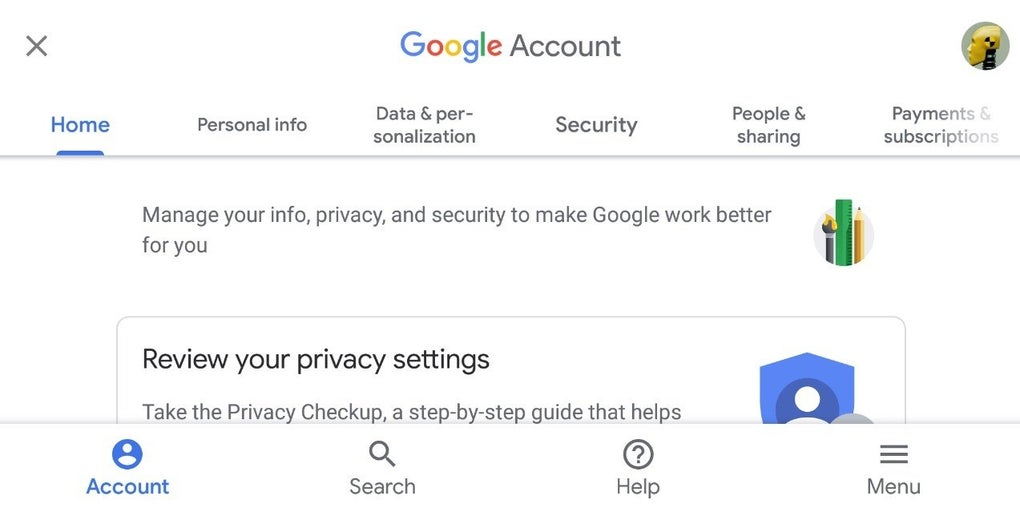
Google Account Manager acts as a central hub for controlling and customizing your access to the vast array of Google services. It’s more than just a simple account manager; it’s the backbone for ensuring seamless synchronization and personalized settings across various Google apps and platforms. Instead of managing settings individually for each Google app (like Gmail, YouTube, Google Maps, etc.), Google Account Manager provides a unified interface to adjust preferences affecting your entire Google ecosystem. This centralized management system streamlines the process, saving time and effort while improving overall user experience.
The application itself is not prominently displayed amongst your installed apps; it operates behind the scenes within the Google Play Services framework. This silent operation ensures efficient background processes without cluttering your app drawer. However, its importance should not be underestimated, as it underpins the smooth functioning of most Google services on your Android device.
Key Features and Functionality
-1.jpg)
Google Account Manager offers a range of powerful features designed to enhance user control and personalization:
-
Multi-Account Management: One of its core strengths is the ability to manage multiple Google accounts simultaneously. This is particularly beneficial for users with separate accounts for personal and professional use, allowing for easy switching between profiles without the need to log in and out repeatedly. Each account can have its own distinct settings, ensuring privacy and organizational clarity.
-
Access and Verification Control: The application provides a centralized location to manage access permissions and verification methods for various Google services. Users can customize the level of access granted to individual apps and services, bolstering security and privacy. This includes options for two-factor authentication and other security measures to protect account information.
-
Data Synchronization and Management: Google Account Manager plays a critical role in synchronizing data across your Google apps and devices. This seamless integration ensures that your contacts, calendar events, emails, and other crucial information remain consistent across all platforms. Users can customize synchronization preferences, choosing which data types to sync and managing the frequency of updates. This automated synchronization streamlines workflow and eliminates the need for manual data transfer.
-
Privacy and Security Settings: The app offers a central interface to review and adjust your overall Google privacy and security settings. Users can manage their data sharing preferences, control access to location data, review account activity, and implement measures to enhance account security. This holistic approach to privacy management simplifies the process of protecting sensitive information.
-
Payment and Subscription Management: Users can also conveniently manage their Google payments and subscriptions via Google Account Manager. This allows for easy tracking of transactions, updating payment methods, and managing subscriptions to various Google services. This integrated approach to financial management within the Google ecosystem enhances convenience and accountability.
-
App-Specific Settings: While the main settings are centralized, Google Account Manager also enables granular control over individual app settings. This allows users to fine-tune specific aspects of how each Google app functions, further enhancing personalization. This level of customization caters to individual user preferences and workflow.
-
Contact Management: The application also allows for efficient management of your Google contacts. Users can organize their contacts, add new entries, and control the sharing of contact information with different apps and services. This functionality simplifies the process of networking and managing personal connections within the Google ecosystem.
-
Blocking Users: For enhanced security and privacy, Google Account Manager provides the option to block unwanted users from accessing or interacting with your Google account or specific services. This feature contributes to a more secure and controlled online experience.
Benefits of Using Google Account Manager
Utilizing Google Account Manager offers several significant advantages:
-
Simplified Account Management: Consolidating account management into a single interface streamlines the process, reducing the need to navigate multiple settings menus.
-
Enhanced Security and Privacy: Centralized control over access permissions and privacy settings simplifies the task of protecting sensitive information.
-
Seamless Data Synchronization: Automated data synchronization ensures that your information remains consistent across all your devices and Google apps.
-
Improved Personalization: Granular control over settings allows for a highly customized Google experience tailored to individual needs.
-
Efficient Resource Management: The application operates efficiently in the background, without consuming excessive system resources.
Is Google Account Manager Worth Downloading?
While Google Account Manager is typically pre-installed on Android devices, reinstalling it (if needed) is highly recommended. Its importance extends beyond simply managing accounts; it’s foundational to the smooth functioning and personalization of the Google ecosystem on your Android device. The benefits of unified account management, enhanced security, seamless data synchronization, and granular control over settings far outweigh any minor considerations. Therefore, ensuring its presence on your device is crucial for maximizing your Google experience and maintaining a secure and efficient digital environment.
Alternatives to Google Account Manager
While Google Account Manager is specifically designed for managing Google accounts on Android, no direct alternatives offer the same comprehensive functionality. However, several apps manage accounts for other services or specific aspects of account control, though these lack the integrated nature of Google Account Manager.
Third-party password managers can help manage login credentials for various services, including Google accounts, but they don’t provide the same level of control over data synchronization, app-specific settings, or privacy options offered by Google Account Manager.
Conclusion
Google Account Manager is an indispensable tool for anyone using Google services on an Android device. Its ability to manage multiple accounts, control access permissions, and customize settings to enhance both security and personalization makes it a critical component of the overall Google experience. While its presence might go largely unnoticed in the background, its significance in ensuring a seamless and secure interaction with the Google ecosystem cannot be overstated. Understanding its features and leveraging its capabilities can greatly enhance efficiency and control over your digital life.
File Information
- License: “Free”
- Version: “7.1.2”
- Latest update: “May 25, 2022”
- Platform: “Android”
- OS: “Android 7.0”
- Language: “English”
- Downloads: “34.7K”
- Size: “6.55 MB”
- Download Options: “APK, Google Play”
- Filename: “Google_Account_Manager_v7.1.2.apk”


