
In today’s fast-paced world, effective time management is paramount. Juggling multiple calendars across different platforms can quickly become overwhelming, leading to missed appointments, scheduling conflicts, and decreased productivity. Google Calendar Sync offers a solution to this common problem by providing a simple yet powerful way to synchronize your Google Calendar with other calendar applications, primarily Microsoft Outlook. This comprehensive guide explores the features, benefits, and best practices associated with Google Calendar Sync, empowering you to streamline your scheduling and enhance your overall efficiency.
Understanding Google Calendar Sync
Google Calendar Sync is a synchronization tool designed to bridge the gap between Google Calendar and other calendar applications, primarily focusing on Microsoft Outlook. It acts as a intermediary, seamlessly transferring events, appointments, and reminders between these platforms, eliminating the need for manual data entry and ensuring your schedules remain consistently updated across all your devices. The tool’s primary function is to synchronize your Google Calendar data with your Outlook calendar, providing a centralized view of your commitments regardless of the application used to initially create them. This eliminates the cumbersome task of checking multiple calendars for appointments, meetings, and deadlines.
Google Calendar Sync is particularly valuable for users who rely on both Google Calendar (often preferred for its collaborative features and accessibility) and Outlook (widely used in professional environments for its robust features and integration with other Microsoft applications). This synchronization eliminates the need to switch between applications, ensuring a consolidated and comprehensive view of your schedule. The tool offers both one-way and two-way synchronization options, providing flexibility based on individual user needs and preferences.
Key Features and Capabilities
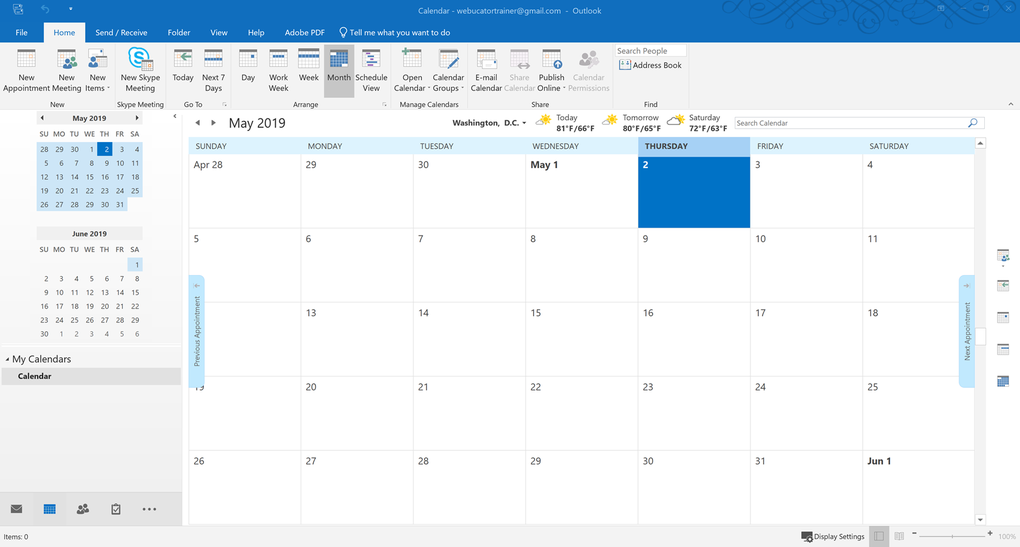
Google Calendar Sync offers a range of features designed to streamline the synchronization process and enhance usability. These features contribute to a more efficient and user-friendly experience, making it easier to manage multiple calendars without compromising accuracy or convenience.
-
One-Way and Two-Way Synchronization: This core feature allows users to customize the flow of information between Google Calendar and Outlook. One-way synchronization sends updates from one calendar to the other in a single direction. For instance, you might choose to only have Google Calendar events appear in Outlook, ensuring that all appointments are reflected in your primary work calendar. Conversely, two-way synchronization ensures that updates made in either calendar are reflected in both, providing a truly integrated and real-time view of all scheduled events.
-
Automatic Updates: Google Calendar Sync automatically updates the linked calendars at user-defined intervals. This ensures that any changes made—additions, modifications, or deletions—are immediately reflected in both calendars without manual intervention. This eliminates the risk of overlooking updates and prevents scheduling conflicts caused by outdated information. Users can customize the update frequency, choosing intervals ranging from every few minutes to once a day, optimizing the balance between real-time updates and system resource usage.
-
Comprehensive Event Detail Syncing: The synchronization extends beyond simple date and time entries. Google Calendar Sync accurately transfers crucial event details, including reminders, location information, participants, and any additional notes or descriptions added to the event. This ensures that all essential information is consistently available across both calendars, providing a complete and accurate picture of your commitments.
-
Multiple Calendar Support: While the primary focus is on synchronizing with your primary Google and Outlook calendars, the tool offers some flexibility with handling multiple calendars within Google Calendar. However, it’s important to note that this functionality might have limitations. While it may allow synchronization across multiple Google Calendars, the synchronization of secondary calendars within Outlook may be restricted. Check the specific documentation for the most up-to-date information on supported calendars.
Benefits of Using Google Calendar Sync
The benefits of using Google Calendar Sync extend beyond simple calendar integration. It offers a significant improvement in efficiency, reducing the time and effort required to manage multiple scheduling systems. The increased convenience and improved organization translates into enhanced productivity and reduced stress.
-
Centralized Scheduling: Instead of toggling between different calendar applications, users can access all their appointments and commitments from a single interface. This streamlined approach saves valuable time and minimizes the risk of overlooking important events due to the inconvenience of managing multiple applications.
-
Conflict Prevention: The automated synchronization ensures consistency between calendars, eliminating the risk of double-booking or scheduling conflicts. All appointments, meetings, and deadlines are reflected in both calendars, minimizing the chance of missed appointments or overlapping commitments.
-
Enhanced Productivity: By centralizing and synchronizing schedules, Google Calendar Sync significantly improves time management. Users gain a clearer and more comprehensive view of their commitments, leading to improved planning, increased efficiency, and better overall productivity.
-
Convenience and Ease of Use: The simplicity of Google Calendar Sync’s interface contributes to its user-friendliness. The tool’s intuitive design and straightforward synchronization process require minimal technical expertise, making it accessible to users of all levels.
-
Simplified Management: The automated nature of Google Calendar Sync reduces the burden of manual calendar updates. Any changes made in one calendar are automatically reflected in the other, eliminating repetitive tasks and reducing the likelihood of human error.
-
Cross-Platform Accessibility: The integrated nature of Google Calendar Sync extends beyond the desktop. Since Google Calendar synchronizes with various devices, your appointments and commitments are accessible across multiple platforms, including smartphones, tablets, and web browsers. This ensures that you are always in sync with your schedule, regardless of the device you are using.
Best Practices for Syncing Google Calendar and Outlook
While Google Calendar Sync is designed for ease of use, following best practices can optimize its performance and minimize potential issues. These tips contribute to a smoother and more reliable synchronization process.
-
Time Zone Uniformity: Ensure that both your Google Calendar and Outlook calendar are set to the same time zone. Inconsistencies in time zone settings can lead to inaccurate synchronization and scheduling conflicts.
-
Regular Testing and Verification: After setting up the synchronization, regularly check both calendars to verify that the events are accurately and consistently transferring. This proactive approach helps identify and resolve any synchronization issues early on.
-
Settings Review and Updates: Periodically review and update your synchronization settings, ensuring that the frequency and direction of the synchronization meet your current needs. Adjustments may be necessary to accommodate changing work schedules or preferences.
-
Software Updates: Keep both Google Calendar Sync and your Google Calendar and Outlook applications up-to-date. Software updates often include bug fixes and performance improvements, optimizing the synchronization process and ensuring compatibility.
-
Backups: Before initiating any significant changes to your synchronization settings, create backups of both your Google Calendar and Outlook calendars. This precautionary measure safeguards your data in case any unexpected issues arise during the synchronization process.
Conclusion: Streamlining Your Schedule with Google Calendar Sync
Google Calendar Sync proves to be an invaluable tool for individuals and businesses who rely on both Google Calendar and Microsoft Outlook. By effectively integrating these two popular calendar applications, the tool overcomes the challenges of managing multiple scheduling systems, leading to a significant improvement in time management, productivity, and overall efficiency. With its user-friendly interface and robust features, Google Calendar Sync simplifies the process of keeping your schedules synchronized and eliminates the risk of missed appointments or scheduling conflicts, enabling you to focus on what matters most: your work and appointments. Remember to follow the best practices outlined above to ensure a smooth and efficient synchronization experience.
File Information
- License: “Free”
- Latest update: “March 26, 2025”
- Platform: “Windows”
- OS: “Windows XP”
- Language: “English”
- Downloads: “343.4K”


