
Google Dictionary, a free dictionary extension for the Google Chrome browser, offers a quick and convenient way to access definitions and translations directly within your web browsing experience. While its simplicity is a strength, its limitations primarily stemming from its Chrome-exclusivity and a few functional quirks, should be considered. This review explores the functionalities, advantages, disadvantages, and alternatives to Google Dictionary, providing a thorough assessment of its usefulness and practicality for various users.
Ease of Use and Functionality
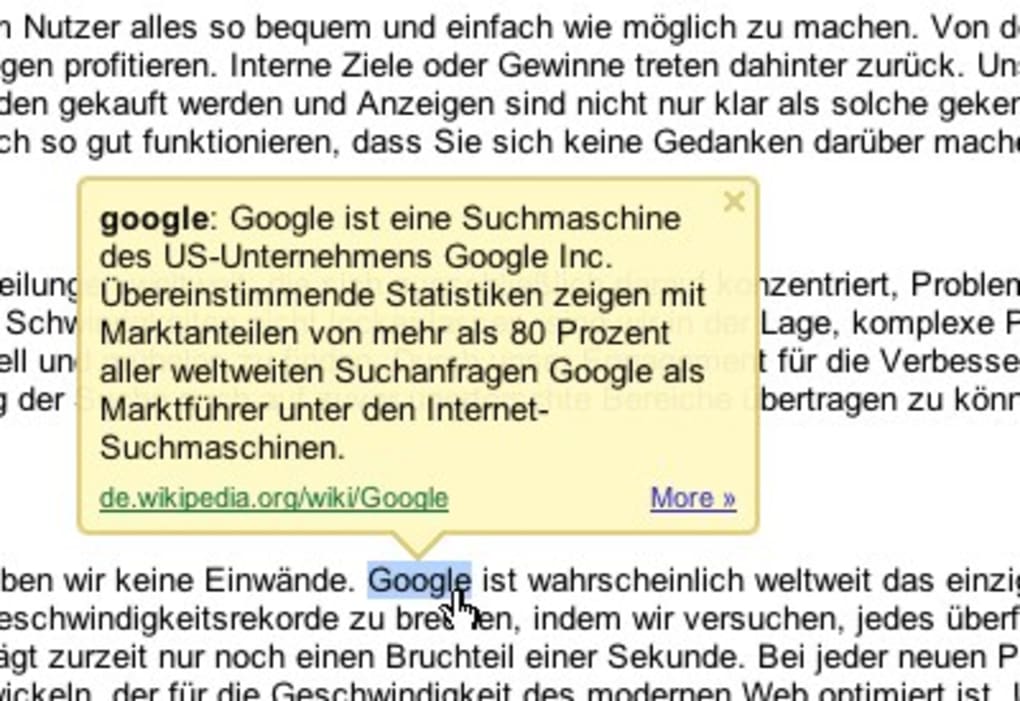
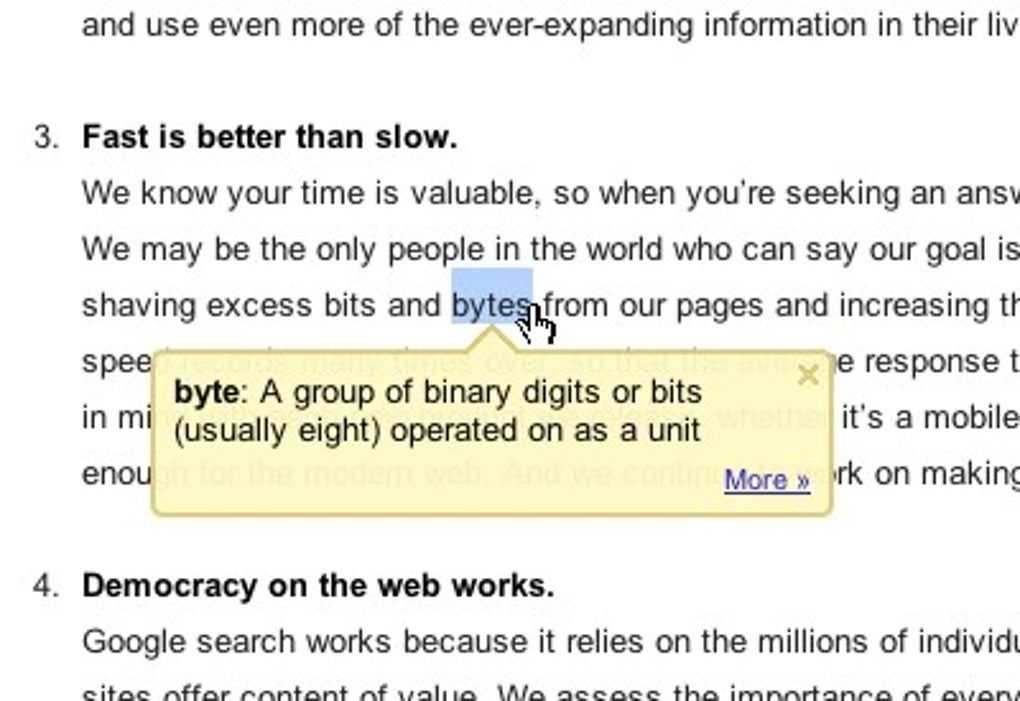
The core strength of Google Dictionary lies in its user-friendliness. Its integration with Google Chrome is seamless. Users simply need to highlight a word on a webpage and right-click; the definition appears almost instantaneously in a pop-up window, eliminating the need to switch to a separate dictionary application or website. This streamlined process significantly enhances browsing efficiency, especially for users who frequently encounter unfamiliar words while reading online articles, news reports, or academic texts.
The dictionary’s interface is uncluttered and intuitive. Definitions are presented clearly, and often include synonyms, antonyms, and usage examples, providing a comprehensive understanding of the word’s meaning within its context. This contextual understanding is vital, as many words possess multiple meanings depending on the surrounding text. Google Dictionary excels in providing the most relevant definition based on the highlighted word’s usage within the sentence.
The speed of access is remarkable. The definition appears almost instantly upon right-clicking the highlighted word, making it a truly efficient tool for those who need quick answers without interrupting their workflow. This instantaneous feedback loop makes learning new words an effortless process, fostering a more interactive and engaging reading experience.
Language Support and Multilingual Capabilities
One of Google Dictionary’s key advantages is its broad language support. While the primary language is English, it supports a vast array of other languages, allowing users to look up words in various languages and obtain translations into their preferred language. This makes it a versatile tool for students, researchers, translators, and anyone who interacts with multilingual content online. The extensive language coverage extends its utility beyond a simple English dictionary, turning it into a valuable resource for global communication and understanding.
This multilingual capability goes beyond simple word-to-word translations. Google Dictionary strives to provide contextually relevant translations, considering the nuanced meanings and grammatical structures of different languages. This contextual awareness is a significant advantage over simpler translation tools that only provide direct word-for-word equivalents. This feature is especially useful when dealing with idioms or phrases that might not translate literally but require a deeper understanding of the target language’s linguistic subtleties.
The accuracy of these translations, however, varies depending on the language pair and the complexity of the word or phrase. While generally reliable for common words and phrases, more complex terms or idiomatic expressions might necessitate using a more specialized translation service for a higher degree of accuracy.
Limitations and Drawbacks
Despite its numerous advantages, Google Dictionary is not without its limitations. The most significant drawback is its exclusive availability as a Google Chrome extension. Users of other web browsers, such as Firefox, Safari, or Edge, cannot benefit from its seamless integration. This limitation significantly restricts its accessibility, making it unsuitable for users who prefer or require different browsing experiences.
Another issue, although less impactful for casual users, relates to the speech output function. While the dictionary does offer the ability to hear the word’s pronunciation, the quality of the speech synthesis can sometimes be less than perfect, especially for less common words or those with complex pronunciation rules. This imperfection might cause some inconvenience, particularly for users who rely on auditory learning or require precise pronunciation guidance.
Finally, Google Dictionary’s reliance on an internet connection is another point of consideration. Offline functionality is absent; the dictionary requires a stable internet connection to function. This dependence on internet access can be problematic in areas with unreliable or limited connectivity, restricting its usefulness for those who need to consult the dictionary in such environments.
Alternatives to Google Dictionary
Given the limitations of Google Dictionary’s Chrome-only availability, several alternative dictionary applications and online resources can fulfill similar functions. Many web browsers offer built-in dictionary functionalities or support add-ons from various dictionary providers, offering comparable functionalities. Furthermore, stand-alone dictionary applications are readily available for various operating systems, offering broader language coverage and more advanced features such as offline access and thesaurus integration.
For instance, several reputable online dictionaries, such as Merriam-Webster, Oxford Dictionaries, and Dictionary.com, provide comprehensive word definitions and etymological information. These online resources can serve as reliable alternatives to Google Dictionary, particularly for users who do not wish to use a browser extension or require more extensive dictionary functionalities.
Mobile applications are another suitable alternative, providing on-the-go access to comprehensive dictionary databases. Numerous mobile applications, both free and paid, offer similar features to Google Dictionary, often with additional functionalities such as offline access, image recognition for word lookup, and advanced language learning features.
Conclusion
Google Dictionary is a valuable tool for Chrome users who appreciate its seamless integration and rapid access to word definitions. Its user-friendly interface and multilingual capabilities are significant assets, simplifying the process of looking up words and acquiring contextual understanding. However, its exclusivity to Chrome, occasional shortcomings in speech output, and reliance on an internet connection pose notable limitations. Users should consider their individual needs and browser preferences before adopting Google Dictionary as their primary dictionary tool. The availability of alternative dictionaries, both online and in the form of standalone applications, allows users to select the solution that best aligns with their requirements and preferences, ensuring a smooth and effective linguistic experience.
File Information
- License: “Free”
- Version: “varies-with-device”
- Latest update: “March 29, 2017”
- Platform: “Windows”
- OS: “Windows 8.1”
- Language: “English”
- Downloads: “22.3K”


