
Google Input Tools is a powerful and versatile tool that empowers users to type in over 90 languages, transcending the limitations of standard keyboard layouts. This comprehensive guide delves into the functionality, ease of use, and overall advantages of Google Input Tools, exploring its capabilities as a valuable asset for both personal and professional communication.
Seamless Multilingual Typing: A Global Keyboard at Your Fingertips
At its core, Google Input Tools functions as a virtual keyboard extension, seamlessly integrated with various platforms including Chrome browsers, Windows operating systems (versions 7, 10, and 11), and Android devices. Its primary purpose is to enable effortless typing in a vast array of languages, eliminating the need for specialized hardware or complex language switching mechanisms. This capability extends beyond simple text input; it encompasses the nuances of different dialects and writing styles, allowing for more accurate and nuanced communication.
Unlike simple translation tools, Google Input Tools doesn’t merely translate text; it allows users to type directly in their chosen language. This means that the process is intuitive and fluid, enabling a natural writing experience regardless of the language selected. The tool remembers corrections and builds a custom dictionary, learning from user input to improve accuracy and personalize the experience. This adaptability ensures that even less common words, phrases, and proper names are correctly interpreted and displayed.
Easy Setup and Intuitive Interface: A User-Friendly Experience
Setting up Google Input Tools is remarkably straightforward. Unlike some competing applications that may require intricate configuration, Google Input Tools boasts a clean and intuitive interface, leading users through the setup process effortlessly. The time investment depends largely on the number of desired languages and preferred keyboard layouts.
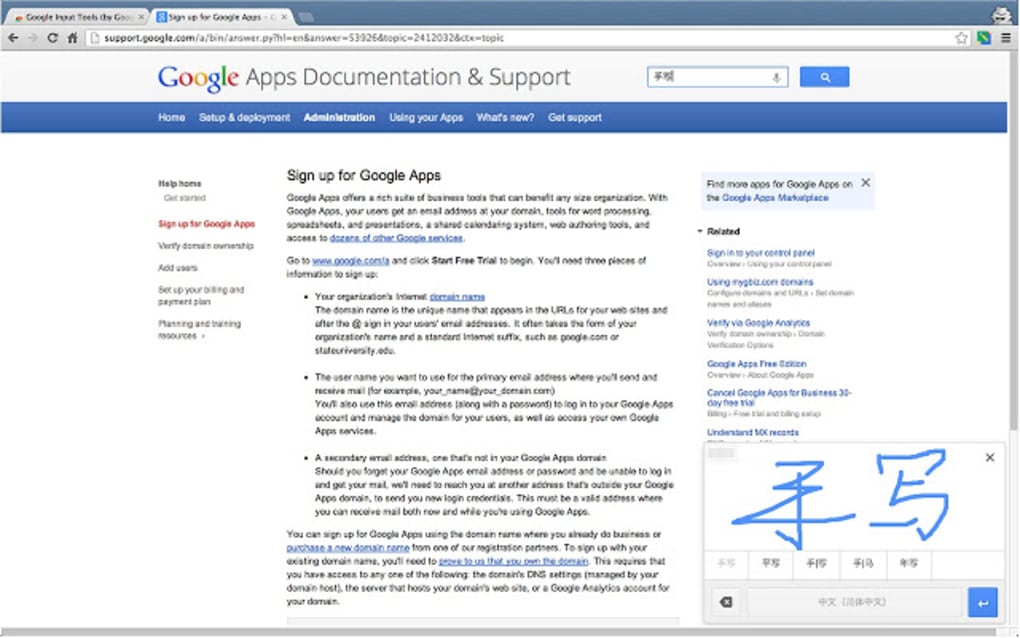
To begin typing in a specific language, users simply click the extension icon in their browser, select the desired language from the comprehensive list, and start typing. The tool offers flexibility in input methods, providing options for virtual keyboard use, handwriting recognition (through drawing characters in a designated box), and traditional keyboard input with transliteration support. This multi-faceted approach caters to individual preferences and varying levels of technological proficiency.
Utilizing Google Input Tools: Multiple Input Methods and Enhanced Functionality
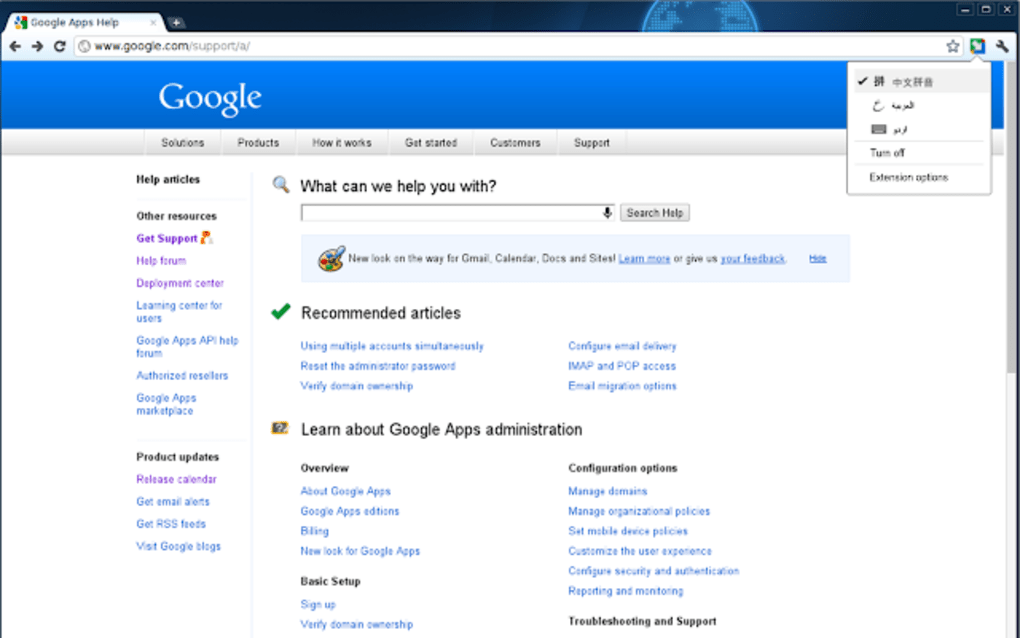
Google Input Tools, primarily designed as a Chrome extension, extends its functionality to Windows and Android devices, working effectively both online and offline. The installation process involves downloading the Windows version and then adding desired languages from the extension’s options menu.
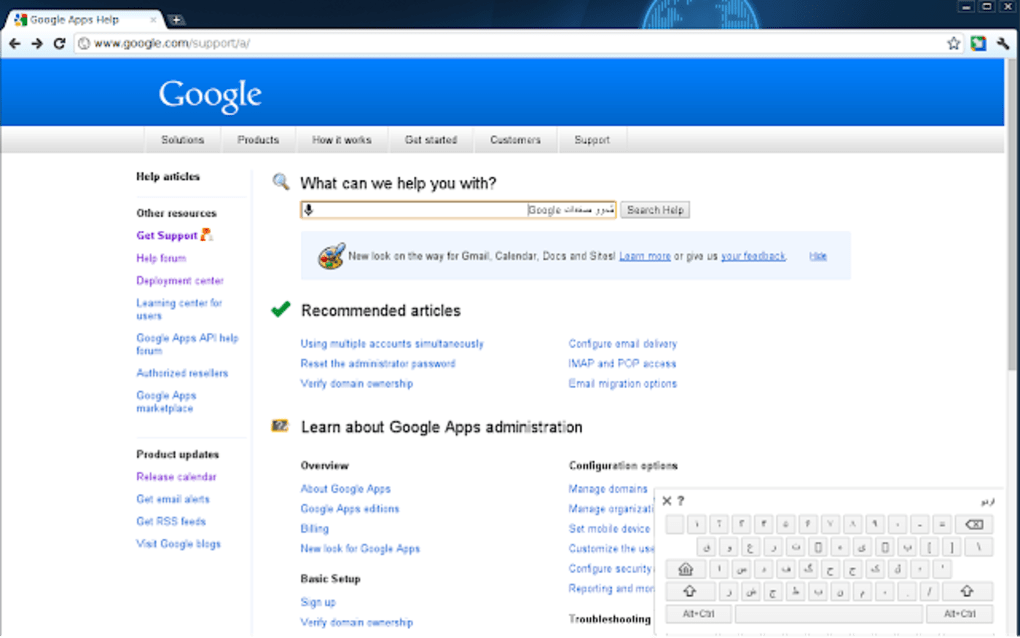
Once a language is selected, an on-screen keyboard tailored to that language appears. Users can easily add multiple languages and keyboard schemes with a simple double-click. Accessing the on-screen keyboard is quick and convenient, requiring only a left-click on the Google Input Tools extension icon.
The on-screen keyboard operates similarly to a physical keyboard, albeit with language-specific characters. While Google Input Tools supports using a physical keyboard, the virtual keyboard is highly recommended for optimal accuracy, particularly with languages employing characters not found on standard keyboards.
The tool offers three distinct typing methods:
-
Keyboard Typing: This classic method utilizes the on-screen keyboard, displaying keys specific to the chosen language. The clear layout and familiar interface make typing quick and efficient.
-
Predictive Typing: Available for select languages, this method offers suggestions for words and phrases as the user types. This feature significantly speeds up the writing process, especially for longer texts. The number and style of suggestions vary based on context and the length of the input.
-
Handwriting Recognition: This popular method allows users to write characters with a stylus or mouse directly within a designated text field. The tool recognizes the input and converts it into typed text, a particularly useful feature for languages with complex scripts or for users who find handwriting more convenient. While the writing window is not resizable, it still offers a practical alternative typing method.
Extensive Language Support: A Globally Inclusive Tool
Google Input Tools boasts an impressive repertoire of over 90 languages, constantly expanding with ongoing updates. This extensive support ensures compatibility with a broad range of languages from around the world, making it a truly global tool. The addition and removal of languages is easily managed through the ‘Options’ section, allowing users to customize their language selection to match their specific communication needs.
This vast language support is further augmented by robust transliteration capabilities. The tool supports transliteration into more than 30 scripts, enabling users to type words using unaccented letters and automatically receiving the correctly accented version in the target language. This functionality is particularly valuable for non-Latin script languages like Japanese or Hindi, where phonetic input can produce the desired character strings with accuracy. This advanced feature significantly reduces the learning curve for users unfamiliar with the complexities of non-Latin alphabets.
Google Input Tools: A Comparative Advantage
When compared to other multilingual input tools, Google Input Tools stands out due to its combination of extensive language support, user-friendly interface, and seamless integration with various Google services. Alternatives like Fried Babelfish and QTranslate, while offering similar functionality, often lack the comprehensive language coverage and intuitive interface of Google Input Tools. The tool’s integration with services like Google Drive, Gmail, and YouTube further enhances its utility, making it a comprehensive solution for multilingual communication across multiple platforms.
The simplicity of Google Input Tools makes it accessible to a wide range of users, regardless of their technical expertise. The clean interface and straightforward functionality allows even beginners to quickly grasp its capabilities and begin using it effectively. Switching between languages is swift and easy, minimizing disruptions in communication and maximizing efficiency in interactions with individuals from different linguistic backgrounds.
Strengths and Areas for Improvement: A Balanced Perspective
While Google Input Tools offers numerous advantages, it is important to acknowledge areas where improvement could be beneficial.
Pros:
- Extensive language support: The vast number of supported languages makes it a truly versatile tool.
- User-friendly interface: Its simple design makes it accessible to users of all technical skill levels.
- Multiple input methods: The options for keyboard typing, predictive text, and handwriting recognition cater to individual preferences.
- Seamless integration: It integrates well with various Google services and platforms.
- Free to use: The tool is available at no cost, making it accessible to a broader audience.
Cons:
- Occasional bugs: As with any software, occasional bugs may occur, requiring occasional updates or troubleshooting.
- Handwriting recognition limitations: The fixed size of the handwriting input window may pose challenges for longer words or phrases.
Despite these minor drawbacks, the strengths of Google Input Tools significantly outweigh its limitations. Its value as a comprehensive, user-friendly, and multilingual typing solution makes it a valuable tool for individuals and organizations alike. The constant development and updates suggest that these minor issues are actively addressed by the developers. Overall, Google Input Tools stands as a highly effective tool for anyone requiring seamless multilingual typing capabilities.
File Information
- License: “Free”
- Latest update: “July 18, 2025”
- Platform: “Windows”
- OS: “Windows 7”
- Language: “English”
- Downloads: “5.1M”


