
Google Input Tools is a free and versatile software extension designed to simplify multilingual text input for users worldwide. This powerful tool transcends the limitations of standard keyboards, allowing you to effortlessly type in numerous languages, regardless of your keyboard layout. Whether you’re a seasoned polyglot, a student learning a new language, or a professional needing to communicate across linguistic boundaries, Google Input Tools offers a comprehensive solution for your diverse typing needs. This article explores the features, functionalities, and benefits of Google Input Tools, specifically focusing on its capabilities on Windows PCs.
Diverse Input Methods for Seamless Multilingual Typing
Google Input Tools boasts a robust and flexible approach to multilingual typing, offering a range of input methods tailored to individual language characteristics and user preferences. This adaptable system allows you to choose the method that best suits your needs and comfort level, ensuring a smooth and efficient typing experience.
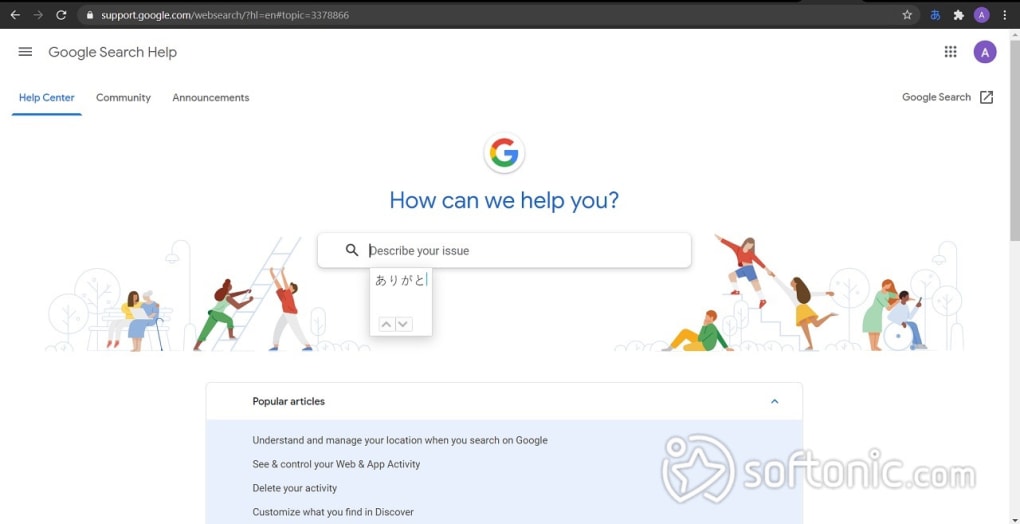
1. Transliteration: Unlike direct translation, transliteration focuses on phonetic similarity. This method converts the sounds of words typed in one language into the closest phonetic equivalent in your target language. You essentially type the word as it sounds in your native language, and the software provides a list of potential matches in the target language. This is particularly useful for languages with significantly different alphabets, allowing for intuitive input even without familiarity with the target language’s writing system. Google Input Tools supports transliteration for over 20 languages, making it a convenient option for a wide range of users.
2. Input Method Editors (IMEs): IMEs offer a character-by-character approach to input. Each keystroke brings up a selection of characters in your chosen language, allowing you to select the appropriate character or syllable. This method is highly effective for languages with alphabets that share similarities with your keyboard layout, facilitating a more precise and controlled typing experience. Google Input Tools provides support for seven IMEs, further expanding your input options.
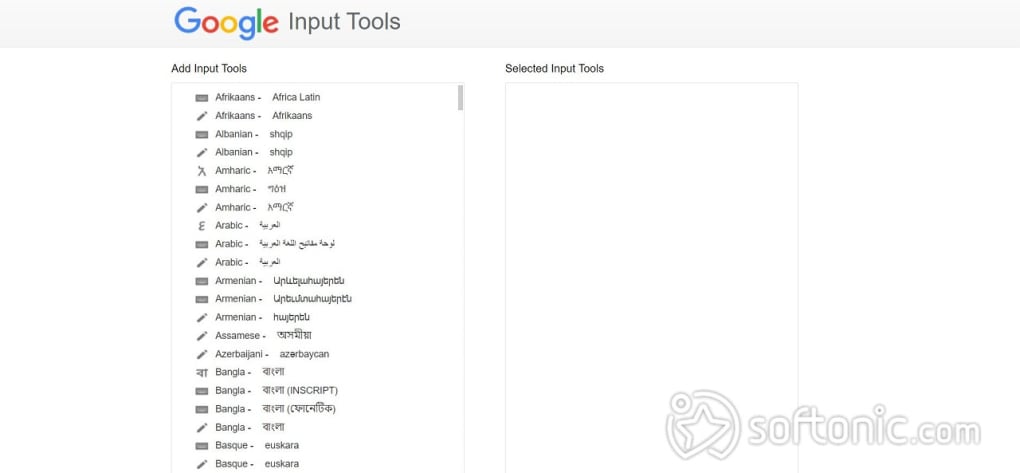
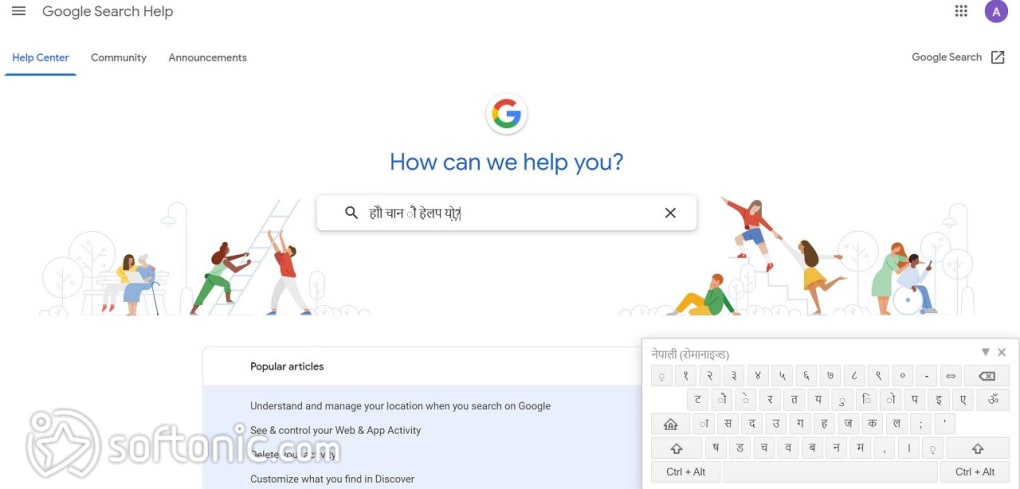
3. Virtual Keyboards: For a more visual and direct approach, Google Input Tools provides virtual keyboards. These on-screen keyboards display the characters of your chosen language, enabling you to click or tap on the desired characters using a mouse, stylus, or finger (on touchscreen devices). The virtual keyboard eliminates the need for complex key combinations or memorizing unfamiliar keyboard layouts. This feature is particularly beneficial for languages with complex writing systems or characters not typically found on standard keyboards. Google Input Tools offers over 90 virtual keyboards representing a vast range of languages.
4. Handwriting Recognition: This innovative feature allows users to input text by handwriting directly on the screen. Using a mouse, stylus, or finger, you can draw characters, and Google Input Tools employs optical character recognition (OCR) to translate your handwriting into text. This is especially useful for languages with complex scripts, such as Chinese or Japanese, or for users who prefer a more natural and intuitive writing style. The handwriting recognition feature greatly enhances accessibility and offers a unique alternative to traditional typing methods.
Overcoming Keyboard Limitations: A Solution for a Multilingual World
In today’s interconnected world, the ability to communicate across languages is paramount. Yet, standard keyboards often restrict users to a single alphabet, posing a significant challenge for individuals who work with multiple languages. Searching for special characters within individual applications, such as Microsoft Word or Google Docs, can be time-consuming and disruptive. Google Input Tools addresses this limitation by providing a centralized solution for managing and switching between multiple language input methods.
The software’s versatility extends beyond simple text input. It supports various scripts, including Latin, Cyrillic, Arabic, Devanagari, and many more, ensuring compatibility with a diverse range of languages. This inclusivity makes Google Input Tools an invaluable tool for individuals from diverse linguistic backgrounds, professionals working with international clients, and students learning new languages. The software effectively bridges the gap between the limitations of physical keyboards and the demands of a globalized world, enhancing communication and efficiency in a multilingual environment.
Time Savings and Efficiency in a Fast-Paced World
In today’s fast-paced world, efficiency is key. Google Input Tools significantly reduces the time and effort required for multilingual typing. By providing readily available virtual keyboards and streamlined input methods, it eliminates the need for tedious searches for special characters or complex key combinations. This time-saving aspect translates into increased productivity and allows users to focus on the content of their work rather than the mechanics of typing in a different language.
The intuitive interface and easy-to-use features contribute to a seamless workflow. The ability to switch effortlessly between languages, using either a virtual keyboard or one of the other input methods, streamlines the entire process, eliminating the interruptions that often accompany traditional methods of multilingual typing. The overall design reflects a clear understanding of user needs, prioritizing convenience and simplicity to enhance the overall typing experience.
Google Input Tools: Your Virtual Multilingual Assistant
Google Input Tools functions as a virtual assistant for multilingual typing, providing a range of tools designed to simplify and expedite the process. Whether you prefer the phonetic accuracy of transliteration, the precise control of IMEs, the visual clarity of virtual keyboards, or the natural feel of handwriting recognition, Google Input Tools offers a customized solution. This adaptability is a key strength, ensuring that it caters to a broad range of user preferences and linguistic needs.
The software’s comprehensive functionality transcends simple text input; it seamlessly integrates with various Google services, including Google Search, Gmail, Google Drive, Google Translate, and YouTube. This integration further streamlines the user experience, ensuring consistency across multiple platforms and applications. The effortless switching between languages ensures a smooth transition, regardless of the platform or application in use.
System Requirements and Compatibility
Google Input Tools enjoys broad compatibility, supporting a wide range of Windows operating systems, including Windows 11, 10, 8.1, 8, 7, Vista, and even XP. This backward compatibility ensures that users with older systems can still benefit from the software’s features. The lack of the need for PC installation simplifies the setup process, making it readily accessible to a broad user base. The lightweight nature of the software ensures minimal impact on system performance, maintaining a smooth and efficient user experience.
Advantages and Disadvantages of Google Input Tools
While Google Input Tools offers a wide array of benefits, it’s important to acknowledge potential drawbacks. This balanced perspective allows for a more informed decision regarding the suitability of the software for your specific needs.
Pros:
- No installation required: The extension’s accessibility is a major advantage. No complex installation procedures are necessary, making it easy to use on various systems.
- User-friendly interface: The software is intuitive and easy to navigate, regardless of your technical expertise.
- Multiple input methods: The variety of input methods caters to diverse preferences and linguistic needs.
- Extensive language support: With over 90 virtual keyboards and support for numerous languages, it caters to a wide range of users.
Cons:
- No embedded translation: The software focuses on input, not translation, meaning you’ll need a separate tool for translation if needed.
- Inconsistent phonetic accuracy: While transliteration is a useful tool, the accuracy can vary depending on the language and specific words.
Conclusion: Google Input Tools—A Powerful Tool for Multilingual Communication
Google Input Tools has established itself as a leading tool for multilingual typing, offering a robust and versatile solution for individuals and organizations working across linguistic boundaries. Its ease of use, broad compatibility, and wide range of input methods make it a valuable asset for anyone seeking to simplify and enhance their multilingual communication experience. While some minor limitations exist, the overall benefits significantly outweigh the drawbacks, solidifying Google Input Tools’ position as a leading tool in the field of multilingual text input.
File Information
- License: “Free”
- Version: “10.1.0.3”
- Latest update: “July 12, 2023”
- Platform: “Windows”
- OS: “Windows 7”
- Language: “English”
- Downloads: “4.1M”


