
Google Maps has transcended its origins as a simple digital map to become an indispensable tool for billions worldwide. Its seamless integration of mapping, navigation, real-time traffic data, and AI-powered features makes it a powerful and versatile application for both everyday commutes and extensive travel adventures. This article delves into the core functionalities, advanced features, and overall user experience of Google Maps, highlighting its strengths and addressing potential drawbacks.
Intuitive Navigation and Route Optimization
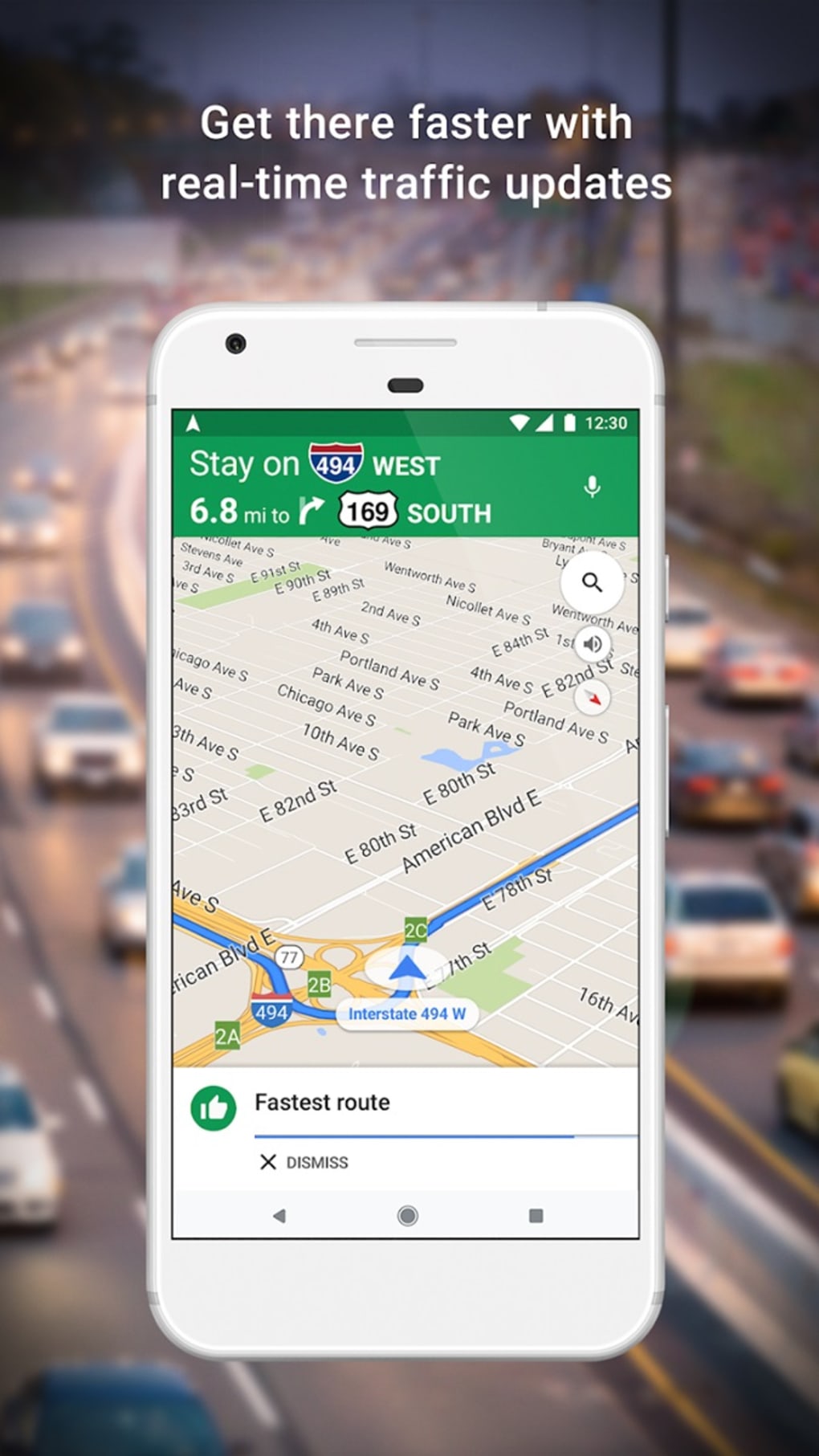
At its heart, Google Maps provides unparalleled ease of navigation. Finding a destination is as simple as typing in an address, a business name, or even a point of interest. The app then generates a variety of route options, intelligently factoring in real-time traffic conditions, road closures, and even construction delays. This dynamic route planning ensures users consistently arrive at their destinations efficiently, minimizing travel time and frustration.
Beyond simply selecting the fastest route, Google Maps offers users customizable preferences. For users concerned about fuel consumption, the app can highlight routes that prioritize fuel efficiency. Similarly, those pressed for time can select the fastest route, even if it involves more stops or traffic lights. The app’s adaptability extends to various modes of transportation, offering detailed walking directions with precise turn-by-turn guidance, encompassing both distance and estimated arrival time. Its comprehensive public transportation feature displays real-time schedules for buses and trains, indicating potential delays and providing detailed information on each stop, simplifying multi-modal journeys. The intuitive nature of the turn-by-turn directions, using both visual cues and audio prompts, is noteworthy. While navigating on foot, gentle haptic notifications help guide the user without the need to constantly check their phone, enhancing safety and ease of use.
The app’s versatility extends beyond simple point-to-point navigation. It allows for sophisticated trip planning, with the ability to create itineraries including multiple stops, offering users a streamlined approach to managing complex journeys. This function is particularly beneficial for road trips or sightseeing excursions, providing comprehensive route planning and organization.

Rich Information and Discovery Features
Google Maps is more than just a navigation tool; it’s a comprehensive source of location-based information. Users can easily explore businesses, find reviews, view photos, and check opening hours directly within the app. This rich contextual information significantly enhances the user experience, converting a simple navigation tool into an essential discovery platform.
The ability to search for points of interest extends beyond established businesses. Users can find parks, landmarks, and other locations, often accompanied by user-generated photos and reviews, which contribute a valuable layer of real-world perspective. The integration of street view offers a unique immersive experience, allowing users to virtually explore locations before arriving, improving decision-making and reducing uncertainty. This virtual exploration is invaluable for planning routes, sightseeing, or simply gaining a familiarity with an area before visiting in person.
Beyond standard searches, Google Maps excels in leveraging AI and machine learning to personalize the user experience. By analyzing user data and search history, the app proactively suggests relevant locations, tailoring recommendations to individual preferences and habits. This personalized approach optimizes the user experience by streamlining discovery and highlighting points of interest likely to resonate with the individual.
AI-Enhanced Features: Enhancing Navigation and Accessibility
Google Maps continues to integrate cutting-edge AI features to improve user experience, focusing on three crucial aspects: improved navigation, enhanced personalization, and increased accessibility. The integration of AI-powered Lens provides the “Search with Live View” feature. This innovative augmented reality (AR) tool overlays digital information onto a live view from the user’s camera. Pointing the camera at surroundings allows users to instantly identify nearby establishments, public transportation options, and other points of interest. This feature enhances exploration by transforming the user’s immediate environment into an interactive information source.
The commitment to sustainability is another key area where AI plays a significant role. Google Maps now automatically suggests routes that prioritize fuel efficiency and minimize carbon emissions. By analyzing traffic patterns and road inclines, the algorithm identifies routes that reduce the environmental impact of travel. Users can compare the environmental cost of different routes, aligning travel choices with their environmental consciousness and contributing to a reduction in greenhouse gas emissions.
Accessibility for visually impaired users has also seen significant enhancements. Voice guidance has been improved to offer increased accuracy and clarity, guiding users more effectively through complex environments. The incorporation of detailed accessibility information for locations further enhances inclusivity, ensuring that individuals with disabilities can navigate their surroundings with confidence and independence. This feature enhances the utility and practicality of Google Maps, ensuring equal accessibility for all users. The expansion of Street View imagery to over 80 countries significantly broadens the accessibility of Google Maps, fostering a more inclusive and globally relevant platform.
The integration of SpotHero seamlessly allows users to locate and reserve parking directly within the app, further improving convenience and reducing stress associated with finding parking, especially in busy urban areas. This integration is a notable example of how Google Maps utilizes partnerships to improve functionality and increase user convenience.
User Interface and Experience
The user interface of Google Maps is praised for its clean design and intuitive navigation. The map itself dominates the screen, with essential controls neatly organized and easily accessible. The app seamlessly adjusts between light and dark modes based on the time of day, optimizing visibility and minimizing eye strain. While customization options for the map icons are limited, users can add personalized tags to frequently visited locations. This feature enables users to create a personalized map, highlighting favorite spots with custom colors and labels.

The app’s responsiveness is another hallmark of its excellent user experience. Zooming, panning, and searching are fluid and seamless, ensuring a consistently smooth and responsive experience, regardless of device specifications or network conditions. The integration with other Google services is seamless, facilitating smooth transitions between different platforms and maintaining data consistency across the user’s digital ecosystem.
Potential Drawbacks
Despite its considerable strengths, Google Maps is not without its limitations. The most frequently cited drawback is its impact on battery life. Continuous use of GPS and real-time data significantly drains the battery, requiring users to manage power consumption carefully, particularly during longer journeys. The app’s reliance on internet connectivity is another factor to consider. While offline maps can be downloaded, their functionality is limited compared to the full online experience.
Conclusion: A Must-Have Navigation App
Google Maps stands as a leading navigation and discovery app, distinguished by its comprehensive features, intuitive interface, and continuous innovation. Its blend of core navigational functionality, rich contextual information, and cutting-edge AI-powered enhancements caters to a broad range of user needs, solidifying its position as an indispensable tool for millions worldwide. While battery consumption remains a concern, the numerous benefits and continuous improvements significantly outweigh this limitation, making Google Maps an essential application for anyone who navigates the world, whether across town or across continents.
File Information
- License: “Free”
- Latest update: “August 8, 2025”
- Platform: “Android”
- OS: “Android 15.0”
- Language: “English”
- Downloads: “2M”
- Download Options: “Google Play”


